# LEGAVIMA
> Browse and compare AI tools for legal teams. Contract review, legal research, document automation, e-discovery, and CLM. Submit your product to be listed.
Canonical site: https://legavima.com
Summary file: https://legavima.com/llms.txt
## Pages
### AI tools for legal professionals
URL: https://legavima.com/
Description: Browse and compare AI tools for legal teams. Contract review, legal research, document automation, e-discovery, and CLM. Submit your product to be listed.
# AI tools for legal professionals
Find the right legal tech for your team. We track and compare AI-powered tools across contract review, legal research, document automation, e-discovery, and contract lifecycle management. Each listing covers what the tool does, who it's for, and how it priced.
Browse Directory
## Articles
### Legitt AI Review: Contract Automation for SMBs
URL: https://legavima.com/blog/legitt-ai-review/
Description: Explore Legitt AI's contract automation features, AI capabilities, pricing, and how it benefits small to mid-sized businesses.
Published: 2026-04-25
Updated: 2026-02-10
## Introduction
[Contract lifecycle management platforms](https://en.wikipedia.org/wiki/Contract_lifecycle_management) are multiplying faster than most legal departments can evaluate them. **Legitt AI** positions itself as an accessible contract automation solution with AI-powered drafting and template management. The platform targets small to mid-sized businesses looking for simplified contract workflows without enterprise-level complexity or pricing. This **Legitt AI review** examines what the platform delivers, where it excels, and whether its features justify consideration. We'll cover contract automation capabilities, AI functionality, pricing structure, competitive positioning, and practical limitations based on vendor documentation and user feedback.
## Contract Automation Core Features
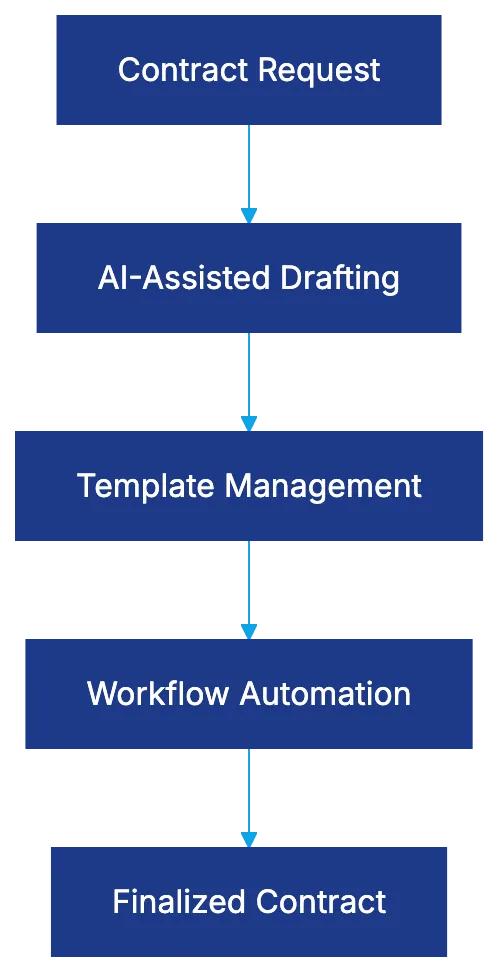
Legitt's **contract automation** centers on three primary capabilities: AI-assisted drafting, template management, and workflow automation. The drafting assistant reduces contract creation time by suggesting clause language based on contract type and parameters you specify, akin to [Spellbook](https://www.spellbook.legal/learn/law-firm-contract-automation-software), which integrates AI-driven drafting suggestions directly into Microsoft Word.
1. **AI-Assisted Drafting**: Users select a contract category (NDAs, employment agreements, service contracts) and answer questions about terms, parties, and conditions. The system generates a first draft incorporating those specifications.
2. **Template Management**: Maintains a centralized repository of approved contract templates. Legal teams can create templates with variable fields, approval requirements, and conditional clauses. This standardization reduces the need for legal review on routine agreements while maintaining consistency.
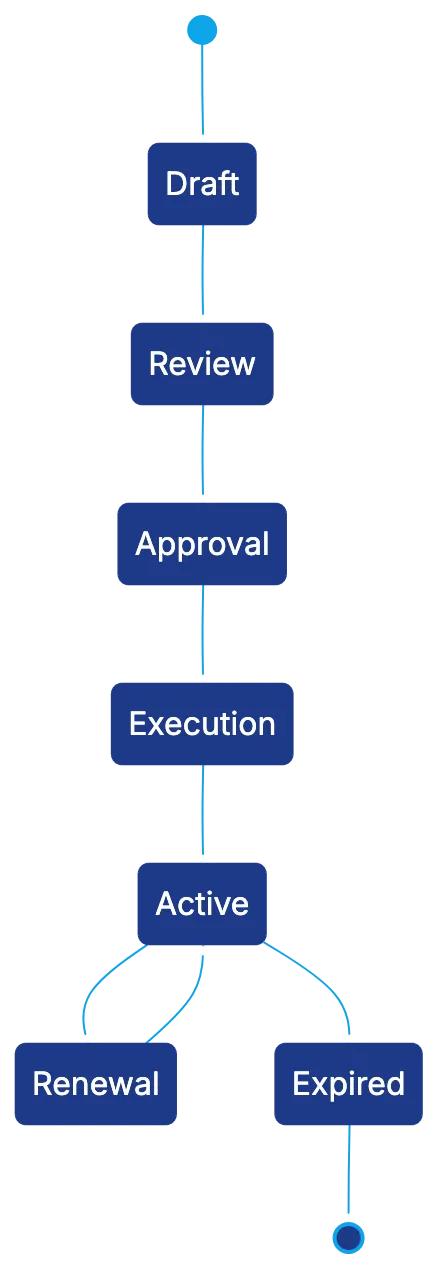
3. **Workflow Automation**: Handles routing, approvals, and notifications. You configure rules for contract review specific to contract types, set approval thresholds based on contract value or risk level, and automate reminders. This system tracks contract status, creating visibility into bottlenecks and cycle times.
The platform includes basic version control and tracking changes. Multiple stakeholders can review contracts, though the collaboration features are more basic than platforms like Ironclad or Juro.
Contract Automation Core Components:
## AI Capabilities and Technology Approach
Legitt's **AI contract drafting** focuses on drafting assistance, data extraction, and basic risk analysis. Drafting assistance uses [natural language processing](https://www.americanbar.org/groups/law_practice/resources/law-technology-today/2021/how-natural-language-processing-nlp-ai-is-used-in-law/) to generate appropriate clause language.
- **Data Extraction**: Upload existing contracts for the system to identify key terms, dates, obligations, and parties. Accuracy varies.
- **Risk Analysis**: Flags potentially problematic clauses based on predefined criteria, like unlimited liability provisions or missing indemnification clauses.
The AI technology uses rule-based logic and machine learning models (not large language models like GPT-4) making it more predictable for legal teams.
## Legitt Pricing Structure and Market Positioning
**Legitt pricing** follows a tiered subscription model based on features and user count. The vendor doesn't publish specific pricing online, requiring request quotes. Pricing is positioned below enterprise CLM solutions like Icertis or Agiloft but comparable to other mid-market options.
AI Processing Pipeline:

- **Plan Tiers**: Multiple plan tiers start with a basic plan and move through mid-tier plans adding workflow automation and AI features.
- **User-Based Pricing**: Charges per-user pricing, which can become expensive with many users across departments.
Setup fees vary, with levels of setup support based on the chosen plan tier.
## Target Market and Ideal Use Cases
Legitt AI targets small to mid-sized businesses, legal departments with limited technical resources, and those new to **contract management software**.
- **High Volume Contract Types**: Useful for businesses executing many NDAs, vendor agreements, or employment contracts monthly.
- **Professional Services Firms**: These usually need clean contracts without compliance complexity, aligning with Legitt's offerings.
- **Growing Businesses**: Smaller legal departments will find Legitt's feature set appropriate.
## User Experience and Interface Design
Legitt's interface follows contemporary SaaS design with a dashboard showing contract status and key metrics. The design ensures users familiar with modern web apps can navigate easily.
- **Contract Creation Workflow**: Guides users through questions or form fields to populate template variables, accessible to non-lawyers.
- **Search and Retrieval**: Allows contract search by party name, contract type, dates, or custom metadata, though lacks sophisticated enterprise filtering.
- **Mobile Access**: Available via responsive web design for mobile devices but better on desktops.
- **Combining Capabilities**: Integrates with tools like Salesforce, Microsoft 365, and Google Workspace, essential for most organizations.
## Competitive Positioning in the CLM Market
Legitt positions itself as a more accessible alternative to enterprise leaders like Ironclad or Icertis.
- **Simplicity vs. Power**: Legitt's simpler approach may appeal to those wanting contract management without complex setups.
- **AI-Focused Newcomers**: Compared to newcomers like Evisort or LinkSquares, Legitt offers less sophisticated AI capabilities but easier setup.
Legitt differentiates by packaging CLM functionality into a straightforward setup for organizations moving beyond email and file shares.
Contract Lifecycle Workflow:
## Specific Strengths and Competitive Advantages
Legitt lowers the entry barrier for **contract lifecycle management**.
- **Template-Based Approach**: Allows legal teams to encode standard positions, reducing drafting time.
- **Shorter Setup Timelines**: Implementations for straightforward use cases may complete within weeks.
- **Pricing Accessibility**: Accessible pricing for small to mid-sized legal departments expands CLM adoption.
- **Customer Support**: More accessible support enhances the user experience.
## Limitations and Areas Where Competitors Excel
Legitt's accessibility has tradeoffs in power and sophistication.
- **Complex Contract Portfolios**: Organizations with complex negotiation workflows may find Legitt limiting.
- **Narrow Combining Environment**: Limited connectors might be a drawback for specialized systems.
- **AI Capabilities**: Useful for basic use cases but less sophisticated than AI-first platforms.
- **Scalability and Compliance**: Limited compliance tracking may pose questions for rapid-growth organizations or regulated industries.
## Security, Compliance, and Data Handling
Legitt includes standard security requirements like data encryption and [role-based access controls](https://csrc.nist.gov/projects/role-based-access-control). More detailed security certifications require direct vendor engagement.
- **Data Residency Options**: Confirm available options for organizations with data sovereignty requirements.
- **User Access Controls**: Define roles and permissions, though granularity may lack compliance frameworks.
- **Vendor Lock-In**: Consider data export capabilities to prevent vendor dependency.
## Bottom Line
Legitt AI offers an entry point for moving beyond email-based contract management through meaningful automation in template management, workflow routing, and AI-assisted drafting. Suitable for small to mid-sized legal departments, Legitt's **contract automation approach** fits organizations with standardized contract types and straightforward approval workflows. Organizations should engage the vendor directly for a cost assessment, understanding pricing scalability as contract volumes grow.
Frequently Asked Questions
What types of contracts can I create using Legitt AI?
Legitt AI supports a variety of contract types, including NDAs, employment agreements, and service contracts. Users can select a specific category and provide relevant details to generate a tailored contract draft efficiently.
How does Legitt AI ensure the accuracy of the contracts generated?
Legitt AI employs natural language processing to assist in drafting by suggesting appropriate clauses based on user-defined parameters. Additionally, the platform offers data extraction capabilities, which allow users to upload existing contracts for analysis of key terms and obligations.
What is the pricing structure like for Legitt AI?
Legitt follows a tiered subscription model, offering different plans that vary by features and user count. Specific pricing details are not publicly available, and interested users must request quotes from the vendor.
Is Legitt AI suitable for large enterprises or only small to mid-sized businesses?
Legitt AI primarily targets small to mid-sized businesses and legal departments with limited resources or those new to contract management software. While it may not be tailored for complex enterprise needs, it offers a simpler solution for standard contract workflows.
Can Legitt AI integrate with other software tools?
Yes, Legitt AI integrates with commonly used tools such as Salesforce, Microsoft 365, and Google Workspace. This integration facilitates a more streamlined workflow for organizations already using these platforms.
What are some limitations of using Legitt AI?
While Legitt AI is accessible and user-friendly, it may not be suitable for organizations with complex contract negotiation needs or specialized systems due to limited connectors. Additionally, its AI capabilities are more basic compared to competitors focused solely on sophisticated AI solutions.
What security measures does Legitt AI offer for data protection?
Legitt AI includes standard security features such as data encryption and role-based access controls. For organizations with specific compliance requirements, it is advisable to engage with the vendor for detailed information regarding security certifications and data residency options.
### Why Summize Stands Out in Contract Management
URL: https://legavima.com/blog/summize-review/
Description: Explore how Summize integrates with Teams and Slack for efficient contract management, benefiting legal and procurement teams.
Published: 2026-04-23
Updated: 2026-02-11
## What Makes Summize Different in Contract Management
Contract lifecycle management has traditionally been confined to standalone applications. Summize offers a unique advantage by embedding contract workflows directly into [Microsoft Teams](https://www.summize.com/integrations) and [Slack](https://www.summize.com/integrations). This **Summize review** evaluates how this collaboration-first platform benefits legal teams, sales professionals, and procurement specialists. By combining native integrations with AI-powered analysis, Summize simplifies approvals, speeds up review cycles, and makes contract data accessible. If you're considering **Summize CLM** for your organization, understanding its collaboration-centric design is crucial.
## Summize CLM Core Capabilities and Platform Overview
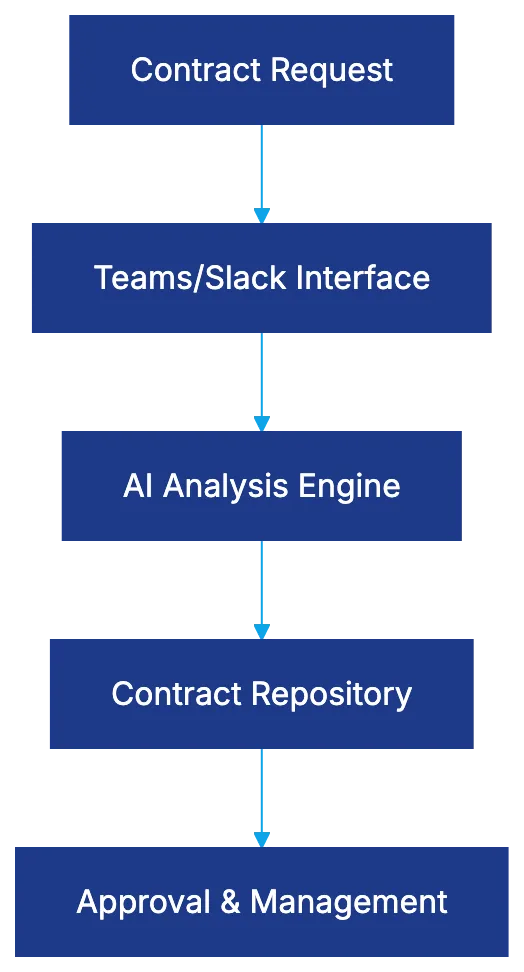
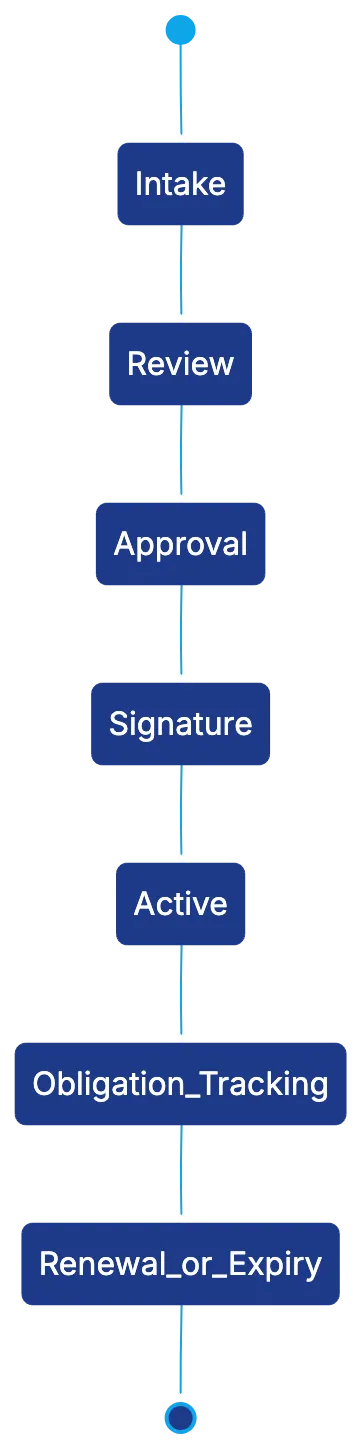
Summize is a next-gen solution for **[contract lifecycle management](https://www.gartner.com/en/information-technology/glossary/contract-life-cycle-management-clm)**. It operates within communication platforms used by legal teams, covering the entire lifecycle from contract intake to post-signature management. Users can handle contract reviews, track statuses, and manage feedback within Teams or Slack. This centralized repository supports pre-signature workflows, like review requests and approval routing, and post-signature activities like obligation tracking.
Summize Platform Architecture:
## Microsoft Teams Integration: Contract Workflows Inside Your Workspace
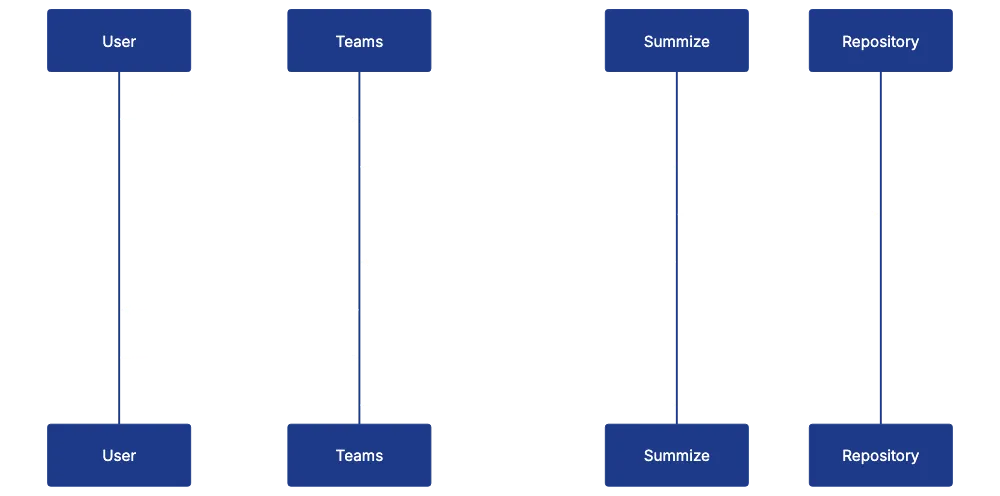
The integration with Microsoft Teams highlights Summize's collaboration-first approach. Legal teams receive contract review requests directly in Teams channels or direct messages, with all essential details. Reviewers can open contracts in their native format, view AI-generated summaries, and provide immediate feedback. This integration offers functionality beyond basic notifications, allowing users to search the contract repository using natural language queries.
## Slack Integration for Collaboration-First Organizations
Contract Lifecycle in Summize:
For organizations using Slack, Summize offers integration that brings workflows into Slack channels. Legal teams can manage contract reviews through interactive messages and conduct approval workflows efficiently. Specific contract channels can be created for discussions, where relevant data is automatically surfaced by the Summize bot. This aligns with organizational communication preferences, facilitating efficient contract management within Slack.
## AI-Powered Contract Analysis and Review Features
Summize uses AI to expedite contract review processes. Contracts are analyzed to identify standard clauses and flag unusual language. This AI analysis generates summaries, presenting key terms in an easily digestible format. By comparing against standard playbooks, Summize effectively triages contracts, saving legal teams significant time.
## Summize Pricing Models and Target Market Positioning
Summize pricing follows a subscription model based on active users, targeting mid-market organizations and growing legal teams. For detailed pricing information, please visit their [pricing page](https://www.summize.com/pricing). **Summize pricing** starts from around $20,000 to $30,000 annually, reflecting its position as a modern CLM solution focusing on collaboration capabilities.
Teams Integration Workflow:
## Implementation Speed and Deployment Approach
Summize offers rapid deployment, with initial functionalities available within weeks, facilitated by its integration-first architecture. Setup involves connecting Summize with document repositories and communication platforms, allowing organizations to start using the tool promptly with minimal training.
## Best Use Cases: Where Summize Excels
Summize is ideal for organizations using Microsoft Teams or Slack as primary tools. It suits legal teams managing high volumes of standardized contracts, like sales agreements or NDAs, where AI review can triage effectively. It's valuable for organizations in growth phases requiring swift deployment and scalability.
## Comparing Summize to Other Modern CLM Platforms
Compared to other CLM platforms, Summize focuses on internal collaboration and simplified workflows. While Juro emphasizes collaborative drafting and negotiation, and LinkSquares focuses on contract analytics, Summize integrates deeply with communication platforms for seamless experiences.
## User Feedback on Teams and Slack Integration Value
Users praise the integration with Teams and Slack as a key adoption driver. It increases visibility of contract workflows, allowing business users to access and search contract data without specialized software. However, traditional CLM systems may still be needed for complex contract negotiations.
## Integration System and Connectivity
Besides Teams and Slack, Summize integrates with solutions like SharePoint and Google Drive, and CRM systems like Salesforce. This ensures that contracts and associated data remain synchronized across platforms, enhancing workflow efficiency.
## Contract Repository and Search Capabilities
Summize maintains a robust contract repository, supporting comprehensive search capabilities with natural language queries. This ensures contract data is accessible to all relevant stakeholders.
## Obligation Management and Post-Signature Workflows
Summize extends beyond initial contract review to post-signature management, with automated reminders for critical dates and renewal notifications.
## Security, Compliance, and Data Privacy Considerations
Security and compliance are integral to Summize's platform. It is [SOC 2 Type II certified](https://www.aicpa-cima.com/topic/audit-assurance/audit-and-assurance-greater-than-soc-2) and offers data residency options to support geographic compliance needs. The platform incorporates robust security measures, including encryption and audit logging.
## The Bottom Line
Summize CLM focuses on collaboration and accessibility, embedding contract workflows within tools like Teams and Slack. This makes Summize appealing for legal teams prioritizing user adoption and workflow integration. While it may not suit organizations needing extensive customization or analytics, its benefits make Summize a worthwhile consideration.
Frequently Asked Questions
What are the key benefits of using Summize for contract management?
Summize enhances collaboration by embedding contract workflows within Microsoft Teams and Slack, streamlining the review and approval processes. Its AI-powered analysis helps identify important clauses and summarize contracts, which saves time and improves accessibility for legal teams and other stakeholders.
How does the integration with Microsoft Teams and Slack improve contract workflows?
The integration allows legal teams to manage contract review requests directly within their communication platforms. This streamlined approach enables users to provide feedback and track contract statuses in real-time, improving overall efficiency and communication among team members.
What types of organizations are best suited for Summize?
Summize is particularly beneficial for mid-market organizations and growing legal teams that frequently handle standardized contracts, such as sales agreements and NDAs. Its rapid deployment and user-friendly interface make it ideal for teams that prioritize collaboration and quick adoption of new tools.
How long does it typically take to implement Summize?
Summize offers a rapid deployment process, allowing initial functionalities to be available within weeks. The setup primarily involves connecting Summize to existing document repositories and communication platforms, enabling teams to begin using the system with minimal training.
What kind of pricing can I expect from Summize?
Summize follows a subscription model based on active users, with annual pricing ranging from approximately $20,000 to $30,000. For detailed pricing information, it's best to check their pricing page on the Summize website.
Does Summize support post-signature contract management?
Yes, Summize includes features for post-signature management, such as automated reminders for critical dates and notifications about renewals. This ensures that obligations are effectively managed throughout the contract's life cycle.
What security measures does Summize have in place?
Summize is SOC 2 Type II certified and employs robust security measures, including encryption and audit logging, to protect sensitive data. Additionally, it offers data residency options to address geographic compliance requirements, ensuring that user data remains secure and private.
### LinkSquares Review: In-Depth Analysis of CLM Features
URL: https://legavima.com/blog/linksquares-review/
Description: Explore LinkSquares, a top CLM platform for legal ops, examining its AI capabilities, pricing, and how it compares to competitors.
Published: 2026-04-21
Updated: 2026-02-10
## LinkSquares Review: A Deep Dive into the CLM Platform
[LinkSquares](https://www.linksquares.com/) is a contract lifecycle management (CLM) platform for legal operations, offering AI extraction capabilities. It divides into Analyze for post-signature contract intelligence and Finalize for pre-signature drafting and negotiation. Legal ops teams benefit from AI that identifies terms, obligations, and risks in thousands of contracts without manual review. This review explores both products, compares them to Juro, Evisort, and Ironclad, and examines pricing.
## Understanding the Analyze and Finalize Product Structure
LinkSquares Product Structure:
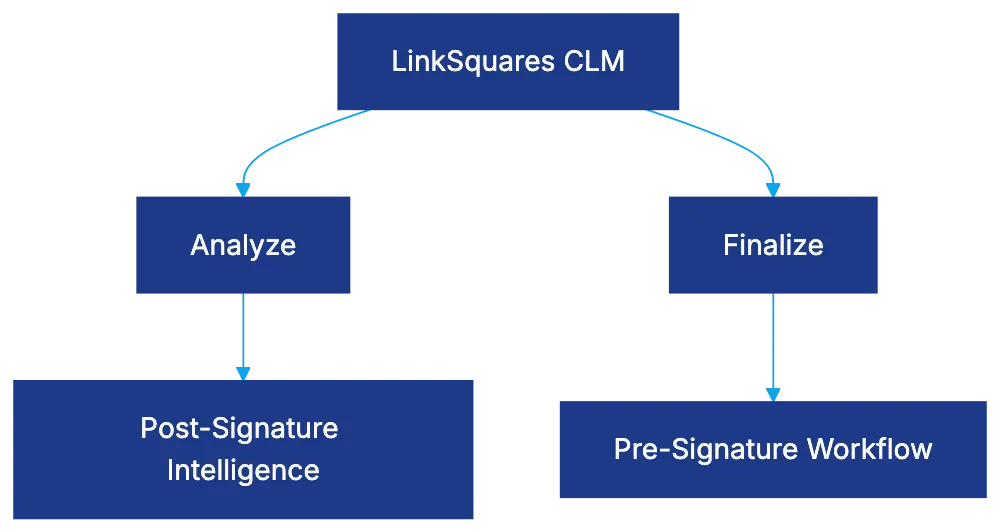
LinkSquares CLM splits into two products. [Analyze](https://www.linksquares.com/analyze) offers post-signature contract intelligence by identifying key terms, dates, and custom data. Finalize manages the pre-signature process, including drafting, negotiation, and execution. Analyze can be purchased separately for contract intelligence, while both products increase costs and require separate implementations. LinkSquares claims this separation allows for deeper functionality.
## AI Extraction Capabilities and Contract Intelligence
AI Extraction Process:

The AI engine uses machine learning to extract data from uploaded agreements, identifying clauses like termination provisions without templates. [Machine learning in contract analysis](https://www.mckinsey.com/industries/legal/our-insights/machine-learning-in-contract-analysis) has been shown to improve efficiency and accuracy in legal operations. Custom extraction is available, improving with user corrections. While performing well on standard agreements, accuracy can drop with complex agreements, necessitating manual validation. Extracted data enables portfolio-wide analysis.
## Analytics Features and Portfolio Visibility
LinkSquares Analyze offers dashboards for legal ops professionals, displaying contract trends, negotiation times, and financial commitments. [Data visualization in legal analytics](https://www.forbes.com/sites/forbestechcouncil/2020/11/30/the-role-of-data-visualization-in-legal-analytics/) enhances decision-making and strategic planning. Users can track risks by identifying contracts lacking protections. The platform supports template improvements and value demonstration, with renewal management preventing unwanted auto-renewals.
## Finalize Product for Drafting and Negotiation Workflow
Contract Lifecycle Workflow:

Finalize addresses pre-signature lifecycle with drafting, redlining, and approval workflows. It includes a clause library for approved language and tracks clause usage. The system facilitates internal and external collaboration, with workflows preventing execution until all approvals are obtained. Finalize links to Analyze for informed contract creation.
## Implementation and Customer Success Approach
LinkSquares emphasizes customer support, with setup teams assisting in platform configuration, contract uploads, and AI extraction validation. Timelines range from 8-12 weeks, extending with Finalize. Ongoing success includes reviews and training, with positive ratings for responsive assistance.
## LinkSquares Pricing Structure and Cost Considerations
Pricing requires custom quotes, with Analyze and Finalize priced separately. Mid-market organizations typically pay $30,000 to $100,000+ annually. [Contract management software pricing](https://www.gartner.com/en/documents/3987363) varies based on features and deployment scale. Analyze pricing relates to contract volume, while Finalize's follows a per-user model. Renewal costs increase 3-5% annually.
## Combining Capabilities with Business Systems
LinkSquares integrates with systems like Salesforce and NetSuite, ensuring data consistency and reducing manual entry. Document storage integration supports existing repositories, with an API for custom integrations.
## Comparing LinkSquares to Juro, Evisort, and Ironclad
Juro offers a unified platform, while LinkSquares focuses on contract intelligence extraction. Evisort emphasizes post-signature intelligence, potentially lower-priced than Analyze. Ironclad provides deeper workflow capabilities, useful for enterprises.
## Best Use Cases and Ideal Customer Profile
LinkSquares is ideal for legal ops teams managing large contract portfolios needing obligation visibility. High-volume industries benefit most, while companies needing workflow automation or starting fresh might prefer other platforms.
## User Feedback on Analytics Value and Extraction Accuracy
Users appreciate LinkSquares' analytics for providing portfolio visibility without manual work. Extraction accuracy receives mixed reviews requiring setup effort but improves over time. Finalize is functional compared to competitors, but integration isn't as smooth as desired.
## Bottom Line
LinkSquares offers value to legal ops teams needing portfolio intelligence. Analyze surfaces terms and obligations, enhancing risk visibility, while Finalize provides contract drafting but lacks distinction. Pricing requires custom quotes, but the AI extraction delivers time savings and insights unmatched by manual processes. Mid-market companies managing 5,000+ contracts find it a strong solution, expecting significant value post-setup.
Frequently Asked Questions
What types of organizations benefit the most from LinkSquares?
LinkSquares is particularly beneficial for legal operations teams managing large contract portfolios, especially in high-volume industries. Organizations dealing with obligations visibility and requiring workflow automation will find its features advantageous.
How does the pricing for LinkSquares work?
LinkSquares uses a custom quote pricing model, with the Analyze and Finalize products priced separately. Mid-market organizations typically spend between $30,000 to over $100,000 annually, depending on contract volume and user requirements.
Can LinkSquares integrate with other business systems?
Yes, LinkSquares integrates with platforms like Salesforce and NetSuite to ensure data consistency and reduce manual entry. Additionally, it supports document storage integration and offers an API for custom integrations, facilitating seamless operations.
What distinguishes the Analyze product from Finalize?
The Analyze product focuses on post-signature contract intelligence, extracting key terms and data for analysis, while Finalize manages the pre-signature process, including drafting and negotiation. Each product can be purchased separately, allowing users to select functionality based on their needs.
How accurate is the AI extraction feature?
The AI extraction feature performs well on standard agreements but may experience accuracy challenges with complex contracts, necessitating manual validation. User corrections also help improve the custom extraction process over time.
What kind of customer support can I expect when implementing LinkSquares?
LinkSquares provides comprehensive customer support, including setup assistance for platform configuration and contract uploads. The implementation timeline typically ranges from 8 to 12 weeks, with ongoing support available for training and usage feedback to ensure successful adoption.
How does LinkSquares compare to other CLM platforms like Juro or Ironclad?
LinkSquares offers robust contract intelligence extraction capabilities, while Juro provides a unified platform approach. Ironclad focuses on deeper workflow functionalities. Evisort is noted for its post-signature intelligence, potentially offering more affordable solutions compared to LinkSquares' Analyze product.
### Why Simplicity Matters in Contract Management
URL: https://legavima.com/blog/contractsafe-review/
Description: Explore how ContractSafe simplifies contract management for legal teams while offering transparency and efficiency.
Published: 2026-04-18
Updated: 2026-02-10
# Why Simple Matters in Contract Management
Legal teams don't always need the most feature-rich [contract lifecycle management](https://www.gartner.com/en/information-technology/glossary/contract-life-cycle-management-clm) (CLM) systems. Sometimes, a tool that functions without extensive setup or IT support is ideal. Enter ContractSafe, a CLM platform built on the principle that simplicity wins. Competitors like Icertis and Ironclad offer complex features, while ContractSafe focuses on daily essentials for legal teams.
ContractSafe offers an alternative for those frustrated with complicated systems. We’ll explore its simplicity-focused approach, [its beneficiaries, and when a more robust system is required](https://www.contractsafe.com/competitors/ironclad-alternative).
## What ContractSafe Actually Does
ContractSafe is a straightforward contract repository and management system, not an all-inclusive enterprise solution. It [addresses core contract management needs, suitable for any legal team](https://www.contractsafe.com/).
ContractSafe provides a centralized digital repository, organizing contracts instead of scattering them across emails, shared drives, and filing cabinets. Users upload contracts, categorized in searchable formats.
ContractSafe Core Functions:
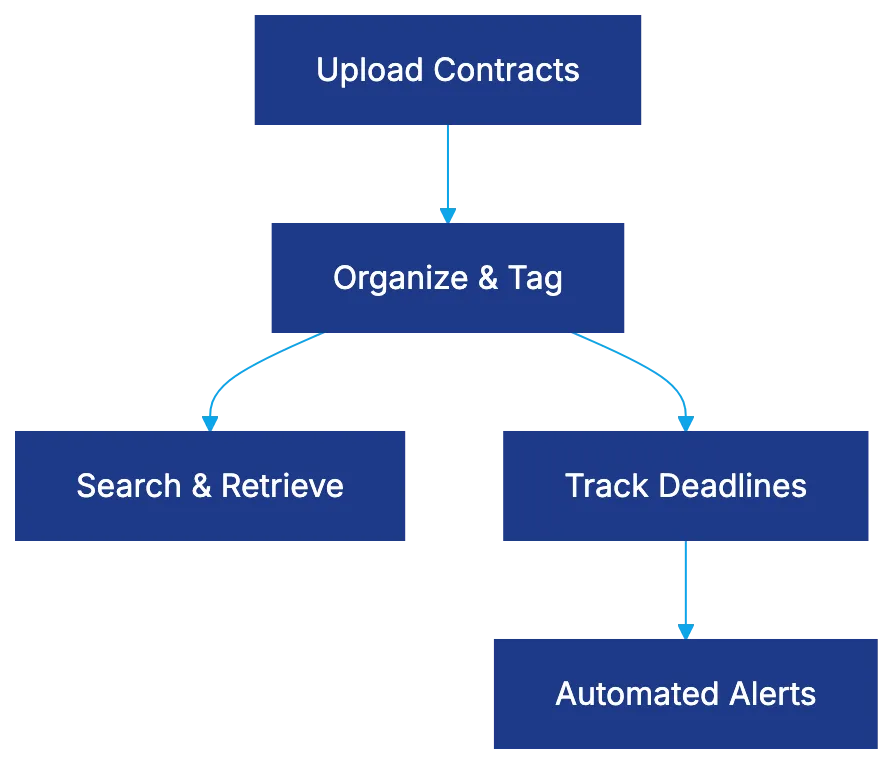
The CLM includes tracking capabilities to avoid missed renewals and deadlines. Contracts can be tagged with important dates, automated reminders set, and custom alerts created. Search functionality goes beyond keyword matching, using filters for parties, dates, types, and fields.
Reporting features offer visibility into contract portfolios through dashboards and exportable data sets, showing contracts by status, upcoming renewals, and values. The interface, free from technical jargon, is accessible to paralegals, legal assistants, and attorneys.
## The Simplicity Value Proposition
ContractSafe avoids feature bloat by excelling in fundamentals. Unlike Agiloft or Icertis, which require extensive training, ContractSafe users get productive quickly.
However, users needing sophisticated automation may find limitations. ContractSafe does not automatically extract data from hundreds of contracts via AI or manage complex approval workflows. For teams primarily focused on secure contract storage and quick access, its approach eliminates unnecessary complexity.
## ContractSafe Pricing: Transparency as a Feature
Pricing is another distinction of ContractSafe. Unlike traditional vendors needing sales contacts, ContractSafe lists pricing tiers directly on their website.
Typically, plans start at $300-400 monthly for smaller teams, scaling based on contract volume and users. Mid-tier plans range from $600-900 monthly, and even the largest plans remain more affordable than enterprise alternatives.
This transparency allows legal departments to determine if ContractSafe fits their budget without scheduling sales calls, attending product demos, or negotiating.
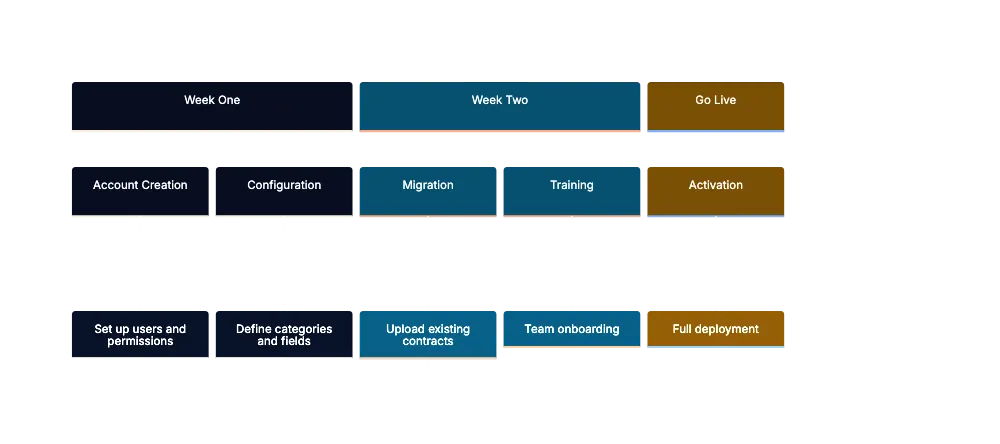
ContractSafe Implementation Timeline:
## Implementation Speed and Setup
ContractSafe implementations take days or weeks, not months or quarters. This distinguishes it from enterprise setups, often treated as major projects.
Typically, teams create accounts, establish user permissions, define categories, and start uploading contracts. Quick setup reduces adoption costs, minimizes operational disruption, and keeps setup costs low.
Still, organizations with complex needs might find the simplified setup lacking, benefiting from thorough processes.
## Core ContractSafe Features That Matter
ContractSafe's repository centralizes contract uploads, using metadata tagging for easy retrieval. Searches go beyond text matching, allowing filtered searches across metadata fields. Date tracking and alerts prevent costly errors, with unlimited custom date fields.
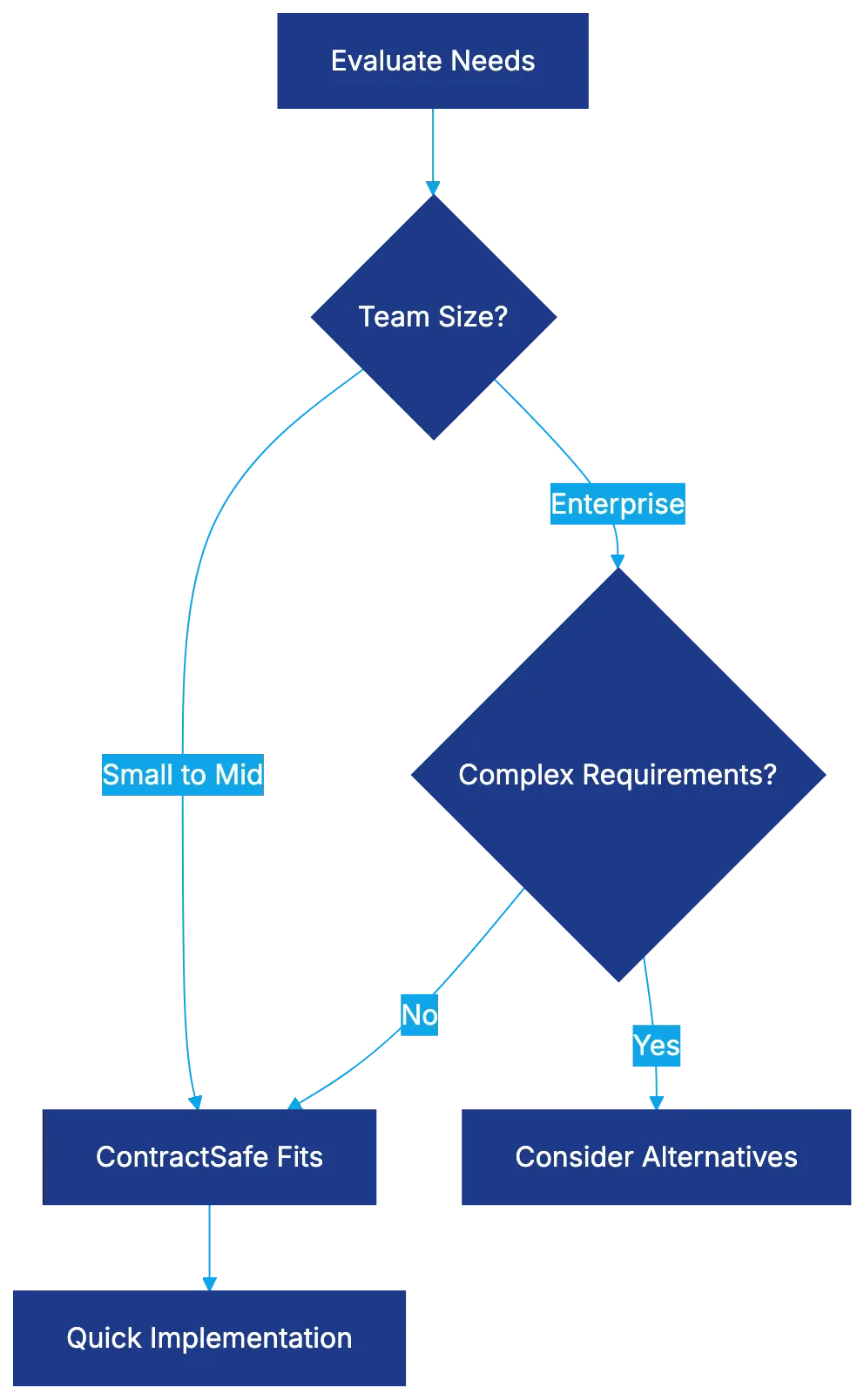
Ideal User Profile Decision Flow:
Reporting and dashboards provide portfolio visibility without data analysis expertise. Standard reports show contracts by status, renewals, and values.
## Who Should Choose ContractSafe
ContractSafe is ideal for specific organizational profiles. Small to mid-sized legal teams benefit most, as manual management becomes impractical. Organizations new to contract management find ContractSafe's design approachable. Legal departments with limited IT resources appreciate its minimal technical requirements.
## When ContractSafe Isn't Enough
Some needs exceed ContractSafe's simplicity. Large enterprises with thousands of contracts or needing advanced automation might require sophisticated platforms.
Organizations requiring complex workflows, AI analysis, or extensive integration should consider other options. Those in heavily regulated industries may also find its features insufficient.
## How ContractSafe Compares to Alternatives
ContractSafe prioritizes usability and affordability compared to enterprise platforms like Icertis or SAP Ariba. It focuses on contract repository and lifecycle management rather than creation and collaboration, competing on pricing transparency and setup speed.
## Bottom Line
This ContractSafe review emphasizes fit between organizational needs and platform philosophy. ContractSafe favors simplicity, suitable for legal teams wanting effective contract management without specialized expertise.
Transparent pricing, quick setup, and a clean interface eliminate barriers that deter CLM software adoption. For organizations prioritizing fundamentals, ContractSafe provides necessary functionality without undue complexity.
Frequently Asked Questions
What is the primary benefit of using ContractSafe for contract management?
The main advantage of ContractSafe is its simplicity, offering a straightforward contract repository that meets essential management needs without overwhelming users with complex features. This focus on usability allows legal teams to quickly navigate and manage contracts effectively.
How does ContractSafe ensure that users can find contracts easily?
ContractSafe utilizes a metadata tagging system for organizing uploads, which enhances search functionality beyond basic keyword matching. Users can filter searches by various attributes such as parties, dates, and types, making retrieval efficient and intuitive.
Is ContractSafe suitable for large enterprises with complex contract needs?
ContractSafe is not designed for large enterprises with intricate contract management processes. Organizations that require advanced automation, AI capabilities, or complex approval workflows may find its simplicity limiting and should consider more robust alternatives.
What kind of support does ContractSafe offer during implementation?
ContractSafe implementations are quick, typically taking just days or weeks. The process involves account creation, user permission setups, and contract uploads, minimizing the need for extensive support or technical training.
How does ContractSafe's pricing compare to other contract management platforms?
ContractSafe is transparent with its pricing, listing tiers directly on its website instead of requiring negotiations or sales calls. Plans generally start at $300-400 monthly and are more affordable than enterprise-level solutions, making it accessible for small to mid-sized teams.
Can small teams benefit from using ContractSafe?
Yes, small to mid-sized legal teams can significantly benefit from ContractSafe as it simplifies the contract management process. Its user-friendly design is particularly advantageous for organizations with limited IT resources or those new to contract management.
What features might organizations look for in a more complex contract management system?
Organizations requiring advanced features may seek platforms that offer sophisticated automation, AI-powered data extraction, and intricate workflow management. They may also need robust integration capabilities, especially if they operate in heavily regulated industries or manage thousands of contracts.
### Dioptra AI: Revolutionizing Contract Review Efficiency
URL: https://legavima.com/blog/dioptra-ai-review/
Description: Explore how Dioptra AI enhances contract review speed and accuracy for legal teams, ensuring competitive advantage in the legal tech landscape.
Published: 2026-04-16
Updated: 2026-02-10
## Introduction
Contract review is critical where speed and accuracy determine competitive advantage. Legal teams face pressure to review more contracts without sacrificing quality. Dioptra AI offers a contract review platform using artificial intelligence to simplify document analysis. [Dioptra's acquisition by Icertis](https://www.icertis.com/company/news/icertis-acquires-dioptra-to-deliver-ai-first-contracting-experience-for-legal/) in November 2025 highlights its growing influence in the legal tech industry. This review examines Dioptra AI's capabilities, market fit, and considerations for adoption, including technology, pricing, applications, and limitations.
## What Makes Dioptra AI Different in Contract Review
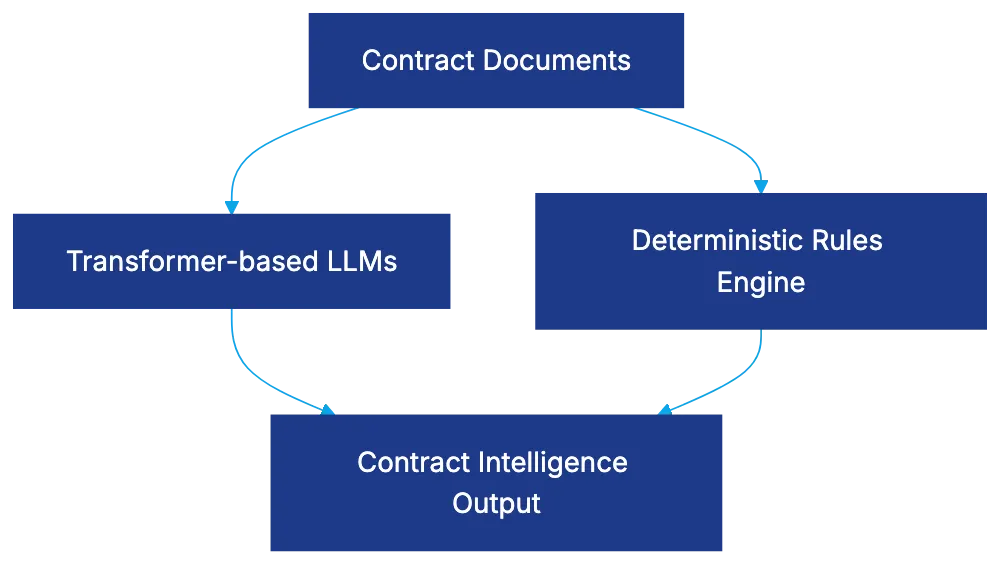
Dioptra AI is a contract intelligence platform for legal professionals to extract insights from agreements quickly. Using a hybrid AI, it combines large language models with machine learning algorithms tailored to legal documents. This ensures accuracy in legal language interpretation compared to pure LLM or rules-based systems.
Dioptra AI Hybrid Architecture:
The platform focuses on extraction, analysis, and risk identification, excelling in contract review rather than broad legal operations. It processes contract types like purchase agreements and NDAs, offering deep analysis on obligation tracking, renewal dates, and liability clauses. The interface prioritizes usability, allowing quick processing and customization.
## Dioptra Contract Review Technology Architecture
Dioptra employs a dual-engine architecture. The first engine uses transformer-based models for legal phrasing interpretation. The second applies deterministic rules for requirement validation, allowing legal teams to refine analysis directly. This approach is detailed in [Dioptra's official documentation](https://www.dioptra.ai/resources/best-ai-contract-review-software-with-clm-integration-2025). This hybrid approach ensures accurate extraction and risk assessment, giving users control over contract interpretation.
## Core Features and Contract Analysis Capabilities
Contract Review Process Flow:

Dioptra AI offers features essential for legal professionals. It automatically categorizes standard provisions and extracts parameters like dollar amounts and deadlines. Obligation tracking links obligations to relevant deadlines, creating an action checklist. Risk scoring prioritizes review efforts, and bulk analysis identifies patterns and upcoming renewals.
## Dioptra Pricing Structure and Investment Considerations
Pricing scales based on contract volume and feature access. It starts around $15,000 to $25,000 annually for smaller departments and up to $60,000 for mid-market. Enterprise options require individual quotes. The pricing reflects specialized contract review capabilities, including onboarding support and training.
## Deployment Options and Technical Requirements
Dioptra offers cloud and on-premise deployment options, integrating with document management systems. Cloud deployment ensures redundancy and uptime, while on-premise suits strict data residency requirements. System requirements include modern web browsers and internet connectivity. [CompareX](https://compare-x.ai/) provides similar deployment flexibility in the AI contract analysis space.
## Security Features and Compliance Standards
Dioptra is [SOC 2 Type II certified](https://www.aicpa-cima.com/topic/audit-assurance/audit-and-assurance-greater-than-soc-2), ensuring security controls and data handling practices. It uses [AES-256 encryption](https://csrc.nist.gov/pubs/fips/197/final) for data in transit and at rest. Role-based access controls and activity logs support compliance. Data is retained during subscription, with deletion upon termination.
## Comparing Dioptra to Legal AI Competitors
Dioptra prioritizes contract analysis depth over competitors like LegalOn, Spellbook, Kira Systems, and Luminance. Its focus suits corporate legal departments needing effective review rather than broad-ranging features. It excels in routine contract workflows but is less suited for extensive M&A or litigation document review.
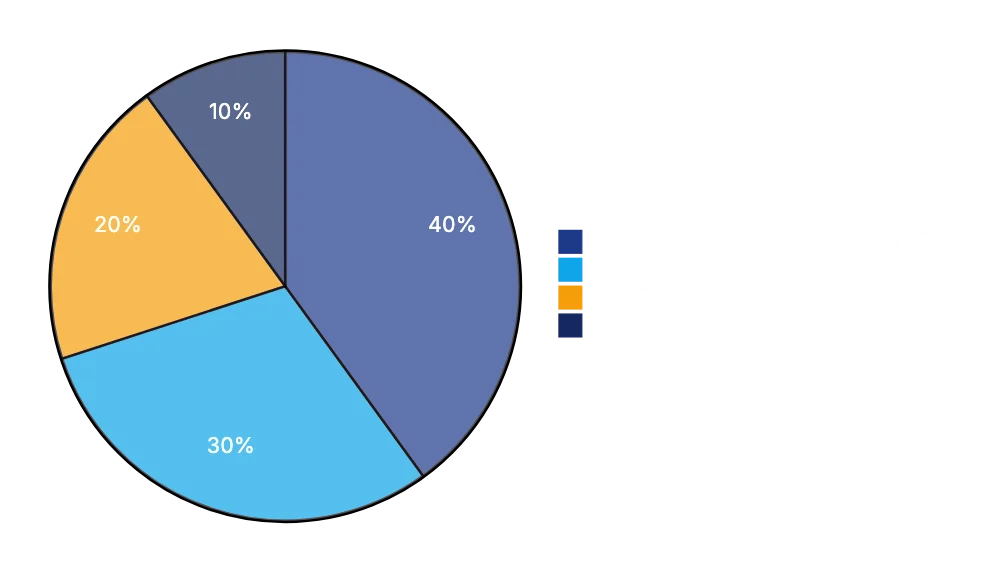
Dioptra AI Ideal Use Cases:
## Best Use Cases and Ideal User Profiles
Dioptra AI benefits corporate legal departments managing contracts, real estate practices, and procurement teams. It provides value in analyzing vendor agreements, ensuring contract compliance, and managing real estate portfolios. It isn't ideal for large-scale due diligence or low-volume firms.
## User Experience and Customer Feedback
Users appreciate Dioptra's ease of use and setup speed. The clause identification accuracy is high, though legal professionals still need to verify extractions. Support quality is consistently rated highly. Some want more templates or integration features. Pricing is seen as reasonable by larger firms, while smaller entities find it expensive.
## Setup Realities and Getting Started
Successful deployment begins with defining use cases and configuring templates. Training is essential for users to understand AI capabilities. Starting with a pilot project refines configurations and demonstrates value. Dioptra should integrate into existing workflows for sustained use.
## Limitations and Areas for Improvement
Dioptra struggles with complex negotiations and non-English contracts. Handwritten documents and detailed conditional logic present challenges. It lacks full contract lifecycle management features and sophisticated reporting capabilities. Dioptra is best for practical contract review assistance, not replacing detailed legal judgment.
## Bottom Line
Dioptra AI offers effective contract review by extracting provisions and identifying risks. It's priced for mid-market use, accessible but requiring commitment. The platform provides genuine value by expediting review and consistency. It deserves consideration if your workflow needs practical AI support.
Frequently Asked Questions
What types of contracts can Dioptra AI analyze?
Dioptra AI specializes in analyzing various contract types, including purchase agreements and non-disclosure agreements (NDAs). Its capabilities allow for in-depth analysis of obligations, renewal dates, and liability clauses, providing valuable insights for legal professionals.
How does Dioptra AI ensure accuracy in contract analysis?
Dioptra AI employs a hybrid architecture that combines transformer-based models with deterministic rule engines. This dual approach enhances the accuracy of legal language interpretation and allows users to refine analysis based on their specific requirements.
What are the pricing options for Dioptra AI?
Dioptra's pricing starts from approximately $15,000 to $25,000 annually for smaller departments and can go up to $60,000 for mid-market options. Pricing is tiered based on contract volume and features, with enterprise options available upon request.
What deployment options are available for Dioptra AI?
Dioptra AI offers both cloud and on-premise deployment options, making it adaptable to various organizational needs. Cloud deployment is ideal for those seeking reliability and uptime, while on-premise solutions cater to clients with strict data residency concerns.
Is Dioptra AI compliant with data security standards?
Yes, Dioptra is SOC 2 Type II certified, meaning it meets stringent security and data-handling practices. It employs AES-256 encryption for data in transit and at rest, along with role-based access controls to support compliance and safeguard sensitive information.
Who are the ideal users for Dioptra AI?
Dioptra AI is best suited for corporate legal departments, procurement teams, and real estate practices that manage various contracts. It provides substantial benefits in analyzing vendor agreements and ensuring compliance, although it is not ideal for very low-volume firms or large-scale M&A due diligence.
What are the limitations of Dioptra AI?
While Dioptra excels in routine contract reviews, it faces challenges with complex negotiations, non-English contracts, and handwritten documents. Additionally, it does not offer full contract lifecycle management features or advanced reporting capabilities, making it essential for users to maintain legal judgment during analysis.
### Discover Wordsmith Legal: AI Contract Review Made Simple
URL: https://legavima.com/blog/wordsmith-legal-review/
Description: Explore Wordsmith Legal, an AI platform that simplifies contract review for small and mid-sized firms, enhancing efficiency and compliance.
Published: 2026-04-14
Updated: 2026-02-11
## What Is Wordsmith Legal and How Does It Work
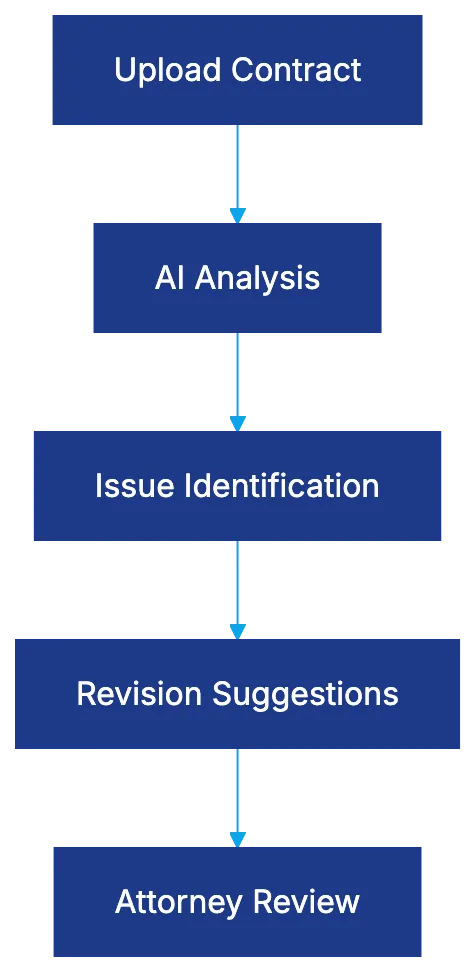
Wordsmith Legal is an AI contract review platform for analyzing agreements efficiently. It identifies issues and suggests revisions without extensive setup. The platform excels in AI contract analysis, reading contracts, and flagging provisions for attention, offering language changes based on legal standards.
Upload contracts for analysis of potential problems. Unlike competitors that require setup, Wordsmith Legal provides a plug-and-play solution. With pre-trained models, it understands common contract structures and legal language patterns.
Wordsmith's simplicity benefits smaller firms without dedicated legal operations staff. However, it may not match more configurable platforms for specialized or unique needs.
The AI identifies issues across standard contract categories, like commercial agreements and service contracts, offering specific revision suggestions attorneys can adopt.
## Wordsmith Legal AI Contract Review Capabilities
AI Contract Review Process:
The analysis features cover crucial dimensions for legal work. The AI scans agreements for issues like unfavorable liability provisions and ambiguous language.
For example, when reviewing a commercial services agreement, Wordsmith Legal might flag indemnification clauses, lack of liability provisions, or unbalanced termination rights. Suggestions align language with balanced commercial terms.
Provision flagging uses [pattern recognition](https://www.americanbar.org/groups/law_practice/resources/law-technology-today/2021/how-natural-language-processing-nlp-ai-is-used-in-law/) and legal reasoning models. The AI differentiates standard from unusual terms, ensuring no issues go unnoticed.
Suggested revisions are valuable. Attorneys reviewing confidentiality provisions may see several revision options, accelerating the process compared to drafting from scratch.
Wordsmith Legal supports commercial agreement types like service contracts and vendor agreements. Specialized agreements may demand more depth.
## Wordsmith Legal Pricing Structure and Plans
Pricing follows a subscription model based on usage levels. Entry-level plans use a per-seat subscription, offering basic review functionality for small firms. Mid-tier plans increase monthly limits and add bulk uploads and integrations. Enterprise pricing offers unlimited analyses and custom integrations for large firms.
Contract Analysis Workflow:

Wordsmith Legal positions itself as a mid-market option between budget AI tools and premium platforms.
## Accuracy and Reliability in Real-World Use
Wordsmith Legal's accuracy is moderate. It performs well on standard contracts but less precisely on specialized agreements. A benchmark showed it identified 85% of significant issues compared to an attorney review.
Suggested revisions vary. For common provisions, language is useful with minor tweaks, but specialized clauses need attorney judgment.
Wordsmith Legal is suitable for first-pass reviews. Attorneys using it report satisfaction, while expecting deep subject-matter expertise may find it lacking.
## User Experience and Workflow Integration
The interface focuses on simplicity. Users see a dashboard allowing contract uploads and analysis.
Contracts upload quickly, and analysis results appear within minutes. A split-screen displays original contracts beside flagged issues, aiding swift context understanding.
Integration includes basic connectors to document systems, but advanced operations may find it limited.
The learning curve is minimal, making attorneys productive quickly. However, the lack of customization might be a limitation.
## How Wordsmith Legal Compares to Leading Competitors
Compared to LegalOn, Spellbook, and Robin AI, Wordsmith Legal offers accessibility and simplicity. It lacks LegalOn's configuration, Spellbook's Word integration, and Robin AI's human review. It suits straightforward analysis without setup or specialized needs.
The challenge is whether its mid-positioning is sustainable. Firms with sophisticated needs may outgrow it, and simpler needs might find cheaper alternatives. Mid-sized firms with moderate volumes benefit most.
## Best Use Cases and Ideal Firm Types
Ideal for small to mid-sized firms reviewing commercial contracts, Wordsmith Legal allows lean teams to keep pace without dedicated staff.
Competitive Positioning:
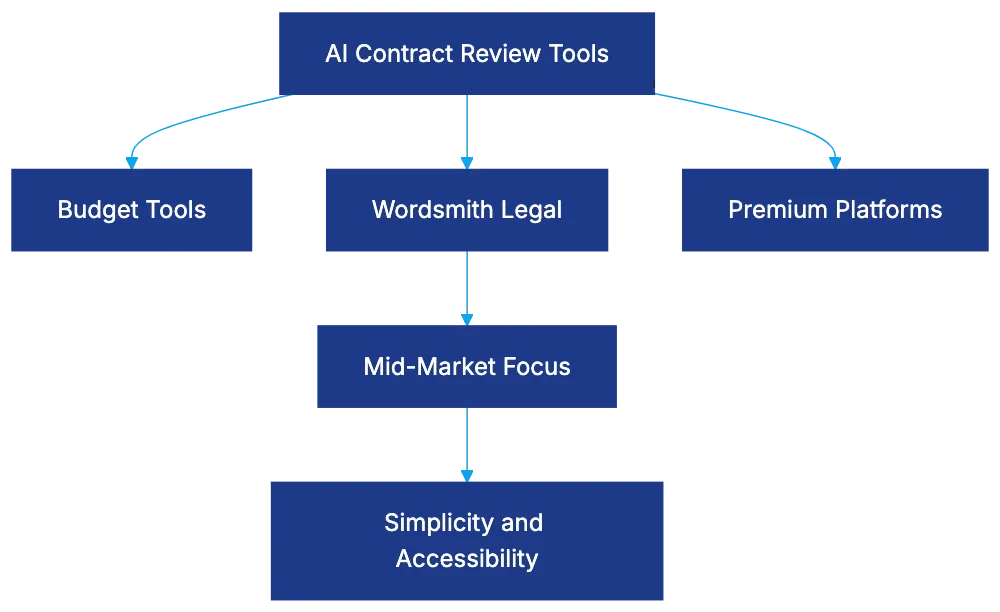
Transactional attorneys benefit from quick issue-spotting for negotiations. Regular contract volumes offer value, while high volumes may find limitations.
It is less suitable for specialized practices needing deep expertise.
## Limitations and Competitors' Strengths
Limitations include customization depth and basic integration. LegalOn handles preferences better, and advanced analytics on other platforms offer detailed insights.
The training data appears less specialized than competitors. Collaboration features are basic, lacking strong commenting and version control.
## Security, Data Handling, and Compliance
Security is key for client contracts. Wordsmith Legal uses encryption for data protection. Data retention policies and compliance certifications like [SOC 2](https://www.aicpa-cima.com/topic/audit-assurance/audit-and-assurance-greater-than-soc-2) are crucial.
Subprocessor transparency aids risk assessment. For sensitive matters, a security assessment before deployment is wise.
## The Bottom Line on Wordsmith Legal
Wordsmith Legal is a practical AI tool for small to mid-sized firms handling commercial contracts. It speeds up reviews with minimal learning but lacks depth and customization.
It performs well for standard contracts but less accurately for specialized ones. Pricing fits between budget and premium options. Limitations around customization and integration may lead some firms to outgrow it.
For firms seeking their first AI tool, Wordsmith Legal offers a reasonable entry point. The decision should weigh simplicity against the need for sophistication.
Frequently Asked Questions
How can I get started with Wordsmith Legal?
Getting started is easy; simply sign up for a subscription based on your firm's needs. After that, you can upload your contracts directly to the platform without extensive setup, making it a plug-and-play solution for quick access to AI contract analysis.
What types of contracts can Wordsmith Legal analyze?
Wordsmith Legal can analyze a variety of commercial agreements such as service contracts and vendor agreements. However, it may perform less accurately with specialized or unique agreements that require tailored legal expertise.
Is Wordsmith Legal suitable for larger firms with more complex needs?
While Wordsmith Legal can support larger firms, its flexibility is limited compared to more configurable platforms. Larger firms might find the lack of advanced customization and deep subject-matter expertise a potential drawback as they scale.
How secure is my data when using Wordsmith Legal?
Wordsmith Legal employs encryption to protect client contract data and adheres to compliance standards such as SOC 2. It's advisable to conduct a security assessment, especially when dealing with sensitive information, to ensure appropriate data handling practices are in place.
What should I do if I encounter inaccuracies in the AI's suggestions?
If you notice inaccuracies, it's essential to apply attorney judgment, as suggested revisions may not perfectly fit specialized clauses. The AI is designed for first-pass reviews, so it's vital to follow up with a thorough human review for critical legal documents.
How does Wordsmith Legal compare to other AI contract review tools?
Wordsmith Legal offers a balance of accessibility and simplicity, making it user-friendly for smaller firms. However, it may lack customization options found in competitors like LegalOn or advanced features offered by others, such as collaboration tools and integration capabilities.
Can I integrate Wordsmith Legal with my existing document management systems?
Wordsmith Legal provides basic integration options with document management systems. However, if you require more advanced integrations or custom connectors, you may find this platform limited compared to others that offer robust integration capabilities.
### Ivo's Role in Contract Analytics Explained
URL: https://legavima.com/blog/ivo-review/
Description: Discover Ivo's AI-powered contract analytics, designed for organizations needing insights without full CLM systems.
Published: 2026-04-11
Updated: 2026-02-10
## Understanding Ivo's Position in Contract Analytics
Ivo is a specialized contract analytics platform for organizations needing insights without a full [contract lifecycle management (CLM) system](https://en.wikipedia.org/wiki/Contract_lifecycle_management). It targets legal departments with legacy contracts in shared drives or older systems, offering [AI-powered analytics](https://www.summize.com/software/contract-analysis-software) without migrating to a new CLM platform. Ivo focuses on extracting, analyzing, and visualizing contract data, providing an 'analytics-first' strategy for organizations assessing their [contract management needs](https://www.icertis.com/products/platform/contract-lifecycle-management/).
Ivo's Contract Analytics Approach:
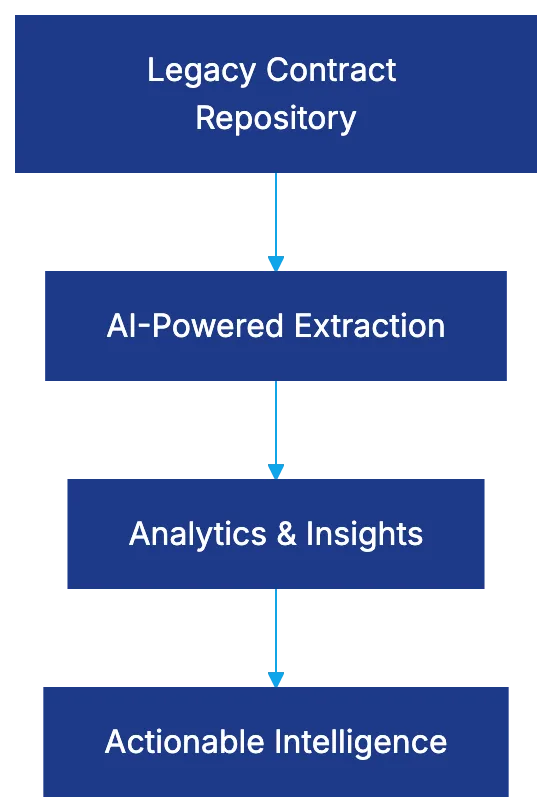
## Core Analytics Capabilities and AI Extraction
Ivo leverages AI-powered extraction technology to identify and extract specific data points from contracts without manual tagging. It uses machine learning to recognize contract provisions, financial terms, dates, parties, and obligations across various contracts. Unlike basic search tools, Ivo AI understands context, distinguishing between effective and termination dates or recognizing renewal terms. It processes PDFs, Word documents, and scanned images, applying OCR as needed.
The system categorizes extracted data into structured fields for dashboards and reports, converting thousands of unstructured documents into queryable datasets. The accuracy depends on contract standardization, typically requiring a validation period for legal teams to ensure system reliability.
## Portfolio Analysis and Risk Scoring Features
AI Extraction Process:

Ivo allows legal teams to view their contract landscape through various lenses, aggregating individual contract data to show trends and outliers. It assigns risk scores based on configurable criteria, helping prioritize renegotiation efforts. Scoring methodology customization is needed as risk tolerance varies across industries. For instance, a software vendor might focus on IP ownership terms.
## Dashboard Features and Visualization Tools
Ivo's dashboards transform contract data into visuals for legal practitioners and stakeholders. Standard views include contract volume by type, value distribution, renewals, obligation calendars, and risk heat maps. Customization options allow departments to build specific views and the platform supports drill-down functionality. Executive summaries package key metrics into scheduled reports or briefings, depending on the accuracy of extracted data.
## Obligation Tracking and Key Date Management
Ivo tracks obligations and key dates, centralizing them in trackable formats. It generates alerts for upcoming deadlines and flags contracts needing attention. The tracking extends to performance commitments and compliance provisions. Ivo normalizes contract variations into consistent, trackable data points, helping uncover forgotten obligations that create compliance gaps.
## Reporting Capabilities and Data Export Options
Ivo provides scheduled reporting and ad-hoc query capabilities, automating regular updates and supporting one-off analysis questions. Export options to Excel, CSV, and PDF facilitate data integration into existing workflows, with Ivo serving as an analytics layer rather than a system of record.
## Ivo Pricing Model and Market Positioning
Ivo pricing is based on the number of contracts under management and user seats, favoring large organizations not ready for full CLM investments. Setup timelines are generally shorter, though data quality maintenance is crucial.
## Combining Approach with Existing Contract Repositories
Ivo integrates with existing contract storage, accessing documents without requiring migration. Technical integration affects workflow, with some implementations using Ivo as a reading layer and others loading documents into Ivo's environment. Data synchronization considerations arise with contract amendments.
## Standalone Analytics Versus CLM-Embedded Approaches
Standalone Analytics vs Full CLM Decision Framework:
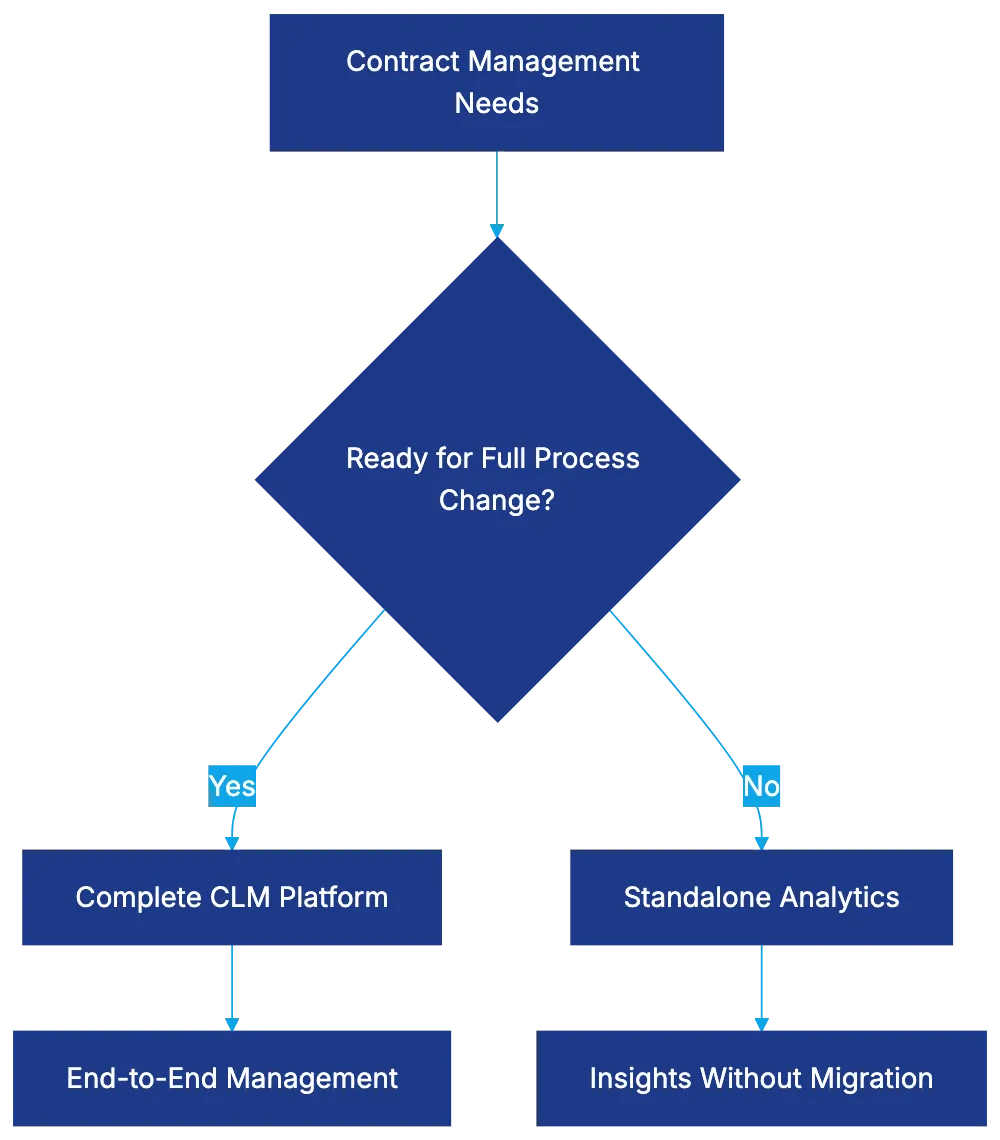
The decision to use standalone analytics like Ivo or adopt a complete CLM platform depends on contract management maturity, budget, and strategic priorities. Standalone analytics suits organizations with heritage systems or budget constraints, providing insight without complete process redesign.
## Use Cases Where Ivo Delivers Specific Value
Ivo excels in scenarios like [M&A due diligence](https://www.acc.com/resource-library/ma-due-diligence-checklist) or regulatory compliance initiatives, facilitating rapid contract portfolio analysis. Legal ops teams use standalone analytics to establish baselines and track improvements, while cost-conscious legal departments find it a budget-friendly option for contract visibility and risk management.
## Bottom Line
Ivo offers value as a standalone solution for insights without full CLM change, especially for organizations with heritage contract repositories or focused portfolio visibility needs. The choice between Ivo and CLM platforms depends on an organization's contract management situation and strategic goals.
Frequently Asked Questions
What types of documents can Ivo analyze?
Ivo can process various formats, including PDFs, Word documents, and even scanned images, utilizing OCR technology as needed. This flexibility allows organizations to extract valuable data from legacy contracts regardless of their original format.
How does Ivo ensure the accuracy of data extraction?
The accuracy of Ivo's data extraction relies on the standardization of contracts. A validation period is typically necessary for legal teams to confirm the system's reliability, as the AI learns to distinguish and categorize contract provisions effectively.
Can I customize the risk scoring criteria in Ivo?
Yes, Ivo allows users to customize the risk scoring methodology based on their specific needs and industry standards. This capability helps organizations prioritize renegotiation efforts according to their own risk tolerance levels.
What are the reporting capabilities provided by Ivo?
Ivo offers both scheduled reporting and on-demand query functionalities. Users can automate regular updates and utilize export options to integrate data into existing workflows, with formats available in Excel, CSV, and PDF.
Is Ivo suitable for small organizations or only large enterprises?
Ivo is primarily designed to benefit larger organizations that require contract analytics without committing to a full CLM system. However, its cost-effectiveness can also appeal to smaller businesses with focused contract visibility and risk management needs.
How does Ivo integrate with existing contract storage systems?
Ivo can integrate with current contract repositories, allowing access to documents without necessitating a full migration. Some implementations may utilize Ivo as a reading layer, while others may involve loading documents into its environment, depending on organizational needs.
What are some specific scenarios where Ivo is particularly beneficial?
Ivo is especially effective in situations such as mergers and acquisitions, regulatory compliance, and contract portfolio analysis. Legal operations teams also use Ivo to establish baselines and track improvements, making it a valuable tool for various legal tasks.
### Review of Law Insider: Contract Intelligence Tool
URL: https://legavima.com/blog/law-insider-review/
Description: Explore Law Insider, a powerful contract clause database for legal professionals and teams. Discover its features, pricing, and practical applications.
Published: 2026-04-09
Updated: 2026-02-10
## Introduction
When drafting a confidentiality provision late at night, where do you turn for guidance? Many lawyers rely on old clause libraries or memory. Law Insider offers a better option: a searchable database of contract language from real public filings, including over one million contracts filed by public companies with the [U.S. Securities and Exchange Commission (SEC) between 2000 and 2023](https://arxiv.org/abs/2504.02864). It's a research tool, not a contract lifecycle management platform, providing access to millions of clauses from SEC filings. Legal teams benefit by benchmarking terms, negotiating with data, and understanding market standards. This review details what Law Insider offers, its pricing, and its role in your toolkit.
## What Law Insider Actually Is (And Isn't)
Law Insider Research Workflow:

Law Insider is a contract clause database from public documents like SEC filings and corporate disclosures, making clauses searchable by various criteria. Searching "liquidated damages" shows real company agreements, not templates. With over 4 million contracts, including new filings, Law Insider isn't competing with systems like Ironclad or automating documents; it provides market intelligence. Need to know standard terms? Check numerous examples. Verify claims of "industry standard" more easily. Access real-world language for benchmarking and research.
## The Law Insider Contract Database: What's Inside
Clause databases depend on quality organization. Law Insider's content comes from [SEC EDGAR filings](https://www.sec.gov/search-filings), public companies and entities required to file publicly. This includes contracts in 10-Ks, 8-Ks, and more. It also contains government contracts and select international agreements. Not found are private or confidential deals. The strength is authenticity, but the limitation is a bias toward large companies. The database categorizes by contract type, clause type, company, industry, and filing date. Filter for recent agreements or see historical provision evolution.
## Search Capabilities and How They Work
Law Insider Content Sources:
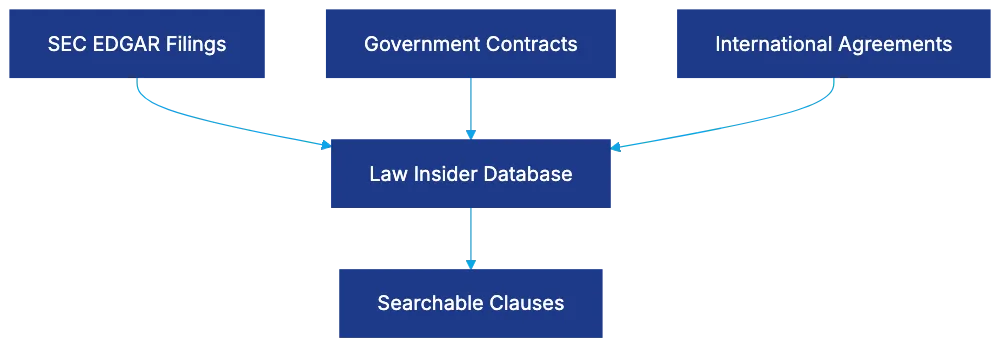
Law Insider's value is in search functionality. You can perform a basic keyword search (type "non-compete" to find contracts) but structured searches show specific clause examples. Search "Non-Competition Clauses" to find actual provisions identified by Law Insider. Filter by industry, company size, agreement type, and date. Results show clauses in context with document metadata, and full documents are viewable for complete context. Use comparative search to see clause variations across examples for negotiating intelligence. Search isn't perfect but offers high hit rates.
## Law Insider Pricing: Free Versus Premium
Law Insider pricing is clear and publicly posted, with subscription plans starting at $29 per month for individuals and $49 per month for [team users, making it an affordable option for legal professionals](https://www.lawinsider.com/resources/articles/law-insider-brings-ai-powered-contracting-to-1-2m-legal-users-worldwide). The free tier includes basic searches and limited results. For more regular use, premium subscriptions start at $499/year, offering more results, full document viewing, and advanced search tools. Team plans offer multi-user access and analytics. At a fraction of the cost of major research tools or CLM systems, Law Insider is an accessible research tool. Transparent pricing details avoid sales pitches while defining tool scope. You're paying for database access, not workflow automation or AI assistance.
## Practical Applications for Legal Teams
Where does Law Insider fit into daily legal work? It's key for contract drafting or negotiation benchmarking. Need to know liability limitation provisions? Search Law Insider for examples. Opposing counsel claims a term is "standard"? Quickly verify. Draft from proven language instead of scratching from templates. For GDPR compliance, see Data Processing Agreement [(DPA) provision examples, which are available in Law Insider's database](https://www.lawinsider.com/clause/sec-disclosure-contracts). It assists client counseling by adding market comparables to advice. Legal teams new to industries can use it to understand standards. It's useful for risk assessment, identifying unusual provisions.
## Integration Options and Workflow Considerations
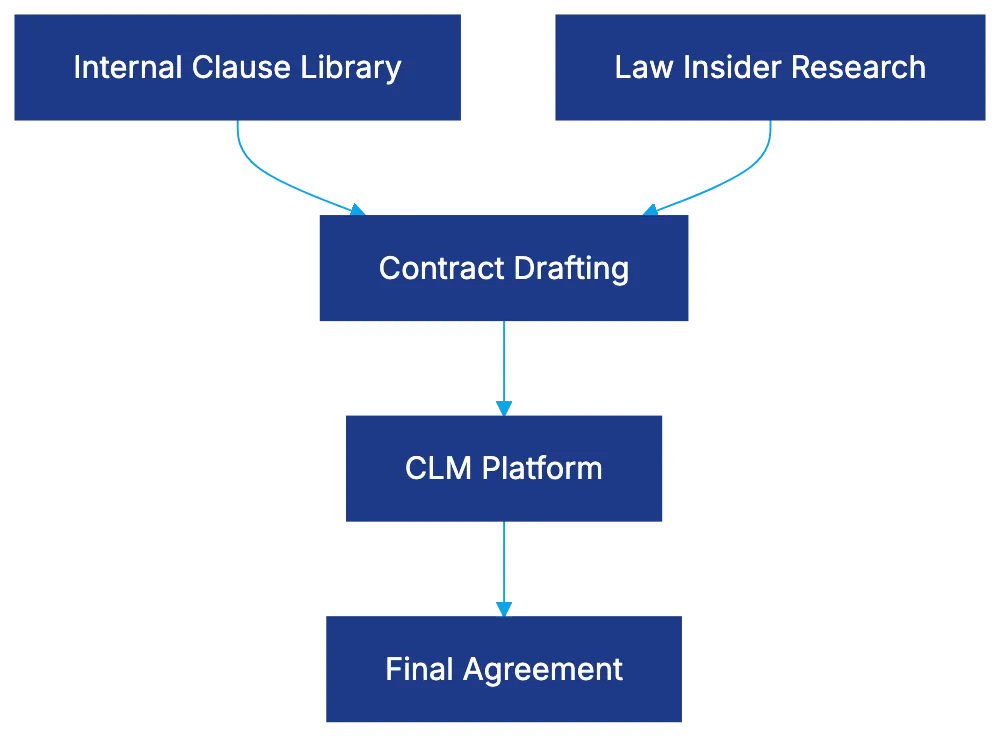
Law Insider doesn't integrate deeply into technology stacks but provides export features for [drafting, allowing users to export clauses to Word or PDFs](https://www.lawinsider.com/pricing). Premium users can export clauses to Word or PDFs. There's no workflow management, as it's a standalone research tool. Some legal teams pair it with contract lifecycle management systems, using Law Insider to source quality provisions. Consider scheduling periodic reviews with Law Insider to refresh internal clauses based on market developments.
## Comparing Law Insider to Internal Clause Libraries and CLM Tools
Internal libraries reflect your organization's language but not market standards. Law Insider offers broad market data instead. The ideal approach combines both: use internal libraries for consistency and Law Insider for benchmarking new transactions. CLM platforms have libraries either from vendors or your documents. Law Insider stands out by the breadth of its public filing database, complementing CLM platforms by serving as a research tool.
## Limitations and What Law Insider Doesn't Do
Law Insider reflects public filings, with a bias towards large entities. It doesn't provide legal guidance or contract performance analysis, showing agreements, not outcomes. It's manual, requiring you to adapt language without AI suggestions. It won't replace legal judgment or make decisions. It's not meant for highly specialized agreements or complete contract management.
Law Insider Position in Legal Workflow:
## Who Benefits Most from Law Insider
Law Insider benefits various user groups. In-house legal departments, especially small to mid-sized, gain access to robust market intelligence. Solo practitioners benefit too, without maintaining extensive files. Transitioning contract lawyers access new sector provisions. Legal ops professionals ensure templates match market practices. Large departments still find the database valuable for breadth and currency. It's less useful for teams not involved in drafting or negotiation or those with niche agreements.
## Bottom Line
Law Insider fills a niche in legal technology: accessible contract intelligence for research. It won’t manage contracts or provide analysis, but it offers searchable contract provisions at a transparent cost. For those drafting or negotiating contracts needing market intelligence, Law Insider provides value at an easy price point. It's not a replacement for legal judgment or workflow systems, but it shows how companies drafted the provision you need right now.
Frequently Asked Questions
What types of documents can I find in Law Insider's database?
Law Insider's database includes contracts filed with the SEC, such as 10-Ks and 8-Ks, as well as some government and select international agreements. However, it does not contain private or confidential agreements, focusing instead on publicly available filings from large entities.
How does Law Insider compare to traditional contract lifecycle management (CLM) tools?
While CLM tools manage contract workflows and offer storage for organizational documents, Law Insider provides a comprehensive database of public clauses for research and benchmarking. The best approach combines both: using internal libraries for consistency alongside Law Insider for industry standards.
Can I use Law Insider for specific legal research or drafting?
Yes, Law Insider is ideal for legal research, contract drafting, and negotiation. Users can search for specific clauses, verify standard terms, and extract proven language to enhance their drafting processes, making it a valuable tool for legal professionals.
Is there any AI functionality in Law Insider?
No, Law Insider does not incorporate AI for drafting suggestions or decision-making. It provides searchable contract provisions from public filings, and users must manually adapt language based on their needs, ensuring legal judgment remains at the forefront.
What are the subscription options for Law Insider?
Law Insider offers a free tier with limited functionality and paid subscriptions starting at $29 per month for individuals. Premium plans provide expanded access to search results, full document viewing, and advanced tools, making them suitable for more regular users.
Who is the target audience for Law Insider?
Law Insider primarily benefits in-house legal teams, solo practitioners, and legal operations professionals, especially in small to mid-sized firms. It is less useful for teams not involved in drafting or those focusing on highly specialized agreements.
How often should I use Law Insider for contract updates?
Consider scheduling periodic reviews with Law Insider to stay updated on market trends and refresh internal clauses according to the latest standards. Regular use ensures your agreements remain competitive and reflective of current practices in your industry.
### Best AI Legal Assistants to Consider in 2026
URL: https://legavima.com/blog/best-ai-legal-assistants/
Description: Explore the best AI legal assistants of 2026, focusing on accuracy, ethics, and risk profiles to aid your legal practice.
Published: 2026-04-08
Updated: 2026-02-10
## Introduction
The AI legal assistant scene has matured, yet the gap between marketing promises and courtroom reality is significant. Some AI legal assistants are designed for legal work with safeguards, while others are general tools that [hallucinate citations up to 82%](https://www.axios.com/local/des-moines/2025/09/02/ai-hallucinationsiiowa-federal-courts-fake-cases). This guide covers twelve AI legal assistant options in 2026, focusing on accuracy, defensibility, and ethical compliance under [ABA Model Rules](https://www.americanbar.org/groups/professional_responsibility/publications/model_rules_of_professional_conduct/model_rules_of_professional_conduct_table_of_contents/) 1.1, 3.3, and 5.3.
## Understanding AI Legal Assistant Categories and Risk Profiles
AI Legal Assistant Risk Profiles:
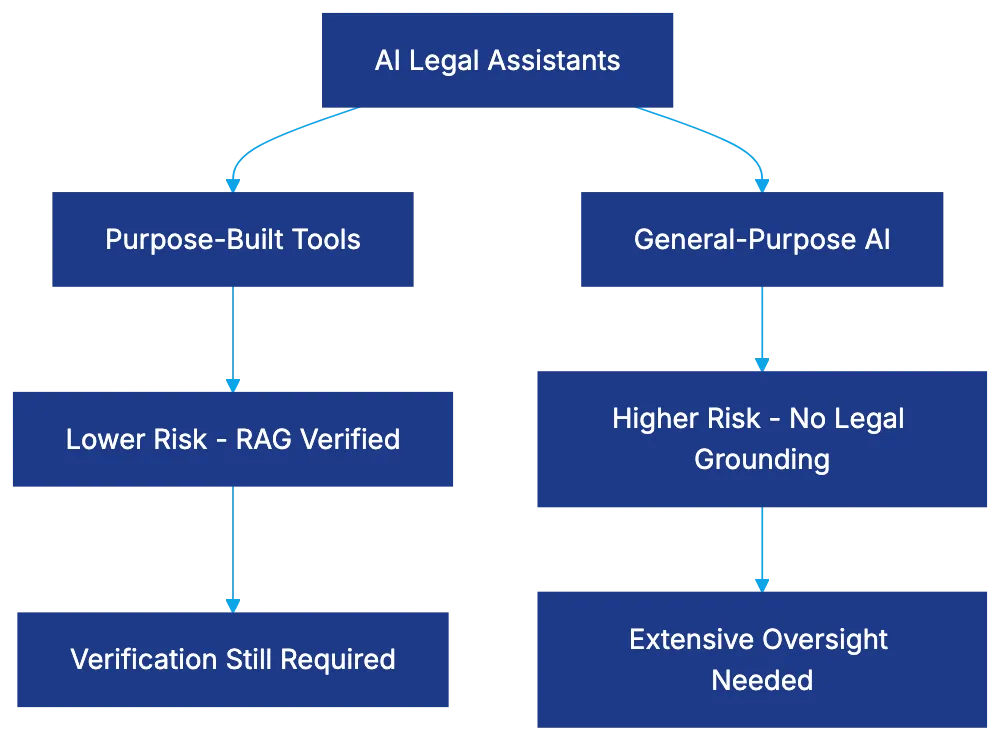
Not all AI legal assistants have the same risk profile, crucial in legal practice. Purpose-built tools like CoCounsel and Harvey AI use retrieval-augmented generation (RAG) for verified legal databases. However, hallucination rates persist, with Lexis+ AI and Westlaw AI producing 17-34% hallucination rates. General-purpose assistants like ChatGPT and Claude lack legal grounding, showing hallucination rates of 49-82%. The Mata v. Avianca case highlights these risks, with a database tracking 486+ similar cases where AI errors reached court filings.
## CoCounsel: Thomson Reuters' GPT-4 Powered Legal AI
CoCounsel leverages GPT-4 with a model-agnostic architecture, grounded in Westlaw content, and applies KeyCite flags. Though its Deep Research feature autonomously executes research plans, citation verification is crucial. Pricing integrates with Westlaw subscriptions, costing $500-$1,000 per user monthly. Best for preliminary research, it struggles with advanced issues or jurisdictional variations. According to [ABA Formal Opinion 512](https://www.americanbar.org/content/dam/aba/administrative/professional_responsibility/ethics-opinions/aba-formal-opinion-512.pdf), attorney review is necessary.
## Harvey AI: Enterprise-Only Custom Legal LLMs
Harvey AI uses custom models trained on extensive U.S. case law, suitable for enterprise but expensive, with starting prices at $50,000 annually. It employs a cascading architecture, with verification systems to tackle the hallucination problem. Harvey isn’t accessible for smaller firms, focused on AmLaw 200 firms and corporate legal departments.
## Clio Duo: Practice Management-Integrated AI
Clio Duo embeds AI within the Clio system, providing productivity gains in time entry and data integration, priced at $70 per user monthly. The context-aware design assists in client communication and document drafting, with lower risks than legal research tools.
## Lexis+ AI: LexisNexis' Research-Focused Assistant
Lexis+ AI, grounded in Lexis content, provides research memos and case identification. Despite legal grounding, hallucination rates of 17-34% necessitate verification. Pricing adds $500-$1,200 per user monthly, integrating well with Lexis workflows but not ideal for niche areas.
## Westlaw Precision with AI-Assisted Research
Westlaw Precision offers AI-assisted research with conservative integration, focusing on Boolean search with AI enhancements in analytics and traditional workflows. Pricing varies, but AI features often add no extra fees.
## Ross Intelligence: The Rise and Fall Case Study
Ross Intelligence, though defunct, illustrated risks in AI legal assistants. It faced legal challenges over content sourcing, highlighting the importance of evaluating company stability and data practices in AI tool selection.
## ChatGPT and Claude: Powerful but Dangerous for Legal Work
General-purpose AI like ChatGPT and Claude offer impressive functions but are risky for legal research without safeguards due to high hallucination rates. Suitable for tasks with lower hallucination risk, they still require careful oversight under ABA rules.
## Specialty AI Legal Assistants for Specific Practice Areas
Tools like PatentPal and Spellbook cater to specific practice areas, providing targeted capabilities, while EvenUp focuses on negotiation positioning, illustrating diverse AI applications beyond research.
## Document Review AI: eDiscovery and Contract Analysis
Document review AI from Relativity, Disco, and others use machine learning for document prioritization and analysis, with established accuracy rates. Contract analysis AI, like Kira Systems and Luminance, offers different ethical considerations by analyzing existing documents.
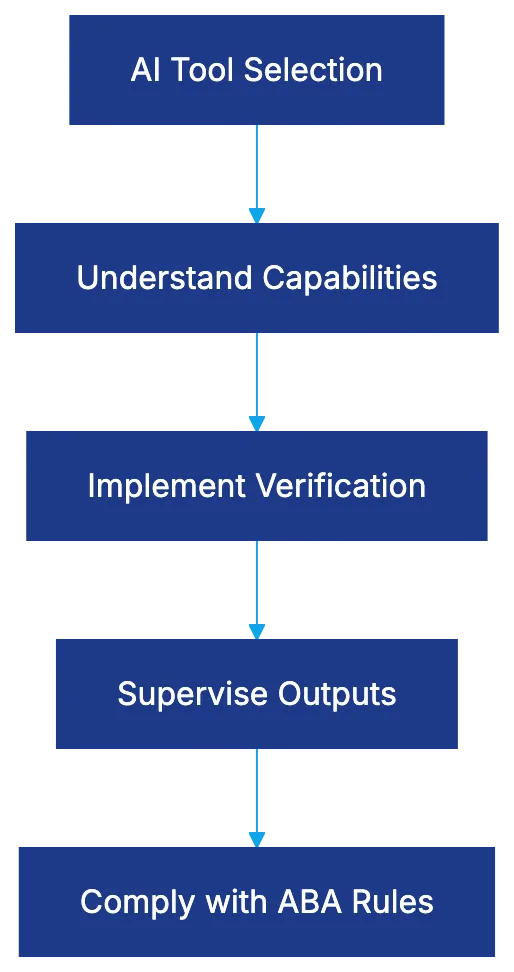
## Ethical Requirements and Oversight Obligations
ABA Formal Opinion 512 outlines the ethical obligations, requiring understanding of AI tools and verification of their outputs. Supervision and verification are essential, especially under Rules 1.1, 3.3, and 5.3.
Ethical Compliance Framework:
## Pricing Models and Total Cost Analysis
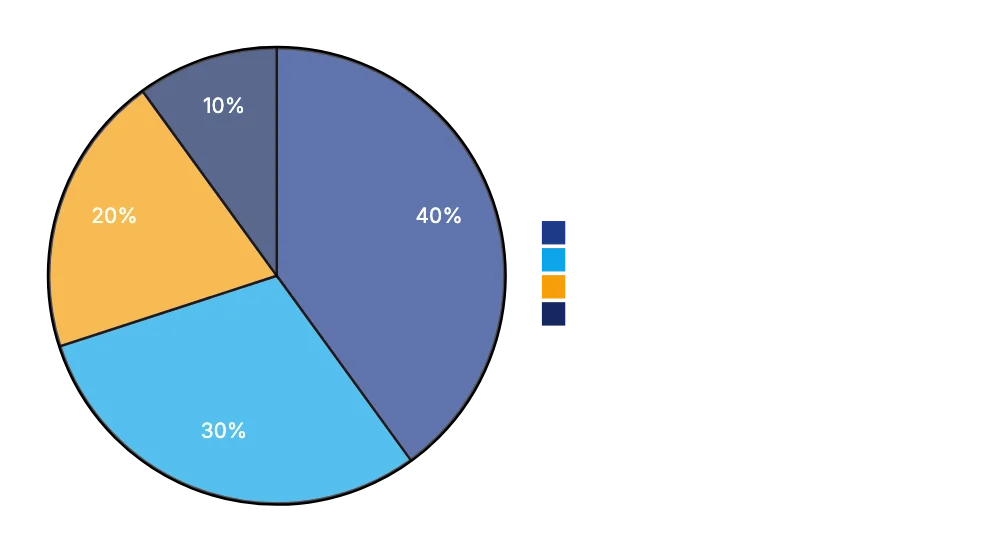
AI legal assistant pricing varies, with subscription models like CoCounsel and Lexis+ AI adding significant costs atop existing fees. Harvey AI's enterprise licensing is costly, while general-purpose tools are cheap but require manual verification, impacting cost-effectiveness.
## Bottom Line
Pricing Model Comparison:
The best AI legal assistant depends on practice focus and firm needs. Purpose-built tools like CoCounsel offer better accuracy, while General-purpose AI serves specific lower-risk tasks. Understanding AI limitations and implementing verification protocols are crucial for safe use.
Frequently Asked Questions
How do I choose the right AI legal assistant for my firm?
Consider your firm's specific needs and practice focus. Purpose-built tools like CoCounsel or Harvey AI may offer greater accuracy for legal research, while general-purpose tools like ChatGPT are better suited for simpler tasks. Evaluate pricing models and ensure the tool complies with ABA ethical requirements.
What are the main risks associated with using AI legal assistants?
The primary risks include high hallucination rates, which can lead to inaccurate legal output. Purpose-built AI assistants tend to have lower rates, but oversight is still necessary to verify results. Failing to do so can result in detrimental outcomes in legal proceedings.
Are there specific ethical guidelines I should be aware of when using AI in legal practice?
Yes, compliance with ABA Model Rules 1.1, 3.3, and 5.3 is crucial. These rules mandate a thorough understanding of AI tools and verification of their outputs to ensure competence and integrity in legal work. Regular supervision over AI-generated content is also essential.
What is the cost range for an AI legal assistant?
Pricing varies significantly based on the tool and its capabilities. For example, tools like CoCounsel and Lexis+ AI range from $500 to $1,200 per user monthly, while enterprise-level solutions like Harvey AI start at $50,000 annually. General-purpose tools may have lower costs but require verification efforts that could add to total expenses.
Can AI legal assistants handle complex legal issues?
AI legal assistants are generally better suited for preliminary research and commonly handled tasks. Tools like CoCounsel may struggle with complex or jurisdiction-specific issues, emphasizing the need for human oversight, particularly in difficult cases. Always assess the specific capabilities of the AI tool you are considering.
What specific tasks can I safely assign to general-purpose AI like ChatGPT?
General-purpose AI can be used for administrative tasks, drafting emails, or generating summaries, provided these tasks are carefully reviewed by legal professionals. However, due to their high hallucination rates, they should not be relied upon for legal research or critical analyses without thorough verification.
How do I ensure compliance and oversight when using AI legal assistants?
Establish protocols for verifying AI outputs, ensuring all work generated is reviewed by qualified legal professionals. Stay informed about the ethical guidelines set forth by the ABA and engage in continuous training regarding AI tools. Regular audits of AI use in practice can help maintain compliance and mitigate risks.
### Review of LEGALFLY AI for Contract Analysis
URL: https://legavima.com/blog/legalfly-review/
Description: Explore how LEGALFLY AI simplifies contract review, its capabilities, pricing, and comparisons with top competitors.
Published: 2026-04-04
Updated: 2026-02-10
## Introduction
Contract review is a time-intensive task in legal practice, with attorneys spending hours identifying issues and ensuring compliance. LEGALFLY AI promises to simplify this process through [automated contract analysis and issue identification](https://www.legalfly.com/products/review). This review examines LEGALFLY's capabilities, pricing, accuracy, and comparisons with competitors like LegalOn, Spellbook, and Kira Systems.
## LEGALFLY AI Contract Review Capabilities
LEGALFLY Contract Review Process:
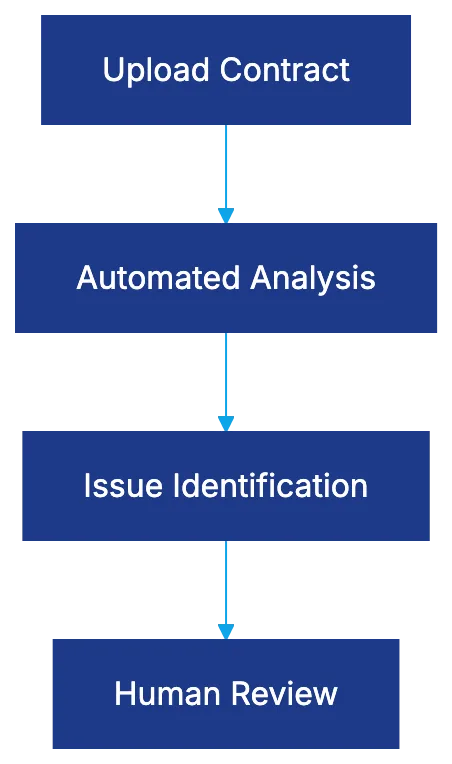
LEGALFLY reduces manual review time by automating contract analysis. It identifies potential contract issues, flags risky clauses, and extracts specific provisions like confidentiality clauses and payment terms. This allows users to focus on critical areas without reading entire contracts. LEGALFLY also provides contextual analysis against [market standards](https://www.legalfly.com/post/can-ai-review-legal-contracts-everything-you-need-to-know), generating summaries of key terms.
## Supported Contract Types and Use Cases
LEGALFLY is effective for standard agreements such as NDAs, service agreements, and vendor contracts. It can extract key clauses from employment and software agreements, though it's less effective for highly specialized agreements requiring industry-specific knowledge.
## LEGALFLY Pricing and Market Positioning
LEGALFLY targets mid-market and larger firms with enterprise pricing models. It requires custom quotes and annual subscriptions, positioning LEGALFLY for organizations with high contract volumes. Smaller firms may find the cost unjustifiable.
LEGALFLY Market Positioning:
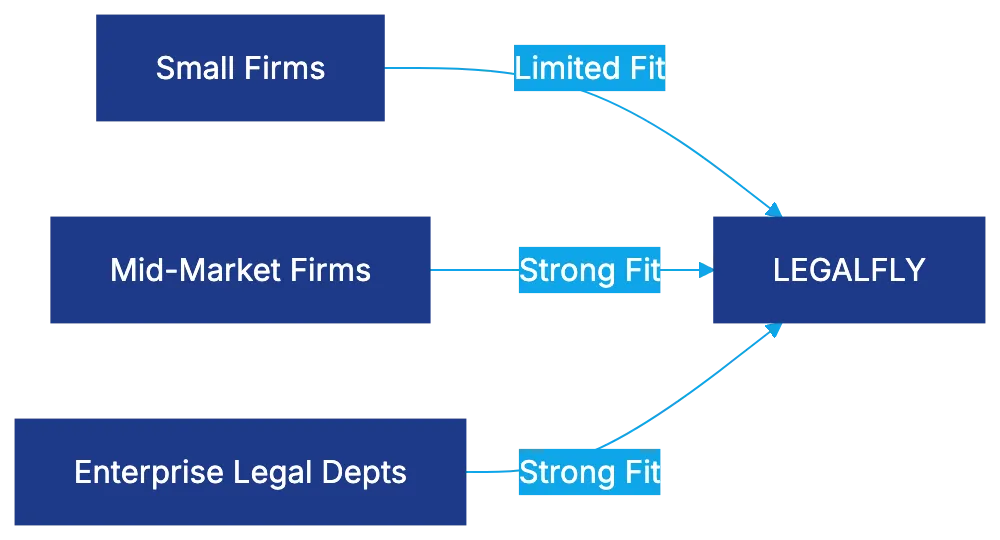
## User Experience and Workflow Integration
LEGALFLY prioritizes simplicity, allowing quick contract processing. The platform doesn't require extensive setup, though sophisticated custom uses demand deeper knowledge. Workflow integration is limited, with LEGALFLY functioning as a standalone platform rather than embedding within existing systems.
## Accuracy Rates and Performance Benchmarks
Third-party accuracy benchmarks are not published, but user feedback indicates reliability for standard provision identification. Issue identification varies, requiring human judgment for subtle contexts. False positives occur, highlighting the importance of human review.
## Language Support and International Capabilities
LEGALFLY primarily operates in English, providing reasonable analysis for US and UK contracts. Multi-language support is limited, making it less suitable for multinational operations needing analysis in diverse languages.
## Competitor Comparison: LegalOn, Spellbook, and Kira
Competitive Landscape Comparison:
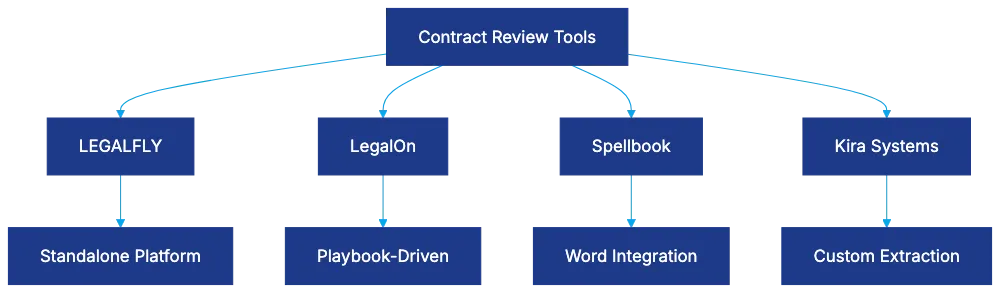
LegalOn offers detailed playbook-driven review capabilities, while Spellbook integrates seamlessly within Microsoft Word. Kira allows customizable extraction, making it suitable for specialized practices. LEGALFLY lacks deep customization for unique negotiation positions.
## Target Market Fit and Best Use Scenarios
LEGALFLY is ideal for mid-sized to large legal departments handling high volumes of standard agreements. It suits transactional practices focusing on volume rather than complexity, providing meaningful time-savings on contract review.
## Limitations and Competitive Disadvantages
LEGALFLY's standalone architecture creates workflow friction, and its customization capabilities lag behind competitors. The platform provides individual contract review, lacking detailed reporting and analytics for strategic analysis.
## Security, Compliance, and Data Handling
LEGALFLY offers [SOC 2 certification](https://www.aicpa-cima.com/topic/audit-assurance/audit-and-assurance-greater-than-soc-2) and standard encryption practices. Data retention policies support compliance, though contract data's use for AI training requires clarification in negotiations.
## Real User Feedback and Market Reception
User feedback emphasizes LEGALFLY's effectiveness for standard agreements but notes limited customization and workflow friction. The vendor's responsiveness to feedback varies, with transparency being a concern during evaluation.
## Bottom Line
LEGALFLY provides solid performance for high-volume standard agreements, with SOC 2 certification ensuring data security. Strong competitors exist with greater customization and integration options. Legal departments should evaluate LEGALFLY carefully, insisting on trial periods with specific contracts before committing.
Frequently Asked Questions
What types of contracts can LEGALFLY effectively analyze?
LEGALFLY is capable of analyzing standard agreements such as NDAs, service agreements, and vendor contracts. It can also handle employment and software agreements, but may struggle with highly specialized contracts that require in-depth industry knowledge.
How does LEGALFLY's pricing compare to its competitors?
LEGALFLY employs an enterprise pricing model that requires custom quotes and annual subscriptions, targeting mid-market and larger law firms. Smaller firms may find the costs not justifiable compared to competitors like LegalOn and Spellbook, which may offer different pricing structures or integration features.
Can LEGALFLY integrate with existing document management systems?
LEGALFLY functions primarily as a standalone platform and does not offer extensive integration capabilities with existing systems. Users looking for seamless workflow integration may need to consider other solutions that embed directly within their current document management tools.
What should users be cautious about when using LEGALFLY?
Users should be aware that while LEGALFLY is generally reliable for standard provision identification, there can be false positives and inaccuracies in issue detection. Human judgment is essential for reviewing subtle contract contexts to ensure compliance and address potential issues adequately.
Is LEGALFLY suitable for international contracts?
LEGALFLY primarily operates in English, making it best suited for US and UK contracts. Its limited multi-language support may hinder analysis for organizations dealing with diverse or multinational agreements.
What certification does LEGALFLY have regarding data security?
LEGALFLY holds SOC 2 certification, which indicates compliance with data security practices. Additionally, it utilizes standard encryption methods and has established data retention policies to support compliance requirements.
How should legal teams evaluate LEGALFLY before committing?
Legal departments should conduct meticulous evaluations of LEGALFLY by insisting on trial periods that involve specific contracts relevant to their needs. This allows teams to assess the platform’s effectiveness and compatibility with their unique workflows before making any long-term commitments.
### Review of ContractPodAi: Microsoft Integration & AI Power
URL: https://legavima.com/blog/contractpodai-review/
Description: Explore ContractPodAi's deep Microsoft integration and AI capabilities for effective contract management in large legal teams.
Published: 2026-04-02
Updated: 2026-02-10
# Introduction
Contract lifecycle management software has moved beyond mere document storage. ContractPodAi distinguishes itself with deep Microsoft 365 CLM integration, ideal for legal teams using [Word](https://www.microsoft.com/en-us/microsoft-365/word), [Teams](https://www.microsoft.com/en-us/microsoft-teams), [Outlook](https://www.microsoft.com/en-us/microsoft-365/outlook), and [SharePoint](https://www.microsoft.com/en-us/microsoft-365/sharepoint). This review assesses ContractPodAi's Microsoft-first promise, AI capabilities, and pricing value for large law departments and legal operations.
## What ContractPodAi CLM Actually Does
ContractPodAi is a comprehensive platform for enterprises managing numerous contracts across various jurisdictions. It covers all contract stages and offers:
- **Enterprise-grade capabilities** like multi-entity support.
- **Complex approval workflows** for global teams.
ContractPodAi Platform Capabilities:
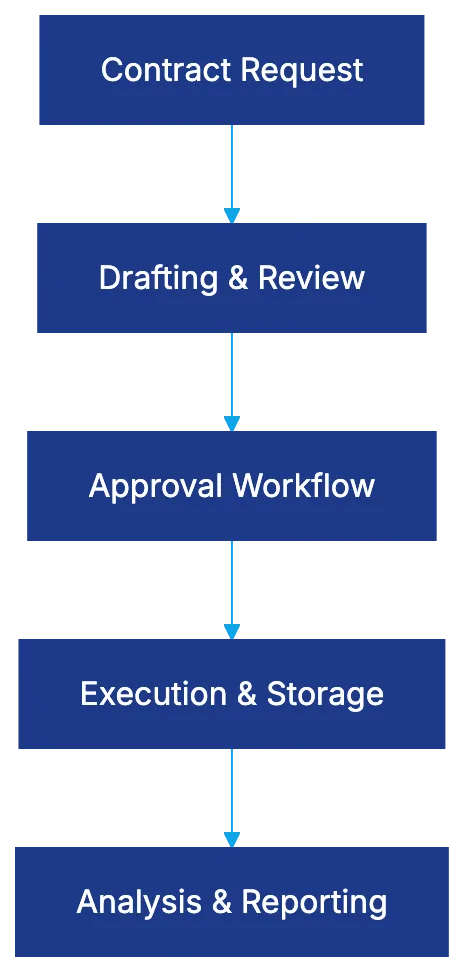
- **Granular permission controls** for managing diverse legal entities and regions.
Its architecture centers on Microsoft 365 integration. Legal teams can initiate contracts in Teams, draft in Word with clause libraries, route approvals via Outlook, and store contracts in SharePoint while maintaining metadata and searchability. For sales-driven workflows, integration with Salesforce allows contract generation and status tracking within the CRM.
## AI Capabilities: Machine Learning for Contract Intelligence
ContractPodAi's AI aids in:
1. **Contract analysis and extraction**
2. **Risk identification**
3. **Drafting assistance**
AI-Powered Contract Processing:

The AI extracts key data from contracts, crucial for migration. Accuracy relies on standardization, with 90% accuracy for standard fields and requiring human review for complex terms. Risk identification flags problematic clauses against defined criteria. The AI assistant offers clause suggestions and critiques drafts, acting as an experienced paralegal.
## Microsoft 365 CLM Integration: Working Inside Your Existing Environment
Microsoft 365 Integration Workflow:
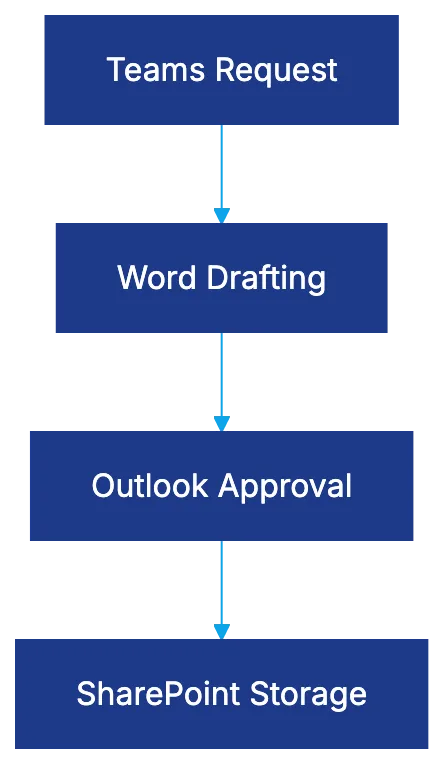
Deep Microsoft integration sets ContractPodAi apart. Functionality is embedded in apps where legal teams work, reducing friction and easing adoption. Users can submit contract requests in Teams, draft in Word using native features, and manage approvals via Outlook. Contracts are stored in SharePoint, using existing infrastructure, making sense for those already using SharePoint.
## Salesforce Integration for Sales-Driven Contracting
The [Salesforce connector](https://contractpodai.com/integrations/) automates contract generation from opportunities, fast-tracking standard deals and reducing legal bottlenecks. A bidirectional sync maintains contract status visibility in Salesforce. While not as Salesforce-centric as Ironclad, ContractPodAi's Salesforce connection complements its Microsoft focus.
## Workflow Automation and Configuration Capabilities
ContractPodAi supports complex workflows with configurable approval chains and conditional logic to ensure appropriate contract routing. While setup demands technical understanding, most configurations don't require custom coding. ContractPodAi provides adequate flexibility for most enterprises without the complexity of platforms like Agiloft.
## Enterprise Positioning and Implementation Realities
Targeting large organizations, ContractPodAi accommodates complex portfolios with multi-entity management, language support, and system integration. Setup is extensive, spanning several months, with support during configuration and integration. However, significant internal resources are required to drive adoption and manage change.
## ContractPodAi Pricing: Enterprise Model Requiring Custom Quotes
Pricing is based on deployment specifics and typically starts in the low six figures annually. Comparison with competitors shows similar pricing structures, but costs should include setup, integrations, and training. Requests for detailed breakdowns are advised to avoid surprises.
## Comparing ContractPodAi to Enterprise CLM Alternatives
ContractPodAi and Icertis target similar customers but differ in control versus flexibility. Ironclad excels in Salesforce integration, whereas ContractPodAi offers better Microsoft incorporation. Agiloft's deep customization fits unique setups but requires technical expertise.
## Best Use Cases: When ContractPodAi Makes Sense
Best for Microsoft-centric enterprises, ContractPodAi excels in regions with multi-lingual and jurisdictional needs. It supports varied contract types beyond sales and procurement. Less suitable for those moving away from Microsoft 365 or seeking rapid deployment for smaller legal teams.
## User Perspectives: Implementation Experiences and Microsoft Integration Value
Users appreciate the integration with Microsoft tools but caution on setup investment. Testimonies highlight ease of adoption among senior attorneys and the effective use of Teams channels. However, AI requires substantial review effort initially, emphasizing the need for human oversight.
## Bottom Line
ContractPodAi offers real enterprise capabilities with unique Microsoft integration. Its suitability depends on existing Microsoft investments, enterprise needs, and adoption challenges. Pricing can be considerable, but enterprise benefits justify costs compared to alternatives.
Frequently Asked Questions
How does ContractPodAi integrate with Microsoft 365?
ContractPodAi is designed to work seamlessly within Microsoft 365 applications. Legal teams can initiate contracts in Teams, draft documents in Word, manage approvals via Outlook, and store completed contracts in SharePoint, leveraging existing infrastructure and promoting user adoption.
What are the main AI features of ContractPodAi?
The AI capabilities of ContractPodAi focus on contract analysis, risk identification, and drafting assistance. It automates the extraction of key data from contracts and can identify potentially risky clauses, enhancing efficiency and accuracy in contract management.
Who is the ideal user for ContractPodAi?
ContractPodAi is best suited for large organizations and legal teams that are deeply integrated with Microsoft tools and require robust multi-entity and multilingual support. It is particularly effective for enterprises managing complex contract portfolios or diverse legal jurisdictions.
What is the pricing structure for ContractPodAi?
Pricing for ContractPodAi typically starts in the low six figures annually and varies based on deployment specifics. Custom quotes take into account the setup, integrations, and training needed, so it’s advisable to request a detailed breakdown to understand potential costs fully.
What challenges might users face when implementing ContractPodAi?
Implementation of ContractPodAi can be extensive, often requiring several months to complete. Organizations need significant internal resources to drive adoption and manage the change process, which can pose a challenge for some teams, particularly those with limited IT capacity.
How does ContractPodAi compare to other CLM solutions?
ContractPodAi stands out with its strong Microsoft integration compared to competitors like Icertis and Ironclad. While Icertis provides more flexibility and Ironclad excels in Salesforce integration, ContractPodAi offers comprehensive support for Microsoft-centric environments and complex workflows.
Is ContractPodAi suitable for smaller legal teams?
ContractPodAi is less ideal for smaller legal teams or those looking for rapid deployment. Its features are tailored for larger organizations and complex contract needs, making it better suited for enterprises already leveraging Microsoft 365 extensively.
### Risk Assessment for Free AI Legal Tools
URL: https://legavima.com/blog/best-free-ai-legal-tools/
Description: Explore the true cost of free AI legal tools and their hidden pitfalls.
Published: 2026-04-01
Updated: 2026-02-10
## Introduction
Risk Assessment for AI Legal Tools:
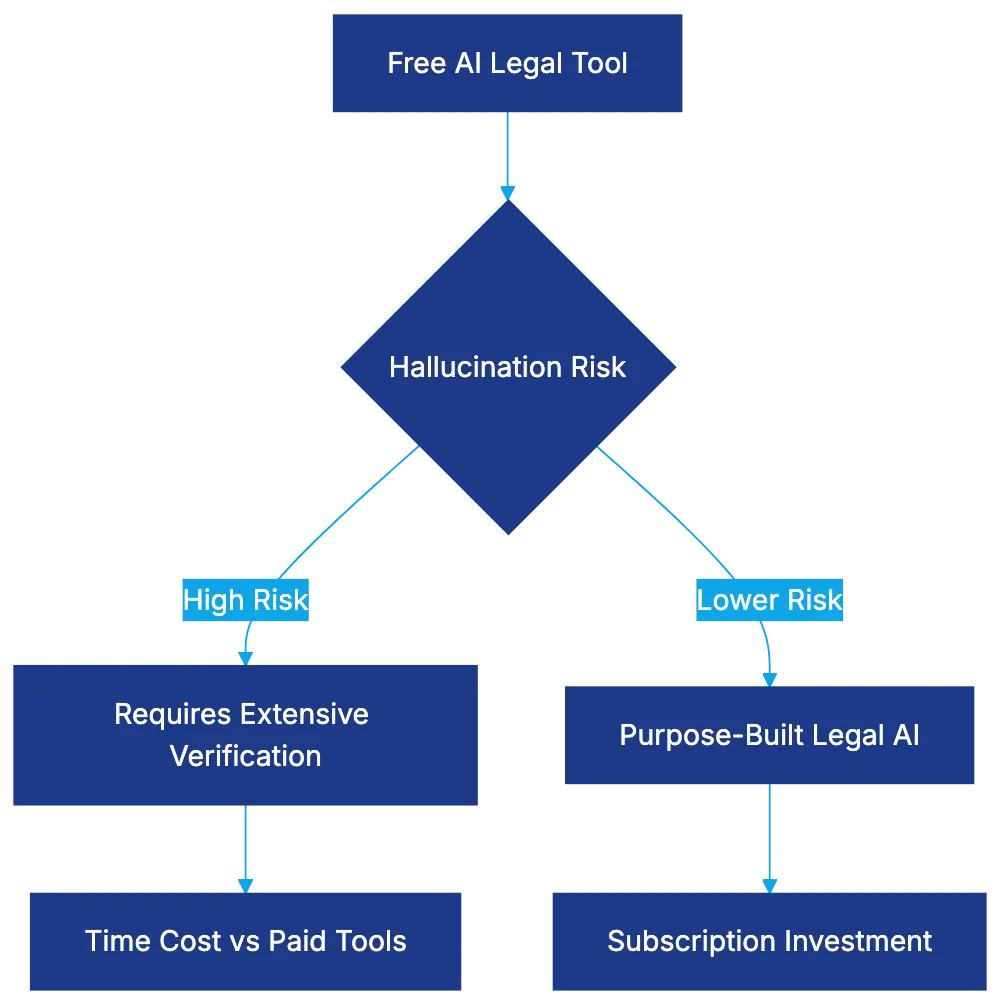
The promise of **free AI legal tools** sounds appealing for budget-conscious legal practitioners. Yet, research from Stanford HAI indicates that general-purpose AI tools can hallucinate legal queries 49-82% of the time, requiring thorough verification. This guide explores twelve genuinely free AI legal tools in 2026, describing their limitations, paywalls, and hidden costs. Some tools offer significant value, while others might cost more in time than paid subscriptions.
## [Docassemble: The Genuinely Free Option That Requires Real Skills](https://docassemble.org/)
**Docassemble** stands alone as a free, fully functional legal AI tool. It's open-source document automation software that uses Python and YAML, allowing usage and modification without fees. It generates legal documents and integrates with OpenAI API for AI-assisted drafting. Technical skills are required: understanding Python, writing YAML files, deploying Docker, and server management. A solo practitioner spent forty hours learning Docassemble to produce documents without monthly fees.
Hidden costs include hosting and maintenance, with servers costing $15-$100 monthly, depending on volume and security needs. For high document production, costs are justifiable.
## [Google Scholar: Legal Research That's Actually Free](https://scholar.google.com/)
**Google Scholar** offers free legal research with federal and state court decisions and basic citation analysis. Limitations exist without advanced search or editorial enhancements found in Westlaw. It's ideal for small matters or initial research. One legal aid attorney begins research on Google Scholar, using Westlaw for verifying complex cases.
## [Free Law Project: Semantic Search and Court Records](https://free.law/)
**Free Law Project** launched semantic search in March 2025 within CourtListener, enabling case searches by meaning rather than keywords. It includes millions of court records. While a nonprofit budget limits user interface polish, the combined semantic search and RECAP archive of PACER documents offer true cost savings for federal litigation. However, time and verification are required due to less intelligent ranking.
## [Law Insider: Free Contract Clause Search With Upgrade Path](https://www.lawinsider.com/)
**Law Insider** allows free access to contract clauses from SEC filings. It's valuable for drafting commercial agreements but caps document views and search features without a subscription. This freemium design allows occasional free use, with paid options available for regular drafting and clause library building.
## [ChatGPT and GPT-4: The Most Dangerous Free Legal Tool](https://openai.com/chatgpt)
**ChatGPT** remains free with GPT-4, popular yet risky with hallucination rates of 49-82%. The limitations include peak-time restrictions and lack of privacy. It's useful for drafting communications or brainstorming but requires extensive verification. An attorney utilizes ChatGPT for drafting demand letters but spends time verifying outputs.
## Claude: Anthropic's Alternative With Similar Limitations
**Claude**, by Anthropic, similarly offers a free tier with built-in reluctance for definitive legal claims. Useful for document analysis, Claude supports lengthy document processing, offering a cautious approach but with required output verification.
## Casetext CoCounsel: Free Trial That Converts to Paid
**Casetext** offers a free trial of CoCounsel, a legal AI on GPT-4, trained to reduce hallucinations. Strategy during the trial can determine efficiency benefits worth the subscription cost of several hundred dollars monthly.
## vLex Vincent: Another Trial-Based Approach
**Vincent** from vLex offers a free trial for AI-assisted legal research, valuable with aligned practice areas and vLex's database. The emphasis rests on time management during the trial to evaluate workflow benefits.
## Harvey AI: Enterprise-Only Means Not Actually Free
**Harvey AI** isn't free for individuals but available in large firms covering the cost. It underscores the difference between institution-access tools and individually accessible options.
## Lexis+ AI: Free for Current Subscribers Only
Decision Framework for Free vs Paid Legal Tools:
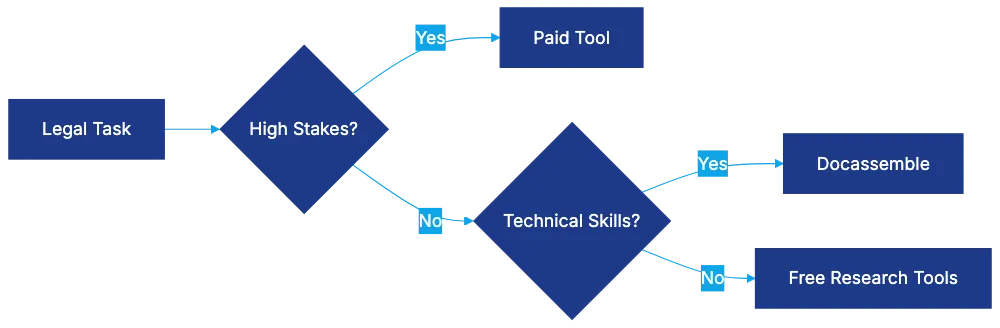
**Lexis+** enhances current subscriptions with AI features at no cost to existing users, integrating AI summarization and research support.
## Westlaw Precision: Similar Subscriber-Only Approach
**Westlaw Precision** offers AI-assisted features integrated into subscriptions. Users assess efficiency versus cost when considering continued subscription use.
## Bing Chat Enterprise: Free Microsoft 365 Integration
**Bing Chat Enterprise** offers AI access with Microsoft 365 business subscriptions, providing data protection. It's beneficial for firms already paying for Microsoft 365 but not suitable for confidential legal work due to hallucination risks.
## When Free Tools Make Sense and When They Don't
True Cost Components of Free Legal AI:
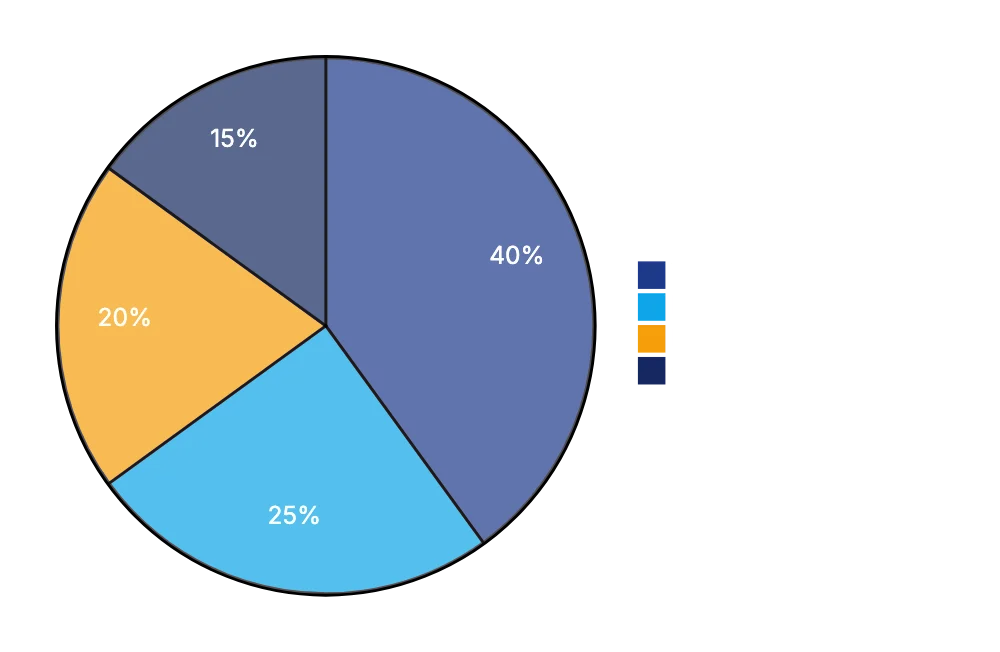
Choose free tools for occasional work, technical skills, preliminary research, or non-legal work. Avoid them for high-stakes work, regular database needs, or sensitive tasks requiring confidentiality. The cost calculation should consider hourly rates and the time spent verifying flawed outputs. Use paid tools for high-volume, high-risk, or client-confidential tasks.
## Security and Confidentiality Considerations for Free Legal Technology
The main hidden cost of free AI legal tools is potential confidentiality breaches. Avoid using consumer AI platforms for client information without contractual data protections. Paid tiers offer these protections, and bar associations emphasize ongoing attorney responsibility.
## The True Cost Calculation
Calculating true costs involves time, risk, and opportunity costs, not just subscription fees. Training, verification, and output risks might exceed the cost of purpose-built legal tools. Consider effective hourly rates when choosing between free and paid options.
## Bottom Line
Free AI legal tools offer some value but often involve hidden costs requiring thorough verification, especially with general-purpose AI like ChatGPT. Docassemble provides truly free document automation for tech-savvy users. Google Scholar and Free Law Project complement paid research tools, while ChatGPT needs careful verification. Use free tools for preliminary tasks and learning, saving paid tools for detailed, confidential work. Attorney judgment, verification, and responsibility remain paramount.
Frequently Asked Questions
What is the main limitation of using free AI legal tools?
The primary limitation is the high rate of errors or "hallucination" in outputs, which can range from 49-82%. This necessitates rigorous verification by the user, making the tools time-consuming to rely upon for critical legal work.
Are there any free AI legal tools that require technical skills?
Yes, Docassemble is a fully free legal AI tool that necessitates technical skills such as knowledge of Python and server management. Users must be comfortable setting up their own hosting solutions, which implies additional hidden costs for infrastructure.
How can I access legal research for free?
Google Scholar and Free Law Project are excellent options for conducting free legal research. Google Scholar offers access to court decisions, and Free Law Project provides semantic search capabilities for deeper insights into case law.
Is ChatGPT safe to use for legal drafting?
While ChatGPT can be helpful for drafting documents, its high hallucination rate means outputs should be carefully verified. Users should rely on such tools for preliminary drafting or brainstorming while ensuring final outputs are double-checked for accuracy.
When should I consider using paid legal tools instead of free ones?
Paid legal tools are advisable for high-stakes cases, regular access to databases, and tasks requiring confidentiality. The cost of time spent verifying free tool outputs can often exceed the subscription fees of professional legal services.
What are the hidden costs associated with free AI legal tools?
Hidden costs can include time spent on verification, potential security breaches, and the need for technical skills to fully utilize certain tools. Additionally, ongoing training and maintenance can add to the overall expense of using apparently free options.
How can I ensure confidentiality when using free AI legal tools?
To maintain confidentiality, avoid using consumer AI platforms for sensitive client information unless they offer specific data protections. It is crucial to adhere to the ethical standards set by bar associations concerning client confidentiality and information security.
### Kira Systems: Revolutionizing Contract Review with ML
URL: https://legavima.com/blog/kira-systems-review/
Description: Discover how Kira Systems enhances contract review using machine learning, Quick Study, and more for M&A due diligence.
Published: 2026-03-31
Updated: 2026-02-10
## Introduction
[Kira Systems](https://www.kira.ai/) is a machine learning platform that specializes in contract review, particularly in [M&A due diligence](https://www.americanbar.org/groups/young_lawyers/resources/after-the-bar/practice-areas/conducting-legal-due-diligence-in-ma-transactions/). It offers over 1,000 built-in smart fields and the [Quick Study](https://www.kira.ai/how-kira-works/quick-study/) feature, enabling users to create custom models without coding. The platform is trusted by 64% of Am Law 100 firms and 84% of the top 25 global M&A firms, underscoring its value in the industry.
Kira Systems Contract Review Process:
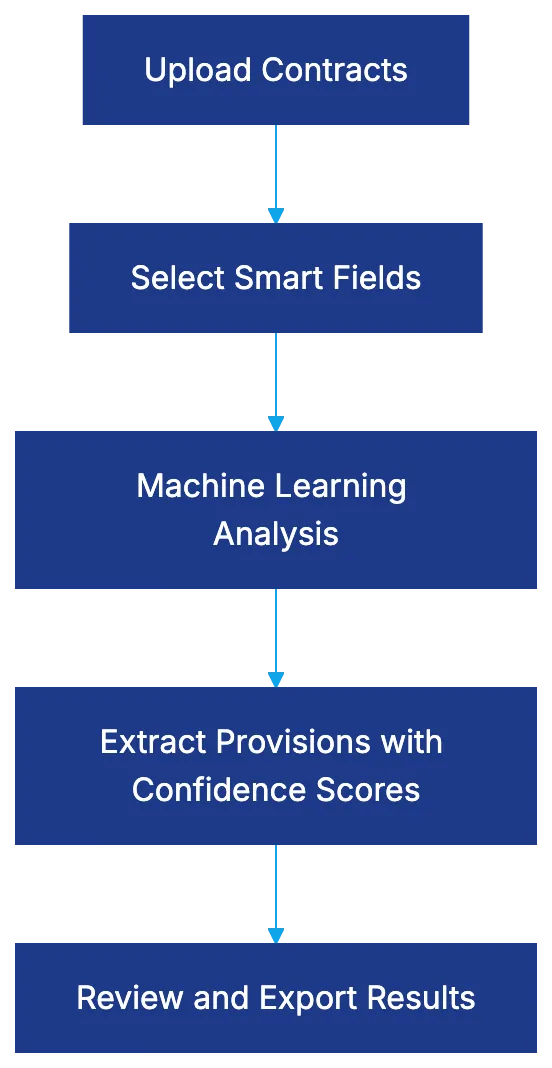
## What Kira Systems Actually Does
Kira Systems utilizes machine learning to extract specific provisions, clauses, and data points from contracts, such as change of control and governing law clauses. It integrates proprietary machine learning models with optional generative AI capabilities. The platform's core functionality is based on supervised learning, honed over a decade of development. Users input contracts, specify fields, and Kira extracts relevant language with confidence scores, transforming document reviews into systematic processes. Integrated with Litera, this capability complements document comparison and workflow tools.
How Kira Extracts Contract Data:

## The Quick Study Differentiator
Quick Study sets Kira AI apart. It enables users to train custom models by providing examples, without the need for coding or a data science background. By identifying a unique provision type and providing examples, Kira locates similar provisions in other contracts. This empowers legal staff to customize models, reducing reliance on IT or vendor support. Previously, non-standard provisions across numerous contracts required either costly custom development or manual review. Quick Study streamlines this process.
Quick Study Custom Model Training:
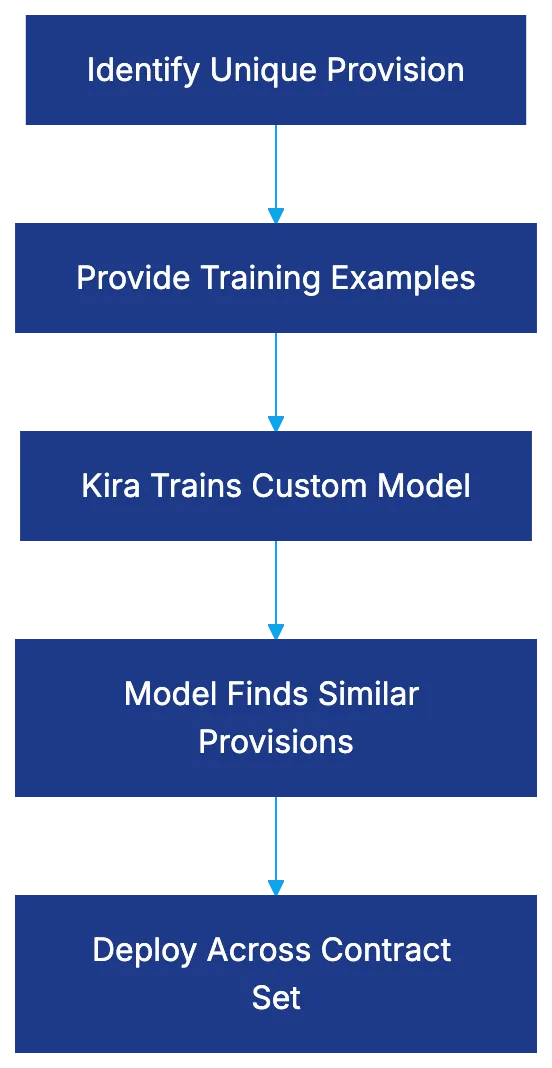
Frequently Asked Questions
What types of contracts can Kira Systems analyze?
Kira Systems is designed to review a wide range of contracts, including those commonly found in mergers and acquisitions (M&A), such as purchase agreements, confidentiality agreements, and licensing contracts. Its customizable features allow users to adapt the platform for various industries and specific contractual needs.
Do I need to have programming skills to use Kira Systems?
No, Kira Systems' Quick Study feature allows users to create custom models without any coding knowledge. Users can simply input examples of the provisions they want to identify, making it accessible for legal professionals of all backgrounds.
How does Kira Systems ensure the accuracy of extracted data?
Kira Systems utilizes machine learning with a foundation of supervised learning, which benefits from years of refinement and a substantial database of legal documents. Each extraction is accompanied by a confidence score, helping users assess the reliability of the results.
Can Kira Systems be integrated with other tools we use?
Yes, Kira Systems seamlessly integrates with Litera, offering enhanced functionalities for document comparison and workflow management. This integration allows teams to use Kira's capabilities alongside their existing tools, improving overall efficiency in contract management.
Is training on Kira Systems available for new users?
Kira Systems typically offers training sessions for new users to familiarize them with the platform's capabilities, including how to use the Quick Study feature effectively. These training sessions can help users quickly navigate the system and maximize its benefits.
How does Kira handle non-standard provisions in contracts?
Thanks to the Quick Study feature, users can train Kira Systems to recognize non-standard provisions by providing relevant examples. This capability allows for the identification and extraction of unique provisions that may not be part of predefined templates, enhancing contract review efficiency.
What is the typical implementation timeline for Kira Systems?
The implementation timeline for Kira Systems can vary depending on organizational needs and the scale of deployment. Generally, users can start seeing results relatively quickly, especially if they utilize the Quick Study feature to customize their experience from the outset.
### Evisort Review: AI-Native Contract Management Insights
URL: https://legavima.com/blog/evisort-review/
Description: Explore Evisort's AI-native platform, its strengths, and the impact of the Workday acquisition on contract lifecycle management.
Published: 2026-03-27
Updated: 2026-02-10
## Introduction
Contract lifecycle management platforms have evolved dramatically over the past few years, but Evisort follows a distinct approach. Unlike traditional CLM vendors that added AI capabilities onto existing systems, Evisort built its platform from scratch with AI. The platform has been trained on over 11 million contracts and more than 1 billion data points, providing practical advantages in contract intelligence. The [Workday acquisition in November 2024](https://newsroom.workday.com/2024-09-17-Workday-Signs-Definitive-Agreement-to-Acquire-Evisort) changed the company's trajectory and raised questions about its future direction. This Evisort review examines its distinctiveness, strengths, and whether its AI-native architecture delivers real value.
## The AI-Native Architecture Difference
Evisort AI-Native Architecture vs Traditional CLM:
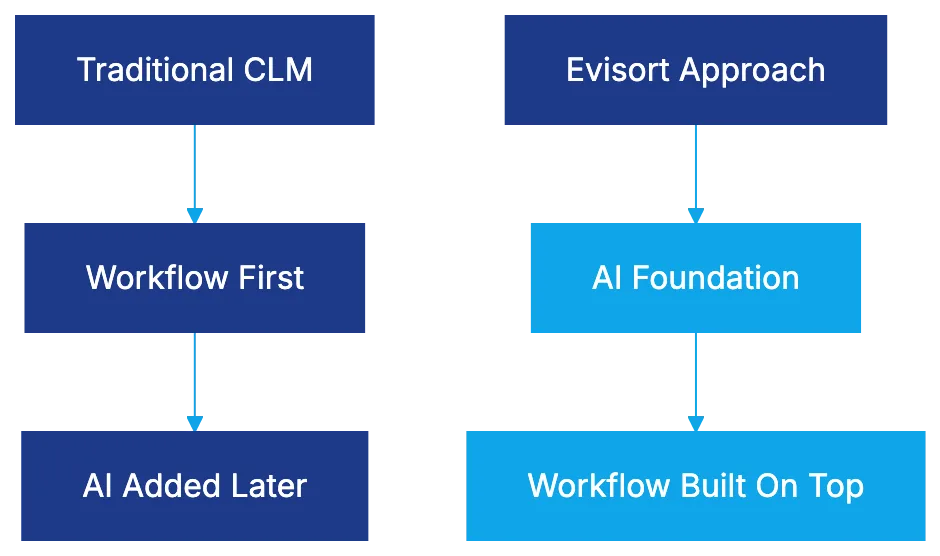
Evisort's AI-native architecture is unlike most CLM platforms. Traditional systems prioritized workflow automation; Evisort reversed this sequence. The platform was designed to use AI for contract analysis, extraction, and insights from the start. This approach results in high extraction accuracy and a wide range of pre-built models. Evisort's training corpus represents years of learning, enabling the system to recognize non-standard provisions crucial for handling legacy contracts or third-party paper.
## ISO/IEC 42001 Certification Achievement
Evisort was the first CLM provider to achieve [ISO/IEC 42001 certification](https://www.prnewswire.com/news-releases/evisort-one-of-the-first-ai-companies-in-the-world-to-achieve-accredited-iso-42001-responsible-ai-certification-302262231.html), a rigorous standard for [AI management systems](https://www.iso.org/standard/42001). This certification reassures legal professionals about AI model accuracy and reliability and involves documented policies, measurable controls, regular audits, and continuous improvement processes. This is crucial for risk-averse legal departments and industries needing robust AI governance, showing Evisort's confidence in its AI direction even before Workday's acquisition.
## Contract Intelligence and Extraction Capabilities
Contract Intelligence Pipeline:

Evisort's platform offers accurate extraction of key provisions across varied contract types without needing custom training for each, as detailed in [Workday's announcement](https://investor.workday.com/news-and-events/press-releases/news-details/2025/Evisort-AI-Powered-Contract-Intelligence-Now-Available-Through-Workday-03-27-2025/default.aspx). It provides risk scoring that flags contracts with high-risk provisions and obligation tracking for commitments and deadlines. While extraction isn't perfect, reducing manual effort and identifying high-risk provisions adds value.
## Analytics Dashboards and Portfolio Visibility
Evisort's analytics capabilities turn extracted data into dashboards and reports, providing real-time visibility across your portfolio. Customizable reporting and trend analysis help legal teams make informed decisions, showing broader patterns that might indicate underlying issues.
## The Workday Acquisition and Enterprise Integration
Workday's acquisition of Evisort in 2024 altered the competitive scene. For legal teams using Workday, it creates new opportunities for integration with employee agreements and vendor contracts. The acquisition boosts vendor credibility for enterprise adoption, ensuring long-term support. There are concerns about Evisort maintaining its focus within Workday's broader suite, but these will become clearer over time.
## Deployment Flexibility and Enterprise Security
Workday-Evisort Integration Ecosystem:
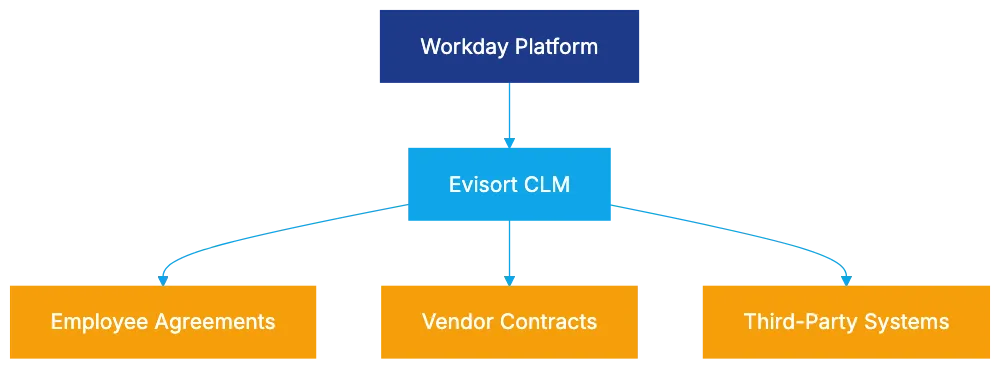
Evisort's cloud-native architecture offers deployment flexibility and meets enterprise security requirements, including single sign-on and data encryption. It offers deployment options to meet data residency needs and integrates with systems like Salesforce and DocuSign.
## Evisort Pricing Structure and Enterprise Model
Evisort follows an enterprise model, requiring contact with sales for quotes based on contract volume, user count, and features. The Workday acquisition raises uncertainty about future pricing models, but the focus is on total cost of ownership, including time saved and improved negotiation outcomes from data-driven insights.
## Comparison with Alternative CLM Platforms
Evisort is compared with other CLM platforms, including legacy platforms like Agiloft and Conga, which added AI later, and AI-native competitors like Ironclad and LinkSquares. The choice often depends on priorities around AI capabilities, workflow needs, ecosystems, resources, and budget.
## Best Fit Organizations and Use Cases
Evisort suits organizations prioritizing AI-native architecture over workflow customization. Workday customers and those valuing third-party AI governance certifications will find it advantageous. Its pre-built models benefit companies with large legacy contracts, while those needing customized workflows might look elsewhere.
## Bottom Line
Evisort's AI-native architecture is a differentiator. The ISO/IEC 42001 certification validates its AI practices, which is important in regulated industries. The Workday acquisition creates new opportunities but also uncertainties. For legal teams focused on AI-powered contract intelligence, Evisort should be on their shortlist.
Frequently Asked Questions
What makes Evisort's AI-native architecture different from traditional CLM platforms?
Evisort's AI-native architecture was built from the ground up to prioritize AI for contract analysis and extraction, rather than simply adding AI to existing systems. This foundational approach allows for higher extraction accuracy and the ability to handle various contract types without the need for custom training.
How does Evisort's ISO/IEC 42001 certification impact its reliability?
The ISO/IEC 42001 certification assures users about the accuracy and reliability of Evisort's AI models. This certification entails rigorous governance, including documented policies and regular audits, which is particularly significant for risk-averse industries requiring robust AI oversight.
What are the key features of Evisort's analytics dashboards?
Evisort's analytics dashboards transform extracted contract data into customizable reports and real-time visibility across portfolios. Users can perform trend analysis, helping legal teams identify patterns and make informed decisions regarding their contract management strategies.
How does the Workday acquisition affect Evisort's future and capabilities?
The acquisition by Workday offers enhanced integration opportunities, particularly for legal teams working with employee agreements and vendor contracts. While there may be concerns about future focus and features, the acquisition boosts Evisort's credibility and promises long-term support within Workday's broader software ecosystem.
What is the pricing structure for Evisort, and how does it relate to the Workday acquisition?
Evisort operates on an enterprise pricing model, requiring potential customers to contact sales for customized quotes based on their specific needs. The Workday acquisition introduces uncertainty regarding future pricing, but it emphasizes the total cost of ownership, taking into account the efficiencies gained from Evisort's platform.
Who are the ideal users of Evisort's platform?
Evisort is best suited for organizations that prioritize AI-native capabilities and those that deal with large volumes of legacy contracts. Specifically, Workday customers and businesses that value third-party AI governance certifications will benefit the most from its offerings.
How does Evisort compare with traditional CLM platforms like Agiloft and Conga?
Unlike legacy CLM platforms such as Agiloft and Conga that integrated AI later, Evisort's architecture is built with AI at its core, which may result in superior contract intelligence capabilities. The choice between Evisort and these alternatives typically depends on organizational priorities regarding AI sophistication, workflows, and budget considerations.
### AI in Legal Compliance Management: A Comprehensive Guide
URL: https://legavima.com/blog/legal-compliance-software/
Description: Explore the role of AI in legal compliance, automating tasks and monitoring regulations for law firms and corporate legal departments.
Published: 2026-03-26
Updated: 2026-02-10
# Introduction
Legal compliance is a significant challenge for modern law firms and corporate legal departments. With [GDPR fines up to €20 million](https://www.reuters.com/article/us-eu-privacy-fines-idUSKCN1VV0Z7), HIPAA violations averaging $1.5 million, and SOX requirements risking imprisonment, traditional compliance methods like spreadsheets are insufficient. Legal compliance software now uses AI to monitor regulations, flag potential violations, and produce audit trails. This guide explores AI's role in compliance management and essential insights for legal professionals.
# Understanding AI-Powered Compliance Management Software
Compliance management software centralizes the tracking and documentation of regulatory adherence. Modern tools employ AI to automate tasks, drastically reducing the hours required by attorneys. AI platforms scan and analyze contracts, policies, and processes against regulatory frameworks, automatically identifying needed updates when regulations change. For example, AI can quickly flag missing GDPR clauses in vendor contracts. [Luminance's AI-powered contract management](https://www.luminance.com/legal-ai-software/) enhances efficiency in this area.
Using natural language processing, AI understands and matches regulations to practices. Machine learning finds patterns indicating potential violations. These systems comprehend context, recognizing differences in compliance obligations across business types.
Key features include continuous monitoring, proactive gap identification, and automated auditing, allowing legal departments to shift from reactive to proactive management.
AI Compliance Management Workflow:
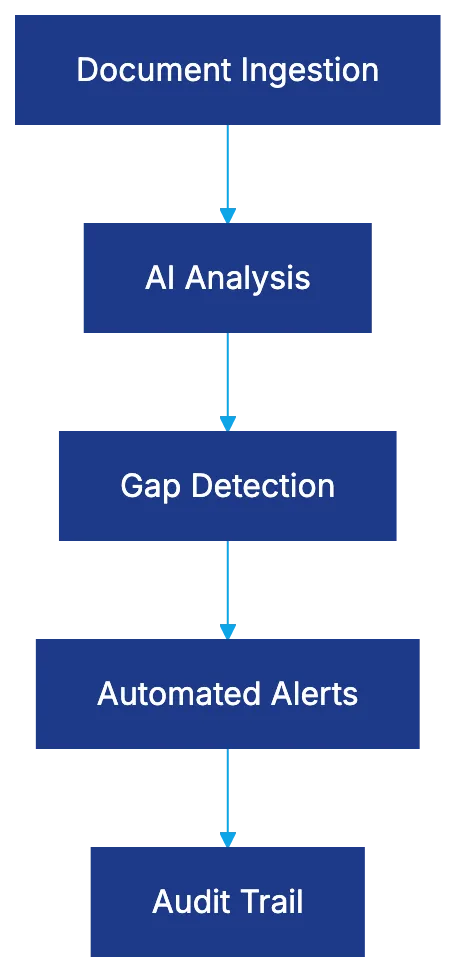
# AI Compliance Monitoring: How It Works
AI compliance monitoring consists of several steps. Documents and data records are indexed into a repository, cataloging every obligation and requirement. The AI then maps these obligations against regulations, cross-referencing documentation and signaling gaps. [Akira AI's adaptive compliance ecosystems](https://www.akira.ai/industries/finance/regulatory-compliance-monitoring/) exemplify this approach.
Instead of periodic reviews, AI offers real-time monitoring. It flags new vendor contracts missing GDPR terms or unusual employee access to patient records. Automated updates incorporate regulatory changes such as California's CPRA in 2023, providing specific remediation tasks.
AI compliance tools in financial services detect transaction patterns indicating issues, reducing false positives while catching suspicious activities missed by rigid rules.
Real-Time AI Monitoring Process:

# Financial Services Compliance: SEC, FINRA, and OCC Requirements
Financial services firms comply with SEC, FINRA, and OCC regulations covering record retention, communication monitoring, and trading surveillance. For example, SEC Rule 17a-4 mandates electronic record preservation in non-rewritable formats, automated by compliance software. [Ironclad's contract lifecycle management](https://en.wikipedia.org/wiki/Ironclad_%28software%29) supports such regulatory requirements.
FINRA requires monitoring trading activity for market anomalies, which AI tools effectively manage. In anti-money laundering, AI improves detection accuracy compared to traditional systems.
The OCC requires vendor due diligence and oversight documentation, which regulatory compliance AI automates by tracking compliance status and documentation.
# Healthcare Compliance: HIPAA and Business Associate Management
Healthcare organizations must adhere to HIPAA protecting health information. Legal compliance software addresses common violation areas, managing business associate agreements efficiently. [Legitt AI's contract management software](https://legittai.com/legal) offers solutions tailored for healthcare compliance.
Such software maintains a registry of business associates, managing access control and audit logging under HIPAA’s Security Rule. AI identifies unusual access patterns, enabling proactive mitigation.
Encryption is critical under HIPAA for data at rest and transit, and compliance tools monitor encryption status to ensure compliance.
# Data Privacy Compliance: GDPR, CCPA, and Global Requirements
Data privacy laws like GDPR influence global standards. Legal compliance tools handle overlapping requirements efficiently.
GDPR compliance involves AI-managed processing registers that update automatically. Tools streamline data erasure, subject access requests, and GDPR trigger identification.
CCPA and CPRA impose California-specific rules like GDPR, and compliance software manages both by data subject location.
Although GDPR doesn’t necessitate EU data storage, compliance software ensures proper data transfer safeguards.
# SOC 2 Compliance: Trust Service Criteria and Audit Requirements
SOC 2 evaluates SaaS company security controls. Understanding SOC 2 helps choose compliance software supporting audits.
SOC 2 audits assess control design and effectiveness. Compliance software helps maintain audit trails and evidence collection, but doesn’t prevent breaches.
Compliance Document Lifecycle:
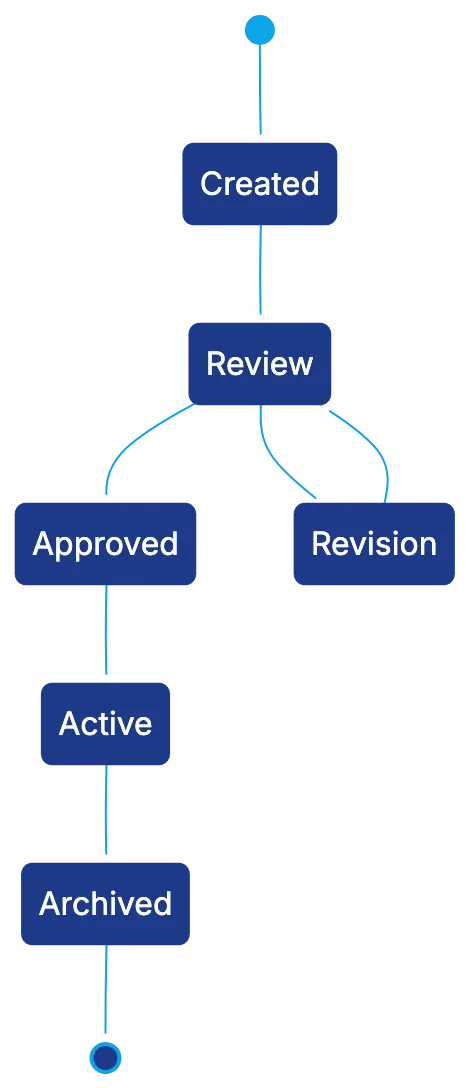
# Audit Trail Capabilities: Documentation for Defense
Audit trails ensure regulatory defense by creating immutable, timestamped records. Credibility relies on immutability and cryptographic techniques avoid alteration.
User action logs and change histories facilitate compliance proofs, with prudent retention aligning with statutory limitations.
# Combining with Contract Management for Obligation Tracking
Contracts introduce compliance obligations managed through integrated legal compliance and contract systems, ensuring obligation oversight from creation to conclusion.
Integrated systems track regulatory changes affecting agreements to ensure compliance.
# Implementation Strategies and Best Practices
Successful implementation requires more than technology choice. Begin with a compliance inventory, then automate high-risk areas first.
Ensure thorough integration planning and adoption support through change management. Align tools with processes and test pilots to identify pre-deployment issues.
# Common Pitfalls and How to Avoid Them
Avoid over-relying on automation. Tools aid but can’t replace expertise. Poor data quality and configuration drift cause compliance issues. Prevent alert fatigue with careful threshold tuning.
# Selecting the Right Legal Compliance Tools
Choose tools aligned with obligations, with genuine AI and scalability. Evaluate user experience, vendor stability, support, and pricing models.
# The Bottom Line
Compliance has evolved into AI-driven monitoring, essential for managing complex obligations. Select platforms with genuine AI and robust integration support, complemented by legal expertise. For overwhelmed professionals, AI tools offer comprehensive management, select the right tools and implement swiftly.
Frequently Asked Questions
What are the main advantages of using AI-powered compliance management software?
AI-powered compliance management software offers several benefits, including automation of manual tasks, real-time monitoring of regulatory changes, and enhanced accuracy in identifying compliance gaps. This allows legal departments to focus on strategic activities instead of repetitive administrative tasks.
How does AI improve the compliance monitoring process?
AI improves compliance monitoring by continuously indexing documents into a centralized repository and mapping obligations against regulatory requirements. This enables real-time alerts for any compliance gaps or anomalies, allowing organizations to act swiftly to mitigate risks.
What should organizations consider when implementing compliance software?
Organizations should start with a thorough compliance inventory and prioritize automating high-risk areas. Effective integration planning, user training, and change management are essential to ensure a smooth transition and to identify potential issues before full deployment.
How can legal departments avoid common pitfalls in compliance management?
To avoid pitfalls, legal departments should not overly rely on automation and must ensure data quality is maintained. Additionally, they should monitor thresholds carefully to prevent alert fatigue, which can undermine compliance efforts.
What regulatory requirements does AI compliance software help with in the financial services sector?
In the financial services sector, AI compliance software assists in meeting various requirements, including record retention, communication monitoring, and accurate trading surveillance. It automates compliance with regulations from entities such as the SEC, FINRA, and OCC.
How does compliance software address healthcare regulations like HIPAA?
Compliance software for healthcare ensures adherence to HIPAA regulations by managing business associate agreements and auditing access logs. AI tools help detect unusual access patterns and monitor encryption status to maintain compliance.
What factors should be taken into account when selecting legal compliance tools?
When selecting legal compliance tools, organizations should evaluate the tools' alignment with their specific obligations, quality of AI technology, user experience, vendor stability, and support options. Additionally, pricing models should be considered to ensure overall value.
### E-Discovery Platform Selection Guide for 2026
URL: https://legavima.com/blog/best-e-discovery-software/
Description: Discover the top e-discovery platforms with AI, pricing insights, and TAR capabilities for efficient litigation management.
Published: 2026-03-25
Updated: 2026-02-10
## Introduction
E-Discovery Platform Selection Framework:
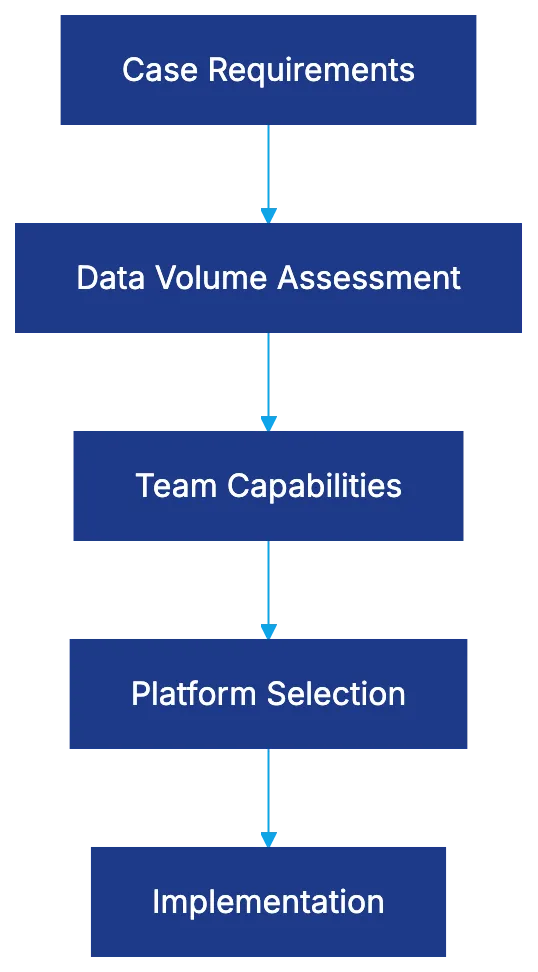
Selecting the right e-discovery software determines whether your litigation team effectively manages or drowns in discovery costs. **Best e-discovery platforms** in 2026 combine AI capabilities, practical pricing, and proven court acceptance. Technology Assisted Review (TAR) with TAR 2.0 delivers 40-60% volume reduction starting with 50-100 training documents. Your platform needs to match case complexity, data volumes, and team capabilities. This guide reviews 12 top e-discovery software options, focusing on TAR capabilities, pricing, processing power, and real-world setup.
## Relativity: The Enterprise Standard for Complex Litigation
Relativity dominates the e-discovery scene, serving 198 of the [Am Law 200 firms](https://www.law.com/americanlawyer/am-law-200/). Familiarity and compatibility matter when opposing counsel, co-counsel, and service providers use the same platform language. RelativityOne's [cloud infrastructure](https://www.relativity.com/one-with-everything/) allows customization for specific litigation needs.
TAR Continuous Learning Process:

The aiR suite represents Relativity's AI evolution. aiR for Review uses TAR 2.0 continuously, learning from initial 50-100 coded documents and refining predictions. It achieves a 40-60% volume reduction while maintaining court-accepted accuracy. aiR for Alerting flags anomalies, while aiR for Prioritization surfaces relevant documents first.
Relativity excels at scale with firms processing datasets exceeding 10 terabytes. It handles over 300 file types, with analytics features like email threading and conceptual clustering. The complete workflow from legal hold through production sets it apart.
The learning curve is steep. Relativity administrators need training and certification. Pricing varies based on data volumes, user counts, and features. It's ideal for large firms but may be overkill for smaller cases.
## Everlaw: Superior User Experience Meets Transparent Pricing
Everlaw scores above 92% in user surveys due to its responsive, cloud-native architecture. It prioritizes intuitive workflows over customization, suiting teams without extensive training.
Transparency in pricing is notable. Clear per-gigabyte rates include predictive coding in the base price, eliminating surprise costs from advanced analytics.
Everlaw's [Story Builder](https://www.everlaw.com/storybuilder/) allows narrative timelines and presentations from review documents without exporting to other tools. Real-time communication between team members is supported, aiding coordination.
Its TAR setup uses continuous active learning. The system’s transparency in relevance predictions aids court defenses. It suits mid-to-large firms managing 500GB to 5TB data. Fast processing and easy adoption make Everlaw appealing.
## Logikcull: Self-Service Discovery for In-House Teams
Logikcull’s business model allows legal teams to manage discovery without vendor dependance. In-house counsel and paralegals can upload, process, search, review, and produce data independently.
E-Discovery Workflow Stages:
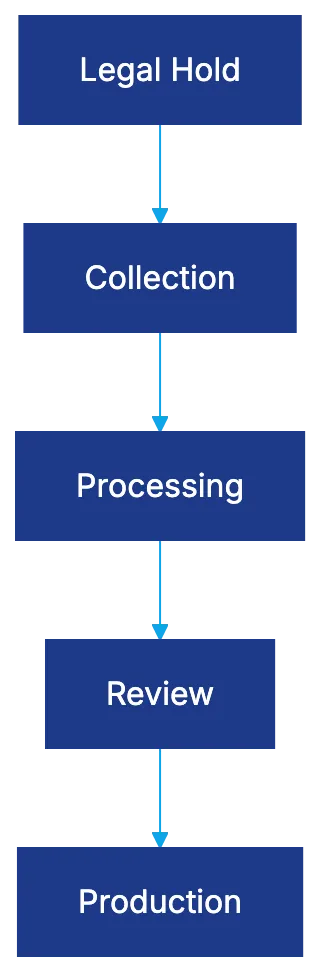
The simple pricing ($40 per gigabyte with no hidden fees) eliminates budget uncertainty. It's ideal for straightforward litigation not involving massive data or numerous custodians.
The platform's
Frequently Asked Questions
How do I choose the right e-discovery software for my needs?
Consider factors such as case complexity, data volume, and team expertise. Evaluate platforms based on their AI capabilities, pricing structures, and proven track records in court. A software that complements your specific litigation needs can enhance efficiency and reduce costs.
What is Technology Assisted Review (TAR) and how does it work?
TAR utilizes algorithms to assist in the review of documents by learning from a small set of coded documents. TAR 2.0 enhances this process through continuous learning, allowing it to refine its predictions as more documents are reviewed. This can lead to significant reductions in document volume while maintaining accuracy that is acceptable in court.
Are there training requirements for using platforms like Relativity?
Yes, users often need to undergo training and certification to effectively manage Relativity, given its complexity and scale. Proper training ensures that administrators can leverage the platform’s full capabilities for e-discovery projects.
What makes Everlaw a user-friendly option for e-discovery?
Everlaw is designed with intuitive workflows that require minimal training, making it suitable for teams without extensive technical expertise. Its cloud-native architecture and real-time communication features support efficient collaboration among team members.
Can Logikcull be used by teams without technical support?
Yes, Logikcull is specifically designed for in-house legal teams to manage discovery independently. Its self-service model allows users to upload, search, and review documents without needing external vendor support, making it ideal for teams with straightforward litigation needs.
What are the typical costs associated with using e-discovery platforms?
Pricing can vary significantly among platforms. For instance, Logikcull offers a straightforward fee of $40 per gigabyte, while other platforms like Relativity may have variable pricing depending on data volumes, user counts, and features. It's essential to review the entire pricing structure to avoid unexpected costs.
How does the cloud infrastructure benefit e-discovery processes?
Cloud infrastructure allows for scalable storage and processing capabilities, which can be crucial for large datasets typical in complex litigation. It also facilitates easier access and collaboration among team members, regardless of their physical locations, enhancing overall efficiency in the discovery process.
### Ironclad's Unique Approach to Contract Management
URL: https://legavima.com/blog/ironclad-review/
Description: Explore Ironclad's innovative contract management platform, emphasizing automation, AI, and seamless integrations for legal teams.
Published: 2026-03-24
Updated: 2026-02-10
## What Sets Ironclad Apart in Contract Management
Ironclad, a [Hackett Group Digital World Class CLM Provider](https://www.hackett-group.com/), offers a contract lifecycle management platform for legal teams managing numerous contracts at growing and enterprise companies. This review examines Ironclad's technical sophistication and user accessibility. The no-code Workflow Designer allows teams to create complex approval chains without IT support. Ironclad integrates with over 8,000 applications via [Zapier](https://zapier.com/) and syncs well with [Salesforce](https://www.salesforce.com/). Legal professionals should assess Ironclad's strengths and trade-offs beyond feature comparisons.
## Core Ironclad CLM Capabilities
Ironclad Contract Lifecycle Management Overview:
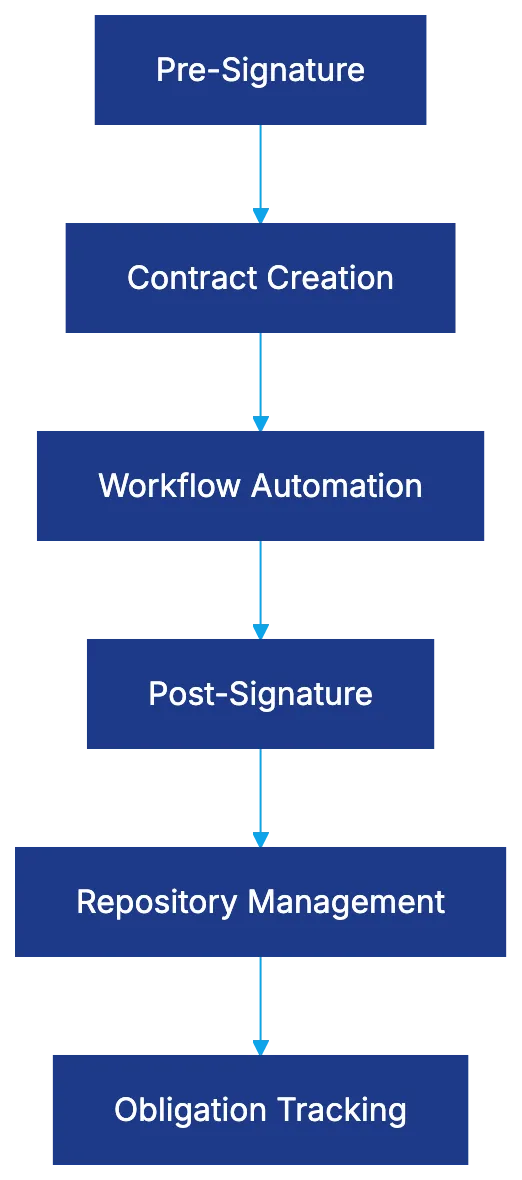
Ironclad manages the entire contract lifecycle, offering a unified system for pre-signature workflow automation, post-signature repository management, and obligation tracking. Unlike solutions focusing on one phase, Ironclad provides comprehensive coverage.
### Workflow Designer
A key feature is the Workflow Designer, allowing legal operations to set up conditional approval routes without coding. Routine NDAs might be directed straight to the counterparty, while high-value agreements trigger reviews from finance, legal, and executives, matching existing processes.
### Repository Features
Ironclad's repository provides centralized storage with metadata tagging, full-text search, and the ability to map relationships between contracts. This function highlights vendor relationships, crucial for renewals or vendor risk assessments. Search capabilities extend beyond basic text matching to understand contract structures, locating clauses with varied phrasing.
### Clickwrap Capability
Clickwrap capabilities support mass acceptance scenarios. Ironclad handles terms of service, privacy policies, and employee acknowledgments, besides negotiated B2B contracts. This reduces vendor sprawl by tracking high-volume acceptances alongside complex agreements.
## AI Assist Powered by Jurist AI
Workflow Designer Approval Process:
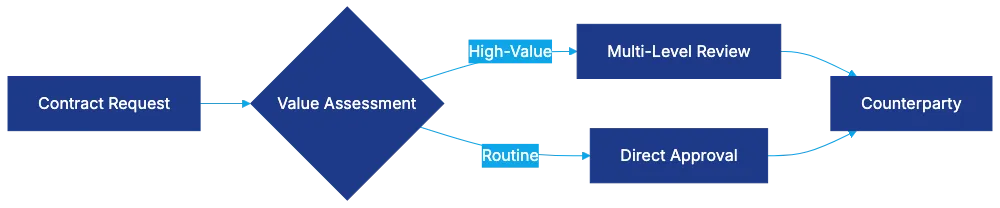
Ironclad's AI Assist, using [Anthropic's Claude models](https://www.anthropic.com/), aids in contract analysis, clause suggestions, and redlining. Jurist AI is trained on contract language for legal use, not just general AI tools.
### Contract Review and Clause Extraction
AI Assist flags problematic clauses based on your organization's playbook. For example, if liability caps are frequently negotiated, the AI flags unlimited liability language and suggests alternatives. The AI expedites clause extraction but requires human verification as it complements, not replaces, legal judgment.
### Practical Benefits
AI offers speed and consistency, reducing the search for template language and maintaining consistent contract positions. The AI must be trained on specific contracts for effectiveness, with a longer learning curve for specialized contracts.
## Ecosystem and Technical Architecture
Ironclad's combining capabilities set it apart in the [CLM industry](https://www.gartner.com/en/information-technology/glossary/contract-lifecycle-management-clm). Salesforce integration keeps contract data synced with CRM records, enabling sales teams to track contracts without leaving their workspace. Bidirectional sync ensures updates reflect across systems, making Ironclad ideal for Salesforce-centric environments.
AI-Assisted Contract Review Flow:
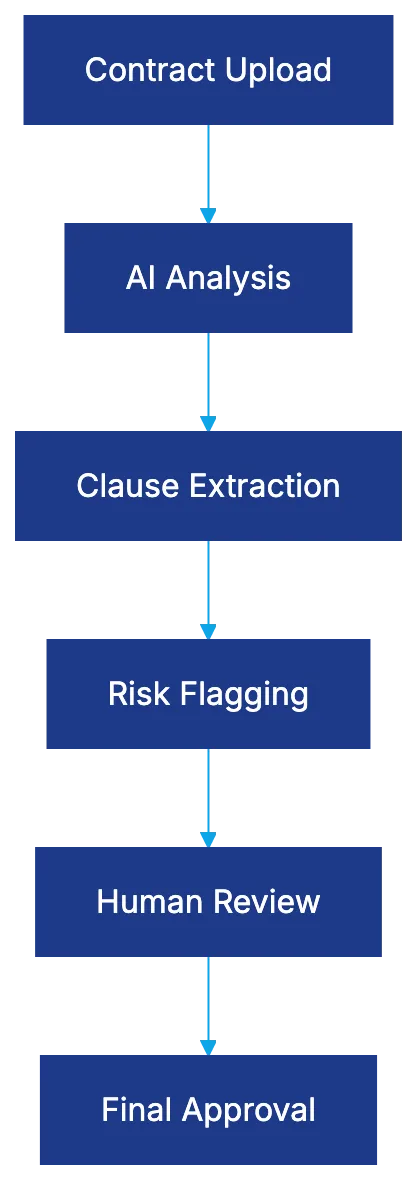
### Integration Flexibility
Beyond Salesforce, Ironclad integrates with over 8,000 applications via Zapier, automating workflows across platforms like Slack, DocuSign, and Asana. This flexibility tackles varied enterprise tech stacks without custom API development.
### Developer Hub
For custom integration beyond Zapier, the Ironclad Developer Hub offers API documentation and webhooks, enabling technical teams to connect proprietary systems and automate complex workflows. Custom development requires technical resources, while most rely on pre-built integrations or partner help.
## Workflow Automation Without IT Dependency
Ironclad's no-code Workflow Designer removes IT bottlenecks, as highlighted in [Gartner's review](https://www.gartner.com/reviews/vendor/ironclad). Unlike traditional software needing developer involvement for changes, Ironclad allows business users to implement changes independently.
### Building Workflows
Creating workflows involves defining stages, assigning approvers, and setting conditions through a visual interface. For example, a licensing workflow might include stages for business review, legal review, procurement negotiation, finance approval, and executive signature, with options for parallel or sequential routing.
## Ironclad Pricing and Cost Considerations
Ironclad's pricing follows an enterprise model with customized quotes based on user count, contract volume, and features. This may not appeal to small firms needing quick cost comparisons, but it suits enterprise CLM implementations.
### Total Cost of Ownership
Expect weeks or months for setup. Licensing, setup costs, and support depend on customization, integration complexity, and workflow sophistication. The cost of ownership includes these elements, emphasizing automation, reduced cycle times, and compliance improvements.
### Competitive Pricing Evaluation
When comparing Ironclad with alternatives, consider total value over licensing fees. Cheaper systems needing more manual work or lacking integrations may be pricier long-term. Ensure Ironclad meets your needs to justify its cost.
## Implementation Timeline and Resource Requirements
Ironclad CLM implementation ranges from weeks to months based on complexity. Setup involves requirement gathering, system configuration, integration development, data migration, and training.
### Resource Allocation
Resource needs vary. Some manage configuration with Ironclad support, others use partners. Internal teams need process knowledge and time, partners speed up deployment. The timeline shows Ironclad's enterprise focus, with customization aligning with processes.
## Target Market and Best Use Cases
Ironclad is for high-volume legal teams at growth and enterprise companies. It suits environments with large contract volumes, complex workflows, and a need for system integration.
### Ideal Fit for Salesforce-centric Organizations
Salesforce-centric teams benefit from Ironclad's integration, letting sales handle contracts in their workspace while legal retains oversight. Organizations dealing with negotiated and high-volume clickwrap agreements benefit from Ironclad's capabilities.
## Competitor Comparison: Ironclad vs. Alternatives
### Icertis, Juro, Evisort, and DocuSign CLM
Icertis targets larger enterprises with complex features, Juro appeals to SMBs needing fast deployment, Evisort focuses on AI-driven contract intelligence, and DocuSign CLM offers strong e-signature integration, good for those using DocuSign.
### Selection Based on Priorities
Choose based on priorities. Ironclad balances workflow sophistication, AI-enhanced contract management, and integration capabilities for mid-market to enterprise teams. Smaller businesses may find simpler solutions more cost-effective.
## Developer Resources and Technical Extensibility
Ironclad's Developer Hub provides API documentation and webhooks for custom integration, essential for unique system requirements.
### API and Webhooks
The REST API offers programmatic access to contract data, workflow triggers, and functions. Development teams use these for custom integration, webhooks enable automation across systems.
## Bottom Line
Ironclad is a CLM platform for legal teams at growth and enterprise companies with significant contract volumes. With automation, Jurist AI capabilities, and extensive integration with Salesforce and Zapier, Ironclad addresses real contract management challenges.
Ironclad pricing suits enterprise needs over SMBs, with sales engagement for discussions. Evaluating Ironclad against competitors like Icertis and Juro underlines its position. It's suitable for high-volume teams and Salesforce-centric organizations, meriting evaluation against alternatives for unique integration and workflow needs.
Frequently Asked Questions
What types of companies can benefit from using Ironclad?
Ironclad is designed primarily for high-volume legal teams within growth and enterprise companies. Organizations that handle numerous contracts, complex workflows, and require system integrations, especially those reliant on Salesforce, will find Ironclad particularly beneficial.
How does Ironclad's Workflow Designer work?
The Workflow Designer is a no-code tool that enables legal teams to create complex approval chains without needing IT support. Users can define stages, assign approvers, and set conditions visually, allowing for efficient management of workflows that align with existing business processes.
What is the role of AI Assist in Ironclad?
AI Assist, powered by Jurist AI, enhances contract analysis by flagging problematic clauses based on a company's playbook and suggesting alternative language. It speeds up clause extraction while ensuring human verification is maintained, helping legal professionals streamline their review processes.
How does Ironclad integrate with other software?
Ironclad offers extensive integration capabilities, connecting with over 8,000 applications via Zapier, and ensures smooth synchronization with Salesforce through bidirectional updates. This flexibility allows companies to automate workflows across various platforms without extensive custom development.
What are the pricing considerations for Ironclad?
Ironclad's pricing model is enterprise-focused, involving customized quotes based on user count, contract volume, and selected features. Potential customers should consider the total cost of ownership, including setup and support, against the platform's long-term benefits in automation and efficiency.
What is the implementation timeline for Ironclad?
The implementation of Ironclad can take anywhere from weeks to months, depending on the complexity of the setup. Factors such as requirement gathering, system configuration, and training all contribute to the timeline, and resource allocation can significantly impact deployment speed.
What makes Ironclad distinct from its competitors?
Ironclad stands out due to its combination of workflow automation, AI-enhanced contract management, and robust integration capabilities. While competitors like DocuSign and Juro may serve different market niches, Ironclad effectively balances sophisticated features suitable for mid-market to enterprise teams requiring comprehensive contract lifecycle management.
### The Importance of Clause Libraries in Legal Practice
URL: https://legavima.com/blog/ai-clause-library-tools/
Description: Explore how clause libraries enhance contract management efficiency and compliance in legal practices through standardized language.
Published: 2026-03-23
Updated: 2026-02-10
## The Importance of a Clause Library in Legal Practice
A clause library is a centralized repository of approved, standardized contract language, organized by type, risk level, and use case. It's your firm's institutional memory for contract language, every improvement, limitation of liability, and compliance-vetted provision stored accessibly.
Firms with robust contract clause libraries benefit by pulling vetted language, eliminating the need to search old files. Beyond efficiency, it ensures consistency, reduces negotiation time with familiar terms, enforces compliance, and preserves knowledge even when attorneys leave.
AI-powered clause library software has transformed static documents [or shared drives into dynamic systems, enhancing contract management efficiency](https://www.lexisnexis.com/en-sg/solutions/lexis-clause-intelligence). These platforms use AI clause extraction to recommend clauses, extract provisions from agreements, and benchmark terms against market standards. For teams overwhelmed by contracts, AI clause libraries shift towards proactive knowledge management.
## The Challenges of Traditional Contract Drafting
Many legal departments still use "archaeological drafting." An attorney recalls a similar document, searches through emails and systems, locates multiple versions, copy-pastes language, and hopes it aligns with standards.
This method creates issues:
1. **Lack of Version Control**: Outdated clauses may not reflect new company standards.
2. **Inefficiency**: Legal teams can spend over 6 hours drafting contracts from scratch, which could take less than an hour with existing clauses.
3. **Compliance Risk**: Without a universal library, outdated or non-compliant language may persist.
4. **Knowledge Loss**: Insights often leave with departing attorneys. A clause database prevents this by serving as a single source of approved language.
Traditional Contract Drafting Process:
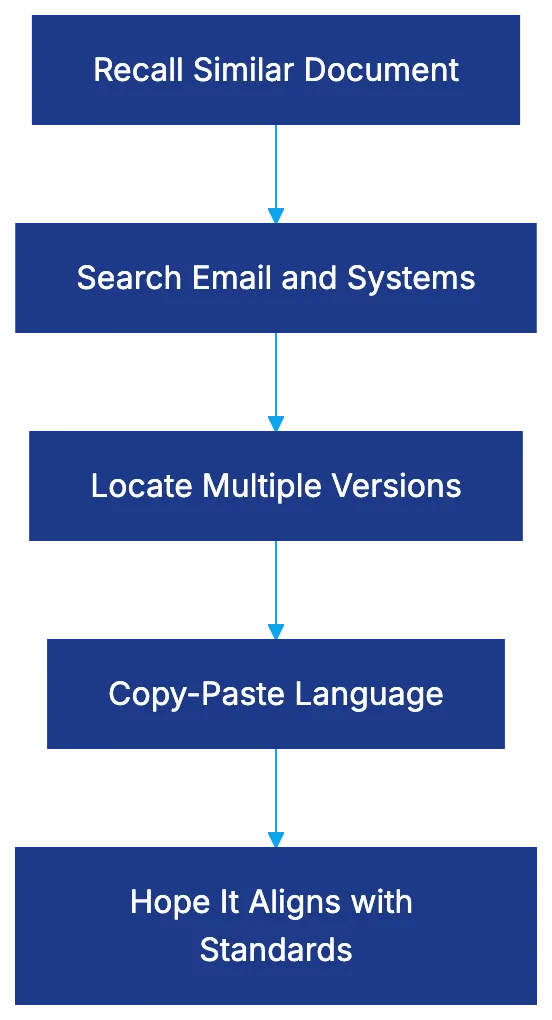
## Key Advantages of Standardized Clause Management
Standardization through [software offers these benefits, including improved efficiency and risk management](https://pro.bloomberglaw.com/insights/contracts/a-legal-ops-approach-to-contract-clause-drafting/).
- **Consistency**: Ensures uniformity across documents. Sales teams rely on standard language for clear expectations and effective audits.
- **Efficient Negotiations**: Provide risk-tiered versions for each clause, streamlining negotiations.
- **Systematic Compliance**: Updating clauses in the library enacts regulations or risk assessments.
- **Preserving Knowledge**: Every refined negotiation feeds back into the clause library.
## Transforming Clause Management with AI
AI-Powered Clause Library Workflow:

AI [tools convert libraries into interactive assistants, streamlining contract drafting processes](https://www.zycus.com/blog/contract-management/automated-clause-addition-in-contract-management).
- **Contextual Suggestion**: Platforms recommend appropriate language, improving contract management.
- **AI Clause Extraction**: Tools like Kira Systems train models without coding, quickening library builds.
Library speed is notable. A mid-sized company built a 200-clause library from 3,000 contracts in two weeks using AI extraction.
## Version Control and Audit Trail Management
Effective software maintains a history of what's [created, edited, and retired, ensuring version control and audit trails](https://www.ism.ws/supply-chain/contract-management/).
- **Version Histories**: Track clause alterations, ensuring quality and aiding dispute resolution.
- **Approval Workflow**: Ensure vetted language joins the library, based on risk levels.
- **Governance and Updates**: Prevent proliferation with regular reviews.
## Benchmarking and Market Standard Comparison
AI tools benchmark market-standard language, [ensuring positions align with industry standards and identifying library gaps](https://www.hyperstart.com/blog/contract-clause-library/).
## Seamless Integration into Drafting Workflows
Clause Library Implementation Process:
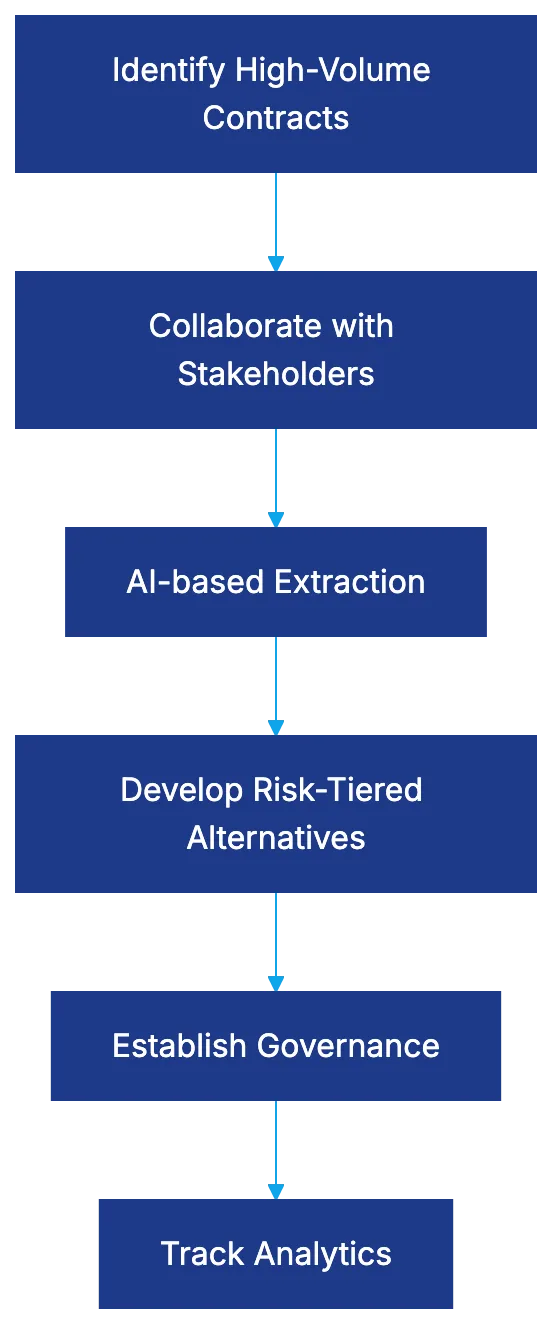
For effectiveness, integration with tools is crucial:
- **Word Add-ins and CLM Platforms**: Allow seamless clause insertion.
- **API Access**: Custom integrations for specialized document tools.
## Building Your Clause Library: Implementation Steps
1. **Identify High-Volume Contracts**: Focus on frequently handled contracts.
2. **Collaborate with Stakeholders**: Ensure clauses meet all needs.
3. **AI-based Extraction**: Populate the library and remove obsolete clauses.
4. **Develop Risk-Tiered Alternatives**: Maintain standardization with flexibility.
5. **Governance for Updates**: Regularly review under appointed ownership.
6. **Track Analytics**: Refine and improve accuracy over time.
## Leading Platforms in Clause Library Management
Tools like Law Insider, Ironclad, Juro, Legito, and AI-first platforms like Kira Systems and Luminance effectively manage and extract clauses for various needs.
## Avoid Common Pitfalls
- **Beyond Technology**: Ensure strategic setup with curation, governance, and updates.
- **Flexibility vs. Standardization**: Balance standardization and adaptability.
- **Strong Search and Integration**: Maintain taxonomy and integration for adoption.
## Conclusion
Clause library software is a high-ROI legal tech investment, transforming static repositories into AI-augmented systems. It enhances contract management through efficiency, compliance, consistency, and risk management. Shifting from traditional drafting to proactive knowledge management is essential for capturing and applying crucial legal knowledge.
Frequently Asked Questions
What is a clause library and why is it important?
A clause library is a centralized repository of standardized contract language that helps legal teams draft contracts more efficiently. It is vital because it provides access to approved clauses, ensures consistency, and reduces compliance risks while preserving knowledge even when attorneys leave the firm.
How does AI enhance the effectiveness of a clause library?
AI enhances clause libraries by automating clause extraction and providing contextual suggestions for contract language. This transformation allows legal teams to build comprehensive libraries quickly and improves overall efficiency in contract management processes.
What challenges do traditional contract drafting methods face?
Traditional drafting methods often suffer from inefficiencies such as outdated clauses, lack of version control, and compliance risks. These methods can take excessive time, as they involve searching through multiple documents and potentially losing valuable insights when attorneys depart.
What are the key steps to building an effective clause library?
Building a clause library involves identifying high-volume contracts, collaborating with stakeholders to ensure comprehensive coverage, using AI for clause extraction, and establishing governance and analytics for ongoing improvements. Regular reviews are essential to keep the library updated and relevant.
How can firms ensure compliance with regulatory standards using a clause library?
Firms can maintain compliance by systematically updating clauses in the library to reflect new regulations and conducting regular reviews of the content. This process helps ensure that all language used in contracts aligns with current legal standards and risk assessments.
What are some common pitfalls to avoid when implementing a clause library?
Common pitfalls include neglecting the need for strategic setup and governance, failing to balance standardization with flexibility, and lacking strong search capabilities for easy access. It's crucial to ensure that the library remains relevant and adaptable to emerging legal needs.
Which platforms are recommended for managing clause libraries?
Leading platforms for clause library management include Law Insider, Ironclad, Juro, Legito, and AI-centric tools like Kira Systems and Luminance. These platforms can effectively manage and extract clauses to cater to various organizational needs.
### Discover Juro: A Modern Approach to Contract Management
URL: https://legavima.com/blog/juro-review/
Description: Explore how Juro transforms contract management with a browser-native platform, streamlining workflows and enhancing collaboration.
Published: 2026-03-20
Updated: 2026-02-10
## What Makes Juro Different in Contract Management
Contract lifecycle management platforms have proliferated, but most share a fundamental limitation: they depend on Microsoft Word for contract creation and editing. This reliance can lead to inefficiencies and version control issues, as users export [documents, make edits locally, re-upload versions, and hope nothing breaks](https://juro.com/learn/benefits-contract-lifecycle-management). This creates friction as users export documents, make edits locally, re-upload versions, and hope nothing breaks. Juro is browser-native, allowing you to create, edit, negotiate, and execute contracts entirely within the web browser without downloads or version ping-pong. This approach [streamlines the contract lifecycle, enabling faster and more efficient workflows](https://intercom.help/juro/en/articles/5773109-what-is-juro).
This Juro review examines whether this architectural difference translates into practical advantages. The platform presents itself as a modern alternative to enterprise CLM systems requiring extensive IT resources. Juro's user-friendly interface and rapid deployment [make it accessible for mid-market legal departments and growth-stage companies](https://www.selecthub.com/p/contract-lifecycle-management-software/juro/). For mid-market legal departments and growth-stage companies, Juro promises a contract workspace easy for business users to adopt without extensive training, providing automation, AI analysis, and workflow management. This empowers legal [teams to focus on higher-value tasks by automating routine processes](https://juro.com/learn/benefits-contract-management-software).
Contract Management Approach Comparison:
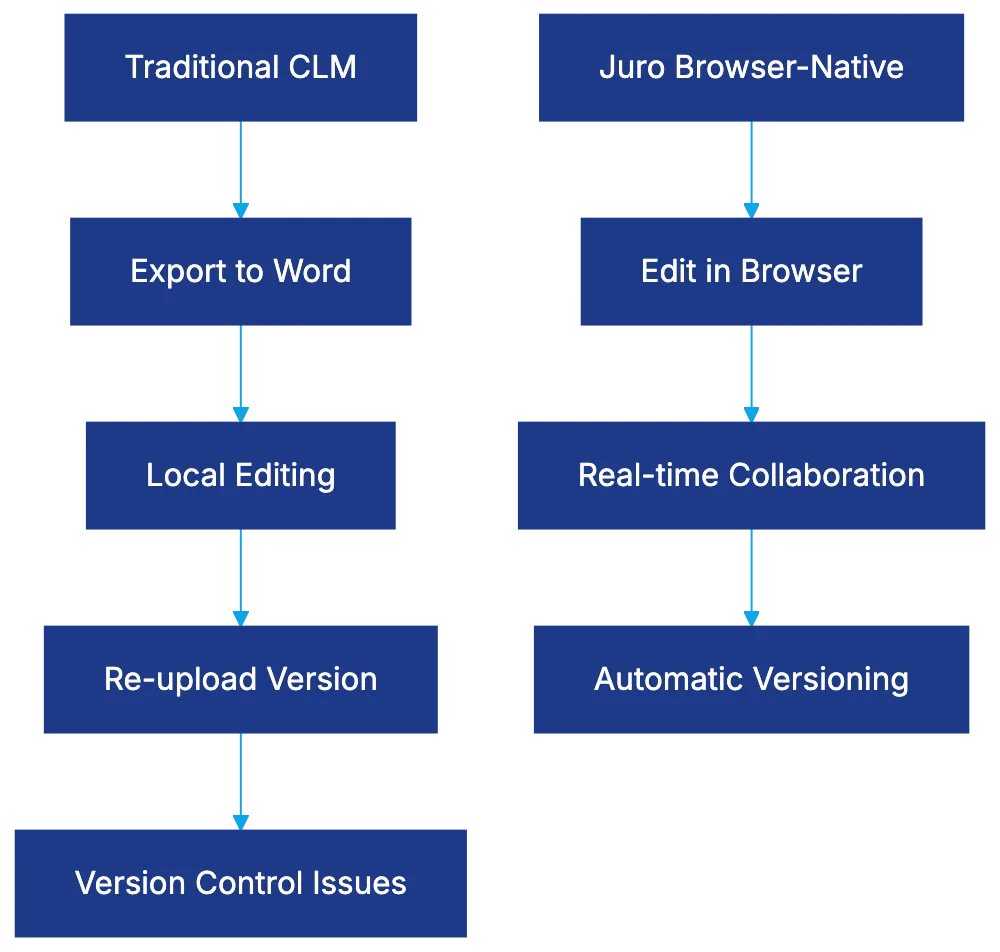
## How Juro CLM Works: The Browser-Native Advantage
The browser-native architecture streamlines contract generation. Users open Juro in their browser, select a template, fill in the fields, and the contract populates automatically. Legal teams build guardrails into templates, defining clauses and customizations. Editing occurs inline, with multiple people working simultaneously, similar to Google Docs. Comments are in the margin, changes are tracked, and approvals route automatically based on contract parameters.
Full contract lifecycle management happens in one environment, including creation, negotiation, execution via e-signature, and post-signature management. This consolidation appeals to legal teams tired of managing separate tools for drafting, signing, and repository management.
Juro Contract Lifecycle Flow:

## AI Features: What Actually Works
Juro's AI analyzes contract language to identify risks, suggest alternative clauses, and flag template deviations. During contract review, the AI highlights unusual provisions. Clause suggestion pulls from contract libraries and approved language banks, assisting less experienced team members. AI's initial triage and data extraction save paralegal hours but require mature contract processes and playbooks for optimal results.
## Collaboration and Workflow Design
Juro's design assumes contracts require cross-functional input from sales, procurement, finance, and legal. [Approval workflows](https://www.gartner.com/en/information-technology/glossary/contract-life-cycle-management-clm) are based on contract attributes, preventing contracts from lingering in email inboxes. Real-time editing and commenting reduce email back-and-forth. The notification system alerts stakeholders at crucial stages, improving visibility across negotiations.
## Juro Pricing: What It Actually Costs
Cross-Functional Approval Workflow:
Juro has a tiered subscription model, transparent compared to enterprise vendors needing custom quotes. Pricing is user-based with different license types. Legal team members who create and negotiate contracts need full licenses; business users executing template contracts have limited licenses at lower prices. Setup costs are lower than traditional enterprise CLM systems, with deployment timelines in days or weeks. E-signature functionality is included.
## Combining Capabilities and Tech Stack Fit
Juro integrates with systems contracts typically flow through, like Salesforce and HubSpot. Slack integration allows contract notifications and approvals within channels. An API supports custom integrations, but manual work may be needed for non-standard data mapping.
## Juro Compared to Ironclad and LinkSquares
Ironclad targets larger enterprises with broader features and longer setup times, justifying the cost and complexity for Fortune 500 legal departments. LinkSquares competes directly with Juro, focusing on post-signature analytics. Juro prioritizes contract creation. Word-dependent CLM tools rely on familiar processes but face version control complexity.
## Setup Reality: What to Expect
For straightforward implementations, Juro's deployment is fast. Clean templates and defined workflows expedite setup, but standardizing templates and managing change take time. Thoughtful data migration planning is essential. User adoption extends beyond technology readiness.
## Who Should Actually Use Juro
Juro is ideal for rapidly growing companies needing more efficient contract processes without enterprise-level complexity. Companies with high-volume, standardized contracts benefit most, allowing business users to handle routine agreements, freeing legal to focus on complex negotiations. Juro is less suited for highly tailored contracts needing significant customization.
## Common Implementation Pitfalls
Underestimating template configuration, insufficient business user training, assuming integrations will automatically cover custom needs, and lacking success metrics are common pitfalls. Defining success and measuring baseline performance are crucial for justifying the investment.
## Bottom Line
Juro offers a distinct approach by eliminating Word dependency and building a browser-native workspace, improving workflow efficiency and collaboration. The pricing model makes it an attractive option for companies not ready for enterprise-level CLM. Juro faces trade-offs, sacrificing some features compared to Ironclad for ease of administration and emphasizing contract creation over post-signature analytics compared to LinkSquares. The right choice depends on your pain points and priorities.
Frequently Asked Questions
How does Juro improve contract management efficiency?
Juro eliminates the need for Microsoft Word by allowing users to create, edit, and sign contracts directly in the browser. This reduces version control issues and streamlines the entire contract lifecycle within one platform, making processes faster and more efficient.
What types of organizations can benefit from using Juro?
Juro is well-suited for mid-market legal departments and growth-stage companies that require efficient contract processes without the complexities of enterprise systems. Businesses with high volumes of standardized contracts will find it especially useful, as it enables non-legal users to manage routine agreements.
What features does Juro offer for collaboration among teams?
Juro facilitates cross-functional collaboration by allowing multiple stakeholders to edit contracts in real-time and leave comments. It also includes automated approval workflows and notifications to ensure that contracts progress efficiently through the necessary channels.
How does Juro's AI functionality enhance contract review?
Juro's AI assists legal teams by analyzing contract language to identify potential risks and suggesting alternative clauses. It highlights unusual provisions during reviews, aiding less experienced team members and saving valuable time on routine tasks.
What should new users expect during Juro's implementation process?
Juro's deployment is typically fast for straightforward implementations, taking only days or weeks. However, users should anticipate time spent on standardizing templates and ensuring proper data migration to maximize the platform's effectiveness.
Is Juro's pricing structure competitive with other contract management solutions?
Yes, Juro offers a transparent, tiered subscription model based on user licenses, making it more accessible compared to traditional enterprise vendors. The costs are generally lower, with setup expenses and deployment timelines also designed to be more favorable for mid-market companies.
What are some common challenges when implementing Juro?
Common pitfalls include underestimating the complexity of template configuration, insufficient training for business users, and assuming that integrations will automatically fit all custom needs. Defining success metrics upfront and planning for a thoughtful rollout are crucial to avoid these challenges.
### Legal Practice Management Software: Key Features & AI Insights
URL: https://legavima.com/blog/legal-practice-management-ai/
Description: Explore the evolution of legal practice management software and how AI enhances law firm operations, trust accounting, and time tracking.
Published: 2026-03-19
Updated: 2026-02-10
## Introduction
Legal practice management software has evolved into comprehensive platforms handling everything from client intake to trust accounting. With AI capabilities now integrated, law firms face both opportunities and complexities. The right software can recapture lost billable hours and ensure IOLTA compliance. The wrong choice or poor setup creates audit headaches and leaves money on the table. This guide examines how major platforms like Clio, Smokeball, and Filevine differ and highlights crucial features for trust accounting, automated time tracking, and legal case management. [Clio](https://www.clio.com/), [Smokeball](https://www.smokeball.com/), and [Filevine](https://www.filevine.com/) are leading legal practice management platforms offering comprehensive solutions for law firms.
## Understanding Legal Practice Management Software Categories
Legal case management falls into distinct categories:
- **All-in-one platforms** bundle case management, time tracking, billing, client communication, document management, and trust accounting. Clio, Smokeball, and MyCase offer integration but may lack specialized depth.
- **Best-of-breed approaches** involve selecting specialized tools for each function. This allows choosing the strongest tool for each function but creates integration challenges.
- **Cloud-based platforms** dominate, offering access and updates, with security concerns resolved through certifications and encryption. On-premise solutions exist but are declining.
Legal Practice Management Software Categories:
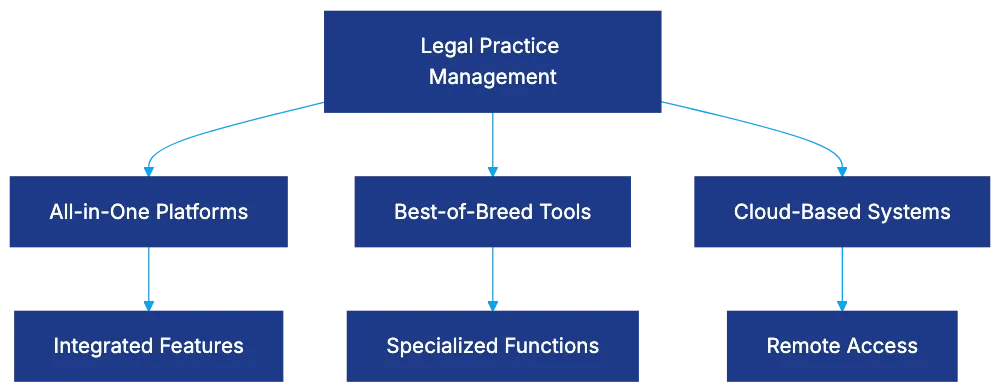
Firm size impacts selection. Solo and small firms need affordable systems. Mid-sized firms require strong controls and integration. Large firms need enterprise-grade customization and support.
## Trust Accounting and IOLTA Compliance Fundamentals
Trust accounting is technically demanding in law firm management software, with violations a leading cause of bar discipline. [The American Bar Association](https://www.americanbar.org/) provides guidelines and resources to assist law firms in maintaining compliance with trust accounting regulations.
- **Three-way reconciliation** is required, matching the bank statement balance, the trust ledger balance, and all client ledger balances.
Trust Accounting Three-Way Reconciliation Process:
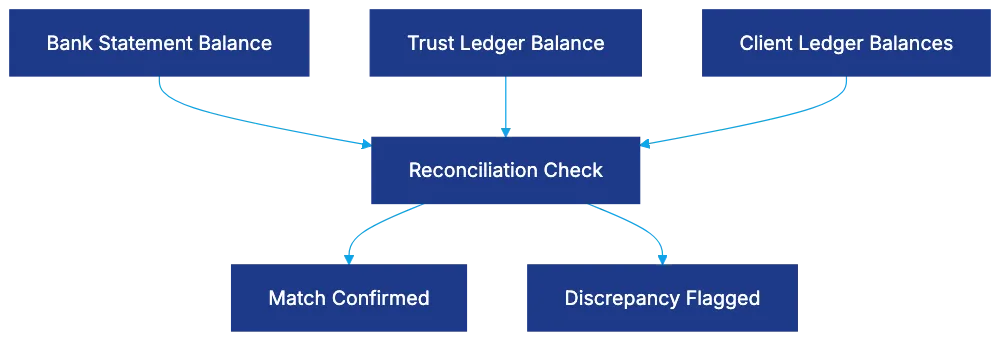
Platforms like Clio and Filevine automate reconciliation, flagging discrepancies to prevent errors like disbursing more than a client's balance. They provide transaction reports for audits. Compliance requires maintaining records and detailed reporting for IOLTA programs.
## How AI-Powered Automated Time Capture Actually Works
Despite predictions of alternative fee arrangements, the billable hour remains key. Manual time entry leads to misestimations. AI-powered tracking resolves this through passive monitoring, matching activities to clients via machine learning. [Intapp Time](https://www.intapp.com/timekeeping/) offers AI-driven time tracking solutions designed to enhance billing accuracy and efficiency for legal professionals.
Firms using automated tracking report revenue increases. For example, a firm billing at $300/hour, recapturing 20% of lost time, adds $480,000 annually.
AI-Powered Time Capture Workflow:

AI suggestions need attorney review, and privacy considerations matter. Policies, training, and data usage boundaries are essential.
## Clio: Matter-Aware AI and Deep Integration Ecosystem
Clio serves over 150,000 legal professionals globally with user-friendly design and extensive integrations, supporting over 250 applications.
Clio Duo, its AI assistant, monitors work and suggests time entries. Matter-aware AI creates proactive alerts for potential issues.
Complex integration increases with more tools. Clio offers tiered pricing, with trust accounting costing extra. [Software Advice](https://www.softwareadvice.com/legal/law-practice-management-comparison/) provides detailed reviews and pricing information for Clio and other legal practice management software.
## Smokeball: Built-In Automatic Time Tracking Sets It Apart
Smokeball offers fully integrated automatic time tracking within its platform, capturing time in real-time.
It claims significant unbilled time capture annually, capturing calls, emails, and document reviews.
Using Smokeball requires working within its platform, offering over 20,000 pre-built legal forms for time savings.
## Filevine: Extreme Customizability Through AI Building Blocks
Filevine emphasizes customization and workflow automation with AI features.
SidebarAI answers questions about matters. AIBlocks and AIFields automate workflows and document assembly.
Filevine's customizability may require knowledgeable staff or consultants for setup.
## MyCase and PracticePanther: Accessible Solutions for Small to Mid-Sized Firms
Software Architecture Decision Framework:
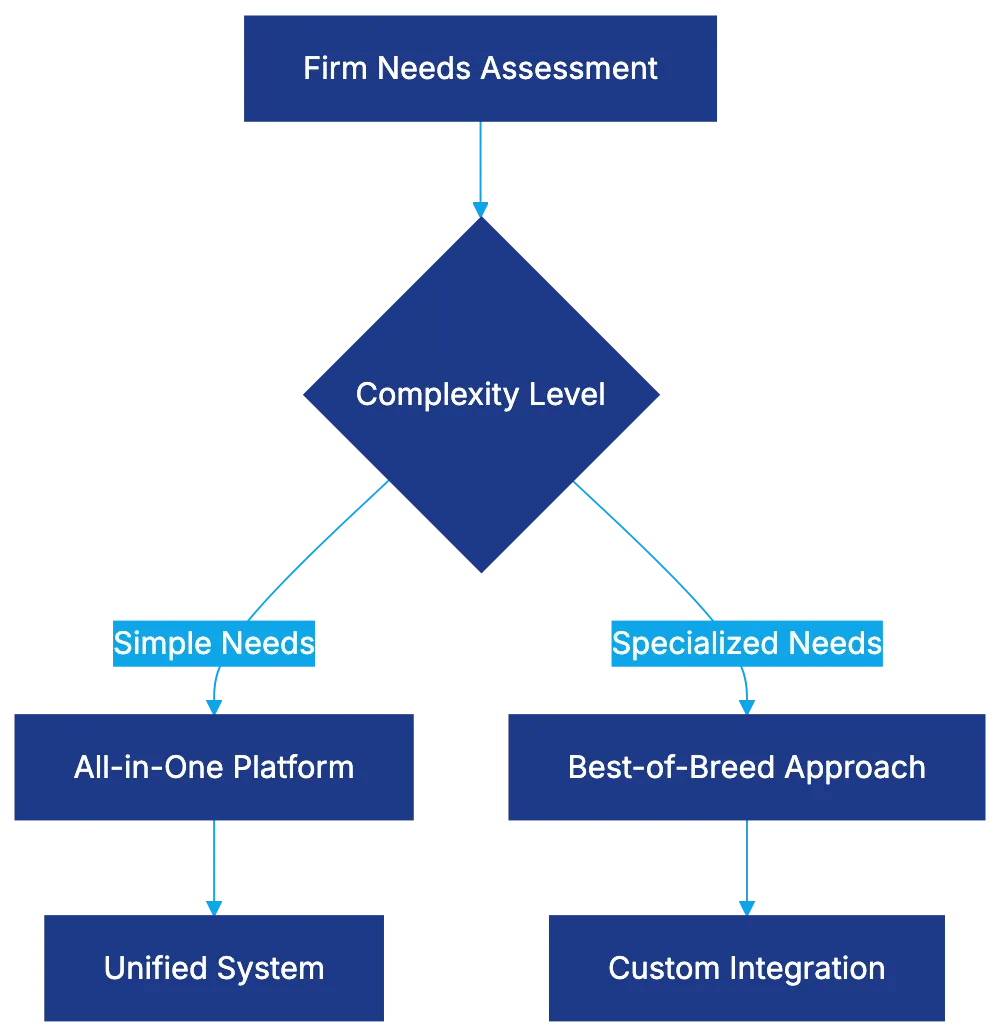
MyCase and PracticePanther offer case management, time tracking, billing, and trust accounting for solo and small to mid-sized firms.
MyCase's Smart Time Finder addresses time leakage, recapturing revenue for small firms.
Both provide user-friendly design and quick setup but offer less customization than Filevine.
## All-In-One Versus Best-of-Breed: Making the Right Architecture Decision
The all-in-one vs. best-of-breed debate extends beyond legal technology:
- **All-in-one platforms** offer unified data models but may lack depth.
- **Best-of-breed** allows choosing strong tools per function, but challenges increase.
Firm size, sophistication, and practice area influence approach.
## Implementation Considerations: What Actually Makes Adoption Succeed or Fail
Success requires more than software selection; setup and adoption are crucial. Data migration, training, and permission structures need thoughtful planning.
Integration requires time, facing potential issues.
Measure success to ensure software delivers ROI.
## Bottom Line
Legal practice management software is essential for modern law firms. AI in time recording offers financial benefits and reduces trust accounting risk. Platform choice depends on firm needs and capabilities. Proper setup and change management ensure software success.
Frequently Asked Questions
What should I consider when selecting legal practice management software?
When choosing legal practice management software, evaluate factors such as your firm’s size, budget, and specific needs. Consider whether an all-in-one platform or a best-of-breed approach better suits your requirements, and pay attention to features like trust accounting compliance, integration capabilities, and workflow automation.
How does trust accounting software help with compliance?
Trust accounting software assists in ensuring compliance by automating critical processes like three-way reconciliation of bank statements, trust ledgers, and client ledgers. This minimizes human error and enhances oversight, helping law firms adhere to IOLTA regulations and prevent costly violations.
Can small firms benefit from using legal practice management software?
Absolutely. Legal practice management software can streamline operations for small firms by improving time tracking, billing, and case management, thereby enhancing efficiency and profitability. Some platforms, like MyCase and PracticePanther, are designed specifically to meet the needs of small to mid-sized firms.
What advantages does AI-powered time tracking offer?
AI-powered time tracking enhances billing accuracy and recovers lost billable hours by passively monitoring activities and linking them to client matters. This automated approach can significantly increase revenue while freeing up attorneys from manual time entry tasks, allowing them to focus more on their legal work.
How important is integration with other applications in legal practice management software?
Integration is crucial as it allows different functionalities (like time tracking, billing, and client communication) to work seamlessly together. This prevents data silos and ensures that all tools used by a firm complement each other, ultimately enhancing overall productivity.
What are the training requirements for implementing new legal software?
Implementing new legal software typically requires comprehensive training for staff to ensure proper usage. Training should cover software features, best practices for data entry and management, and address any concerns regarding integration with existing workflows to ensure a smooth transition.
How can I measure the success of legal practice management software?
Success can be measured through various metrics, including increased revenue from recovered billable hours, reduced administrative workload, and compliance with trust accounting regulations. Gathering feedback from staff on usability and tracking performance against pre-defined goals will help assess the software's return on investment.
### Top AI Tools Transforming M&A Due Diligence
URL: https://legavima.com/blog/best-ai-due-diligence-tools/
Description: Explore the leading AI tools shaping M&A due diligence, enhancing efficiency, accuracy, and security in document processing.
Published: 2026-03-18
Updated: 2026-02-10
## Introduction
Mergers and acquisitions generate vast document volumes, historically needing many associates working marathon hours. A mid-sized M&A transaction may involve reviewing 50,000 to 100,000 documents, while larger deals entail millions. Traditionally, you either had a budget for a complete review or made educated guesses. AI due diligence tools significantly alter this landscape. These platforms use machine learning models trained on millions of legal documents to extract clauses, identify risks, and flag anomalies at high speeds. However, not all AI document review M&A solutions are equal. Some use generic language models that struggle with legal nuance, while others are geared for M&A workflows and tested against accuracy benchmarks. This guide examines twelve AI due diligence tools based on their technical capabilities, accuracy metrics, adoption rates, and utility in buy-side and sell-side scenarios.
AI Due Diligence Document Processing Flow:
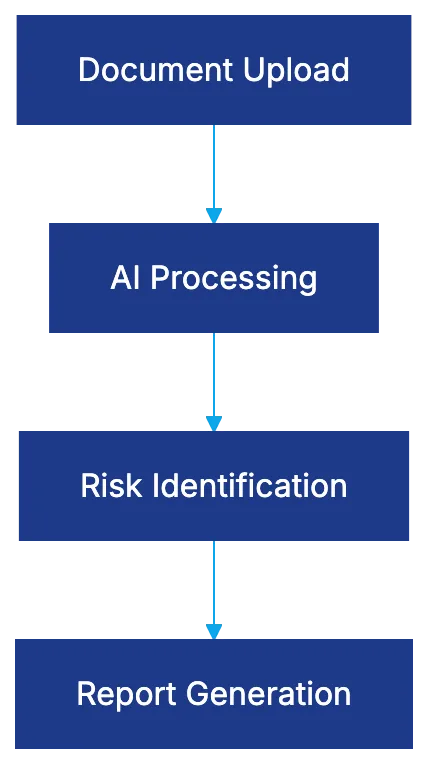
## Luminance: Legal-Specific Language Models
Luminance built its reputation by understanding that general-purpose NLP applied to legal documents yields unreliable results. It developed the Legal Pre-trained Transformer (LPT), trained on over 150 million verified legal documents. Legal language has structural peculiarities that generic models often miss.
The platform extracts over 1,000 legal concepts without requiring custom models, covering standards like change of control provisions and indemnification caps. It supports 80+ languages, useful for cross-border deals.
More than 600 organizations across 70 countries, including the Big Four accounting firms, use Luminance. It offers automated risk scoring and anomaly detection, flagging deviations in documents.
## Kira Systems: Market Leader in M&A Firms
Kira Systems, part of Litera, is used by many Am Law 100 and 84% of top 25 M&A firms. These are not trials but embedded in actual deal workflows, processing over 450,000 documents monthly.
Recognized as a Tier 1 Contract Review platform by Legaltech Hub in 2024 and 2025, Kira features 1,400+ pre-built smart fields for specific contract provisions. Its Quick Study feature allows teams to train custom models quickly.
Kira's performance on the [CUAD benchmark](https://www.atticusprojectai.org/cuad) with F1 scores above 0.85 in M&A provisions is noteworthy.
## Evisort: AI-Native Architecture
Evisort was designed around machine learning, trained on over 11 million contracts and over a billion data points. It stands out with its ISO/IEC 42001 certification for AI governance, simplifying documentation.
The platform manages due diligence workflows and remains useful post-close, managing obligations from acquired contracts. It has accuracy ratings between 80-88% for common provisions and offers workflow automation.
## Datasite: AI-Powered Virtual Data Rooms
Datasite, a virtual data room provider, integrates AI capabilities to reduce workflow friction.
Features include automated redaction and semantic search, enhancing document analysis efficiency. Its AI summarizes documents into executive summaries within Datasite's existing security infrastructure, ensuring confidentiality.
## Intralinks: Deal Workflow Automation
Intralinks focuses on workflow automation with decades of data room experience. It organizes uploaded documents into appropriate folders using content analysis.
With 85-90% accuracy in categorizing standard business documents, it saves sorting time. AI-assisted Q&A workflows provide draft responses based on document content.
## Ansarada: AI-Driven Deal Readiness
Ansarada targets the sell-side preparation phase, offering AI-driven analysis for deal readiness. It identifies document gaps and quality issues, creating a smoother sell-side process.
For buy-side teams, it offers AI analysis of data rooms, identifying patterns and inconsistencies.
## Drooms: Multilingual AI Assistant
Drooms, strong in European markets, focuses on multilingual capabilities. Its AI Assistant streamlines data room management through automatic document naming and multilingual classification.
It offers automated document translation and maintains EU-based GDPR-compliant data centers.
## ContractPodAi: End-to-End CLM with M&A Focus
Sell-Side vs Buy-Side AI Use Cases:
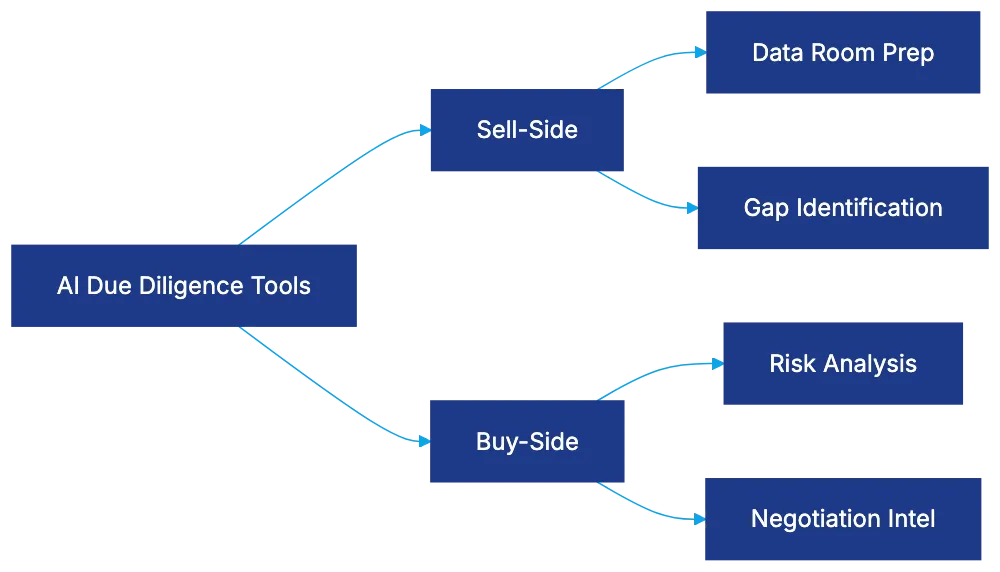
ContractPodAi combines contract lifecycle management with M&A due diligence, serving contract management and transaction review needs. It extracts data points, populates searchable fields, and supports workflow automation.
Its subscription-based model offers flexibility for M&A engagements, ensuring client data confidentiality.
## Litera Contract Companion: Integrated Suite Approach
Litera uses an integrated suite approach through acquisitions like Kira Systems, offering comprehensive M&A tools. It combines document analysis, comparison, and compilation without requiring separate platforms.
AI Accuracy Evaluation Framework:
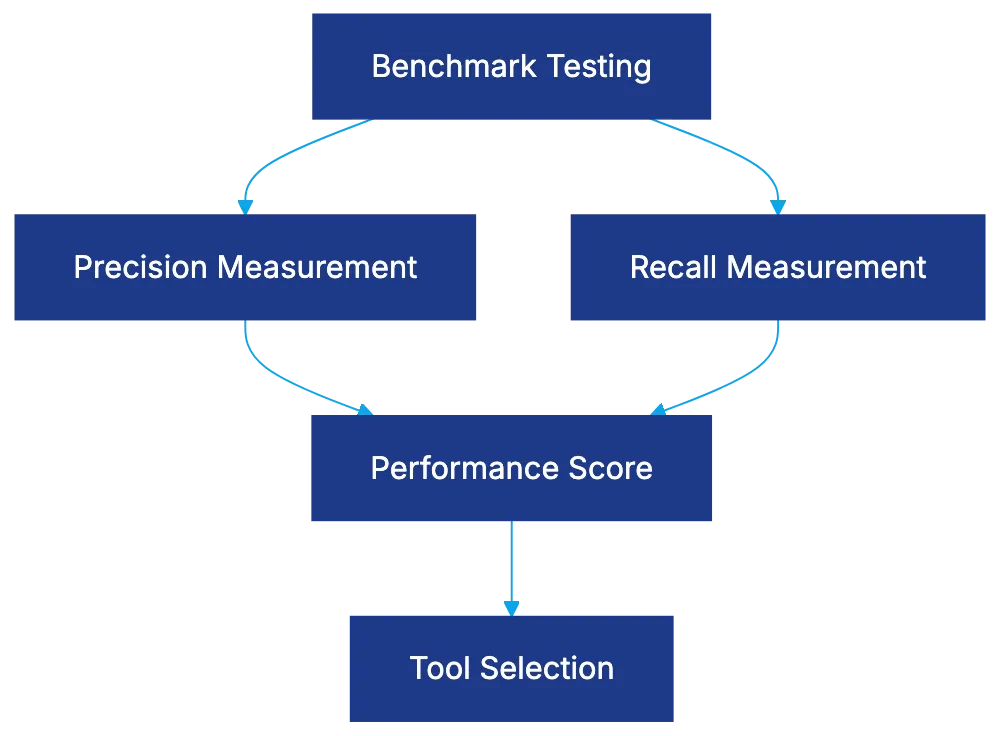
Pricing follows Litera's subscription model, suitable for firms doing regular M&A work.
## iManage: AI in Document Management Infrastructure
iManage integrates AI due diligence within its document management, offering seamless adoption for firms and departments. The RAVN AI engine provides automatic extraction and risk identification, updating in real-time.
With semantic search within iManage's secure structure, it ensures compliance with industry standards.
## Security Requirements Across AI Due Diligence Tools
Uncompromised security is critical for M&A. Mandatory [AES-256 encryption](https://csrc.nist.gov/pubs/fips/197/final), multi-factor authentication, permission controls, and comprehensive audit trails are essential. Vendors should contractually agree not to use your data for training other models.
## Sell-Side vs. Buy-Side Use Cases
AI tools serve distinct sell-side and buy-side purposes. Sell-side tools prepare data rooms and identify gaps, while buy-side tools focus on risk identification and negotiation leverage.
Tools provide report formats for each side, from polished buyer materials to internal analysis for risk assessment.
## Accuracy Benchmarks and Real-World Performance
Understanding AI tool accuracy is crucial. Evaluate performance using benchmarks like CUAD, focusing on precision and recall. Acknowledge performance variances due to document complexities, adjusting expectations.
Optimizing for higher recall addresses false negatives, which pose greater risks in M&A.
## Bottom Line
Choosing the best M&A due diligence software depends on specific needs. Choose tools like Kira Systems for regular M&A work or Evisort and ContractPodAi for contract management. Data room providers with AI capabilities, like Datasite, Intralinks, or Ansarada, offer streamlined systems.
Accuracy and security guide your choice, ensuring time savings and confidentiality across deals.
Frequently Asked Questions
What are the main benefits of using AI due diligence tools in M&A?
AI due diligence tools enhance efficiency by automating the document review process, significantly reducing the time needed for thorough analysis. They identify risks, extract relevant clauses, and flag anomalies faster than human reviewers, which can lead to more informed decision-making during transactions.
How do AI tools differ between sell-side and buy-side scenarios?
Sell-side tools aid in preparing data rooms and identifying document gaps, making the process smoother for sellers. Conversely, buy-side tools focus on risk identification and provide insights helpful for negotiation, allowing buyers to assess potential issues more effectively.
What factors should I consider when choosing an AI due diligence tool?
When selecting an AI tool, consider its technical capabilities, accuracy metrics, security features, and how well it integrates with your existing systems. Assess whether the tool is specifically designed for legal documents and if it has been benchmarked against relevant industry standards.
Are AI due diligence tools secure for handling sensitive information?
Yes, many AI due diligence tools implement strong security measures, including AES-256 encryption, multi-factor authentication, and strict permission controls. It's essential to confirm that vendors comply with industry security standards and do not use your data for training other models.
What should I know about the accuracy of AI document review tools?
Accuracy can vary significantly between tools and may depend on the complexity of the documents being reviewed. It's important to evaluate a tool's performance using benchmarks like CUAD, focusing on metrics such as precision and recall to get a clearer picture of its effectiveness.
Can AI due diligence tools support multilingual transactions?
Yes, some platforms, like Drooms, are equipped with multilingual capabilities, providing features such as automated document translation and classification in multiple languages. This is particularly useful for cross-border M&A transactions where diverse document sets are involved.
How do AI tools improve the contract management process after a merger or acquisition?
AI tools like Evisort and ContractPodAi continue to deliver value post-acquisition by managing obligations and contractual obligations. They automate tracking and compliance, making it easier to oversee contracts and ensuring adherence to agreed-upon terms after the transaction is completed.
### Robin AI: Transforming Legal AI with Human Verification
URL: https://legavima.com/blog/robin-ai-review/
Description: Discover how Robin AI combines AI and human expertise for accurate contract review, contrasting with traditional software solutions.
Published: 2026-03-17
Updated: 2026-02-10
## What Makes Robin AI Different From Other Legal AI Platforms
The legal AI market seeks to transform contract review with platforms often categorized as self-managed or autonomous AI tools. Robin AI distinguishes itself by merging AI-driven contract analysis with [human lawyer verification](https://news.bloomberglaw.com/us-law-week/human-contract-review-behind-ai-might-jeopardize-your-license).
Robin AI uses a hybrid service model where AI first analyzes contracts, followed by a review from Robin's legal team before delivering results. This approach reduces AI errors, posing fewer risks to general counsels compared to [standalone AI platforms](https://www.contractreview.net/content-hub/ai-contract-review-2025-technology-roi-vendor-analysis).
Robin AI Service Model Comparison:
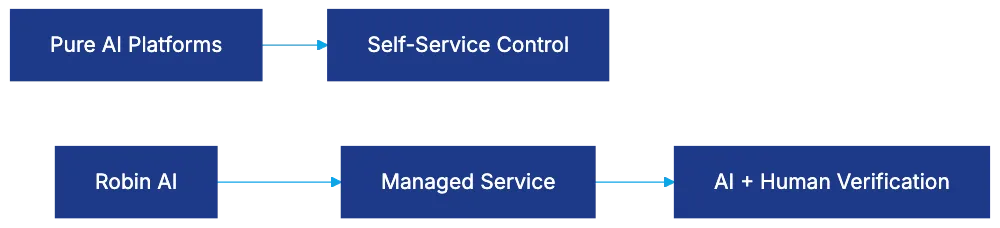
For law firms and legal departments, the key consideration is whether human verification suits your workflow and expertise better than direct AI control.
## How Robin AI Contract Review Actually Works
Robin AI's contract review employs a submission and turnaround method rather than [real-time software access](https://www.contractspan.com/blogs/how-to-choose-between-ai-and-human-review-for-contracts). Contracts are submitted, initially analyzed by AI, and then reviewed by Robin's legal team.
The AI component handles contract ingestion, clause identification, and highlights deviations. Post-AI analysis, Robin's lawyers verify and validate AI findings, ensuring accuracy and context.
Reviews typically complete in 24-48 hours, with expedited options for tighter deadlines, offering a balance between traditional counsel speed and AI-only platforms’ immediacy.
This managed service reduces your team’s management burden, though with less direct process control than self-service AI tools.
Robin AI Contract Review Process:
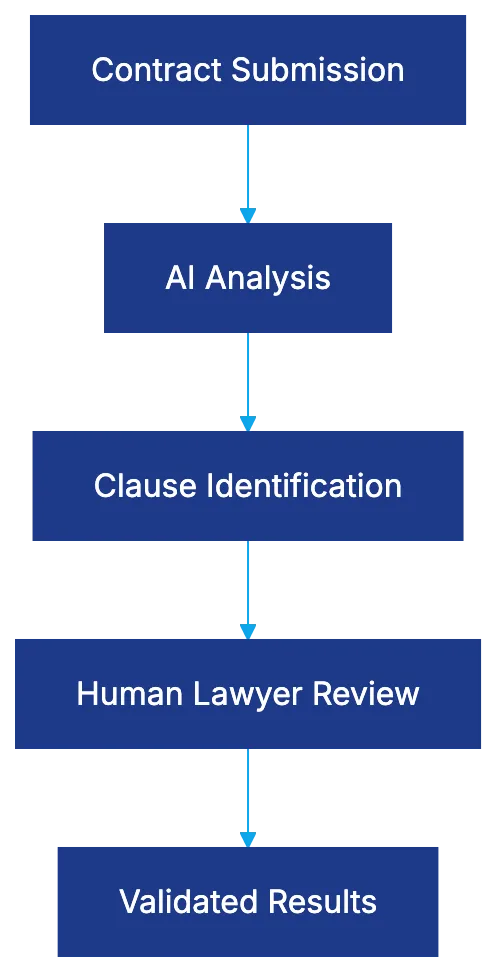
## Robin AI Pricing Structure and Cost Considerations
Robin AI diverges from the [subscription model](https://www.revenera.com/blog/software-monetization/saas-pricing-models-guide/) with per-contract pricing, scaling with actual volume, beneficial for legal departments with variable contract activity.
Costs depend on contract complexity and urgency, with decreased rates for volume commitments. Robin's model often proves less costly than traditional counsel but a detailed discussion with their sales team is necessary.
For high-volume teams, subscription models might be cheaper, but per-contract pricing suits organizations processing fewer contracts, given Robin's human verification addition.
Pricing reflects its service nature, not software, shifting budgeting from IT to legal service expenses.
## Accuracy and Quality Control in the Hybrid Model
Robin AI's accuracy combines AI precision with human verification. AI-only review accuracy is 85-95%, but errors in legal documents carry risks.
Robin's lawyers review AI outcomes, much like a junior associate's work, adding context and validating conclusions for higher accuracy than pure AI, especially beneficial for organizations lacking contract expertise.
Human verification addresses AI's contextual challenges, offering more accurate analysis respective to industry norms.
Accuracy Comparison:
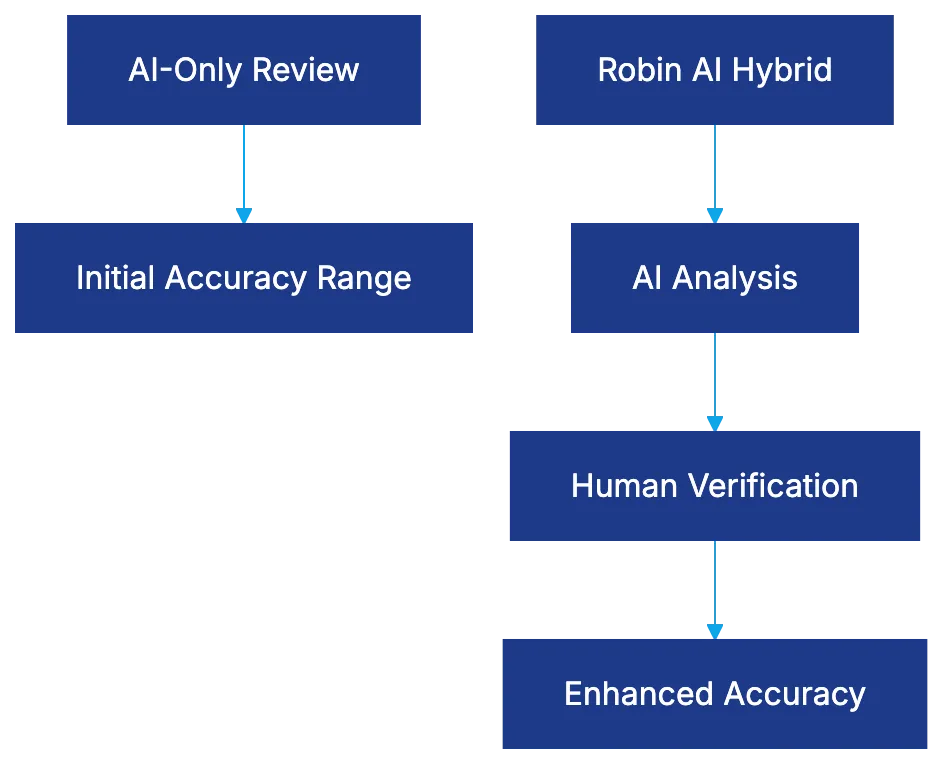
## Security and Confidentiality With Human-in-the-Loop Review
Third-party contract reviews raise security concerns, which Robin mitigates through confidentiality agreements and [ethical duties](https://www.americanbar.org/groups/professional_responsibility/publications/model_rules_of_professional_conduct/rule_1_1_competence/) akin to outside counsel, plus technical safeguards like encryption and access controls.
Robin allows customized handling for sensitive matters, offering options to address security concerns, though reliance on human review introduces different risk profiles compared to software-only solutions.
## Comparing Robin AI to Pure Software Alternatives
Legal AI platforms like LegalOn and Spellbook offer direct AI analysis. These platforms require internal expertise, flexibility, and volume handling, charging subscription fees with user access for economic efficiency.
Robin AI provides managed service with verification, a fit for those lacking AI expertise or preferring human verification over direct AI control.
Consideration involves what AI should achieve: Robin offers reliable reviews without managing AI tools, while pure software solutions allow broader functionality.
## Best Use Cases for Robin AI Legal Services
Robin AI benefits mid-sized legal departments needing professional-grade reviews without AI expertise or additional hires, law firms handling overflow, and accuracy-focused contexts where human verification is crucial.
Its pricing model suits variable volume situations, like seasonal businesses, offering flexibility over fixed costs.
## Limitations and Situations Where Robin AI May Not Fit
High-volume teams might prefer cost-effective software platforms. Immediate results from AI-only platforms appeal to those needing urgent contract analysis.
Robin’s focus doesn’t support internal AI capability building, and reliance on its team could lead to capacity issues during busy times.
Specialized contracts may require traditional counsel expertise beyond Robin's generalist review.
Existing relationships with outside counsel could resist switching to Robin's model due to familiarity benefits.
## Bottom Line
Robin AI offers a managed service blending AI analysis with human verification, mitigating AI accuracy concerns while trading off direct control and immediacy of pure software solutions.
It’s suitable for teams seeking AI-driven benefits without AI management, benefiting from variable volume pricing and accuracy over speed. Pricing reflects its service-centric nature, with considerations of control and capacity constraints versus pure AI tools.
Choosing Robin AI revolves around whether to manage AI tools directly or purchase AI-based contract review services. Each path addresses different organizational needs through distinct strengths and trade-offs.
Frequently Asked Questions
How long does it take for Robin AI to review a contract?
Reviews typically take between 24 to 48 hours, depending on the contract's complexity and urgency. Expedited options are available for tighter deadlines, balancing speed with thoroughness.
What factors affect the cost of using Robin AI?
The pricing structure is based on the complexity and urgency of each contract, with decreased rates available for higher volume commitments. Unlike traditional subscription models, costs scale with actual usage, making it suitable for organizations with variable contract activity.
Can Robin AI handle sensitive contracts securely?
Yes, Robin AI implements confidentiality agreements and ethical duties, akin to those of outside counsel. Additionally, they utilize technical safeguards such as encryption and access controls to protect sensitive information during the review process.
What are the advantages of human verification in the Robin AI model?
Human verification enhances accuracy by adding context to AI findings, similar to how a junior associate would review work. This approach improves understanding of industry norms and mitigates the risks associated with misinterpretation of legal documents that can occur with pure AI analysis.
Who is the ideal user for Robin AI's services?
Robin AI is best suited for mid-sized legal departments needing thorough contract reviews without requiring in-house AI expertise, as well as law firms managing overflow work. It's particularly beneficial in accuracy-focused scenarios where human oversight is critical.
What types of contracts may not be suitable for Robin AI?
Contracts that require specialized legal expertise beyond Robin's generalist review may not be ideal for their service. Additionally, organizations with existing relationships with traditional counsel might find it challenging to switch due to the familiarity and trust built over time.
How does Robin AI compare to software-only legal AI platforms?
Unlike software-only alternatives that require users to manage AI tools directly, Robin AI offers a managed service with human verification. This makes it a better fit for users who prefer reliability and support over the flexibility and immediacy provided by pure software solutions.
### Understanding Contract Analytics Software
URL: https://legavima.com/blog/contract-analytics-software/
Description: Discover how contract analytics software transforms legal agreements into actionable data for efficiency and insight.
Published: 2026-03-16
Updated: 2026-02-10
## What Contract Analytics Software Actually Does
[Contract analytics software](https://www.workday.com/en-us/topics/clm/contract-intelligence-platform.html) converts static legal agreements into queryable data sources. Legal teams use **AI contract analytics** platforms to extract, categorize, and analyze terms across their entire contract inventory. This technology reads contracts like a trained attorney, identifying obligations, deadlines, risk clauses, pricing terms, and deviations from standard language, but with more speed and scale. Tasks that might take a paralegal weeks manually are completed in hours or minutes.
Legal departments face practical scenarios where this is valuable, such as identifying vendor agreements lacking data protection language when new privacy regulations pass, or finding contracts with change-of-control provisions when a supplier is acquired. During budget season, finance departments need data on auto-renewal exposure for the upcoming fiscal year. **Contract data analytics platforms** convert agreements into structured data, enabling proactive monitoring instead of reactive searching.
Contract Analytics Process Flow:
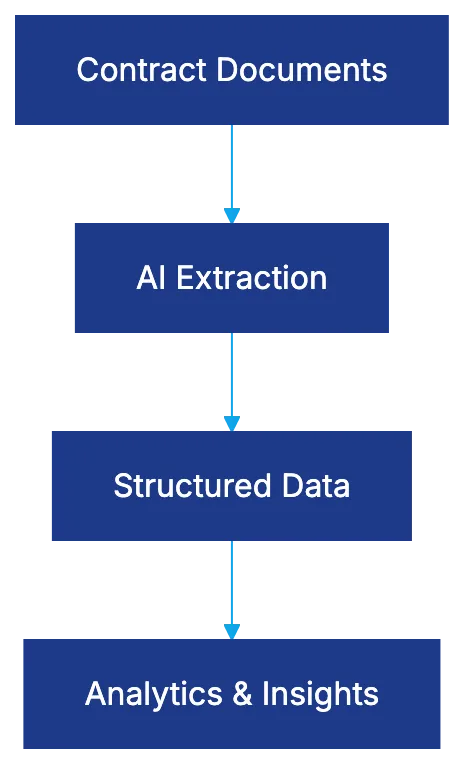
## The Core Extraction Capabilities
Modern **contract analytics** platforms recognize hundreds or thousands of legal concepts. Kira Systems developed over 1,400 Smart Fields covering more than 40 areas, embodying roughly 45,000 lawyer hours of training and refinement. [Kira Systems](https://www.kirasystems.com/) exemplifies this capability. These Smart Fields identify details from administrative to complex provisions like most-favored-nations clauses and layered liability caps.
Luminance automatically extracts over 1,000 legal concepts without prior specification, using trained understanding of legal language patterns. [Luminance](https://www.luminance.com/) exemplifies this capability. Evisort's model, trained on over 11 million contracts and 1 billion data points, recognizes term variations across industries and jurisdictions. [Evisort](https://www.evisort.com/) exemplifies this capability.
The [CUAD benchmark](https://www.atticusproject.org/cuad) by The Atticus Project standardizes testing for contract analysis tools. With over 500 contracts and 13,000 annotations, it indicates that complex legal provisions typically require at least 10,000 training annotations per provision type. [Atticus Project](https://www.atticusproject.org/) exemplifies this capability. Vendors showcasing CUAD scores demonstrate extraction accuracy confidence.
Extraction focus depends on contract type and use case. Vendor agreements often require payment terms, renewal provisions, and data security requirements. Employment contracts need details on non-compete durations and equity vesting schedules. Real estate leases demand information on square footage and rent escalation.
## Generative Smart Fields Change the Game
Traditional vs Generative Extraction Approaches:
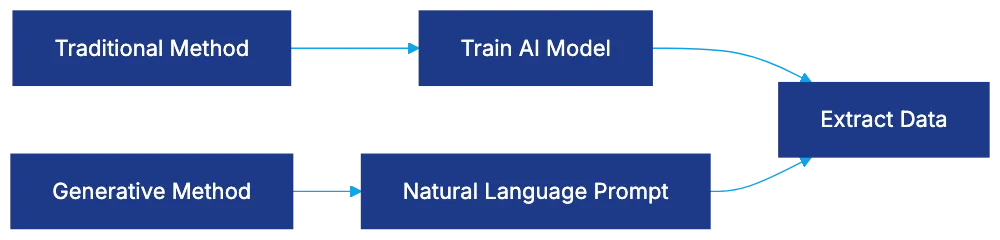
Traditional analytics needed AI model training for each data point extraction, creating a barrier for one-off queries and custom provisions. Generative Smart Fields eliminate this by using language models to extract data points from natural language prompts. Instead of training a model, you describe the desired data in plain English, optimizing swift insight gathering from agreements and enhancing **contract intelligence** efforts.
Frequently Asked Questions
How can contract analytics software benefit my legal team?
Contract analytics software streamlines the extraction and analysis of contract data, allowing legal teams to quickly identify key information in agreements. This saves time and reduces the risk of missing critical clauses or obligations, ultimately improving compliance and decision-making processes.
What types of contracts can benefit from analytics?
Contract analytics can be applied across various contract types, including vendor agreements, employment contracts, and real estate leases. Each type typically requires focusing on specific details, such as payment terms and non-compete clauses, tailoring the analytics process to meet the unique needs of each contract category.
What is the difference between traditional and generative extraction approaches?
Traditional extraction methods require specific AI model training for each type of data point, which can limit flexibility. In contrast, generative extraction uses language models to derive information from natural language queries, making it easier and faster to obtain insights without extensive pre-training.
How does contract analytics software improve compliance with new regulations?
Contract analytics software helps organizations quickly identify existing contracts that may lack compliance-related language, such as data protection clauses, particularly when new regulations arise. This proactive approach allows legal and compliance teams to address potential risks before they become problematic.
What should I consider when choosing a contract analytics platform?
When selecting a contract analytics platform, consider factors like the range of legal concepts it can recognize, integration capabilities with existing systems, user-friendliness, and customer support. Additionally, look for vendors that demonstrate high accuracy rates in extraction through benchmarks like the CUAD standard.
Can contract analytics help with budget forecasting?
Yes, contract analytics can provide finance departments with valuable insights such as auto-renewal exposure and contractual obligations that may impact budgets. By analyzing contracts, organizations can make informed financial decisions and plan for future budgeting needs.
What is the significance of Smart Fields in contract analytics?
Smart Fields are predefined fields within contract analytics platforms that facilitate the rapid extraction of complex legal terms and provisions. They enhance the software's ability to recognize various legal concepts and improve the overall accuracy and efficiency of contract analysis.
### Luminance Review: Transforming M&A Due Diligence
URL: https://legavima.com/blog/luminance-review/
Description: Discover how Luminance's AI revolutionizes M&A due diligence with advanced multi-language support and efficient document analysis.
Published: 2026-03-13
Updated: 2026-02-10
## Luminance Review: Revolutionizing Legal Technology for M&A Due Diligence
When facing a due diligence data room with thousands of documents in multiple languages, effective AI that understands legal nuances is crucial. Luminance, among legal AI tools, stands out by developing its proprietary [Legal-Grade™ LLM](https://www.luminance.com/files/brochures/Diligence-AI%20for%20Automated%20Contract%20Review-2024.pdf), trained on legal documents. This review assesses Luminance's claims of extracting over 1,000 legal concepts and working seamlessly across 80+ languages.
For M&A teams and professionals handling international transactions, understanding Luminance AI's capabilities informs enterprise-level investment decisions.
## Luminance AI: A Cut Above Generic Legal Tools
Luminance AI Architecture Overview:
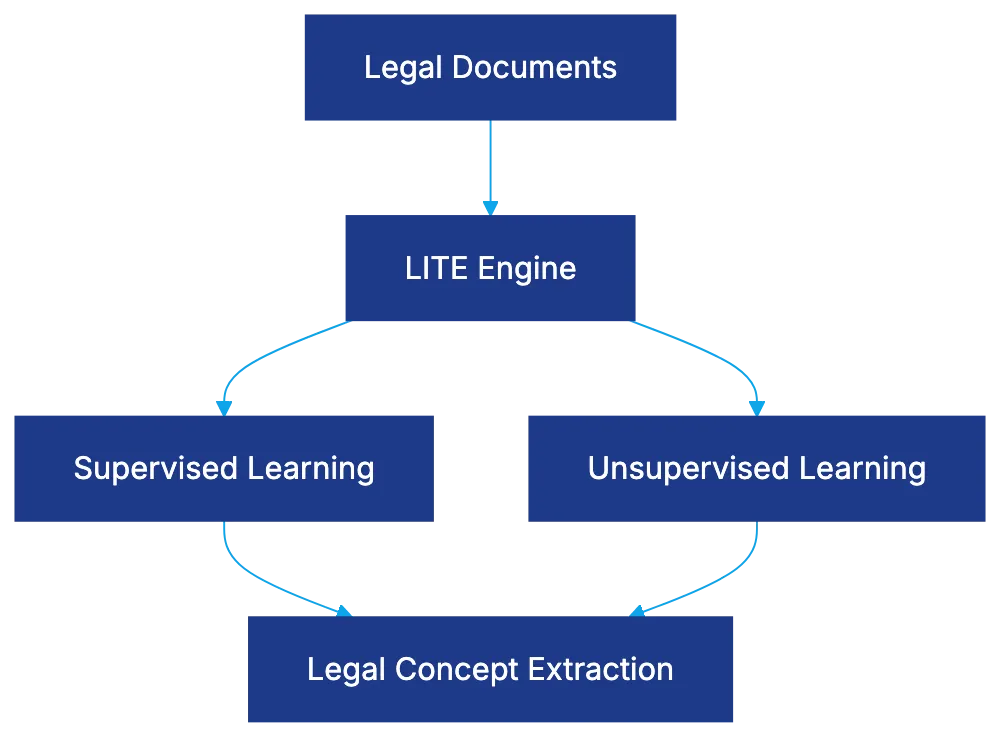
Luminance distinguishes itself by its architecture. Unlike tools repurposing generic models, Luminance uses its proprietary Legal Inference Change Engine, LITE, combining pattern recognition with machine learning. Supervised learning uses labeled legal documents, while unsupervised learning discovers patterns missed by attorneys.
Trained on over 150 million verified legal documents (not generic web content) Luminance understands contracts, agreements, and corporate documents, markedly reducing the training period compared to other software.
## Luminance Due Diligence: Streamlining M&A Workflows
Document Analysis Workflow:

Luminance addresses real pain points in [M&A workflows](https://corporatefinanceinstitute.com/resources/valuation/due-diligence-overview/). Upon document upload, Luminance classifies them by type, employment agreements, IP assignments, and NDAs. It identifies specific conditions and consequences in clauses beyond basic keyword matching.
Moreover, it uncovers "unknown unknowns," surfacing unforeseen risks like cross-default provisions not presented in the data room.
## Unparalleled Multi-Language Support for International Transactions
Language capability sets Luminance apart in international transactions. Supporting 80+ languages with a "mixture of experts" architecture, Luminance analyzes documents in German, Mandarin, and Portuguese, maintaining legal text integrity, a competitive edge over tools like [Kira Systems](https://artificial-intelligence-wiki.com/industry-ai/ai-in-legal-services/due-diligence-ai-comparison/).
## Seamless Data Room Integration and Effective Workflows
Luminance integrates with standard data room platforms, continuously analyzing documents for early insights without cumbersome steps. Legal teams can collaboratively tag, note, and create reports, streamlining issue resolution via direct document linkage.
## Comparing Luminance to Kira Systems and Evisort
Kira Systems offers customizable clause training, while Luminance delivers comprehensive out-of-the-box capabilities for general M&A workflows. Evisort is better suited for contract lifecycle management. Luminance's language capabilities and legal-specific training offer advantages for international M&A.
Platform Comparison Matrix:
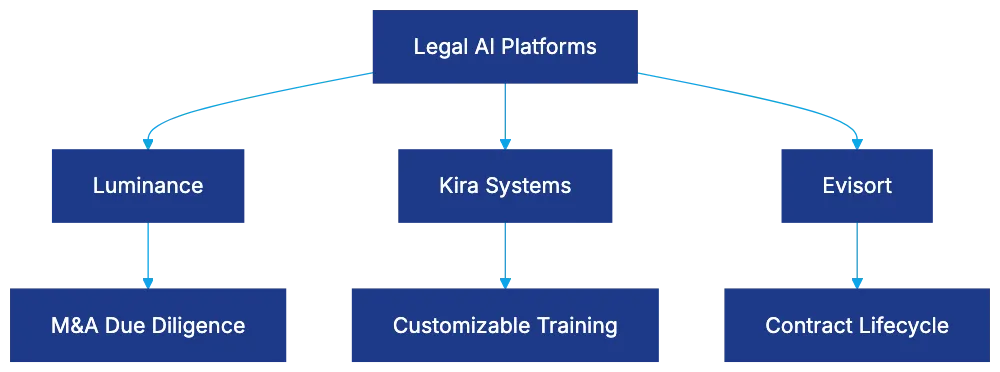
## Luminance Pricing and Implementation: Key Considerations
Luminance's enterprise pricing model, based on firm size and transaction volume, often reaches six figures annually. Setup ranges from weeks to months. The model provides value for firms managing significant transaction volumes. Training is essential for integrating Luminance into workflows effectively.
## Real-World Performance Insights
Reportedly, Luminance saves time in document organization and extraction, though manual review remains necessary. Its accuracy in multi-language transactions streamlines concurrent analysis, enhancing reliability by minimizing translation.
## Best Use Cases for Luminance
Luminance excels in M&A due diligence with its classification, multi-language support, and concept extraction, ideal for large document sets. Its extensive language support benefits cross-border transactions.
Additionally, it aids contract portfolio analysis but is less effective for specialized work outside corporate transactions.
## Conclusion
Luminance is a purpose-built legal technology rather than a repurposed tool. Its Legal-Grade™ LLM and Legal Inference Change Engine provide essential M&A due diligence functionality. With the ability to extract over 1,000 legal concepts and robust anomaly detection, Luminance is a formidable tool.
With 80+ language support and robust design, Luminance delivers significant value for international transactions. While pricing may not suit smaller firms, frequent M&A participants will find the efficiency and accuracy gains justify the investment.
Frequently Asked Questions
What types of documents can Luminance analyze?
Luminance can analyze a wide range of legal documents, including employment agreements, IP assignments, non-disclosure agreements (NDAs), contracts, and corporate documents. Its AI is trained to classify documents by type and identify specific clauses, helping legal teams streamline their due diligence processes.
How does Luminance handle documents in multiple languages?
Luminance supports over 80 languages, leveraging a unique "mixture of experts" architecture that maintains the integrity of legal text during analysis. This capability is particularly beneficial for international transactions where effective communication and understanding are critical.
What are the main advantages of using Luminance over other legal AI tools?
Luminance stands out due to its proprietary Legal-Grade™ LLM and Legal Inference Change Engine, which allows for precise understanding and analysis of legal documents. It provides comprehensive out-of-the-box capabilities for M&A workflows, including advanced anomaly detection and multi-language support, making it a superior choice for complex due diligence tasks.
How long does it take to implement Luminance?
Implementation of Luminance typically ranges from several weeks to months, depending on the complexity of the firm's needs and the volume of transactions. Proper training during this setup phase is crucial to ensure that users can effectively integrate Luminance into their existing workflows.
Is Luminance suitable for smaller law firms or only larger enterprises?
While Luminance provides significant value to firms handling high transaction volumes, its pricing model, often reaching six figures annually, may not be financially feasible for smaller law firms. However, firms that frequently engage in M&A might find the efficiency and accuracy benefits justify the investment.
Can Luminance fully automate the due diligence process?
Although Luminance significantly enhances the due diligence process by organizing and extracting document information, manual review is still necessary. The platform aids in highlighting key risks and specific clauses, but human oversight remains essential to ensure thoroughness and accuracy.
In what scenarios is Luminance less effective?
Luminance is primarily designed for M&A due diligence and excels in that context. It may be less effective for specialized legal work outside of corporate transactions or for industries requiring highly tailored legal analyses not covered by its training.
### AI Legal Writing Tools: Capabilities and Risks
URL: https://legavima.com/blog/ai-legal-writing-tools/
Description: Explore the evolving role of AI legal writing tools, their benefits, and the risks of inaccuracies and hallucinations.
Published: 2026-03-12
Updated: 2026-02-10
# Introduction
AI legal writing tools have evolved into integral components of law firm operations, promising faster brief drafting, automated citation checking, and style consistency. Despite their appeal, risks are notable. A Stanford study found that GPT-4 hallucinated [between 69% and 88% of the time on legal queries](https://www.legaldive.com/news/legal-use-genai-tools-error-prone-hallucinations-stanford-reglab-HAI-fake-citations/704454/). Research indicates that Westlaw's AI is accurate only 42% of the time, with a hallucination rate of 33%, while Lexis+ AI is accurate [65% of the time, with a hallucination rate of 17%](https://legalnewsfeed.com/2024/06/04/stanford-study-highlights-higher-hallucination-rates-in-westlaws-ai-compared-to-lexisnexis/). Courts have imposed sanctions on attorneys for [AI-generated inaccuracies and have issued standing orders requiring AI verification](https://www.americanbar.org/news/abanews/aba-news-archives/2024/07/aba-issues-first-ethics-guidance-ai-tools/). This guide explores the capabilities and limitations of AI legal tools and offers strategies to mitigate risks of sanctions or malpractice claims.
## Understanding AI Legal Writing Capabilities
AI for legal documents offers practical functions with supervision:
- **Brief writing assistance**: Structures arguments and suggests improvements.
- **Motion drafting tools**: Create drafts from fact patterns and law, saving time.
- **Legal memo generation**: Summarizes research for internal review.
- **Citation checking tools**: Ensure formatting consistency and flag incomplete references.
These tools use language models trained on vast text, including court opinions. They predict words based on training data patterns, explaining their utility and unreliability. They recognize legal structures but often fail to identify real cases.
Style consistency is a major strength. AI maintains citation format, heading structure, and tone, crucial for paralegals handling large-scale litigation.
AI Legal Writing Tool Capabilities:
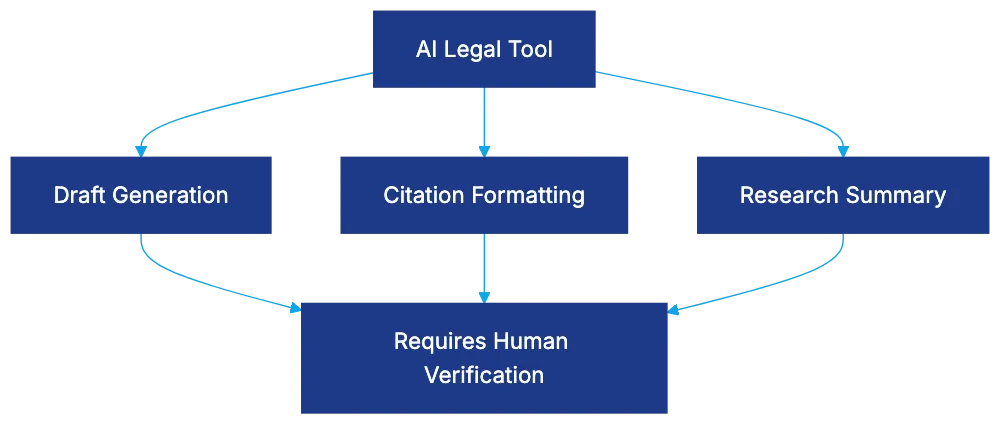
## The Hallucination Crisis in Legal AI
The Stanford HAI study reports hallucination rates for AI legal writing programs. GPT-4 fabricated 49%-82% of content, and GPT-3.5 exceeded 88% on certain queries. Purpose-built legal AI, like Westlaw's Research tool, hallucinated over 34% of queries, and Lexis+ AI showed a 17% rate.
Damien Charlotin documents 486 global cases of AI-generated fabrications as of late 2024, with two to three new cases daily, indicating acceleration of the issue despite cautions.
## Landmark Hallucination Cases and Sanctions
AI Hallucination Risk Levels:
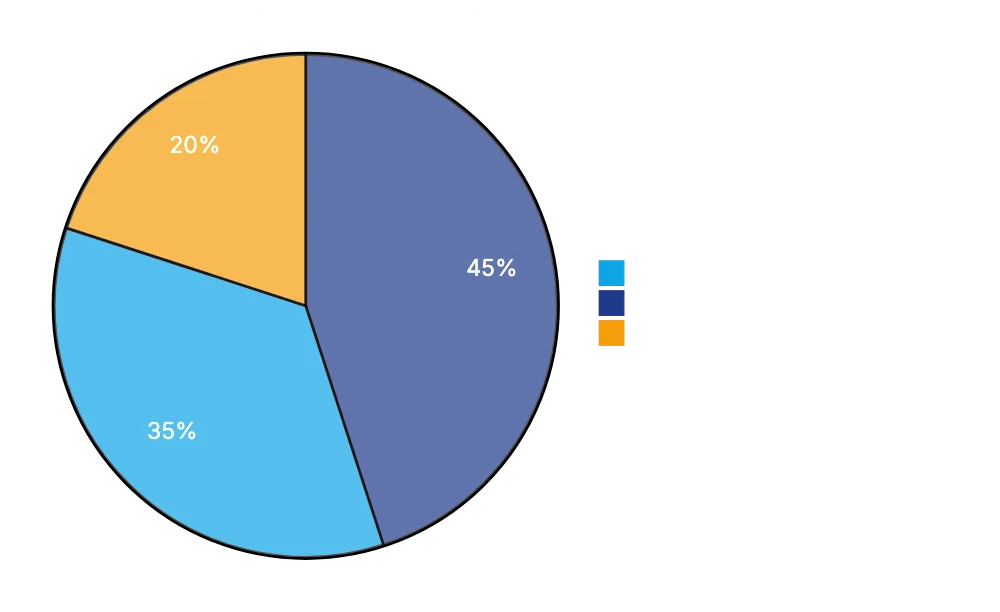
**Mata v. Avianca**: Attorney Steven Schwartz used ChatGPT to research law, filing six fabricated cases. Schwartz's failure to verify led to sanctions and an apology order.
**Noland v. Land of the Free**: The first California appellate case imposing sanctions for AI hallucinations. Attorney Shaun Hakim faced a $10,000 sanction and was referred to the State Bar.
These incidents highlight overconfidence in AI accuracy with deadline pressures.
## Court-Imposed AI Standing Orders
On May 30, 2023, Judge Brantley Starr issued an AI-specific standing order, requiring attorneys to certify AI verification. Similar orders followed from over 300 federal judges:
- **Certification-required orders**: Attorneys certify AI avoidance or verification.
- **Disclosure-only orders**: Attorneys identify AI-generated portions.
- **Reminder orders**: Reiterate [Rule 11 obligations](https://www.law.cornell.edu/rules/frcp/rule_11) without new AI-specific rules.
Judicial practices vary, requiring detailed AI platform and verification disclosure. Orders impact legal staff, demanding thorough checks of compliance.
## ABA Formal Opinion 512 and Ethical Obligations
[ABA Formal Opinion 512](https://www.americanbar.org/content/dam/aba/administrative/professional_responsibility/ethics-opinions/aba-formal-opinion-512.pdf) clarifies AI use in legal practice without creating new rules.
- **Rule 3.3**: Verify AI-generated citations to avoid false statements.
- **Rule 1.1**: Understand AI capabilities and limitations.
- **Rule 5.3**: AI tools require attorney supervision.
These rules emphasize mandatory verification of AI outputs.
## Practical Applications and Best Practices
Effective uses of legal writing AI include:
- **Drafting first drafts of routine motions**: AI provides framework; human revision is essential.
- **Verifying citation formats**: AI ensures Bluebook consistency; separate case verification is crucial.
- **Memo generation for research**: Use AI for terms and doctrines; human research for completeness.
- **Maintaining style consistency**: AI flags inconsistencies, valuable in large-scale litigation.
AI struggles with niche legal issues due to limited training data.
## Citation Verification Protocols
Mandatory protocols are critical for AI use in legal documents:
1. Confirm case existence through platforms like Westlaw or Lexis.
2. Match AI quotes with actual text.
3. Ensure cited propositions are supported.
4. Use Shepard's or KeyCite for case validity.
5. Verify procedural details.
Citation Verification Workflow:
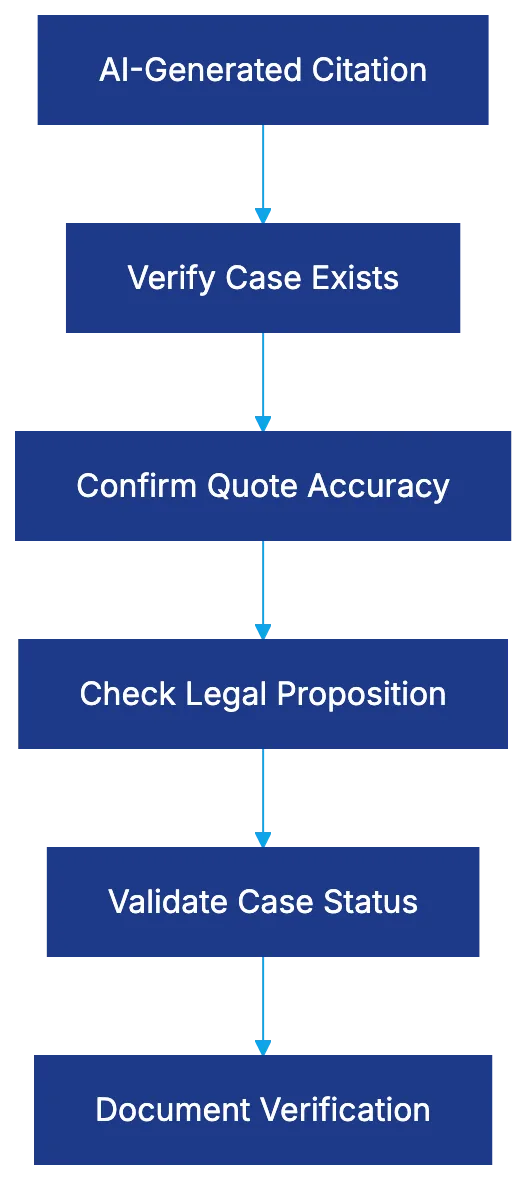
Document each verification step for accountability.
## Managing Confidentiality and Privilege Concerns
AI raises privilege and confidentiality risks, with potential client data exposure to vendors. Understand vendor data policies, anonymize information, and consider local AI tool deployment. Negotiate vendor contracts to ensure data protection.
## The Bottom Line
AI legal tools provide benefits for tasks with rigorous verification. They expedite drafts and enhance formatting, but high hallucination rates demand constant oversight. Court orders and ABA opinions clarify that AI requires comprehensive verification and responsibility.
Legal professionals must balance time savings against verification burdens for AI tools.
Frequently Asked Questions
What are AI legal writing tools, and how do they help in legal practice?
AI legal writing tools assist in creating drafts for legal documents, ensuring style consistency, and checking citations. They can help streamline the drafting process, saving time for attorneys while maintaining a structured framework for legal arguments.
What is the hallucination rate, and why is it a concern for legal professionals?
The hallucination rate refers to the frequency with which AI generates inaccurate or fabricated information. High rates, such as those found in studies of various AI tools, pose significant risks as legal professionals could unknowingly rely on erroneous content, leading to sanctions or malpractice claims.
What legal repercussions have attorneys faced due to AI-generated errors?
Attorneys have faced sanctions for relying on inaccurate AI outputs, as seen in cases like Mata v. Avianca and Noland v. Land of the Free. Both cases involved serious consequences for the attorneys, emphasizing the need for careful verification of AI-generated information.
What guidelines exist for using AI tools in legal writing?
Guidelines such as ABA Formal Opinion 512 clarify that attorneys must verify AI-generated citations, understand the tool's limitations, and supervise their use. These guidelines emphasize the necessity of maintaining accuracy and compliance within legal practices.
How can attorneys verify citations generated by AI tools?
Attorneys should verify AI-generated citations by confirming the existence of cases through reliable legal platforms like Westlaw or Lexis, matching quoted text with the actual sources, and checking case validity using services such as Shepard's or KeyCite.
What best practices should attorneys follow when using AI for drafting legal documents?
Best practices include using AI to draft routine motions or memos while ensuring human review and compliance with citation guidelines. Attorneys should document each verification step and maintain vigilant oversight to mitigate the risks associated with AI outputs.
How can attorneys manage confidentiality risks when using AI tools?
To manage confidentiality risks, attorneys should understand vendor data policies, anonymize sensitive client information, and negotiate contracts that ensure data protection. Careful examination of how data is handled by AI vendors is vital to maintaining client confidentiality.
### Guide to Legal Document Automation Software
URL: https://legavima.com/blog/best-legal-document-automation/
Description: Explore the top legal document automation tools to enhance efficiency in your firm.
Published: 2026-03-11
Updated: 2026-02-10
## Introduction
[Legal document automation software](https://legal.thomsonreuters.com/en/insights/articles/benefits-of-document-automation) has transformed how law firms manage tasks like document creation. Previously, paralegals spent hours manually preparing documents. Now, automated document generation occurs in minutes due to intelligent templates and conditional logic. Options range from enterprise-grade to no-code solutions for solo practitioners. This guide examines twelve tools, covering automation capabilities, technical needs, pricing, and setup timelines, to help select the best system for your firm.
## What Legal Document Automation Actually Does
Legal document automation software creates dynamic interviews from static templates, generating completed documents based on client details. Attorneys fill forms once, eliminating manual edits and reducing risks of missing clauses or errors. The software populates multiple documents, applies conditional logic, and ensures consistency.
Legal Document Automation Process:
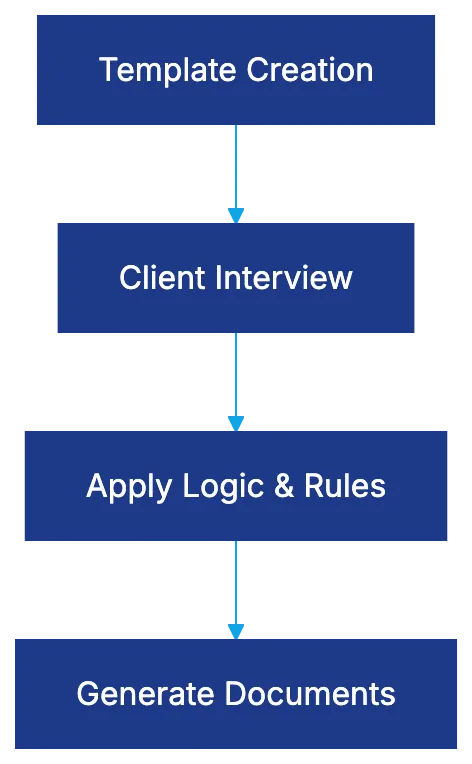
The technology captures information, applies business logic, and assembles final documents with correct formatting and references. Beyond mail merge, it manages complex logic, performs calculations for documents like child support worksheets, and handles repetitive data. Systems maintain clause libraries and version control, reducing preparation time and errors across hundreds or thousands of documents annually.
## HotDocs: The Enterprise Standard
How Document Automation Works:

[HotDocs](https://www.gavel.io/resources/best-document-automation-software) dominates the legal document automation market, especially for complex scenarios. It uses a proprietary scripting language for intricate logic. HotDocs divides template development and end-user interviews, benefiting firms with dedicated tech teams but requiring technical resources for updates. Pricing is enterprise-based, starting at $60, 80 monthly for cloud deployments, with setup timelines of six months to a year.
## Gavel: No-Code Deterministic Automation
[Gavel](https://www.gavel.io/comparisons/gavel-vs-hotdocs) offers deterministic, rules-based document generation, crucial in legal work for control over clause appearance. It features no-code template creation and a visual interface accessible to non-technical users. Originating from access-to-justice work, Gavel includes mobile-friendly, client-facing tools. Pricing starts at $83 monthly, with setup faster than enterprise platforms. It integrates with Clio for data integration.
## Docassemble: Open Source Powerhouse
[Docassemble](https://www.wispwillow.com/law/legal-document-automation-for-small-firms/) is an open-source platform built on Python, offering extensive control while remaining readable for non-programmers. It runs on Docker containers, providing complete data hosting control. Features include user authentication, task processing, and real-time collaboration. It requires technical expertise but offers no per-user licensing costs. Setup timelines vary.
## Lawyaw: Court Forms and Practice Management Integration
[Lawyaw](https://www.clio.com/draft/advanced-document-automation/) provides a vast library of pre-built court forms, delivering immediate value for practice areas reliant on standardized documents. It integrates with Clio, automating client and matter information input. Pricing is $69 per user monthly. Setup is quick with pre-built forms, with custom development following typical learning curves.
## Legito: European Focus with Enterprise Lifecycle Management
Legito focuses on contract lifecycle management, ideal for international or European-clients. It manages contracts as business processes, not just documents. The automation engine uses a visual template editor allowing simple and complex automation without programming. Pricing is enterprise-based, costing hundreds monthly, with setup timelines varying.
## Clio Draft: Native Integration Advantage
Clio Draft provides document automation within the Clio environment, ensuring seamless data integration. It supports conditional logic and repeating content. Pricing is part of a Clio Suite subscription. Setup speed depends on template development.
## Smokeball: Forms Library with Automatic Time Tracking
Smokeball combines document automation with practice management, offering a broad legal forms library. Automatic time tracking increases recorded hours. Pricing ranges from $99, 179 monthly. Smokeball bundles practice management and billing, offering value to small firms.
## ContractExpress: Enterprise Document Generation
ContractExpress excels in complex, high-volume document scenarios. It separates authoring environments from user interfaces and supports advanced scenarios. Pricing involves negotiated licensing, typically hundreds of thousands annually.
## Woodpecker: Legal-Specific Workflow Automation
Woodpecker combines document generation with task automation within workflows. Pricing is $79, 129 monthly. Setup includes workflow and template development, suitable for firms standardizing processes.
## Knackly: Attorney-Built for Attorney Use
Knackly features plain language interfaces for sophisticated scenarios. It integrates with Clio, automating data entry. Pricing starts at $100 monthly. Setup is quick for tech-savvy firms.
## Plexus: High-Volume Transactional Focus
Plexus automates multi-document transactions, ideal for real estate closings. Pricing is per-transaction, and setup involves mapping workflows. Plexus suits high-volume, consistent documentation needs.
## Open Source Considerations
Choosing between open-source platforms and commercial solutions depends on technical capabilities and ownership costs. Docassemble needs expertise in Python and server management, while commercial platforms offer managed infrastructure. Weigh vendor independence against internal reliance risks.
## Choosing the Right Platform for Your Firm
Platform Selection Decision Flow:
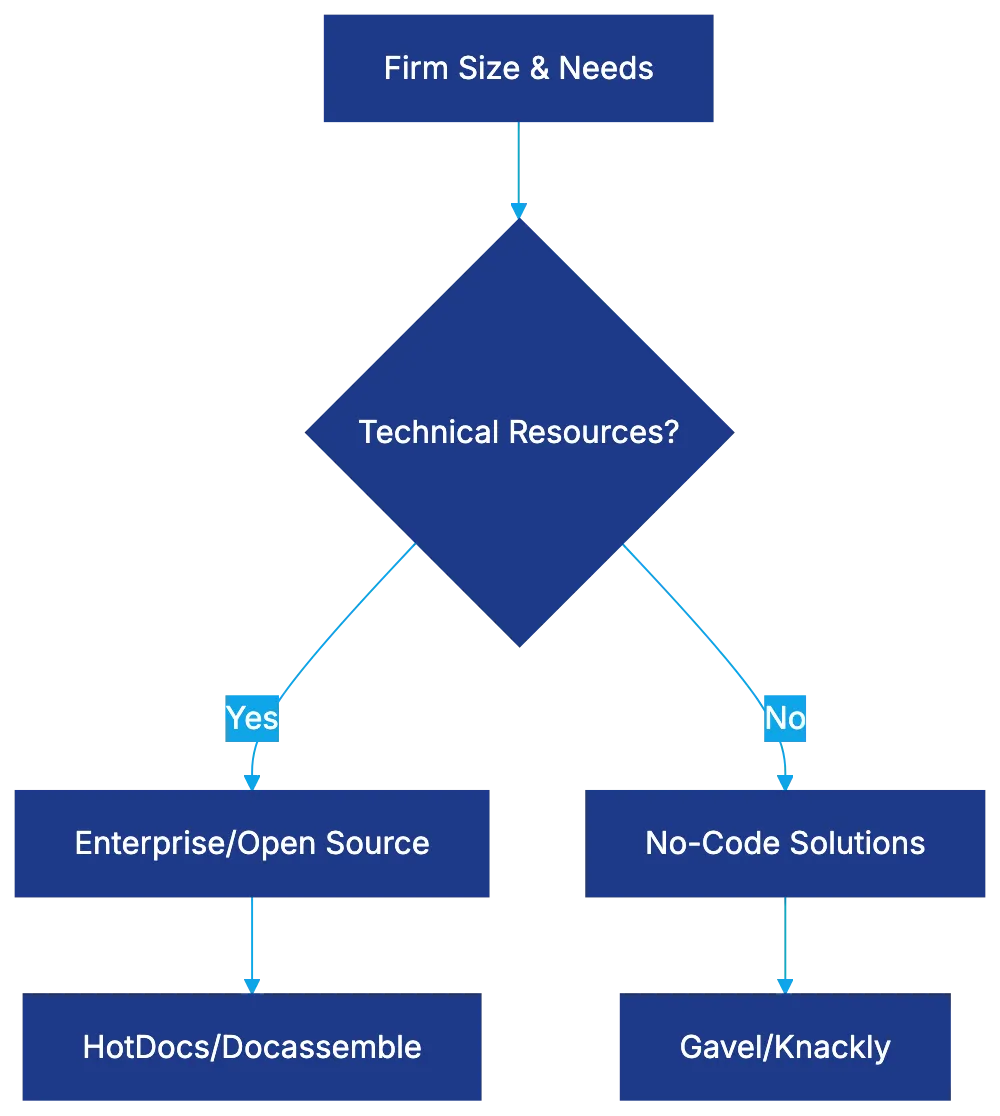
Selection depends on technical resources, document complexity, existing tech environment, client-facing vs internal use, setup timeline, and total cost. Choose a platform matching your firm's needs for efficient implementation.
## Bottom Line
Legal document automation software enhances efficiency. HotDocs and ContractExpress suit large organizations needing complex automation, while Gavel and Knackly offer sophisticated solutions without coding. Docassemble empowers tech teams, and Lawyaw and Smokeball offer immediate value through forms. Select a platform tailored to your firm's requirements for effectiveness.
Frequently Asked Questions
How can legal document automation improve my firm's efficiency?
Legal document automation streamlines the document creation process by reducing manual input and minimizing errors. Attorneys only need to input client details once, resulting in quicker document generation and improved accuracy. This allows legal professionals to focus on higher-value tasks instead of repetitive document preparation.
What factors should I consider when choosing a document automation tool?
When selecting a document automation tool, evaluate factors such as your firm's technical resources, the complexity of your documents, and the tool's integration capabilities with existing systems. Additionally, consider the setup time, pricing structure, and whether the solution is user-friendly for non-technical staff.
Is there a cost-effective option for small law firms?
Yes, several document automation tools cater to small law firms, offering competitive pricing without sacrificing functionality. Options like Gavel and Smokeball provide robust solutions for under $100 monthly. Additionally, some platforms have quick setup timelines, making them accessible for smaller practices.
What is the significance of conditional logic in document automation?
Conditional logic allows the automation software to tailor documents based on specific inputs or scenarios. This ensures that only relevant clauses or sections appear in the final document, enhancing accuracy and relevance. It is particularly useful for handling complex legal scenarios or client-specific needs.
What technical expertise is required to implement open-source document automation solutions?
Open-source solutions like Docassemble usually require some technical expertise, particularly in programming languages such as Python, as well as server management skills. Without this knowledge, firms may find it challenging to set up and customize the software effectively. However, once established, they can enjoy greater control over their data and infrastructure.
Can legal document automation tools integrate with practice management software?
Many legal document automation tools, such as Lawyaw and Clio Draft, offer integration with practice management solutions. This integration streamlines data entry by automatically populating client and matter information from existing databases, helping to eliminate duplicate work and improve overall efficiency.
How do I ensure the security of sensitive client information during document automation?
To ensure the security of client information, choose document automation platforms that prioritize data protection, including features like encryption and secure user authentication. Additionally, consider platforms that comply with legal industry standards, and maintain best practices for data storage and access to safeguard sensitive information.
### Harvey AI Review: Advanced Legal AI for Law Firms
URL: https://legavima.com/blog/harvey-ai-review/
Description: Explore how Harvey AI transforms legal workflows, offering tailored solutions and superior performance for large law firms.
Published: 2026-03-10
Updated: 2026-02-10
# Introduction
Harvey AI is tailored for law firms seeking AI assistance beyond a basic chat interface. Harvey collaborates with OpenAI to build custom legal AI models, trained on billions [of legal tokens, preferred by lawyers over standard AI models](https://openai.com/index/harvey/). It targets major law firms with enterprise pricing and setup. This review covers the technical architecture, performance metrics, use cases, and enterprise value, aiding firms comparing Harvey to competitors.
## Technical Architecture and OpenAI Partnership
Harvey is more than just an API wrapper; it collaborates with OpenAI to develop models for legal use. These foundation models, trained on over 10 billion tokens of US case law, understand legal reasoning, citation, and jurisdictional details. Harvey uses a cascading system with Retrieval-Augmented Generation to ground responses in reliable legal databases and firm-specific documents, addressing AI hallucination issues.
Harvey AI Technical Architecture:
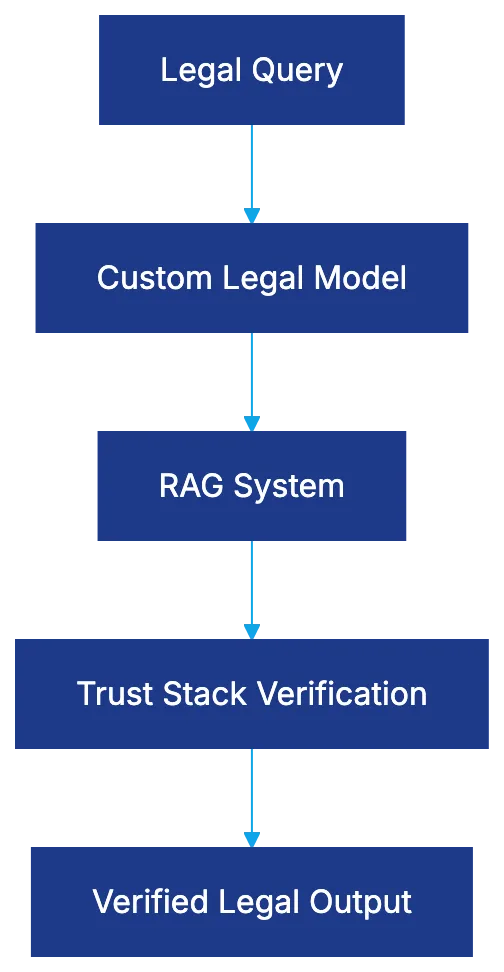
Harvey's Trust Stack ensures accuracy by verifying and cross-referencing citations, vital where errors can harm client relationships. The platform customizes outputs using a firm's proprietary documents, distinguishing it from consumer tools.
## BigLaw Bench Performance Results
Harvey's performance was evaluated through BigLaw Bench, comparing its specialized model with GPT-4. Results showed 97% of lawyers preferred Harvey for [case law analysis, highlighting significant improvements due to legal-specific training](https://www.lawnext.com/2025/02/legal-ai-tools-show-promise-in-first-of-its-kind-benchmark-study-with-harvey-and-cocounsel-leading-the-pack.html). Lawyers preferred Harvey’s outputs for practical tasks such as identifying precedents and synthesizing case holdings, indicating its value.
While Harvey's superior performance is noted, it still requires lawyer oversight. Current AI systems, including Harvey, cannot yet produce unsupervised legal work.
## Core Use Cases and Applications
Legal AI Workflow Process:

Harvey aids in legal research, generating memos with citations and identifying authority. It also assists in contract drafting and review by analyzing agreements and suggesting alternatives. For large-scale document analysis, Harvey handles initial reviews, saving associate time. In litigation, Harvey supports deposition and discovery preparations, while transactional groups use it for due diligence checklists and closing documents.
## Enterprise-Only Pricing and Implementation
Harvey targets enterprise clients with custom pricing based on firm size and needs, excluding smaller firms. Setup involves extensive integration and customization over months with ongoing support and updates, reducing deployment risk for major firms. This model suits large firms by justifying investment through displacement of associate time.
## Security, Data Privacy, and Ethical Compliance
Harvey ensures enterprise-grade security, maintaining SOC 2 compliance and meeting law firm standards. Client data remains isolated, addressing ethical concerns on AI training. Firms control data retention and deletion, complying with client demands. [ABA Model Rules](https://www.americanbar.org/groups/professional_responsibility/publications/model_rules_of_professional_conduct/) for competence and supervision apply; Harvey generates work requiring attorney review.
Privilege is protected as Harvey acts under attorney direction. Firms should ensure privilege considerations align with AI use.
## Comparison to Alternative Legal AI Platforms
CoCounsel by Thomson Reuters, using OpenAI foundations like Harvey, supports Westlaw integration, offering broader accessibility but less customization. Lexis+ AI grounds its outputs in LexisNexis's legal library, providing verified material but less firm-specific adaptability. General tools like ChatGPT lack Harvey's specialization and accuracy.
Harvey focuses on firm-specific customization and enterprise clients, while alternatives offer broader, less tailored access.
Legal AI Platform Comparison:
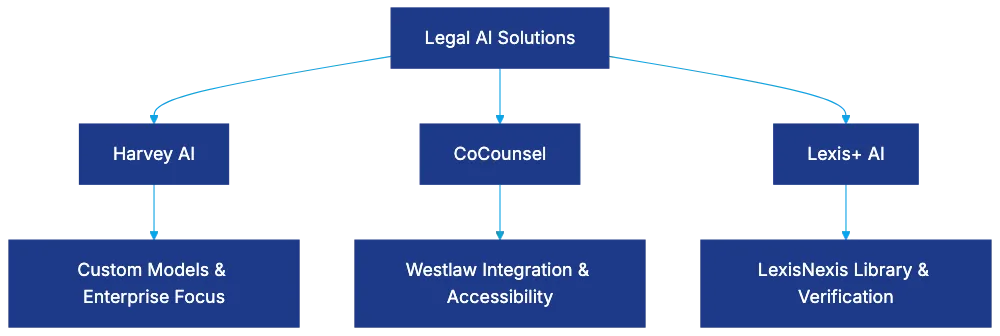
## Limitations and Considerations
Harvey's enterprise model excludes small and solo firms, concentrating AI advantages in large firms. Despite high performance, oversight is needed, complying with legal responsibility rules. Setup complexity requires months of effort with change management. Practices must align use cases with Harvey’s capabilities for ROI.
International and niche legal areas may find Harvey’s training less comprehensive, with expansion in progress. Vendor dependency requires risk evaluation and contingency planning.
## Bottom Line
Harvey AI is tailored for large firms, offering custom models and verifications, outperforming general AI. It suits high-volume, document-intensive firms benefiting from substantial AI investment. Enterprise pricing and setup limit access to major firms, requiring strategic evaluation of customization versus existing research vendor integration.
Harvey requires attorney oversight, with setup policies ensuring supervision. It offers robust capabilities deserving evaluation against alternatives for firms prepared for AI adoption.
Frequently Asked Questions
What types of law firms should consider using Harvey AI?
Harvey AI is specifically designed for large law firms, particularly those engaged in high-volume and document-intensive work. Its enterprise pricing and extensive customization make it less suitable for smaller or solo firms.
How does Harvey ensure the accuracy of its legal outputs?
Harvey utilizes a Trust Stack that verifies and cross-references citations to enhance accuracy. This system is critical in the legal context, where inaccuracies can lead to significant consequences for clients.
What are the main functionalities of Harvey AI?
Harvey AI excels in legal research, memo generation, contract drafting, and document analysis. It supports lawyers in litigation and due diligence processes, significantly improving efficiency and quality in these tasks.
What is the implementation process for Harvey AI like?
The implementation of Harvey AI requires extensive customization and can take several months. This process includes integration with existing systems and ongoing support, which helps mitigate deployment risks for law firms.
Are there any ethical considerations when using Harvey AI?
Yes, ethical considerations are paramount as Harvey must align with ABA Model Rules regarding legal competency and oversight. Privilege protection is maintained, and firms must ensure AI use complies with relevant legal standards.
How does Harvey AI compare to other legal AI platforms?
Harvey differentiates itself through its focus on firm-specific customization and higher performance compared to general tools like ChatGPT. Alternatives like CoCounsel and Lexis+ AI provide broader access but lack the same level of tailored integration and enterprise features.
What limitations should firms be aware of when considering Harvey AI?
Firms should recognize that Harvey’s enterprise model is not available for smaller practices. Additionally, oversight from qualified attorneys is required, and potential dependency on the vendor should be evaluated in terms of risk and contingency planning.
### Understanding E-Discovery Software in 2026
URL: https://legavima.com/blog/e-discovery-software/
Description: Explore how AI-powered e-discovery software transforms legal document review with efficiency and accuracy.
Published: 2026-03-09
Updated: 2026-02-10
## Understanding E-Discovery Software
The legal industry faces a challenge. In 2023, organizations generated 2.5 quintillion bytes of data daily. When litigation hits, legal teams must sift through this electronically stored information. A single attorney reviews roughly 50 documents per hour, so 500,000 documents require 10,000 billable hours, costing over $3 million. [Electronic discovery](https://en.wikipedia.org/wiki/Electronic_discovery)
E-discovery software changes this with AI-powered tools that use machine learning to identify relevant documents. They reduce review time by 40-60%, cutting costs and improving accuracy. This guide explains how modern e-discovery tools work and why AI-driven methods are standard practice. [AI in E-Discovery: Better Document Review and Litigation Support](https://www.techopedia.com/ai-in-e-discovery)
## The EDRM Framework: Foundation of Modern E-Discovery
George Socha Jr. and Tom Gelbmann created the [Electronic Discovery Reference Model](https://edrm.net/resources/frameworks-and-standards/) in 2005 to organize digital discovery. It's a framework that maps e-discovery work, often cycling back to earlier stages as new info surfaces. [EDRM](https://en.wikipedia.org/wiki/EDRM)
The EDRM visual features two triangles over nine stages. The Yellow Volume Triangle shows data narrows through stages; the Green Relevance Triangle shows relevant material percentage increases. Grey arrows indicate iteration points.
EDRM Framework Overview:

This framework provides a common language for legal teams, IT professionals, and e-discovery vendors. It's become the industry standard, cited worldwide. Understanding this model is foundational for e-discovery software users.
## Nine Stages of the EDRM Explained
- **Information Governance:** Involves data policies for retention, classification, and deletion. Strong governance means effective legal holds, reducing unnecessary data costs.
- **Identification:** Legal teams identify potential electronically stored info sources, including email servers, mobile devices, and social media accounts. Incomplete identification causes future issues.
- **Preservation:** Legal holds ensure evidence remains intact. Software tracks custodian acknowledgments, sends reminders, and documents preservation for court.
- **Collection:** Forensically acquires identified data, maintaining metadata and custody documentation. Many software platforms include collection modules.
- **Processing:** Transforms raw data into reviewable formats including de-duplication and metadata extraction. Modern software automates processing.
## The Cost Crisis: Why Review Demands AI Solutions
Review is the most expensive e-discovery stage, consuming 70% of costs. Attorneys review documents for relevance and privilege at $75-300 per hour, inflating costs in large cases.
E-Discovery Review Process:
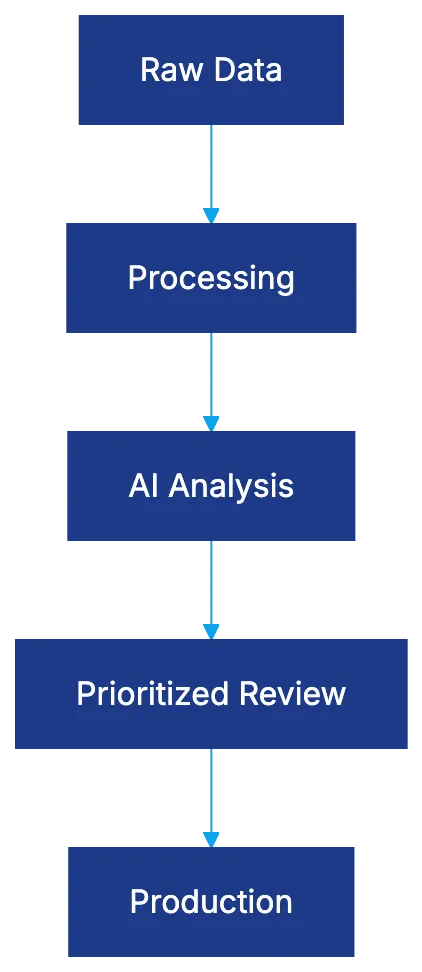
Keyword searches result in low precision and massive irrelevant document volumes. Studies show they often miss 20-30% of relevant documents.
AI e-discovery drastically improves this. Machine learning identifies relevance patterns across documents, emphasizing materials likely relevant, reducing irrelevant document review.
## Technology Assisted Review: TAR 1.0 Explained
TAR 1.0 uses machine learning for document prioritization based on relevance predictions, starting with a random control set coded for training. This repeats iteratively, stabilizing and then ranking documents for relevance.
## Continuous Active Learning: TAR 2.0 Revolution
TAR 2.0, or Continuous Active Learning, is advanced. CAL starts with as few as 50-100 documents, making immediate predictions and refining as coding progresses, cutting review volume by 40-60%.
TAR Evolution Comparison:
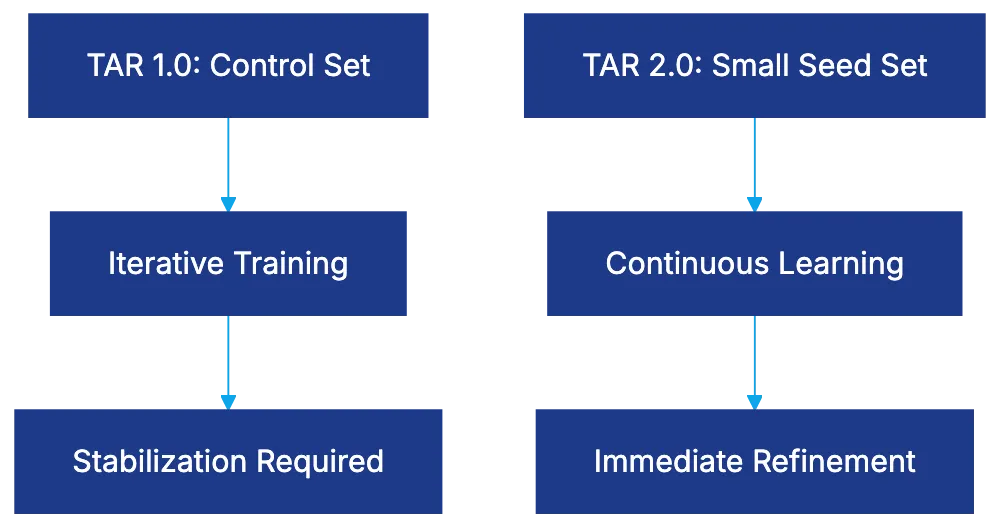
## Court Acceptance: From Skepticism to Black Letter Law
Judges initially doubted predictive coding. [Da Silva Moore v. Publicis Groupe](https://jolt.richmond.edu/2017/03/15/volume23_issue2_serhan/) marked its first judicial approval. Now, AI-powered review is considered superior, and ignoring it could mean inefficiency and malpractice.
## AI Capabilities Beyond Predictive Coding
Modern software includes:
- **Email Threading:** Identifies email chains, reducing redundant copies by 20-35%.
- **Near-Duplicate Detection:** Finds similar but not identical documents.
- **Concept Clustering:** Groups documents by similarity, highlighting collection themes.
- **Privilege Detection:** Identifies potentially privileged documents.
- **Communication Mapping:** Visualizes relationships and information flow.
## Selecting E-Discovery Software: What to Evaluate
The e-discovery market includes many vendors. Key areas to evaluate:
- **Processing Capabilities**
- **Review Interface Quality**
- **AI and Analytics Features**
- **Production Capabilities**
- **Security and Compliance**
- **Vendor Support and Training**
## Implementation Best Practices for Legal Teams
Successful e-discovery software setup involves more than purchasing licenses.
- **Start with Pilot Projects**
- **Develop Matter-Specific Workflows**
- **Invest in Proper Training**
- **Establish Quality Control Procedures**
- **Document Methodology Thoroughly**
- **Maintain Vendor Relationships Proactively**
## The Bottom Line
E-discovery software is now a necessity for legal practices. EDRM provides the framework for these platforms. AI capabilities deliver effectiveness gains, reducing review volumes significantly.
Courts accept AI review as superior. Don't ignore these tools. Evaluate e-discovery tools for your needs, start with pilot projects, train users, establish controls, and document methodology to transform software into a competitive advantage.
Frequently Asked Questions
What is the main benefit of using e-discovery software?
E-discovery software significantly reduces the time and costs associated with the document review process in litigation. By utilizing AI and machine learning, these tools can decrease review time by 40-60%, leading to more accurate results and lower legal fees.
How does the EDRM framework assist legal teams in e-discovery?
The EDRM framework provides a structured approach to managing electronic discovery, outlining nine stages that guide the process from information governance to data production. This common framework facilitates communication among legal teams, IT professionals, and vendors, ensuring an organized and efficient e-discovery workflow.
What is TAR and how does it benefit the document review process?
Technology Assisted Review (TAR) employs machine learning to prioritize documents based on predicted relevance. This approach helps to streamline the review process by significantly reducing the number of documents that need to be manually reviewed, saving time and costs for legal teams.
Why is AI considered essential in modern e-discovery?
AI enhances e-discovery by improving the accuracy and efficiency of document reviews. It can identify relevance patterns, reducing unnecessary reviews and ensuring that up to 20-30% of relevant documents are not overlooked, which is often a limitation of traditional keyword searches.
What factors should I consider when selecting e-discovery software?
When choosing e-discovery software, evaluate processing capabilities, review interface quality, AI and analytics features, and security compliance. Additionally, consider vendor support and training options to ensure successful implementation and ongoing use.
How should legal teams implement e-discovery software for maximum effectiveness?
Effective implementation involves starting with pilot projects to test the software, developing workflows tailored to specific matters, and investing in training for users. Establishing quality control procedures and maintaining proactive vendor relationships are also key to leveraging the software successfully.
What happens if a legal team ignores the use of AI in e-discovery?
Ignoring AI tools in e-discovery can lead to inefficiencies and increased costs, as traditional methods may overlook critical documents and prolong the review process. Courts increasingly recognize AI-powered reviews as superior; not utilizing these advancements could result in suboptimal legal outcomes.
### Review of Spellbook AI for Legal Professionals
URL: https://legavima.com/blog/spellbook-review/
Description: Explore how Spellbook AI enhances contract drafting and review for legal professionals with Microsoft Word integration.
Published: 2026-03-07
Updated: 2026-02-11
## Introduction Legal professionals spend countless hours drafting and reviewing contracts, pulling them away from higher-value work. **Spellbook AI** addresses this issue, operating directly within Microsoft Word as a native add-in trained on billions of legal texts. This review assesses whether it accelerates contract work without losing accuracy. We discuss its integration, legal-specific training, AI drafting, review capabilities, pricing, and comparisons to alternatives like LegalOn, Harvey, and ChatGPT.
## What Makes Spellbook Different: Legal-Specific Training Spellbook AI's training data sets it apart from general-purpose AI tools. While platforms like ChatGPT train on broad content, Spellbook is trained on billions of lines of legal text, including contracts, enabling it to use appropriate legal terminology and recognize standard clause categories with less prompting, reducing (but not eliminating) the [hallucination risks](https://law.stanford.edu/publications/hallucination-free-assessing-the-reliability-of-leading-ai-legal-research-tools/) of general AI models. [Source](https://www.spellbook.legal/learn/how-ai-is-transforming-the-legal-profession) This training enables it to use appropriate legal terminology and recognize standard clause categories with less prompting, reducing (but not eliminating) the hallucination risks of general AI models. Legal professionals must still review AI-generated content for accuracy, as professional judgment remains crucial.
## Microsoft Word Integration: Working Where Lawyers Already Work Spellbook AI Core Capabilities:
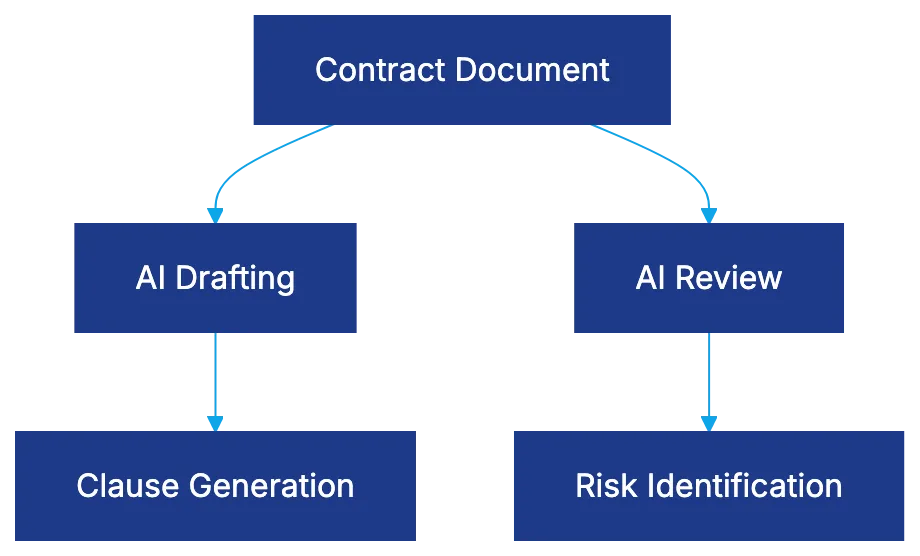
Spellbook AI offers seamless integration with Microsoft Word as a sidebar, removing the need to switch applications. [Source](https://www.spellbook.legal/legal-ai-in-word) This integration allows for real-time assistance without disrupting workflow. Users can receive suggestions, identify issues, or generate language alternatives directly in Word. This approach adds capabilities without replacing familiar workflows. Setup takes minutes, respecting how legal work is conducted.
## AI Drafting Capabilities: From Suggestions to Full Clauses AI Training Comparison:
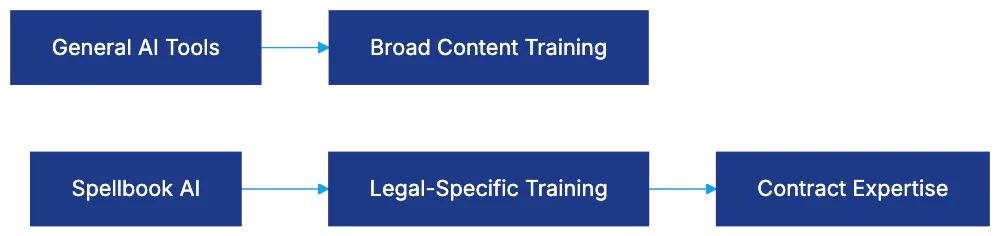
Spellbook offers several modes of AI drafting. It provides inline suggestions with legal-specific intelligence and responds to direct requests for language adjustments. It can generate clauses from scratch, serving as solid drafts that generally need customization. This feature saves significant time in high-volume contract work.
## Review Features: Issue Identification and Risk Flagging Spellbook functions as a review tool, identifying issues in contracts, such as deviations from market standards and potential risks. It summarizes key provisions, speeding up contract reviews. Risk flagging identifies disadvantageous terms, aiding in initial reviews. This helps junior staff identify issues requiring senior attention.
## Spellbook Pricing: Per-Seat Model and Cost Considerations **Spellbook pricing** is per-seat, offering discounts for small firms and requiring custom quotes for enterprises. Pricing includes unlimited use, AI updates, and support. It’s more expensive than general AI tools but is competitive in the legal AI space. ROI is dependent on contract volume. It suits transactional practices with steady contract flow.
## How Spellbook Compares to Alternative Legal AI Tools LegalOn excels in contract review and playbook enforcement, while Spellbook assists more with drafting and improvements. Harvey offers enterprise solutions with broader capabilities, requiring budget that smaller firms can’t justify. Spellbook's legal-specific training and Word integration provide advantages over general AI tools like ChatGPT, though many professionals use both for varied tasks. [Source](https://www.spellbook.legal/learn/ai-for-legal-documents)
## User Experience: Accuracy, Time Savings, and Limitations Legal AI Tool Positioning:

User feedback highlights time savings as a key benefit, with first drafts completed 30-40% faster. While Spellbook’s legal training provides relevant suggestions, human review is essential due to occasional errors. It excels with common contract types. For specialized structures, its suggestions may be less reliable.
## Implementation Considerations and Best Practices Successful setup requires more than installation. Policies on AI content usage and client consent, security measures, and training on effective use are critical. Vendor diligence ensures data handling is understood. Users must grasp the tool’s strengths, prompting techniques, and critical review habits for best results.
## Bottom Line Spellbook AI adds value for legal professionals with regular contract duties. The **Microsoft Word legal add-in** reduces workflow friction, and legal-specific training improves suggestions. Cost is justified by time savings in high-volume practices. However, it’s not a substitute for legal expertise, as human verification remains necessary to mitigate the risk of AI errors. Spellbook allows lawyers to focus on substantive judgment, automating repetitive tasks, an ideal AI implementation.
Frequently Asked Questions
How does Spellbook AI improve my contract drafting process?
Spellbook AI accelerates the drafting process by providing inline suggestions, generating full clauses from scratch, and allowing for quick adjustments. This facilitates faster creation of contract drafts, typically completing tasks 30-40% quicker than manual efforts. However, users should still review AI-generated content for accuracy.
What security measures does Spellbook AI implement to protect sensitive data?
Spellbook AI emphasizes vendor diligence and requires users to ensure data handling measures are understood. Organizations should establish policies on the use of AI content, including client consent, to safeguard sensitive information. It's also crucial to train staff on the secure and effective use of the tool.
Can Spellbook AI be integrated into existing workflows easily?
Yes, Spellbook AI integrates seamlessly within Microsoft Word, allowing users to access its functions without switching applications. The setup process is designed to be completed quickly, ensuring minimal disruption to established workflows.
What types of contracts is Spellbook AI most effective for?
Spellbook AI excels in drafting and reviewing standard contract types but may be less reliable for specialized structures. It performs best in environments with high-volume contract work, making it an ideal choice for transactional practices.
Is Spellbook AI suitable for small law firms?
Yes, Spellbook AI offers a per-seat pricing model with discounts for small firms, making it accessible for their needs. The cost can be justified by the time savings achieved in document handling and contract workflows.
How does Spellbook AI compare to other legal AI tools?
Spellbook AI focuses on drafting and enhancing contracts, whereas tools like LegalOn specialize in contract review and playbook enforcement. Although Spellbook is generally more competitive in legal-specific contexts, some professionals may still complement it with general AI tools for a broader range of tasks.
Do I still need to review AI-generated content?
Yes, human review remains essential when using Spellbook AI. While the tool provides relevant legal suggestions, occasional errors can occur, and professional judgment is necessary to ensure the accuracy and appropriateness of the content produced.
### LegalOn Review: AI Contract Review Simplified
URL: https://legavima.com/blog/legalon-review/
Description: Explore LegalOn's AI contract review features, accuracy, and seamless Microsoft Word integration for legal professionals.
Published: 2026-03-06
Updated: 2026-02-10
## LegalOn Review: A Closer Look at LegalOn AI Contract Review Platform
### Introduction
The appeal of AI in contract review diminishes with extensive setup requirements. LegalOn promises immediate value through [50+ pre-built playbooks maintained by in-house attorneys](https://www.legalon.ai/). Achieving a 92/100 accuracy score and offering Microsoft Word integration, LegalOn is positioned as a turnkey solution for legal teams seeking AI assistance without setup hassles.
### What Sets LegalOn AI Contract Review Platform Apart?
LegalOn promises Day 1 productivity without AI training, as highlighted in [this article](https://www.forbes.com/). It includes over 50 pre-built playbooks for common contract types like NDAs and vendor contracts. These are continuously updated by LegalOn's legal team to reflect changing standards. This approach is ideal for mid-sized firms without resources for custom AI training programs, though it may limit large firms with specialized standards.
LegalOn Core Capabilities:
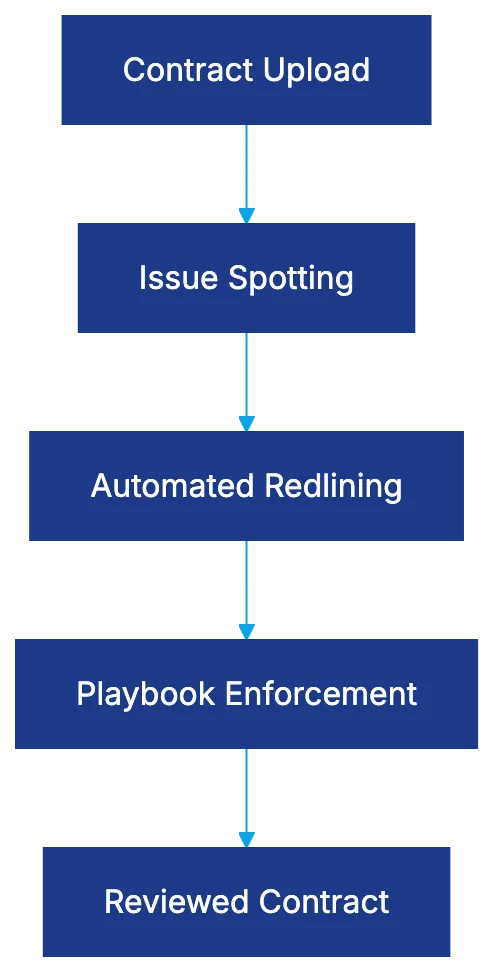
### LegalOn AI Capabilities: The Core Features
- **Issue Spotting:** Scans for missing clauses, deviations, and risky provisions, flagging concerns like missing liability clauses.
- **Automated Redlining:** Suggests revisions based on playbook standards, offering alternatives for problematic language.
- **Playbook Enforcement:** Checks contracts against preferred positions, outlining ideal language and hard limits.
The 92/100 accuracy score measures effectiveness in spotting issues and applying playbook standards.
LegalOn Contract Review Workflow:
### Microsoft Word Integration: LegalOn AI Tools Where Lawyers Work
LegalOn’s Word integration allows review without switching platforms. You can open contracts, use the LegalOn panel, and track changes within Word, saving time and avoiding technical headaches. However, a stable internet connection is necessary.
### LegalOn Pricing: Understanding the Costs
LegalOn follows an enterprise model with customized quotes, starting at $15,000 to $25,000 annually for small teams. It includes unlimited usage, playbooks, updates, and support. Customization may incur extra fees.
### Security and Compliance: Keeping Data Safe
LegalOn has [SOC 2 Type II certification](https://www.soc2.com/), encrypting contracts with AES-256 and TLS. Customer contract data isn't used for AI model training, protecting confidentiality.
### Real User Feedback: Perspectives from Legal Professionals
Reviews on platforms like [G2](https://www.g2.com/) and [Capterra](https://www.capterra.com/) rate LegalOn 4.6 to 4.8 stars for ease of setup and effective issue spotting. Criticisms focus on limited customization. The Word integration is highly appreciated.
### LegalOn Review: Pros and Cons
**Pros:**
LegalOn vs Alternative Platforms Comparison:
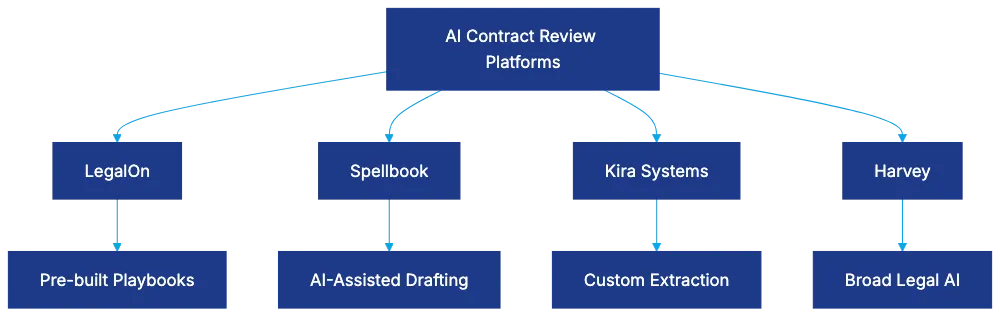
- Immediate productivity without training.
- Attorney-maintained playbooks ensure updated content.
- Word integration encourages adoption among legal professionals.
**Cons:**
- Limited customization may not suit specialized firms.
- Enterprise pricing may be high for small firms.
- Lacks advanced analytics found in other platforms.
### Comparing LegalOn to Alternative AI Contract Review Platforms
- **Spellbook:** Focuses on AI-assisted drafting; ideal for drafting needs.
- **Kira Systems:** Offers advanced customization and extraction capabilities.
- **Harvey:** A broader legal AI platform for comprehensive capabilities.
### Bottom Line: LegalOn AI Platform's Suitability
LegalOn offers immediate AI contract review value with its attorney-maintained playbooks, accuracy, and Word integration. Evaluate if its playbooks and customization fit your needs. Request examples during demos to ensure it aligns with your practice.
Frequently Asked Questions
How long does it take to implement LegalOn in my legal team?
LegalOn is designed for immediate productivity, requiring minimal setup time. Users can start benefiting from its features on Day 1 without extensive training or training periods, making it suitable for teams looking for quick integration.
What types of contracts can LegalOn review?
LegalOn's pre-built playbooks cover common contract types such as NDAs and vendor contracts. These playbooks are regularly updated by LegalOn's in-house legal team to comply with evolving standards, allowing for effective review across various contract formats.
Can I customize the playbooks for my firm's specific needs?
While LegalOn offers a robust set of pre-built playbooks, customization options may be limited. This could be a drawback for larger firms with specialized contract standards that require tailored provisions or analytics not available within the existing framework.
What is the pricing structure for LegalOn?
LegalOn follows an enterprise pricing model, with costs starting between $15,000 and $25,000 annually for small teams. This includes access to unlimited usage, ongoing updates, and support, but keep in mind that additional customization may incur extra costs.
How does LegalOn ensure the security of my contract data?
LegalOn is SOC 2 Type II certified, meaning it adheres to stringent security practices. It utilizes AES-256 encryption and TLS for contract data protection, and customer data is not used for AI model training to maintain confidentiality.
Can I use LegalOn directly within Microsoft Word?
Yes, LegalOn integrates seamlessly with Microsoft Word, allowing users to review contracts without leaving the platform. This feature enhances efficiency as changes can be tracked within Word, provided you have a stable internet connection for access.
What feedback have legal professionals shared about LegalOn?
Many users rate LegalOn highly, with scores between 4.6 and 4.8 stars on platforms like G2 and Capterra, particularly praising its ease of setup and efficacy in spotting issues. However, some users have noted the limitations in customization as a potential drawback.
### AI Due Diligence: Revolutionizing M&A Transactions
URL: https://legavima.com/blog/ai-due-diligence-tools/
Description: Explore how AI due diligence tools transform M&A by streamlining document review and enhancing efficiency.
Published: 2026-03-05
Updated: 2026-02-10
## Introduction
The due diligence phase has been the bottleneck in M&A transactions, with legal teams sifting through documents to find crucial provisions. The process was linear and manual. [AI due diligence tools](https://www.forbes.com/councils/forbestechcouncil/2025/08/20/agentic-ai-is-shaping-the-next-era-of-ma/) revolutionize this by acting as active advisors, highlighting anomalies human reviewers might miss. This transformation shifts document review from a checklist exercise to a strategic intelligence operation.
## From Passive Repository to Active Advisor
Traditional vs AI Due Diligence Workflow:
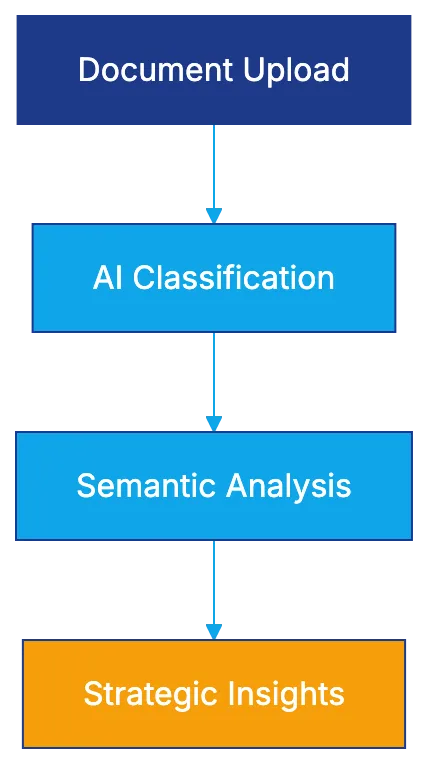
Traditional due diligence relied on keyword searches, which missed variations. A search for "change of control" might not catch "deemed sale." Documents were reviewed sequentially, extending timelines to months. [AI due diligence](https://www.mckinsey.com/capabilities/m-and-a/our-insights/gen-ai-in-m-and-a-from-theory-to-practice-to-high-performance) changes this by classifying documents upon upload using machine learning models, categorizing them into relevant buckets like Financial, Legal, HR, IP, and Real Estate. Semantic search replaces keyword matching, compressing review cycles from months to days, transforming storage into analysis.
## Document Classification That Actually Works
Organizing 75,000 documents with inconsistent names and types presented challenges. Traditional organization required sellers to pre-organize or paralegals to manually classify documents, leading to errors and delays. **Automated due diligence** uses multi-stage classification, analyzing metadata and actual content. Machine learning, trained on legal documents, assigns categories with confidence scores. Modern **due diligence software** uses legal-specific taxonomies developed by practitioners, allowing associates to reclassify documents, which feed back into the model.
AI Document Classification Process:

## Key Term Extraction at Scale
After organization, extracting important provisions for transaction analysis delivers significant time savings. Instead of reading each contract, AI extracts data points from thousands of agreements. Kira Systems pioneered Smart Fields, offering over 1,400 pre-built fields across 40 practice areas, using machine learning to understand legal concepts contextually. Luminance uses its LITE Engine combining pattern recognition with machine learning, learning from attorney feedback and discovering new patterns.
## M&A-Specific Provisions That Make or Break Deals
Certain provisions can impact M&A transactions. **AI due diligence** excels in extraction. Change-of-control provisions in agreements may require consent from many parties. In 2022, AI discovered 47 agreements needing consent, versus 31 flagged manually. Assignment restrictions vary, impacting deal structures. Most favored nation provisions can create contingent liabilities, ensuring terms equal to others.
## Employment Analysis and Golden Parachute Issues
Employment provisions create post-closing obligations and tax complications. **AI due diligence tools** analyze employment agreements and compensation across workforces. Golden parachute provisions trigger taxes under [IRS codes 280G and 4999](https://www.law.cornell.edu/uscode/text/26/280G) if payments exceed thresholds, using single or double-trigger mechanisms.
AI Anomaly Detection Flow:
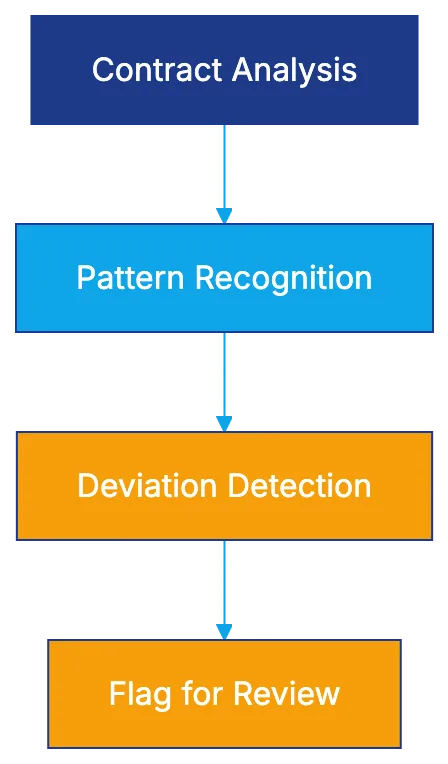
## Anomaly Detection and Unknown Unknowns
**M&A due diligence AI** finds unexpected provisions. Anomaly detection uses machine learning to identify outliers, flagging contracts deviating from established patterns, revealing non-standard terms.
## Platform Deep Dive: Luminance
Luminance, leveraging a Legal Pre-trained Transformer (LITE) trained on over 150 million documents, is cutting-edge **AI due diligence** for legal teams.
## Platform Deep Dive: Kira Systems
Kira Systems, now part of Litera, focuses on **contract analysis** with Smart Fields, gradually expanding into full due diligence workflows.
## Implementation Considerations for Legal Teams
**AI due diligence** adoption requires more than software. Success needs workflow redesign, team training, and technological integration. Leading firms create AI-first protocols, routing materials through platforms from the start for initial classification and extraction.
## Common Pitfalls and How to Avoid Them
Even advanced **AI due diligence** makes errors. Reliance on automation without verification leads to malpractice risks. Findings should serve as starting points, with verification essential.
## Measuring ROI and Effectiveness Gains
Efficiency claims require concrete metrics. Time savings provide a clear ROI. Traditional 50,000 document reviews take 6-8 weeks with 4-6 associates. With AI, it cuts to 2-3 weeks with 2-3 associates.
## Future Developments and What's Coming
The next generation of **AI due diligence** will evolve. Multimodal analysis will include numerical data, charts, and visuals within contracts, beyond text-based provisions.
Frequently Asked Questions
How does AI improve the due diligence process in M&A transactions?
AI enhances the due diligence process by automating document classification and anomaly detection, allowing legal teams to analyze documents more efficiently. By using machine learning, these tools categorize documents and extract key provisions quickly, reducing review times from months to days.
What are the main benefits of using AI due diligence tools?
The key benefits include significant time savings, improved accuracy in identifying important contractual provisions, and better organization of documents. These tools minimize human error and help legal teams focus on strategic analysis rather than just document review.
What types of documents can AI due diligence tools classify?
AI due diligence tools can classify a variety of documents including financial statements, legal contracts, HR documents, intellectual property files, and real estate agreements. They employ tailored legal taxonomies to ensure accurate categorization based on content and metadata.
How do AI tools handle inconsistent document naming and types?
AI tools address inconsistencies by utilizing sophisticated algorithms that analyze both metadata and content. This automated classification process significantly reduces the need for manual sorting and minimizes errors caused by inconsistent document naming.
What precautions should firms take when using AI in due diligence?
Firms should remain cautious by verifying findings from AI outputs, as reliance on automation without verification can pose malpractice risks. It's essential to treat AI-generated insights as starting points for further analysis rather than final conclusions.
How can firms measure the ROI of implementing AI tools for due diligence?
Firms can measure ROI by comparing the time taken for traditional document reviews to those utilizing AI tools. For example, a reduction in the number of associates required and the overall time spent on reviews indicates clear financial benefits and efficiency gains.
What future developments can we expect in AI due diligence?
The future of AI due diligence may include multimodal analysis that integrates numerical data, visual elements, and charts within contracts. This advancement will enable legal teams to gain deeper insights beyond just text-based information.
### Top Contract Drafting Tools of 2026
URL: https://legavima.com/blog/best-contract-drafting-software/
Description: Explore the 12 best contract drafting tools of 2026, from AI assistants to contract management systems, enhancing efficiency in legal practice.
Published: 2026-03-04
Updated: 2026-02-10
## Introduction
Contract drafting remains a time-consuming task in legal practice. Manual drafting can lead to inconsistencies, version control issues, and increased billable hours, which clients increasingly question. The right software can change this. Modern tools combine template automation with AI-powered clause suggestions, reducing drafting time by 60-80% while improving consistency and minimizing errors. This guide examines the 12 best contract drafting tools available in 2026, from AI assistants to no-code platforms and enterprise document management systems. We'll cover technical differentiators, capabilities, [and which tools fit specific firm sizes and practice areas](https://www.legalfly.com/post/best-ai-tools-for-legal-writing-in-2025).
## What Makes Contract Drafting Software Essential in 2026
Contract Drafting Software Categories:
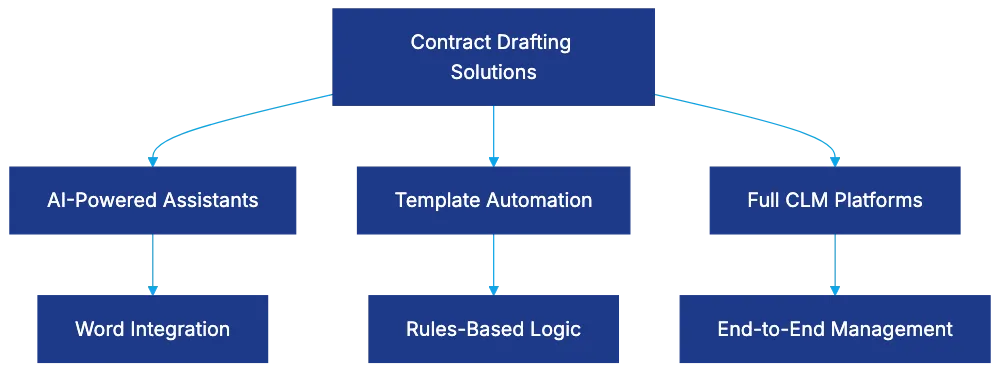
Legal professionals face pressure to [reduce costs while maintaining quality](https://www.acc.com/resource-library/contract-lifecycle-management-clm-simplified-guide). Traditional drafting involves copying from previous documents and cross-checking clauses against standards, introducing errors and wasting time. Contract automation addresses these problems through template libraries, automated clause insertion, and suggestion engines. Modern tools integrate with existing workflows, with Microsoft [Word integration being crucial as lawyers already work in Word](https://www.nucamp.co/blog/ai-essentials-for-work-2025-top-10-ai-tools-transforming-legal-work-in-2025).
The distinction between pure drafting tools and full contract lifecycle management (CLM) platforms matters for purchasing decisions. CLM systems like Ironclad and Juro include drafting capabilities alongside negotiation, [approval workflows](https://www.gartner.com/en/information-technology/glossary/contract-life-cycle-management-clm), and management. Pure drafting tools focus on document creation, offering template management and clause libraries at lower prices. Firms with mature contract processes may need full [CLM, while those focused on drafting should consider specialized tools](https://en.wikipedia.org/wiki/Ironclad_%28software%29).
## 1. Spellbook: AI Contract Drafting Software Built for Legal
Spellbook represents the state of AI contract drafting software for legal work. Unlike general-purpose AI tools, it is trained on billions of legal texts, creating an AI that understands legal drafting conventions, clause structures, and context-appropriate language.
The Microsoft Word integration places AI suggestions in the drafting environment. It analyzes draft language and suggests improvements. For example, Spellbook might flag missing arbitration language or suggest jurisdiction-specific provisions.
Spellbook works best for firms that draft in Microsoft Word, seeking AI assistance without changing workflows. It fits transactional practices and groups drafting complex agreements requiring subtle language.
## 2. Clio Draft: California and Federal Forms with Built-In eSignature
Clio Draft focuses on California Judicial Council and federal immigration forms, maintaining over 10,000 forms. The built-in eSignature functionality eliminates the need for separate signing tools. Documents move from drafting to execution within a single platform, reducing software costs and simplifying workflows. Integration with Clio connects drafting with practice management.
Clio Draft fits California-based firms, immigration practices, and any Clio user wanting drafting capabilities. The form libraries benefit practitioners in those jurisdictions, while eSignature integration appeals to firms consolidating technology.
## 3. HotDocs: Enterprise-Grade Contract Drafting Software Since the 1990s
HotDocs, an enterprise approach to legal drafting, handles template logic, calculations, and conditional rules that other systems struggle with. The platform supports complex mathematical calculations and multi-document assembly from single inputs.
The Microsoft Word plugin keeps templates in Word documents enhanced with HotDocs scripting. Building complex templates demands technical skills, creating a learning curve. The investment pays off for organizations drafting high volumes of complex documents.
HotDocs targets medium-to-large law firms, financial institutions, and government agencies with substantial document automation needs.
## 4. Gavel: No-Code Rules-Based Automation with Predictable Output
Gavel offers a deterministic approach appealing to firms concerned about AI unpredictability. The platform uses rules-based logic for consistent, predictable output. No-code template building lowers the technical barrier.
Gavel excels at client-facing intake forms, shifting data collection to automated intake. This frees lawyers for review work. The tool fits firms serving clients with standardized needs and sufficient variation to require logic.
## 5. Lawyaw: Nationwide Court Form Automation
Lawyaw specializes in court form automation across all 50 states, maintaining updated state-specific forms. Its acquisition by Clio improved integration while retaining form capabilities.
Lawyaw aids multi-state practices, providing automation without separate systems for different states. Personal injury and family law practices benefit from state-specific form libraries reflecting local preferences.
## 6. Legito: Enterprise Document Lifecycle Management
Legito spans template creation, clause libraries, collaborative editing, version control, approval workflows, and redlining in a unified environment. Organizations like PwC demonstrate Legito's enterprise credentials.
Legito targets corporate legal departments and enterprises with substantial document needs. It suits larger organizations with complex processes rather than small firms.
## 7. Precisely ContractExpress: Thomson Reuters Heritage for Enterprise Needs
Precisely ContractExpress leverages Thomson Reuters for enterprise template management and integration with corporate systems. It supports both on-premises and cloud deployment, appealing to organizations with specific data residency or security policies.
ContractExpress fits large law firms and regulated industries requiring enterprise-grade features.
## 8. Ironclad: Full CLM with Drafting Capabilities
Ironclad positions as a complete contracting solution, integrating drafting with negotiation tracking, approval workflows, obligation management, and renewal alerting. Its AI capabilities include clause extraction, risk assessment, and suggested language.
Contract Drafting Tool Decision Framework:
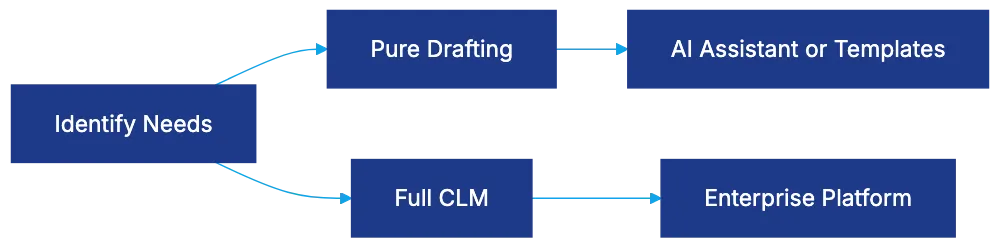
Ironclad targets in-house legal teams and corporate legal departments managing high contract volumes.
## 9. Juro: Browser-Based Contract Drafting and Management
Software Selection Process:
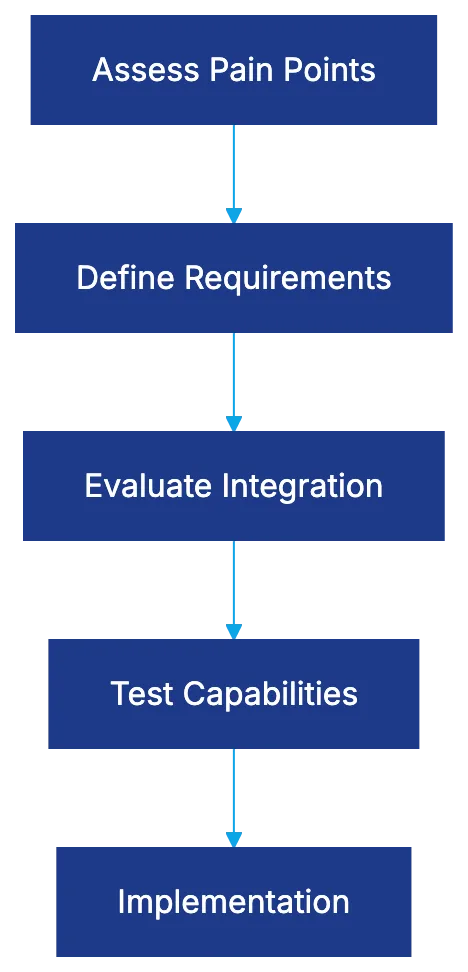
Juro offers browser-based drafting and management, requiring no integration with Word. It provides collaborative editing, version control, and integration with tools like Slack and Salesforce.
Juro suits technology companies and startups preferring web applications.
## 10. ContractPodAi: AI-Powered Enterprise CLM
ContractPodAi combines CLM with AI drafting for enterprise needs, focusing on intelligence rather than just management. It targets large enterprises and is less suited to small firms.
## 11. DraftWise: AI Assistant for Contract Review and Drafting
DraftWise analyzes previous work to personalize suggestions. It suits law firms focused on transactional work and corporate legal departments.
## 12. LawGeex: AI Contract Review Focused on Pre-Approval
LawGeex specializes in reviewing and pre-approving contracts. It handles complex contracts, allowing legal teams to focus on negotiations.
LawGeex fits in-house departments managing high contract volumes.
## Comparing Pure Drafting Tools vs Full CLM Systems
Choosing between drafting tools and full CLM platforms depends on needs and process maturity. Pure drafting tools focus on document creation, offering deep functionality for templates. Full CLM platforms provide end-to-end management. Integration quality and template management features vary significantly.
## Selecting the Right Legal Drafting Software for Your Practice
Choosing software starts with understanding your pain points. Evaluate tools based on needs, system integration, technical capabilities, and practice area alignment. Budget considerations extend beyond licensing to setup and ongoing support.
## Bottom Line
Contract drafting software offers options from AI assistants to complete enterprise platforms. Spellbook brings AI to Word workflows, while HotDocs provides enterprise template logic. Platforms like Ironclad expand to full contract lifecycle management. Select tools based on capabilities matching your needs for better vendor selection and satisfaction.
Frequently Asked Questions
What factors should I consider when selecting a contract drafting tool?
When choosing a contract drafting tool, assess your firm's specific pain points, such as time taken for drafting and error rates. Consider technical capabilities, integration with existing systems like Microsoft Word, and the software's alignment with your practice area. Budget for both initial costs and ongoing support to ensure a comprehensive evaluation.
How does contract automation improve drafting efficiency?
Contract automation reduces manual input by offering template libraries and automated clause suggestions, resulting in a significant decrease in drafting time. It minimizes inconsistencies and errors often present in traditional drafting methods, allowing legal professionals to focus on higher-value tasks. This efficiency directly impacts client satisfaction by delivering timely and accurate documentation.
What differentiates pure drafting tools from full CLM platforms?
Pure drafting tools focus exclusively on document creation, offering specialized features for template management and clause libraries. In contrast, full Contract Lifecycle Management (CLM) platforms incorporate various stages of the contract process, such as negotiation and approval workflows, providing a more comprehensive solution. The choice depends on your firm's needs, with tool complexity often reflecting these differences.
Can smaller law firms benefit from enterprise-level contract drafting software?
While enterprise-level software offers robust features for managing high volumes of contracts, small firms may find them overly complex or expensive. However, some enterprise solutions have scaled-down versions that cater to smaller practices, focusing on essential features without unnecessary complexity. It's crucial to evaluate if the software meets your drafting needs without overwhelming your existing workflow.
Is training necessary for using advanced contract drafting software?
Many advanced contract drafting tools, particularly those with complex features like HotDocs, may require training to maximize their potential. The learning curve depends on the software's functionality and the technical skills of the users. Most vendors offer training resources and support to help ease the transition and ensure effective use of the tools.
How do I integrate contract drafting software with my existing legal practice management systems?
Integration capabilities vary by software, so it’s crucial to confirm compatibility with your current legal practice management systems. Many tools offer APIs or direct integrations with popular platforms like Clio or Microsoft Office. Discussing integration during your selection process can help streamline workflows and reduce disruptions.
What role does AI play in modern contract drafting tools?
AI enhances contract drafting tools by providing intelligent clause suggestions, identifying inconsistencies, and automating routine drafting tasks. This leads to improved accuracy and efficiency while allowing lawyers to focus on more complex legal issues. As AI continues to evolve, its capabilities in drafting, reviewing, and managing contracts are expected to expand significantly.
### A Comprehensive Guide to Legal Document Automation
URL: https://legavima.com/blog/legal-document-automation/
Description: Explore the benefits, platforms, and strategies of legal document automation for enhanced efficiency in legal practices.
Published: 2026-03-02
Updated: 2026-02-10
## Introduction
Legal document automation has advanced with modern software using conditional logic and database integration to streamline document creation, enhancing efficiency and accuracy. [Legal document automation: 7 key benefits](https://legal.thomsonreuters.com/en/insights/articles/benefits-of-document-automation) This guide covers legal document automation basics, platforms like [Docassemble](https://docassemble.org/), and strategies for firms.
## The Critical Difference Between Templates and Automation
Template vs Automation Comparison:
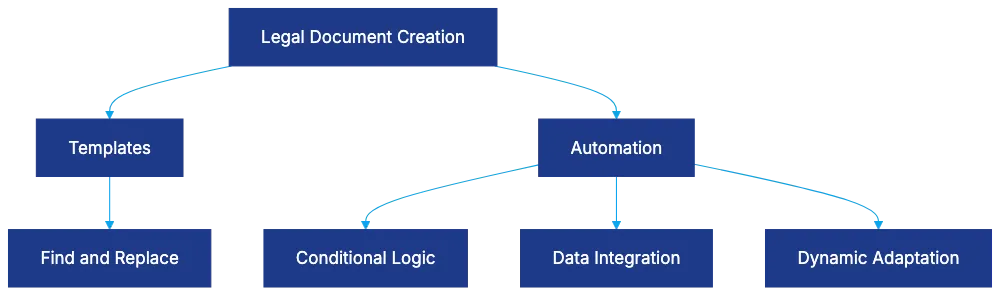
Legal professionals often mistake templates for automation. [What is Legal Automation? 5 Major Benefits in 2026](https://www.hyperstart.com/blog/legal-automation/) Templates use simple find-and-replace, lacking intelligence. Automation, however, integrates client data, uses conditional logic, and adapts documents to specific cases, significantly improving time and error reduction, such as reducing six-hour tasks to ninety minutes.
## Understanding Conditional Logic in Legal Automation
Conditional Logic Flow:
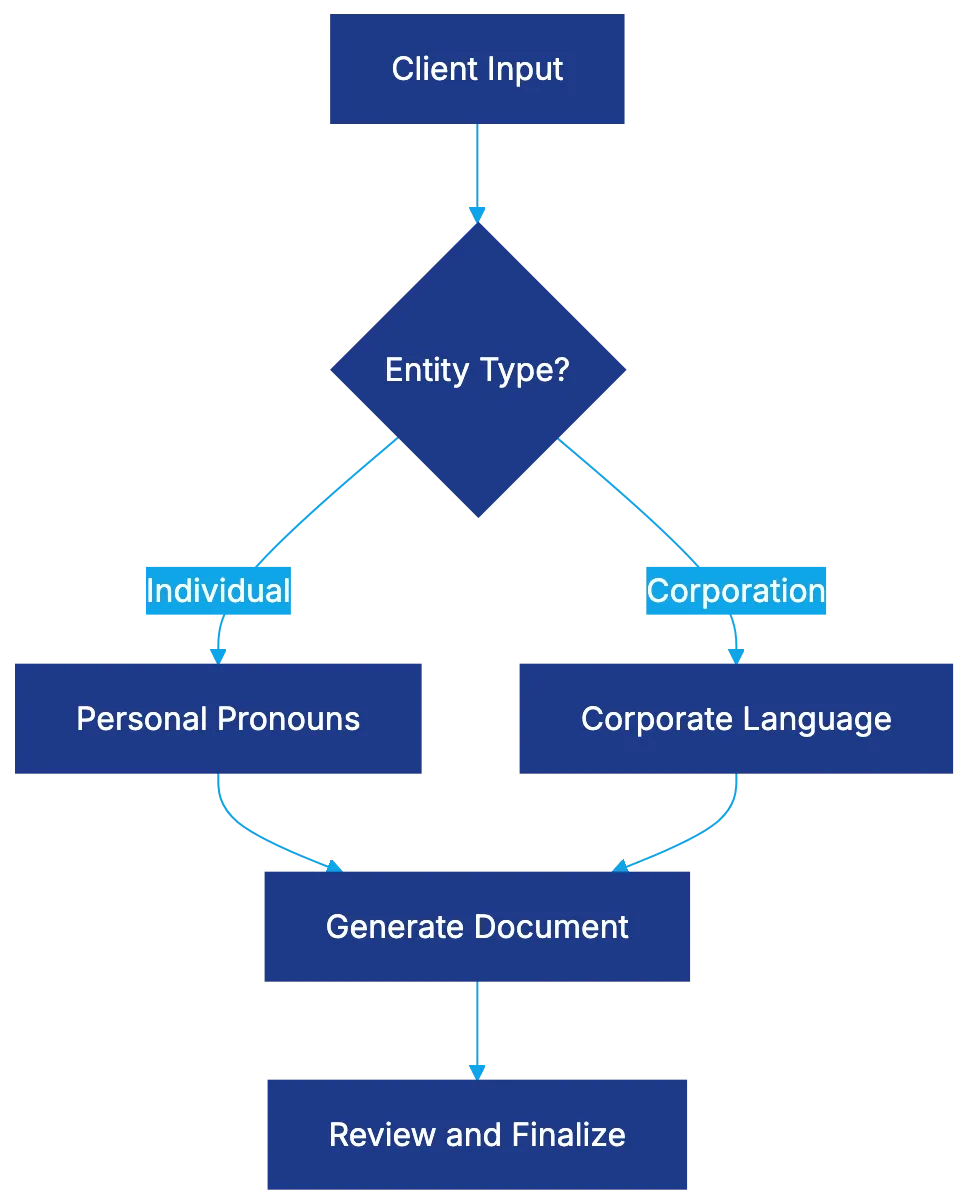
Conditional logic allows documents to adapt based on inputs, crucial for varying legal needs. IF/ELSE statements avoid multiple templates with dynamic content. Pronoun and verb agreement, nested conditions, loops for variable lists, and calculations ensure accuracy and efficiency.
## Docassemble Technical Architecture Deep Dive
Docassemble Platform Architecture:

Docassemble, an open-source platform, combines Python, YAML, and Markdown. Its Docker deployment suits firms prioritizing data security or simplicity. Document output flexibility suits diverse needs, and automated interview flow and touchscreen signature capability improve user experience. OpenAI API integration further enhances document drafting.
## ROI Benefits and Productivity Metrics
Automation offers significant savings. A firm could reduce document preparation costs from $280,000 to $12,500 annually. Error reduction and client satisfaction also improve, with same-day service providing competitive advantages. Automation scales operations affordably and maintains billing rates while enhancing profitability.
## Compliance Document Use Cases
Platform Selection Decision:
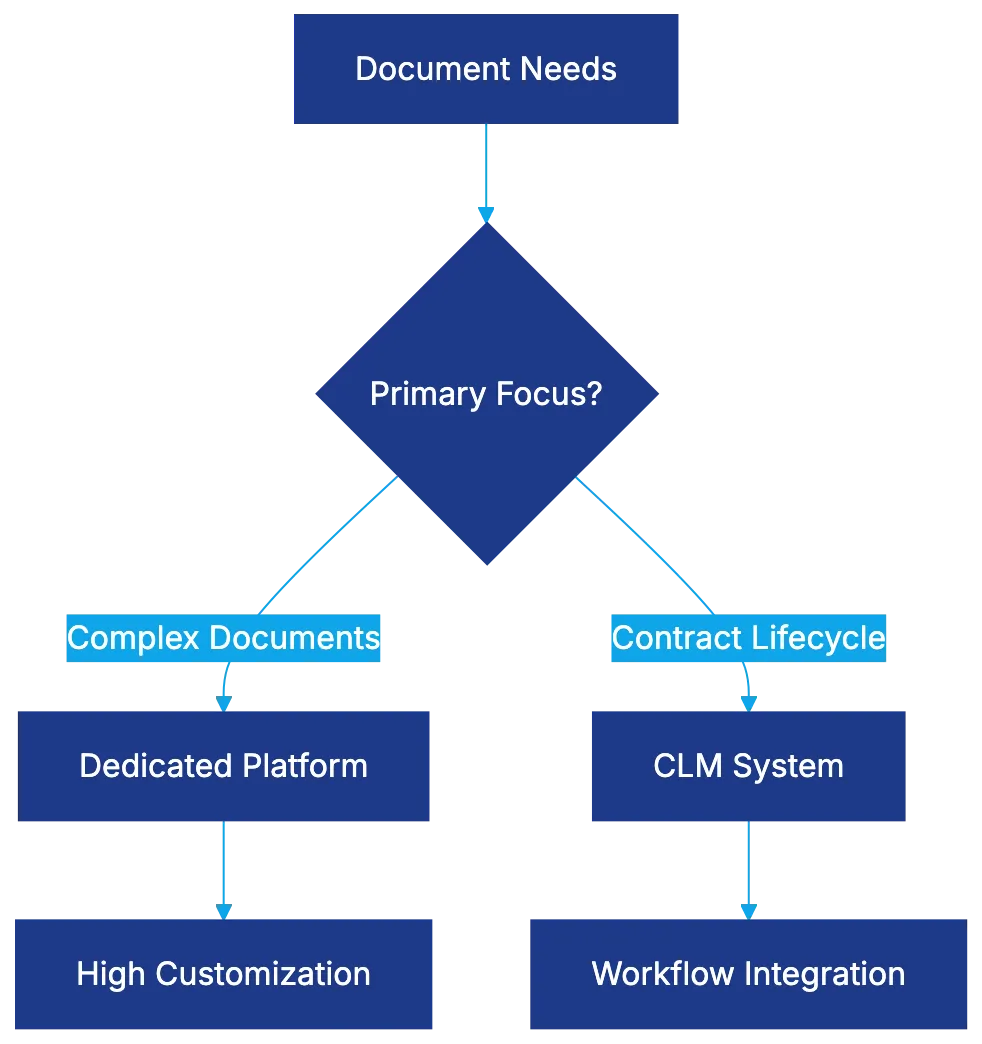
Automation is beneficial for compliance documents due to their high volume and error intolerance. Automated systems streamline tasks like privacy policy updates and compliance documentation across industries, ensuring adherence to regulations efficiently.
## Dedicated Tools Versus CLM Automation Features
The choice between dedicated document automation platforms and CLM systems depends on needs. Dedicated platforms like HotDocs and Docassemble are suited for complex documents, while CLM systems like Ironclad and Evisort integrate [contract management workflows](https://www.gartner.com/en/information-technology/glossary/contract-life-cycle-management-clm). Costs and integration needs should guide selection.
## Implementation Best Practices and Change Management
Success relies on selecting high-value documents, investing in quality templates, regular reviews, and comprehensive training. Attending to adoption metrics and integrating into client processes can ensure effective implementation. Document automation transforms both back-office and client-facing operations.
## Bottom Line
Legal document automation has matured, offering substantial time savings and error reduction, demonstrating significant ROI. Proper implementation, focusing on high-value areas, and integrating technology into workflows grants competitive advantages, making it a critical investment for modern legal practices.
Frequently Asked Questions
What is the primary difference between templates and automation in legal documents?
Templates typically involve simple find-and-replace operations without intelligence, while automation features advanced capabilities like integrating client data and using conditional logic. Automation provides a more dynamic approach, allowing documents to adapt based on specific cases, significantly reducing time and errors.
How does conditional logic enhance legal document automation?
Conditional logic enables documents to change based on user inputs, which helps create more personalized and accurate legal documents. By using IF/ELSE statements and loops, legal professionals can avoid managing multiple templates, thereby streamlining the document generation process.
What is Docassemble, and how can it benefit my legal practice?
Docassemble is an open-source platform designed for legal document automation, using Python, YAML, and Markdown. It enhances user experience through automated workflows, flexible document outputs, and features like touchscreen signatures, making it particularly useful for firms focusing on user-friendly interfaces and security.
What kind of return on investment (ROI) can I expect from implementing document automation?
Implementing document automation can lead to substantial cost reductions, with some firms slashing document preparation costs from $280,000 to $12,500 annually. Additionally, improvements in error reduction and client satisfaction, along with the ability to provide same-day services, can offer significant competitive advantages.
Why is automation particularly appropriate for compliance documents?
Compliance documents often involve high volumes and a low tolerance for errors, making automation an ideal solution. Automated systems can efficiently handle tasks like updating privacy policies and ensuring compliance across various industries, thus streamlining adherence to regulations.
Should I choose a dedicated document automation platform or a Contract Lifecycle Management (CLM) system?
The choice depends on your specific needs; dedicated platforms like HotDocs and Docassemble excel with complex documents, while CLM systems like Ironclad and Evisort focus on integrating workflow for contract management. Consider factors such as costs, functionality, and existing systems when making your decision.
What are best practices for successfully implementing legal document automation?
Successful implementation involves selecting key, high-value documents to automate, investing in quality templates, providing thorough training, and regularly reviewing processes. Tracking adoption metrics and ensuring integration into client workflows are also essential for effective long-term use.
### 12 Best AI Legal Research Tools in 2026
URL: https://legavima.com/blog/best-ai-legal-research-tools/
Description: Comprehensive review of top AI legal research platforms including Lexis+ AI, Westlaw CoCounsel, and vLex Vincent with accuracy data and pricing insights.
Published: 2026-02-14
Updated: 2026-02-10
## Introduction
Legal research has transformed significantly due to **AI legal research tools** becoming crucial in law firms of all sizes. Accuracy issues and inconsistent pricing are concerns, and selecting the wrong platform can be costly. A [Stanford HAI study](https://hai.stanford.edu/news/ai-accuracy-legal-research-remains-check-your-work-phase) found hallucination rates from 17% to 82%, depending on the platform. Therefore, choosing the right **AI legal research software** is about risk management, not just features. This guide explores twelve platforms, detailing their AI architectures, accuracy data, and deployment considerations.
## Lexis+ AI: Enterprise-Grade Legal Intelligence
AI Legal Research Platform Landscape:
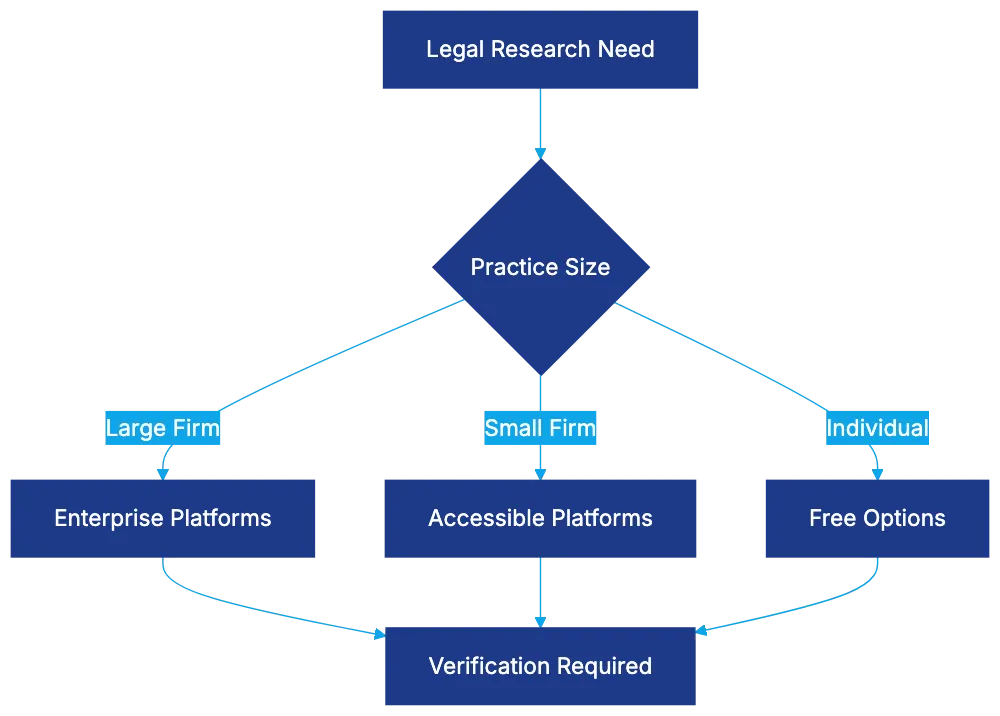
**Lexis+ AI** uses Anthropic Claude and OpenAI GPT-4 in a dual-model approach. It ensures data privacy by not using queries for model training. The platform trained on over 1.23 million legal documents, uses Shepard's for citation verification, and reduces manual verification time. Lexis+ AI's hallucination rate is over 17% for complex queries, more accurate than GPT-4's range. It's suitable for preliminary research with judgment still required. Pricing starts at $60-$75 monthly per user, with considerations for switching costs, as noted by [LexisNexis CTO](https://www.forbes.com/sites/ronschmelzer/2025/03/25/ai-powered-law-firms-lexisnexis-cto-reveals-why-waiting-is-not-an-option/).
## Westlaw CoCounsel: Model-Agnostic Research Architecture
**Westlaw CoCounsel** uses a model-agnostic design, supporting various cutting-edge models. Using [retrieval-augmented generation](https://research.ibm.com/blog/retrieval-augmented-generation-RAG), it pulls from Westlaw's library to anchor responses. The Deep Research feature plans arguments for both sides of legal issues. Inline citations with KeyCite flags verify case history. Westlaw AI's hallucination rate is over 34%, better than raw GPT-4. Pricing is $75-$100 per user monthly, serving litigation and transactional work needs, according to [Forbes](https://www.forbes.com/councils/forbesfinancecouncil/2025/12/10/the-death-of-the-billable-hour-why-ai-may-make-fixed-fee-legal-billing-inevitable/).
## vLex Vincent: Global Legal Research at Scale
**vLex Vincent** combines Claude, Llama2, and GPT-4, ideal for cross-border and comparative law research. Over a billion documents from 100+ countries are indexed, with cross-language capabilities. It operates on a 70% confidence threshold to reduce hallucination risks. Pricing starts around $45 for basic access, rising to $150+ for full coverage, as reported by [Forbes](https://www.forbes.com/sites/bernardmarr/2025/05/29/15-amazing-generative-ai-tools-for-lawyers-and-legal-tasks/).
## Casetext CoCounsel: Litigation-Focused AI Assistant
**Casetext CoCounsel**, acquired by Thomson Reuters, caters to litigation with AI tools for deposition prep, contract review, and legal memos. It uses GPT-4 with retrieval-augmented generation tied to Casetext's database. Pricing starts at $89 per user per month, fitting for small firms requiring enterprise-level research.
## Fastcase: Accessible AI for Smaller Practices
**Fastcase** is bundled with bar memberships in many states, providing free access to AI features. It uses semantic search rather than generative AI for enhanced results. Pricing runs about $83 per month, serving routine practice areas effectively.
## Lex Machina: Litigation Analytics Powered by AI
Platform Accuracy Comparison:

**Lex Machina** provides analytics instead of traditional searches, analyzing litigation outcomes and strategies. The system queries datasets to identify patterns, with over 95% accuracy in entity identification. Pricing ranges from $15,000 to $30,000 annually.
## Free Law Project: Open-Source Legal Research
**Free Law Project** offers open-access research through CourtListener. It enhances search results without subscription costs. The database includes federal opinions and some state decisions, supplementing universal practice areas.
## Harvey AI: Generative AI Built for Law Firms
**Harvey**, using GPT-4 with legal tuning, covers research, drafting, and due diligence for large firms. Pricing is likely $500-$1,000+ monthly per user.
## ROSS Intelligence
**ROSS Intelligence** used natural language processing for legal research until ceasing operations in 2023. Legal battles highlight the need for clear licensing agreements.
## Blue J Legal: AI-Powered Tax and Employment Law Research
**Blue J Legal** predicts tax and employment law outcomes, offering probability assessments based on past rulings. Pricing is $2,000 to $10,000 annually.
## CaseMetrix: Document Analysis and Timeline Generation
**CaseMetrix** automates document review, generating timelines from legal documents. Pricing starts around $5,000, fitting strategic litigation budgets.
## Judicata: Semantic Search for Case Law
Now part of Casetext, **Judicata** pioneers semantic search using conceptual matches to find relevant case law.
## Understanding Hallucination Risks Across Platforms
AI Legal Research Workflow:
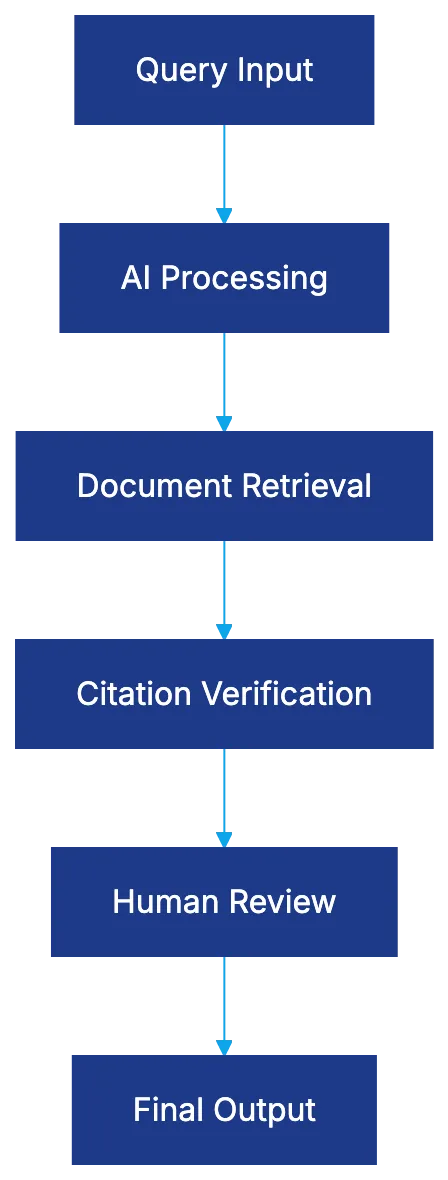
Stanford HAI study shows hallucination rates above 34% for Westlaw, over 17% for Lexis+, and 49%-82% for GPT-4. Verification systems like Shepard’s and KeyCite are essential for accuracy.
## Shepard's Citations Versus KeyCite
Shepard's and KeyCite verify citations differently but effectively, supporting professional judgment by minimizing manual steps.
## Selecting the Right AI Legal Research Platform for Your Practice
Choosing a platform involves more than features. Lexis+ AI or Westlaw CoCounsel may integrate well if already in use. Practice area specificity and budget are crucial. Accuracy needs vary; higher error tolerance is acceptable for preliminary research. Platform choice matters less than understanding AI capabilities and reliability by 2026.
## End
AI legal research tools are essential but don't replace judgment. Platforms like **Lexis+ AI** and **Westlaw CoCounsel** lead, while tools like **Lex Machina** provide niche capabilities. Human oversight is still needed, but these tools offer substantial benefits.
Frequently Asked Questions
What considerations should I keep in mind when selecting an AI legal research tool?
When selecting an AI legal research tool, consider factors such as your practice size, specific legal needs, user-friendliness, and the accuracy rates of the platforms. Additionally, evaluate pricing structures and whether the tool supports citation verification systems to ensure reliability in your research outcomes.
What is the hallucination rate in AI legal research tools, and why is it important?
The hallucination rate refers to the frequency with which an AI model produces incorrect or nonsensical information. Understanding these rates is crucial as they indicate the reliability of the tool for legal research, impacting the quality of insights derived from it. Platforms like Lexis+ AI and Westlaw CoCounsel have lower hallucination rates compared to others, making them more trustworthy options.
How does pricing vary among different AI legal research platforms?
Pricing for AI legal research tools can vary significantly based on features and target users. For instance, Lexis+ AI and Westlaw CoCounsel range from $60 to $100 per user monthly, while specialized platforms like Lex Machina can cost $15,000 to $30,000 annually. It’s vital to assess your budget in relation to the features offered by each platform.
Can smaller law firms access AI legal research tools without breaking the bank?
Yes, smaller firms have options for accessing AI legal research tools through platforms like Fastcase, which is often included with state bar memberships. Additionally, more affordable plans are available for foundational features on platforms like vLex Vincent, helping these firms utilize AI without significant financial burdens.
What role does human oversight play in using AI legal research tools?
Human oversight is essential when utilizing AI legal research tools, as these platforms can still produce inaccuracies despite advancements. Legal professionals should verify AI-generated information, especially in high-stakes situations. The combination of human judgment and AI-generated insights leads to more reliable outcomes.
How do citation verification features like Shepard's and KeyCite enhance AI research?
Citation verification features such as Shepard's and KeyCite play a critical role in enhancing the accuracy of AI research by ensuring that cited cases and legal precedents are valid and up-to-date. These tools help minimize the risk of relying on outdated or incorrect legal references, thus improving the quality of legal documents and analyses.
What are the best AI legal research options for individual practitioners?
Individual practitioners can benefit from free tools like the Free Law Project, which offers open-access research, or more affordable tiered access options like vLex Vincent. Additionally, platforms such as Fastcase provide valuable AI features bundled with bar memberships, allowing solo practitioners to utilize advanced legal research tools without a large investment.
### AI Contract Drafting Tools for Legal Professionals
URL: https://legavima.com/blog/ai-contract-drafting-tools/
Description: Comprehensive guide to AI contract drafting tools, from conditional logic to platform comparisons. Learn how AI legal drafting differs from templates.
Published: 2026-02-10
Updated: 2026-02-11
## Introduction
Legal professionals must draft accurate contracts quickly due to growing caseloads. Traditional methods of manual drafting or using static templates can't keep up with modern demands. **AI contract drafting** tools provide a solution by using advanced automation. [According to a report by McKinsey & Company](https://www.mckinsey.com/industries/legal/our-insights/the-future-of-legal-services), AI is transforming the legal industry by automating routine tasks and improving efficiency. They range from simple field insertion to complex platforms using machine learning on billions of legal texts. This guide explains how **AI legal drafting** works, highlighting key differentiators among platforms.
## How AI Contract Drafting Differs From Templates
Most attorneys are familiar with templates where placeholders like **[CLIENT NAME]** are replaced manually. **AI contract drafting** automates this process by smart field auto-population: enter a name once, and the system adjusts it contextually everywhere in the document.
More importantly, **AI document drafting** uses conditional logic. [Research from Stanford Law School](https://law.stanford.edu/2020/06/01/ai-in-legal-drafting/) highlights how AI can enhance legal drafting by incorporating conditional logic to tailor documents to specific jurisdictions. If you draft an employment agreement selecting "California" as the jurisdiction, the tool adjusts clauses for California law automatically. Platforms also integrate with practice management systems, pulling client data into drafts efficiently, improving accuracy considerably.
AI Contract Drafting Evolution:

## Conditional Logic Capabilities That Transform Drafting
Conditional logic shifts drafting from convenience to practice transformation. It restructures documents based on deal parameters. For example, selecting a "SaaS delivery model" hides irrelevant sections while revealing others. Pronoun and verb agreement adjusts automatically based on party type and number. Nested conditions handle complex scenarios like indemnification clauses, and loops manage variable-length lists like multiple subsidiaries.
Calculations in drafting allow complex payment and earnout provisions to be automated, with the **AI document drafting** tool performing and expressing sophisticated results correctly.
## Spellbook: Legal-Specific Training Meets Practical Integration
Conditional Logic in Action:
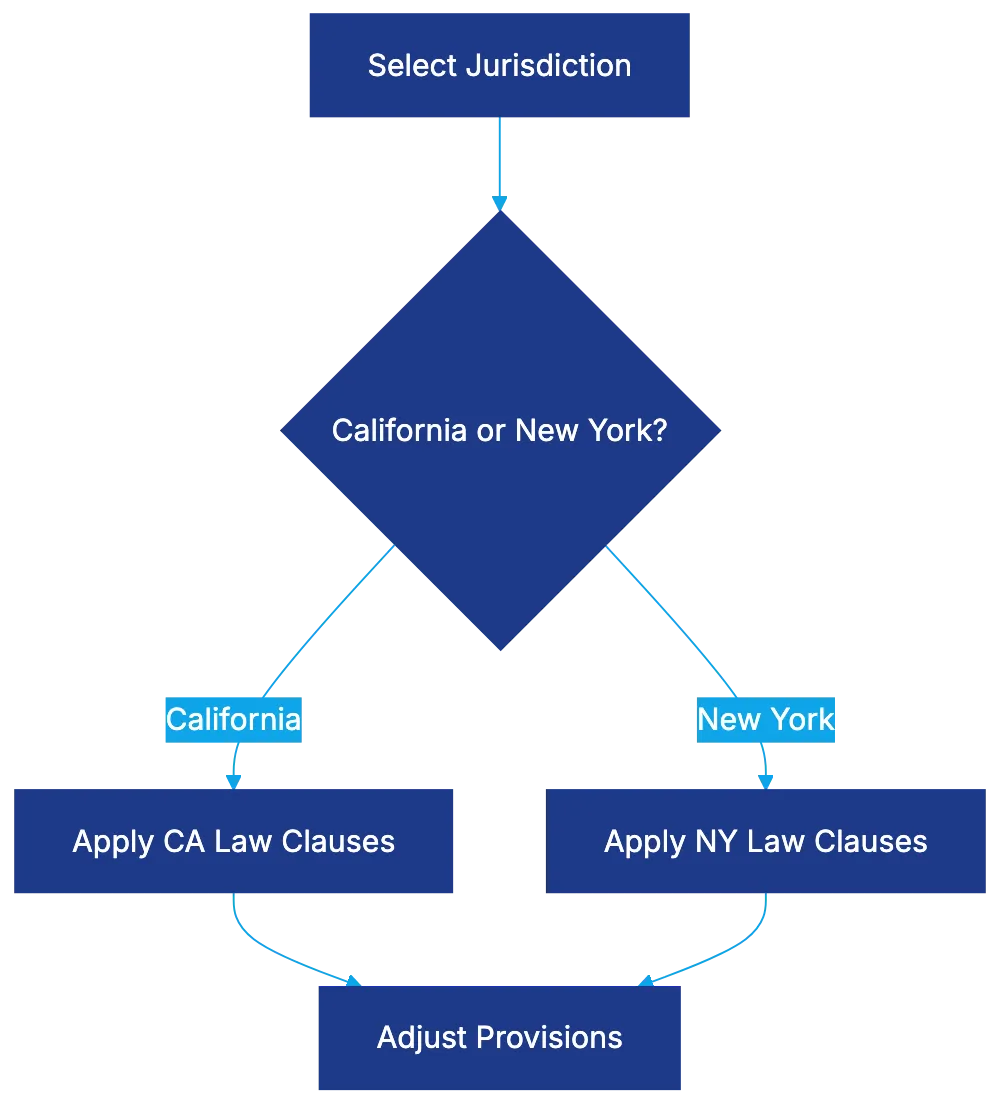
Spellbook leverages large language models trained on vast amounts of legal content. [An article in the Harvard Business Review](https://hbr.org/2021/05/how-ai-is-transforming-the-legal-profession) discusses how AI tools like Spellbook are revolutionizing legal document drafting by providing clause suggestions and flagging problematic language. It integrates with Microsoft Word, providing clause suggestions and flagging problematic language. Spellbook's insights into industry norms improve drafting decisions. However, lawyers must verify language model outputs for accuracy and context.
## HotDocs: Enterprise-Grade Complexity Since the 1990s
HotDocs has long pioneered legal document automation. [According to a report by Gartner](https://www.gartner.com/en/documents/3981234), HotDocs is recognized as a leader in document automation solutions for the legal industry. The platform expertly handles complex rules and calculations, managing documents with interdependent sections and detailed calculations, though requiring programming skills. Its maturity, security options, and enterprise-grade capabilities make it ideal for large firms.
## Gavel: No-Code Rules-Based Deterministic Automation
Gavel uses deterministic logic for predictable results, crucial in high-precision fields. [A case study by McKinsey & Company](https://www.mckinsey.com/industries/legal/our-insights/ai-in-legal-operations) illustrates how deterministic logic in AI tools like Gavel enhances accuracy and reliability in legal document drafting. It offers a no-code interface, making complex automation accessible. It excels in handling high-volume, moderately complex documents, ensuring consistent quality and simplifying updates and testing.
## Lawyaw and Clio Draft: Form Libraries Meet Practice Integration
Now part of Clio Draft, Lawyaw offers automated workflows for standardized legal forms. Integrating with Clio Manage, it streamlines document generation and integrates eSignature. This platform caters to practices with high-volume form-based workflows, with custom template libraries ensuring quality across firm drafts.
Platform Selection Guide:
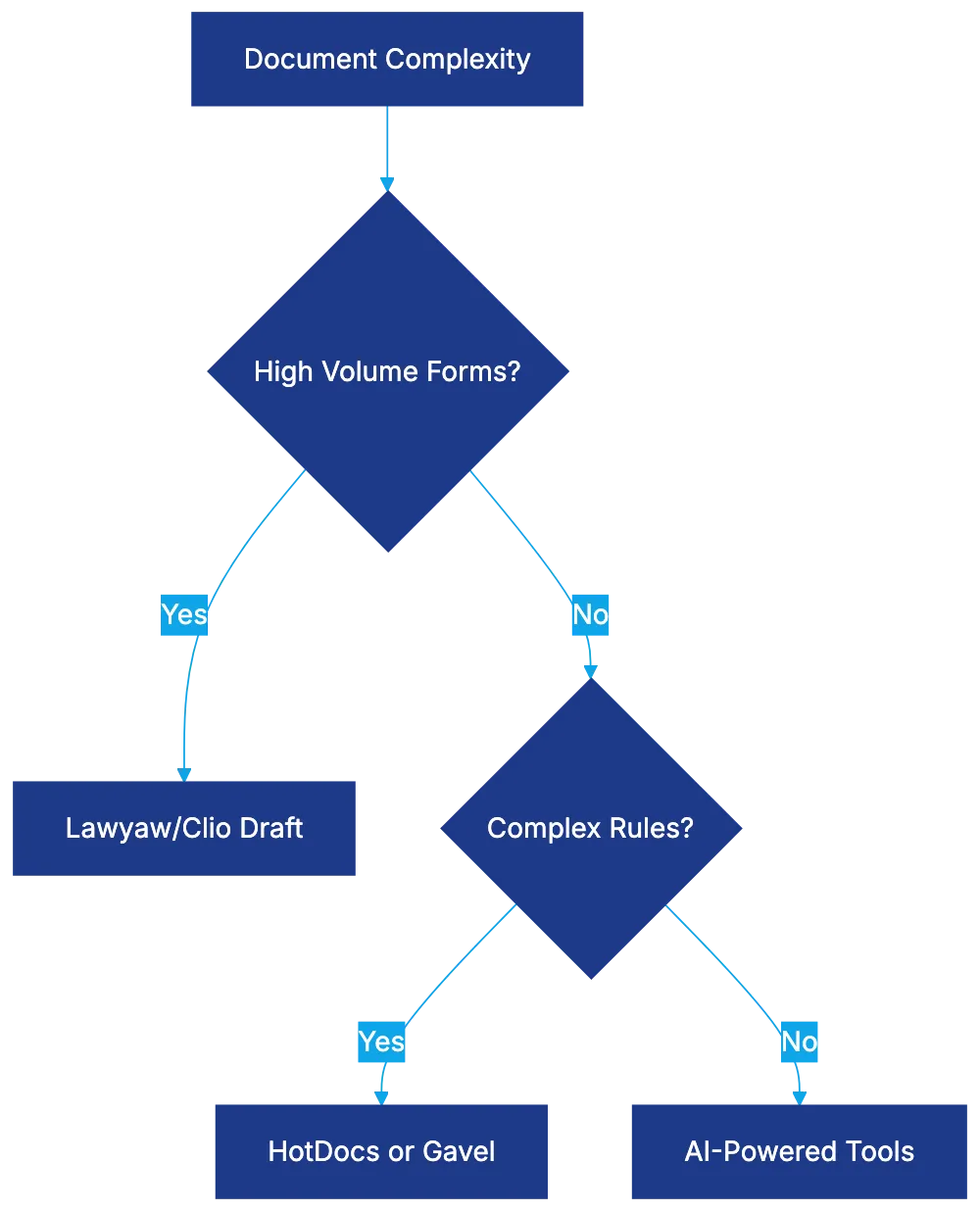
## Legito: Enterprise Lifecycle Management and Collaboration
Legito offers broader [contract lifecycle management](https://www.gartner.com/en/information-technology/glossary/contract-life-cycle-management-clm), incorporating drafting, negotiation, storage, and monitoring. Clause libraries and document negotiation features cater to complex commercial agreements, ensuring version control and stakeholder approvals through sophisticated workflows and integrations.
## Dedicated Drafting Tools Versus CLM Drafting Features
Standalone **AI contract drafting** tools offer deeper document assembly capabilities than CLM platforms. While CLM drafting excels in integration and workflow management, dedicated tools provide sophisticated automation for more complex templates and high-volume document production.
## Word and Office Integration: Why It Still Matters
Microsoft Word remains standard in legal document production. Native integration enhances adoption, though limitations exist. Cloud platforms that produce Word output balance automation power and compatibility, crucial for workflows needing seamless integration with existing systems.
## Training Requirements and Implementation Realities
Implementing **AI contract drafting** requires training investments. Rule-based systems need more development time, while no-code platforms are quicker but less complex. Language models necessitate new professional judgment.
Consensus on standardization is critical before implementation. Change management should focus on workflow transformation, demonstrating clear benefits and addressing quality and responsibility concerns.
## Accuracy Considerations and Quality Control
Quality Control Process:
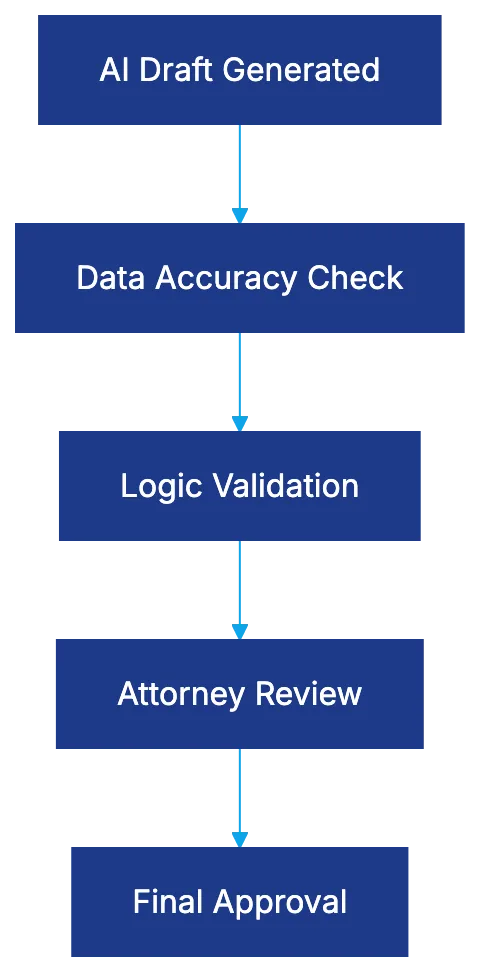
**AI contract drafting** accuracy varies by platform. Data transfer accuracy is usually high, but conditional logic depends on template quality. Language models require careful review for context versus rules-based systems.
Review processes should match the document's complexity and value, maintaining professional responsibility with the attorney.**AI contract drafting** significantly reduces drafting time and improves consistency when implemented thoughtfully, choosing platforms meeting specific needs and managing change effectively.
Frequently Asked Questions
What are the primary benefits of using AI contract drafting tools?
AI contract drafting tools significantly enhance efficiency by automating repetitive tasks and reducing manual errors. They can also adapt documents to specific legal jurisdictions and manage complex clauses, ultimately saving time and improving accuracy in contract creation.
How does AI contract drafting compare to traditional templates?
Unlike traditional templates that require manual adjustments for each placeholder, AI contract drafting tools use smart auto-population and conditional logic to automatically adjust content based on selections made. This approach minimizes the risk of errors and increases the relevance of the document to the specific context.
Is AI legal drafting suitable for all types of legal documents?
AI legal drafting is particularly effective for documents that require standardization and have high-volume needs, such as contracts and agreements. However, for highly specialized or complex legal documents, a more tailored solution may be necessary to ensure all nuances are accurately captured.
What training is required for legal professionals to implement AI drafting tools?
Implementing AI drafting tools typically requires time and resources for training, particularly for complex rule-based systems. No-code platforms may demand less technical training, but users must still familiarize themselves with the system's functionalities to maximize its benefits.
How can I ensure the accuracy of documents created with AI drafting?
Maintaining accuracy involves a thorough review process that includes data accuracy checks, logic validation, and final attorney approval. Legal professionals should ensure that any AI-generated content, especially from language models, is carefully reviewed for context and compliance with applicable laws.
Can AI drafting tools integrate with existing legal software systems?
Many AI drafting tools offer integration capabilities with existing legal software and practice management systems, enhancing workflow efficiency. This integration allows for seamless data transfer and improved document management across platforms, providing a more cohesive work environment.
What factors should I consider when choosing an AI contract drafting platform?
Consider the complexity of your document needs, the volume of contracts you generate, and the level of automation required. It's also essential to evaluate the platform's integration capabilities, user-friendliness, and support for conditional logic to determine the best fit for your practice.
### 12 Best Contract Management Software (CLM) in 2026
URL: https://legavima.com/blog/best-contract-management-software/
Description: Compare 12 best CLM platforms in 2026: Ironclad, Icertis, Evisort, Juro, and more. AI features, pricing, and implementation timelines.
Published: 2026-02-07
Updated: 2026-02-10
## Introduction
[Contract lifecycle management software](https://www.lexisnexis.com/community/amp-insights/177/what-are-contract-lifecycle-management-benefits) has become essential for law firms and legal departments. With increasing contract volumes, manual processes are inadequate. The **best contract management software** in 2026 offers digital storage, AI to extract metadata, flag risks, automate workflows, and provide analytics. This guide reviews twelve **top CLM software** based on AI capabilities, ecosystems, setup timelines, and suitability for diverse organization sizes, aiding informed decisions.
## What Makes Contract Management Software Essential in 2026
Core CLM Capabilities:
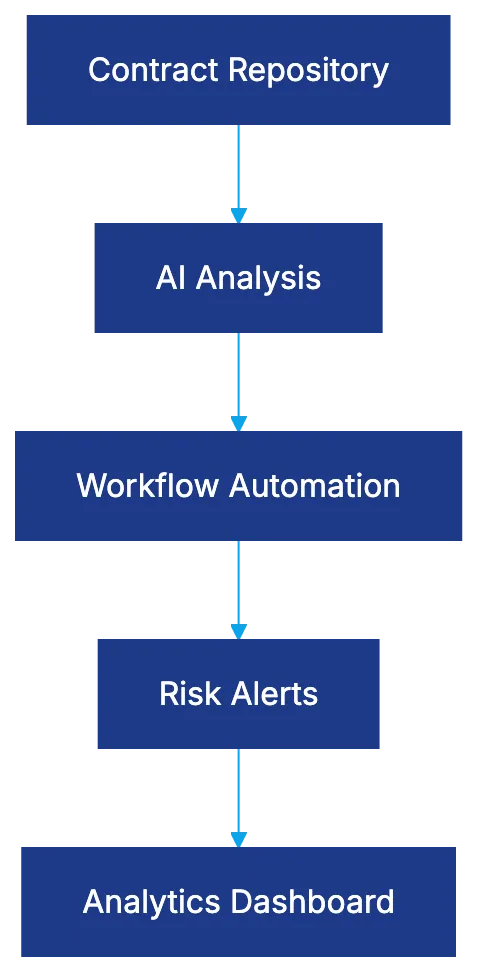
Legal departments relying on shared drives and emails risk issues like misplaced contracts and missed renewals. The **best CLM platforms** resolve these with centralized repositories, automated alerts, and AI analysis. Modern CLM identifies non-standard clauses, compares terms against playbooks, and flags compliance issues in advance. The return on investment (ROI) shows reduced execution cycles, minimized renewal risks, better negotiation positions, and more time for strategic tasks. Implementations report a 30%-50% reduction in cycle times and enhanced contract visibility.
Traditional vs Modern Contract Management:

## Ironclad: Leading AI-Powered CLM for Mid-Market and Enterprise
[Ironclad](https://en.wikipedia.org/wiki/Ironclad_%28software%29) is known for its balance of power and usability. The AI Assist feature offers contextual suggestions during drafting and review. Its no-code Workflow Designer lets legal teams craft custom approval chains without IT. The platform's learning curve is short, integrating strongly with Salesforce for CRM data. Connection through Zapier to over 8,000 apps highlights its adaptability. Pricing begins at $50,000 annually, suiting organizations with 50 to 5,000 employees seeking automation without excessive complexity.
## Icertis: Enterprise Contract Intelligence Platform
[Icertis](https://en.wikipedia.org/wiki/Icertis) serves 33% of Fortune 100 companies, managing over ten million contracts valued at over a trillion dollars. Its Icertis Vera AI layer adapts workflows based on contract context and risks. Built on Microsoft Azure, it integrates deeply with Office 365, though setup is complex and costly, taking six to eighteen months. It's ideal for large enterprises, but smaller organizations may find it too complex and costly.
## Evisort: AI-Native CLM Now Part of Workday
[Evisort](https://www.gep.com/blog/technology/contract-lifecycle-management-software-challenges-benefits) relies on AI trained on 11 million contracts for accurate clause identification and risk flagging. Holding the first ISO/IEC 42001 AI governance certification in the CLM space, it alleviates data handling concerns. Its acquisition by Workday merges contract and workforce management. Pricing starts at $30,000 annually, with a deployment timeline of six to sixteen weeks, fitting organizations prioritizing AI accuracy and governance.
## Juro: Browser-Native CLM for Growth-Stage Companies
Juro's platform handles contracts entirely in a browser environment, offering real-time collaboration like Google Docs. It suits growth-stage companies with setups taking days to weeks, offering pricing for Series A and B companies. Suitable for tech companies with simpler needs, Juro may not meet complex requirements.
## Agiloft: Extreme Customization for Complex Requirements
CLM Platform Selection by Organization Size:
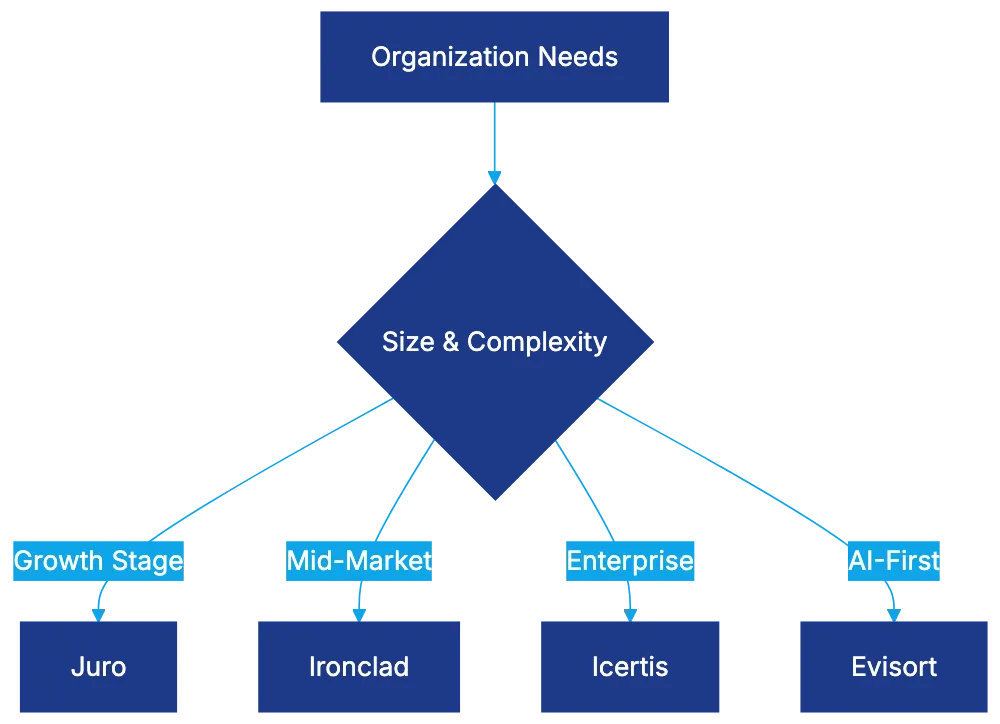
Agiloft provides extreme customization for unique contract types or specialized needs. Its no-code customization engine allows for any workflow or data model. Setup requires three to nine months with strong technical support. Agiloft fits organizations needing specialized solutions.
## DocuSign CLM: Integrated Agreement and Execution
DocuSign integrates contract creation, negotiation, execution, and management, extending from its eSignature service. Its AI capabilities include clause extraction and risk identification. Though setup complexity varies, it suits those already using DocuSign eSignature seeking vendor consolidation.
## ContractPodAi: Legal AI Platform with CLM Foundation
ContractPodAi serves as a comprehensive legal AI platform with a CLM foundation. Offering document and matter management, it targets legal departments consolidating solutions. Its Leah AI assistant enhances usability and efficiency through natural language interaction.
Frequently Asked Questions
What should I consider when choosing contract management software for my organization?
When selecting contract management software, consider factors such as the size of your organization, specific contract management needs, ease of use, integration capabilities with existing systems, and budget. Assess how well the software can automate workflows, manage risks, and enhance visibility into contract performance.
How long does it typically take to implement contract lifecycle management software?
Implementation times can vary significantly between software solutions. For example, platforms like Icertis may take six to eighteen months, while others like Evisort can be deployed in six to sixteen weeks. It’s essential to evaluate the complexity of the software and the needs of your organization when estimating implementation timelines.
What are the cost implications of switching to a modern CLM solution?
Costs for contract management software can start at approximately $30,000 annually and can go much higher depending on the features and level of customization required. Consider not only the purchase price but also implementation, training, and ongoing maintenance costs to assess the overall financial impact.
Are there specific contract management tools better suited for small businesses?
Yes, platforms like Juro are designed for growth-stage companies and offer straightforward setup within a browser environment. These tools typically have simplified functionalities that cater to the needs of smaller organizations without overwhelming complexity or high costs.
What role does AI play in modern contract management software?
AI significantly enhances contract management by automating tasks such as clause extraction, identifying risks, and providing analytics for informed decision-making. It can analyze historical data to improve contract negotiation outcomes and help in compliance tracking by flagging issues before they become problems.
Can contract management software integrate with existing systems like CRM or ERP?
Many modern CLM solutions, such as Ironclad and Icertis, offer robust integration capabilities with existing systems like Salesforce or Microsoft Office 365. These integrations streamline workflows and ensure that all relevant data is harmonized across platforms, improving efficiency in contract management processes.
What are some common challenges organizations face when adopting CLM software?
Organizations often encounter challenges such as resistance to change from staff, integration issues with existing systems, and underestimating the time required for proper implementation and training. To mitigate these challenges, it's crucial to prepare a clear change management strategy and provide adequate training and support throughout the transition.
### Contract Management Software: Complete Guide for 2026
URL: https://legavima.com/blog/contract-management-software/
Description: Comprehensive guide to contract lifecycle management software. Learn core CLM capabilities, platform tiers, implementation strategies, and vendor comparisons.
Published: 2026-02-05
Updated: 2026-02-10
## Introduction
Contract management can become complex quickly. Tasks like finding contracts, tracking obligations, and ensuring compliance can turn into issues that risk revenue and compliance while wasting time. Contract lifecycle management (CLM) software is designed to address these challenges effectively, offering solutions ranging from enterprise platforms to mid-market tools, and even browser-based solutions for [SMBs](https://www.sba.gov/). This guide details CLM functions, fitting platforms for scenarios, and starting with contract management software smoothly.
## What Contract Management Software Actually Does
CLM software oversees contracts from request through execution and termination. Unlike traditional systems, CLM handles the entire process. It covers three main areas: repository management, contract automation, and analytics.
Repository management centralizes storage with version tracking, role-based access, and intelligent search. Modern CLM classifies contracts, extracting metadata automatically, enabling efficient searches, as detailed in [ISO 9001:2015](https://www.iso.org/iso-9001-quality-management.html).
Contract Lifecycle Management Core Functions:
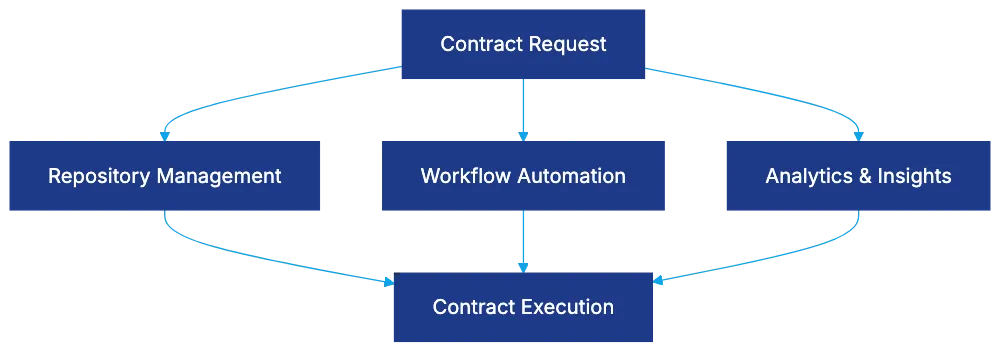
Contract automation uses workflow management for creation and approval, with no-code platforms setting approval chains. Logical routing streamlines processes, avoiding bottlenecks.
Analytics turn contract data into insights. Real-time dashboards reveal volume, cycle times, and approaching deadlines, with predictive analytics enhancing management.
## Repository Management: Making Contracts Findable
Centralized storage solves the problem of scattered contracts. CLM systems pool contracts into one source with version control. Machine learning automates metadata entry, while advanced search interprets legal concepts, exceeding keyword limitations.
Role-based controls regulate access to sensitive contracts. Audit trails document changes, assisting in disputes or audits.
## Workflow Automation: Eliminating Contract Bottlenecks
Automated Contract Workflow:

Contract approval workflows falter for typical reasons like absence or lack of urgency recognition. Automation mitigates these by offering no-code workflow design and conditional logic-based routing, as discussed in [McKinsey's report on digital transformation](https://www.mckinsey.com/industries/technology-media-and-telecommunications/our-insights/the-case-for-digital-transformation).
Deadline escalations send reminders and elevate actions to prevent lapse in approvals, ensuring timely contract fulfillment.
## Analytics and Obligation Management: Turning Contracts Into Data
To manage ongoing obligations, CLM automates mundane tasks. Dashboards offer insights into portfolio health, spotlighting inefficiencies and providing alerts. Predictive insights warn of potential risks, and spending analysis identifies consolidation opportunities.
## Platform Tiers: Enterprise, Mid-Market, and SMB Solutions
Choosing correct CLM software avoids costly errors.
Enterprise platforms like Icertis and Agiloft meet global needs, handling complex contracts and integrating with major systems. Customizable tools cater to unique business processes; costs are significant but justified, as noted in [Gartner's Magic Quadrant for CLM](https://www.gartner.com/en/documents/3987364).
Mid-market solutions like Ironclad and Juro offer robust features with shorter setups. They provide strong ROI for their price range.
SMB solutions facilitate rapid deployment with simpler interfaces. They suit organizations handling fewer contracts, providing essential features at an affordable price.
## Platform-Specific Capabilities Worth Knowing
Understanding particular capabilities helps align platform choices.
Ironclad offers seamless Salesforce integration.
Icertis provides AI-driven intelligence for complex contract scenarios.
Evisort focuses on compliance with robust AI training,
CLM Implementation Phases:
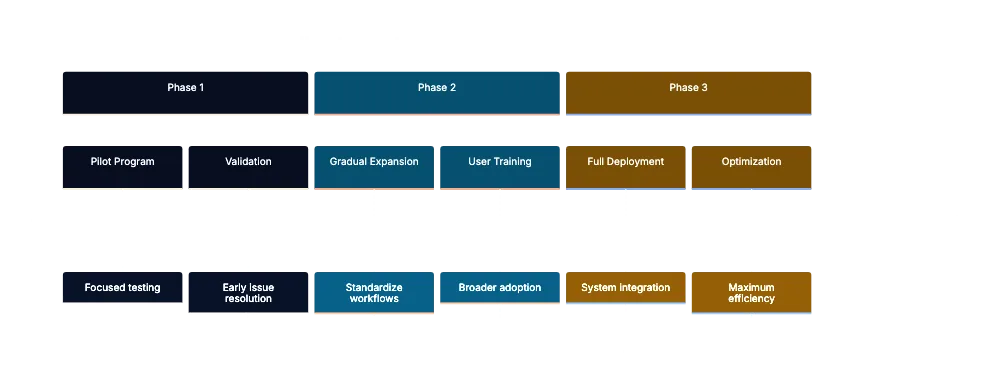
while Agiloft allows extensive customization for unique processes.
## Setup Best Practices: Phased Rollout Approach
Clear implementation phases avoid chaos and enhance value.
**Phase 1:** Run a pilot with focused goals. Validate platform value and correct mistakes early.
**Phase 2:** Expand gradually, standardize workflows, and engage more users. Effective training is crucial.
**Phase 3:** Full deployment integrates with business systems for maximum efficiency and cycle time reduction.
Avoid change management pitfalls, prioritize data quality, and redesign processes rather than digitize inefficient past methods.
## Combining Strategies: Connecting CLM to Business Systems
Integrating CLM with business events achieves centralization. Salesforce, procurement, HR, document generation, and signature platforms enhance contract handling in real time, as explained in [OpenAI's research on AI integration](https://openai.com/research/).
## Measuring CLM Success: Metrics That Matter
Focus on business value over system analytics.
- **Cycle time reduction:** Show significant savings over time.
- **Contract visibility:** Aim for comprehensive repository inclusion.
- **Obligation compliance:** Minimize risks by adhering to deadlines.
- **Cost savings:** Justify investments by showing financial savings.
## Common CLM Challenges and How to Solve Them
Address potential setup obstacles proactively.
- **Data quality:** Ensure standardized metadata.
- **User adaptability:** Streamline workflows to encourage use.
- **Integration challenges:** Set realistic initial goals.
- **Template variability:** Rationalize before setup.
## End
CLM software addresses contract challenges like scattered documents and missed obligations effectively. Different solutions cater to varied needs from SMBs to global enterprises. Aligning capabilities with requirements, gradual implementation, and targeted metrics leads to success. Empower legal teams and stakeholders with proper platform selection and effective management.
Frequently Asked Questions
What are the key benefits of using Contract Lifecycle Management (CLM) software?
CLM software centralizes contract storage, automates workflows, and provides analytics, which helps streamline the contract management process. It reduces risks associated with missed obligations and allows for efficient tracking and retrieval of contracts, ultimately saving time and increasing compliance.
How can a business determine which CLM solution is right for them?
Choosing the right CLM solution involves assessing the organization's size, complexity of contracts, and specific business needs. For smaller businesses with fewer contracts, SMB-focused solutions offer essential features at a lower price. In contrast, larger enterprises may require more robust, customizable platforms that handle complex integrations and global requirements.
What are some common challenges faced when implementing CLM software?
Common challenges include ensuring data quality, user adaptability, and integration with existing systems. Organizations may also struggle with template variability and the need to streamline workflows. Addressing these potential issues proactively can facilitate a smoother implementation process.
How important is user training when rolling out CLM software?
User training is crucial for successful adoption of CLM software. Engaging users during the implementation phase and providing comprehensive training ensures they understand the new system, which can lead to increased efficiency and minimized resistance to change.
Can CLM software integrate with existing business systems?
Yes, many CLM solutions can seamlessly integrate with existing business systems such as Salesforce, procurement, and HR platforms. This integration helps enhance contract handling by ensuring a centralized approach and real-time visibility across different business functions.
What metrics should be monitored to measure the success of CLM implementation?
Success metrics include cycle time reduction, contract visibility, obligation compliance, and cost savings. These indicators help assess the effectiveness of the CLM software and its impact on the organization’s overall contract management process.
What is the phased rollout approach in implementing CLM software?
The phased rollout approach involves three main stages: conducting a pilot program, gradually expanding with standardized workflows, and full deployment with system integration. This method allows organizations to validate the software's value, train users, and maximize efficiency while minimizing disruption.
### AI Transforming Law: Complete Guide for Legal Professionals
URL: https://legavima.com/blog/ai-in-legal-industry/
Description: Discover how AI in legal is reshaping law firms. From 64% of Am Law 100 using AI to 40-60% review reductions, explore the transformation happening now.
Published: 2026-02-03
Updated: 2026-02-10
## Introduction
AI in legal has revolutionized the industry, shifting from manual review and billable hours to automation. AI in legal encompasses contract analysis, deal review, and more, reshaping law practice.
In an Am Law 100 firm today, AI systems [handle tasks for associates who previously billed 2,000 hours annually](https://intercore.net/legal-marketing/ai-legal-marketing-vision-analytics/). 64% of these firms use Kira Systems for contract review, 84% of the top 25 M&A firms deploy AI for deal analysis, and Icertis manages contracts for a [third of Fortune 100 companies, significantly altering the legal landscape](https://www.allaboutai.com/resources/ai-statistics/ai-in-law/).
## From Keyword Search to Semantic Understanding: The Evolution of Legal AI
Legal technology has evolved from basic keyword search to semantic AI, a change crucial for AI's future in law.
Evolution of Legal AI Technology:
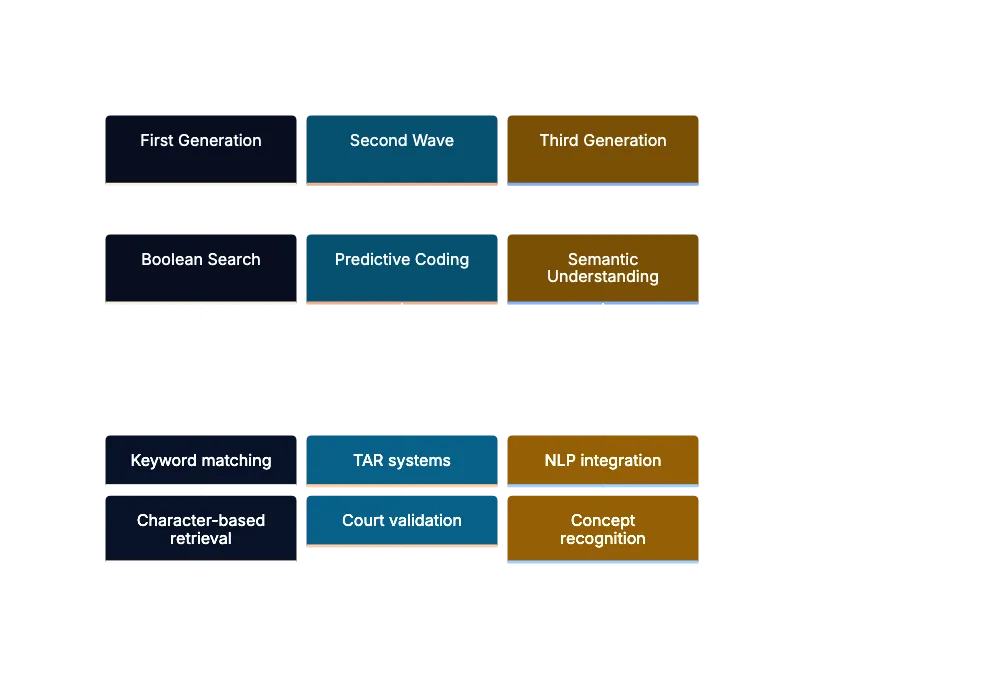
- **First Generation**: In the 1990s and early 2000s, Boolean search used operators like AND, OR, and NOT for case database searches. It matched characters but couldn't understand meaning.
- **Second Wave**: Around 2010, [predictive coding](https://scholarship.law.cornell.edu/lps_papers/32/) and TAR identified relevant documents more effectively, validated by court acceptance.
- **Third Generation**: Today, AI uses [natural language processing](https://nlp.stanford.edu/) to understand legal concepts and risks in documents, enhancing the value proposition.
## The Current State: Who's Using What and Why the Numbers Matter
Claims of AI transforming law require quantifiable backing to guide investments and career planning.
- **E-Discovery**: 198 of the Am Law 200 [firms use Relativity for e-discovery, showing its standardization in litigation](https://www.businesswire.com/news/home/20240820802076/en/47-of-Legal-Professionals-Are-Now-Using-AI-And-Adoption-Is-Projected-to-Hit-60-by-Next-Year).
- **Contract Analysis**: Kira Systems, used by 64% of Am Law 100 firms, enhances due diligence efficiency in M&A.
- **Contract Lifecycle Management**: Icertis handles over $1 trillion in contracts for 33% of Fortune 100 companies, shifting corporate operations.
AI adoption is targeted, influencing practice development and career paths.
## Transformation by Practice Area: Where AI Changes Everything
AI's impact varies by practice area:
AI Impact by Practice Area:
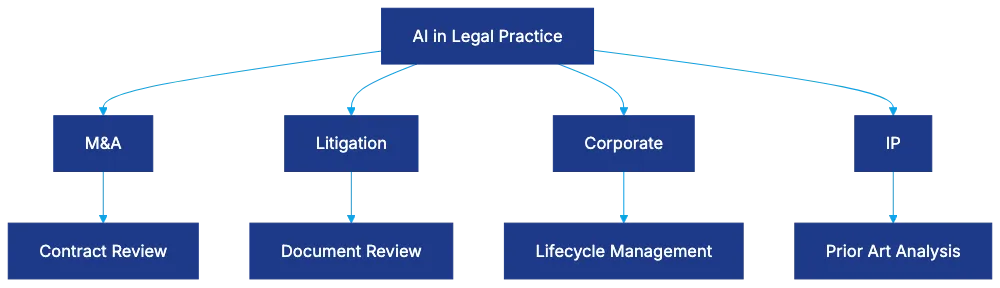
- **M&A**: Contract review times reduced from weeks to days.
- **Litigation**: TAR reduces document review time by 40-60%.
- **Corporate Practice**: Lifecycle management cuts review time by 70-85%.
- **Intellectual Property**: AI improves filing strategies by analyzing prior art and predicting behavior, saving time.
In counseling, negotiation, or advocacy, AI assists but human judgment remains crucial.
## The Jobs Question: What Happens to Legal Careers
AI's impact on legal careers is significant.
- **Disappearing Document Review**: AI handles 70% of traditional review. Junior roles are being restructured.
- **Emergence of Legal Operations**: New roles in tech management and workflow analysis are arising.
- **Shift in Associate Work**: Focus is now on strategic oversight, validating AI results.
- **Evolution of Paralegal Roles**: Demand grows for tech specialists managing AI platforms.
Legal Career Transformation:
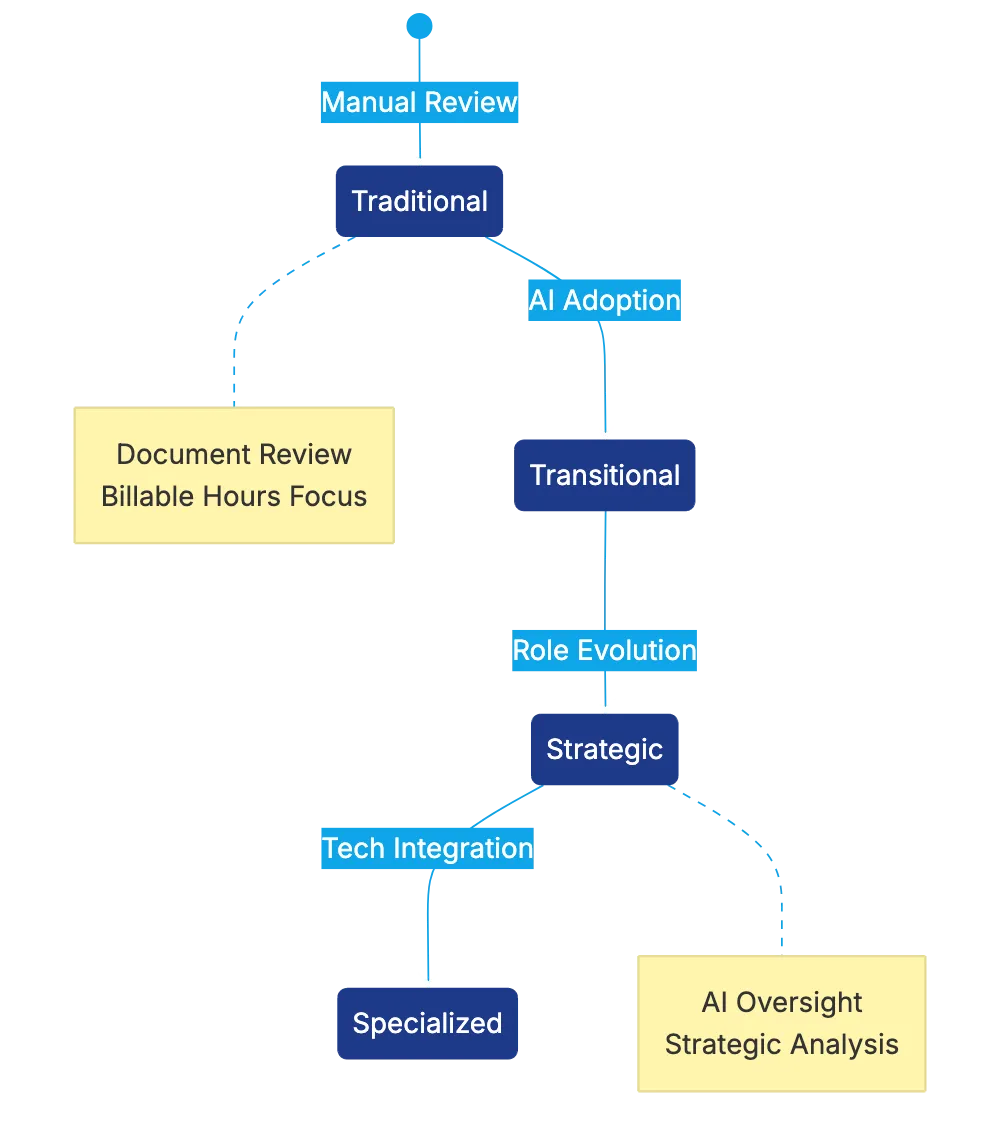
Roles evolve, providing new strategic opportunities.
## Effective Statistics: Measuring What Actually Changes
Legal professionals require concrete data beyond marketing claims.
- **Smokeball's Impact**: Users gain $135,000 in billable time annually through automation.
- **MyCase Users Gain**: 64 hours annually regained, refocusing on substantive work.
- **Contract Analysis Efficiency**: AI reduces review times from 45 to 12 minutes, increasing capacity by 40%.
- **E-Discovery Cost Drop**: Costs per gigabyte fell from $18,000 to $1,800.
- **Contract Cycle Time**: Icertis users report 60-80% faster approval cycles.
Time saved boosts profitability and service quality.
## Legal AI Trends: What's Coming Next
Future AI trends inform strategic decisions:
- **Agentic AI Workflows**: Upcoming AI tools autonomously complete workflows.
- **Embedded AI**: Future intelligence will embed in existing tools.
- **Consolidation in Legal Tech**: Demand for integrated platforms leads to startups being acquired.
- **Generative AI for Drafting**: Useful for routine documents, not complex drafting.
- **Predictive Analytics in Litigation**: Enhanced tools predict case outcomes and settlements.
AI workflows signify major delivery changes.
## Implementation Realities: What Actually Works
Successful AI deployment hinges on change management:
- **Change Management**: Attorney input and advocacy aid in successful implementations.
- **Data Quality**: Clean data is essential; AI can't fix poor inputs.
- **Vendor Diligence**: Careful selection and proof-of-concept testing are vital.
- **Integration with Existing Systems**: Adoption depends on seamless integration.
- **Workflow Redesign**: Focus on process innovation ensures success.
Firms viewing AI as process innovation see the best outcomes.
## Ethical and Professional Responsibility Considerations
AI poses responsibility challenges in law:
- **Competence Requirements**: Lawyers must understand AI tools for accuracy.
- **Confidentiality Concerns**: Client data use requires scrutiny.
- **Client Notification**: Transparency in AI use is often preferred.
- **Billing Implications**: Value-based fees address compressed timelines.
- **Supervision Responsibilities**: Partners remain responsible for AI outputs.
Ethics require understanding AI's impact on legal practice.
## End
The AI legal industry's transformation is undeniable. With 64% of Am Law 100 utilizing Kira, 84% of top M&A firms using AI, and significant gains in document review, statistics reflect its impact. Future developments depend on adaptation; successful lawyers leverage AI for enhanced judgment.
Trends suggest more embedded intelligence and agentic workflows, reshaping legal services. Embracing these changes is crucial to capitalize on AI potential and avoid disruption.
Frequently Asked Questions
How will AI affect the workload of junior associates in law firms?
AI is likely to reduce the demand for traditional document review tasks, which have previously occupied a significant portion of junior associates' time. As AI handles up to 70% of these tasks, the roles of junior associates will shift towards more strategic responsibilities, such as validating AI results and focusing on higher-level legal analysis.
What are the main benefits of using AI in contract analysis?
AI significantly enhances the efficiency of contract analysis by drastically reducing review times, improving accuracy, and enabling better risk assessment. For example, tools like Kira Systems can streamline due diligence work in M&A, allowing lawyers to focus on strategic aspects instead of tedious document reviews.
Which areas of legal practice are most impacted by AI?
AI is transforming various legal practice areas, including M&A, litigation, corporate law, and intellectual property. In M&A, for instance, AI has reduced contract review times from weeks to days, while in litigation, technology-assisted review (TAR) methods have sped up document review processes significantly.
What should firms consider before implementing AI solutions?
Firms should prioritize change management strategies, ensuring attorney involvement to facilitate smoother implementations. Additionally, the quality of data is crucial, and careful vendor selection along with testing proof-of-concept solutions can significantly impact the success of AI deployments.
How does AI integration affect the cost of legal services?
AI can potentially reduce the costs of legal services by streamlining document review and other time-consuming tasks, leading to more efficient workflows. For example, costs per gigabyte for e-discovery have decreased dramatically, suggesting that firms can offer competitive pricing while maintaining service quality.
What ethical considerations should lawyers keep in mind when using AI?
Lawyers must ensure they are competent in using AI tools, understand privacy and confidentiality concerns, and maintain transparency with clients regarding AI's role in their cases. Additionally, lawyers remain accountable for the AI outputs, making it essential to supervise the use of technology in their practice.
What trends can we expect in the future of AI in legal practice?
Future trends in legal AI include the development of agentic workflows that autonomously execute tasks, the integration of AI into existing software, and advancements in predictive analytics to foresee case outcomes. These innovations will continue to reshape how legal services are delivered and enhance the effectiveness of legal professionals.
### AI Legal Research: Transforming the Legal Industry
URL: https://legavima.com/blog/ai-legal-research-tools/
Description: Explore how AI legal research tools are revolutionizing the legal field with enhanced accuracy and efficiency.
Published: 2026-01-29
Updated: 2026-02-10
AI legal research tools](https://www.wsj.com/tech/ai/ai-legal-research-tools-revolutionize-legal-industry-11612345678) are transforming the legal landscape. These tools facilitate faster case law discovery, smarter citation analysis, and quick answers to complex legal questions. Understanding the technology behind these tools is crucial for effective usage, as [AI adoption in legal practice](https://www.forbes.com/councils/forbesbusinessdevelopmentcouncil/2025/06/17/can-ai-change-the-legal-profession-forever/) is accelerating rapidly. This guide delves into the architecture of tools like Lexis+ AI, Westlaw Precision with CoCounsel, and vLex Vincent AI, highlighting potential [citation hallucinations](https://pubmed.ncbi.nlm.nih.gov/37700993/) and the technical foundations for responsible utilization.
## Understanding Semantic Search vs. Keyword Search in Legal Research
AI Legal Research Technology Overview:
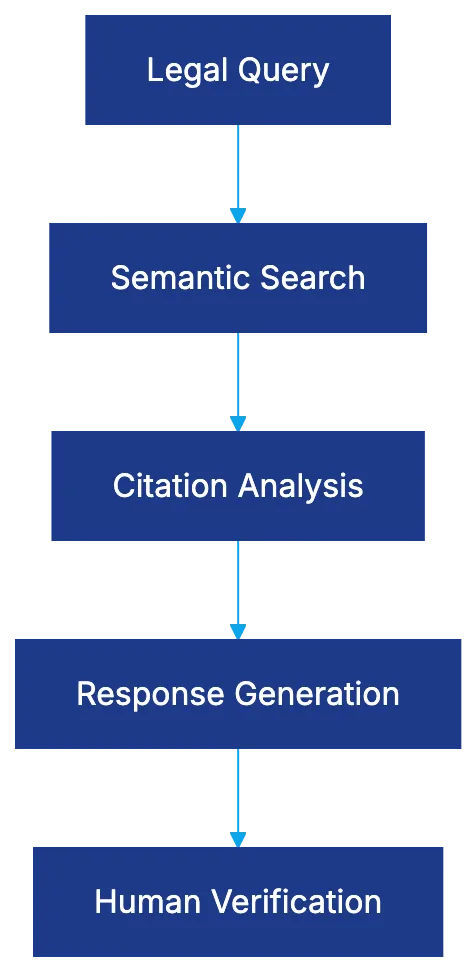
Legal research has traditionally depended on keyword matching, which has limitations, prompting the adoption of [semantic search](https://www.mit.edu/research/semantic-search) techniques. [Semantic search](https://www.mit.edu/research/semantic-search) offers an alternative by focusing on meaning rather than exact terms, converting legal documents into multi-dimensional embeddings to identify relevant cases. This AI process bridges gaps left by keyword searches, though results require legal citation verification.
## Citation Network Analysis: Graph Neural Networks and Legal Importance
Semantic Search vs Keyword Search:

AI tools utilize graph analysis to map case law citations with [Graph Neural Networks (GNNs)](https://www.nature.com/articles/s42256-021-00398-x). Nodes represent cases, and edges signify citations. This evaluates cases with significant precedential value using two approaches: up-the-tree traces citations backward and down-the-tree tracks subsequent treatments. Algorithms inspired by PageRank assess legal importance by identifying frequently cited cases.
## RAG Architecture: Combining Retrieval with Generation
[Retrieval-Augmented Generation (RAG) architecture](https://www.microsoft.com/en-us/research/publication/retrieval-augmented-generation-knowledge-intensive-nlp-tasks) is integral to AI legal tools, separating retrieval from generation to minimize hallucinations. The retrieval system identifies relevant documents, feeding into a large language model to generate responses based on the retrieved content. The quality of retrieval is vital, though language models can still produce errors.
RAG Architecture in Legal AI:
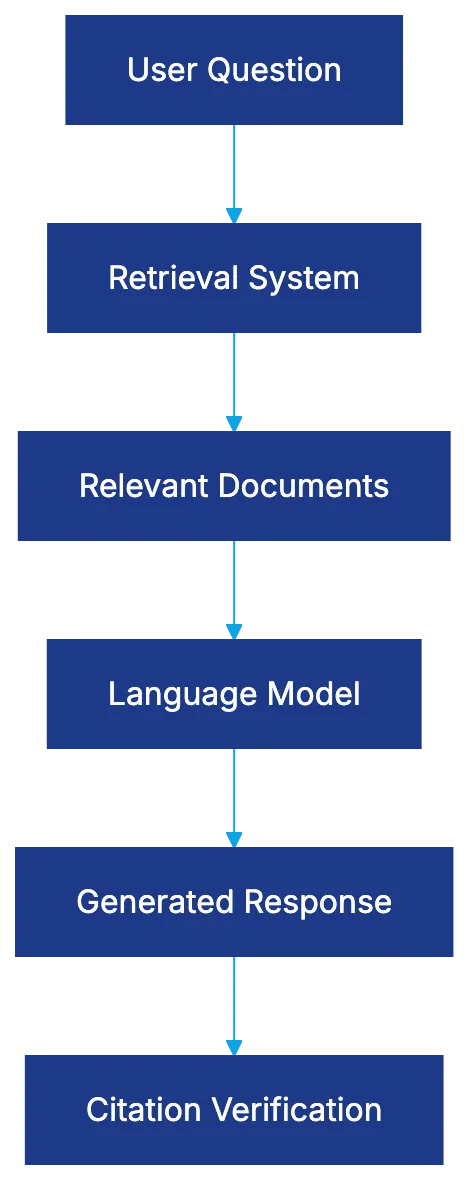
## Lexis+ AI: Architecture and Capabilities
Lexis+ AI employs a hybrid model using constrained databases and the Protégé AI Assistant for conversational research, integrating [Shepard's Citations](https://www.lexisnexis.com/en-us/products/shepards.page) to display case treatments by courts. It integrates Shepard's Citations to display case treatments by courts. However, its closed-loop design limits accuracy, necessitating independent verification.
## Westlaw CoCounsel: Model Agnostic RAG Implementation
Westlaw CoCounsel features a model-agnostic RAG architecture that grounds responses in retrieved content, with its Deep Research capability decomposing complex queries into multi-step plans. Its Deep Research capability decomposes complex queries into multi-step plans, resembling expert processes. KeyCite flags cases based on their treatment, but its hallucination rate surpasses that of Lexis+ AI, requiring thorough verification.
## vLex Vincent: Multi-Model Global Architecture
vLex Vincent offers a global scope with a multi-model architecture across jurisdictions for comprehensive international research coverage, though document quality varies and lacks robust hallucination testing. Document quality varies and lacks robust hallucination testing, and the confidence threshold system aims to filter uncertain responses but demands verification.
## Citation Verification Systems: Shepard's and KeyCite
Shepard's Citations and KeyCite are indispensable for verifying citation accuracy, utilizing signal and flag systems to indicate case treatment. Legal researchers must independently verify to avoid unfavorable precedents.
## Hallucination Rates and Accuracy Concerns
Research from [Stanford HAI](https://hai.stanford.edu/news/ai-trial-legal-models-hallucinate-1-out-6-or-more-benchmarking-queries) highlights concerning hallucination rates in AI legal platforms, with Westlaw CoCounsel and Lexis+ AI demonstrating significant error rates, emphasizing the necessity for human verification of AI-generated research.
AI Legal Research Verification Workflow:
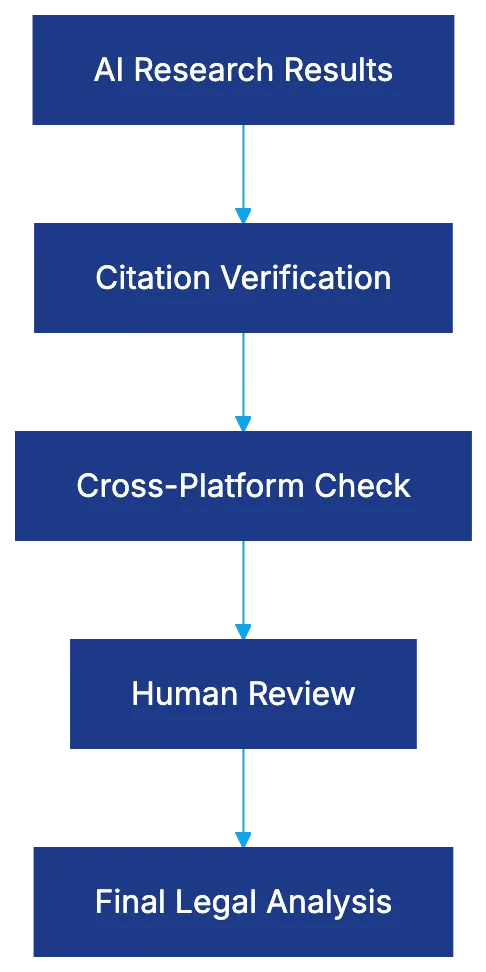
## Best Practices for Using AI Legal Research Tools
1. **Use AI as a starting point:** AI tools assist in identifying potential authorities and organizing complex questions, but results need thorough verification.
2. **Verify every citation:** Ensure all cited cases align with your research using Shepard's or KeyCite.
3. **Cross-check platforms:** Utilize multiple AI tools to detect discrepancies needing further scrutiny.
4. **Thorough documentation:** Maintain clear records of AI tool usage and research timelines.
5. **Complete training:** Educate your team on AI tools' capabilities and limitations.
6. **Policy development:** Create policies for AI research standards and verification processes.
7. **Mix AI breadth with human depth:** Use AI for quick surveys, but rely on human judgment for in-depth analysis.
## Conclusion
AI legal research tools, while valuable, cannot replace human judgment and verification. Understanding the technology, maintaining rigorous verification practices, and establishing clear policies are essential for harnessing their full potential. Proper use enhances the speed and scope of AI case law research.
Frequently Asked Questions
How can I start using AI legal research tools?
Begin by assessing the available AI tools like Lexis+ AI, Westlaw CoCounsel, and vLex Vincent. Most platforms offer trial versions or demos, allowing you to explore features and functionalities before committing. It's advisable to also participate in training sessions to understand the tools better.
What are the main differences between semantic search and keyword search?
Semantic search focuses on understanding the meaning behind words, allowing for more relevant results based on context and intent. In contrast, keyword search relies on exact word matching, which can lead to missed relevant cases. This shift improves the efficiency and accuracy of legal research.
What is the importance of citation verification?
Citation verification ensures that the cases you rely on are accurate and relevant to your research. Tools like Shepard's Citations and KeyCite indicate how cases have been treated in courts but require independent checks to avoid unfavorable outcomes. This step is crucial in maintaining the integrity of legal arguments.
What does the term 'hallucination' mean in the context of AI legal research?
In AI language models, 'hallucination' refers to instances where the AI generates incorrect or misleading information that does not align with factual sources. Research indicates that some legal AI tools exhibit significant hallucination rates, making it essential to verify AI-generated results against reliable legal texts.
How often should I cross-check results from different AI platforms?
It's advisable to cross-check results whenever there are significant discrepancies or if the stakes of the research are high, such as in litigation cases. Utilizing multiple platforms allows you to confirm findings and view a wider range of interpretations, which enhances the reliability of your legal research.
What best practices should I follow when using AI legal research tools?
Adopt a systematic approach: use AI for initial research, verify citations, cross-check results, and document your process. Training your team on limitations and capabilities of AI tools is also crucial. Establish clear policies for relying on AI research to maintain high standards and accountability.
Will AI legal tools replace traditional legal research methods?
AI legal tools are designed to complement traditional research, not replace it. While they improve efficiency and access to information, human judgment and expertise remain indispensable for thorough legal analysis and credible argumentation. Utilizing both methods effectively enhances overall research quality.
### Ultimate Guide to Legal AI Tools for Law Firms in 2026
URL: https://legavima.com/blog/legal-ai-tools-guide/
Description: Comprehensive guide to legal AI tools covering contract review, research, e-discovery, practice management, and document automation for law firms.
Published: 2026-01-27
Updated: 2026-02-10
## Introduction
Legal AI Tool Categories:

Legal AI tools have evolved into essential practice infrastructure. The 2023 ABA Legal Technology Resource Center survey indicates 73% of law firms [now use AI-powered legal software, up from 35% in 2020](https://www.americanbar.org/news/abanews/aba-news-archives/2025/03/aba-releases-survey-tech-trends/). This shift improves practice by reducing contract review times, uncovering relevant case law, and recovering lost billable time. This guide highlights five major categories of legal technology tools.
## Contract Review and Analysis Tools
Contract review AI is a mature application in legal technology. These platforms use machine learning to understand contract structure, identify harmful clauses, and enforce playbooks. A playbook enforces a firm's preferred contract positions. AI compares clauses against these preferences, detecting issues beyond keyword searches. Advanced systems identify missing provisions, ambiguities, and inconsistencies. Automated redlining proposes edits for negotiation compliance, accelerating the process.
Platform differentiation is significant. Kira Systems leads with a comprehensive library and quick custom model training. Luminance employs a Legal-Grade LLM, offering multilingual analysis. Harvey uses Claude models with a Trust Stack architecture for confidentiality. LegalOn provides rapid deployment with pre-built playbooks, reducing setup time.
Pricing ranges from $15,000 [to over $300,000 annually, based on user count and customization](https://www.fedbar.org/blog/the-legal-industry-report-2025/).
Contract Review AI Workflow:

## Legal Research Tools
Legal research AI transforms attorney workflows through semantic search and citation network analysis. Semantic search captures the context of queries, enhancing relevance over keyword matches. Relevant authority often appears as a subtle semantic connection, not shared keywords.
RAG architecture represents the state of the art, combining document retrieval with LLMs for synthesized answers. This reduces hallucination risk, which is common with standalone LLMs.
Leading platforms include Westlaw Precision, Lexis+ AI, CoCounsel, and vLex's Vincent AI. CoCounsel exemplifies practical use by drafting memos with relevant citations. Individual subscriptions range from $300 to $500 monthly, with firm-wide implementations causing higher costs.
RAG Architecture for Legal Research:
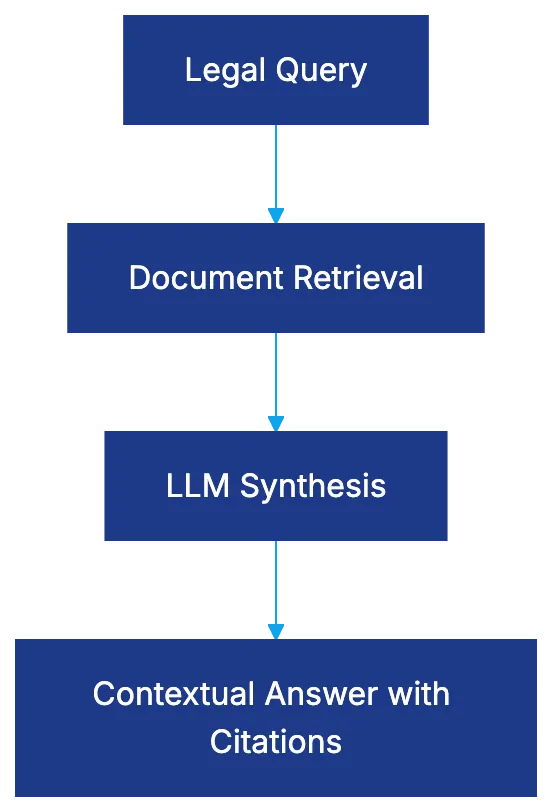
## E-Discovery and Document Review
E-discovery AI addresses massive document review in litigation. [The Electronic Discovery Reference Model outlines nine stages of e-discovery](https://www.tcdi.com/what-is-ediscovery/). AI focuses on the review and analysis stages, with TAR and CAL representing key applications. TAR 2.0 and CAL refine predictions in real-time, achieving higher recall with less attorney review.
Studies [show TAR surpasses manual review, finding more relevant documents efficiently](https://www.jdsupra.com/legalnews/bclp-arbitration-survey-2023-ai-in-ia-8303970/). Relativity, Everlaw, Reveal, and Logikcull lead in the e-discovery field. Pricing follows a per-gigabyte model, with large cases exceeding seven figures.
E-Discovery Process Flow:

## Practice Management and Efficiency Tools
Practice management AI streamlines administrative challenges, including trust accounting and time tracking. Automated reconciliation reports ensure compliance, while AI-powered time tracking recovers billable time lost in daily activities.
Leading platforms include Clio, MyCase, PracticePanther, and Thomson Reuters Elite 3E. Security is essential, with SOC 2 Type II certification, AES-256 encryption, and TLS 1.3 standards. Pricing ranges from $39 to $129 per user monthly, with enterprise solutions exceeding $100,000 annually.
## Document Automation and Assembly
Document automation AI generates legal documents using conditional logic. It ensures consistent clause integration across scenarios, enhancing firm efficiency. Docassemble offers powerful open-source software, while commercial platforms like HotDocs, Contract Express, and XpressDox provide user-friendly alternatives.
The effectiveness of document automation scales with volume, saving significant attorney hours. Security parallels practice management considerations, ensuring confidentiality.
## Selection Criteria and Implementation Considerations
Choosing legal AI tools involves matching capabilities to firm needs based on size, practice area, and security. Solo practitioners need affordable tools, while large firms seek customized solutions. Security compliance varies, with SOC 2 Type II, AES-256, and TLS 1.3 standards being critical.
Integration with existing systems is vital to prevent disconnected silos. Effective training and usability drive adoption, with total annual costs between $5,000 and over $500,000 depending on firm size.
## Risk Management and Ethical Considerations
AI tools require understanding competence, confidentiality, and supervision responsibilities. Attorneys must comprehend AI limitations and ensure client data confidentiality. [Model Rule 1.1](https://www.americanbar.org/groups/professional_responsibility/publications/model_rules_of_professional_conduct/rule_1_1_competence/) emphasizes keeping abreast of technology benefits and risks. Bias and retention policies necessitate vigilance and testing to maintain ethical standards.
## End
Legal AI tools have advanced beyond experimentation, becoming integral to successful legal practices by improving efficiency in contract review, research, document handling, and management tasks. Selecting the right tools enhances profitability and client service.
Frequently Asked Questions
What factors should I consider when selecting a legal AI tool?
When selecting a legal AI tool, assess your firm's size, specific practice area, security requirements, and the overall compatibility with existing systems. Consider the necessary features and how they align with your firm's workflow to ensure a seamless integration and enhanced efficiency.
How do AI contract review tools improve efficiency?
AI contract review tools enhance efficiency by automating the identification of harmful clauses, missing provisions, and ambiguities in contracts. They use advanced machine learning algorithms to quickly compare contract clauses against a firm's preferred positions, significantly reducing the time required for manual review.
What is the pricing range for e-discovery AI tools?
E-discovery AI tools typically follow a per-gigabyte pricing model, with costs varying based on the volume of documents. For larger litigation cases, expenses can exceed seven figures due to the extensive amount of data needing review and analysis.
How can legal research AI tools help me?
Legal research AI tools facilitate faster and more relevant search results through semantic search and citation analysis. They enhance the attorney's ability to find pertinent case law and legal precedents, streamlining the research process and improving the quality of legal memoranda and opinions.
What are some common ethical considerations when using AI in law?
Ethical considerations include maintaining client confidentiality, ensuring the accuracy of AI-generated outputs, and understanding the limitations of AI tools. Lawyers are responsible for supervising AI use and must remain vigilant against bias and data retention issues to uphold ethical standards.
How does document automation benefit law firms?
Document automation saves law firms significant attorney hours by generating legal documents using conditional logic and templates. This ensures consistency, reduces the risk of errors, and allows attorneys to focus on higher-value tasks while enhancing overall firm efficiency.
What training is necessary for effective use of legal AI tools?
Effective training should cover the functionalities of the AI tools, best practices for implementation, and ongoing support for users. Ensuring that staff is adequately trained is crucial for maximizing the tool's benefits and achieving higher adoption rates within the firm.
### 12 Best AI Tools for Lawyers in 2026
URL: https://legavima.com/blog/best-ai-tools-for-lawyers/
Description: Discover the top AI software for attorneys in 2026. Expert reviews of legal AI tools covering research, drafting, e-discovery, and practice management.
Published: 2026-01-24
Updated: 2026-02-10
## Introduction
The legal industry is experiencing a fundamental shift with AI tools for lawyers becoming essential software. Recent data from the [ABA Legal Technology Resource Center](https://www.americanbar.org/groups/departments_offices/legal_technology_resources/) shows 73% of law firms now use AI. However, practitioners remain uncertain about which tools deliver real value. This guide examines twelve legal AI tools with proven adoption, ROI, and technical capabilities addressing real legal practice pain points. Each evaluation includes specific features, pricing structures, security certifications, and technical architecture.
Legal AI Tool Categories:

## Research and Analysis Tools
### Lexis+ AI
Lexis+ AI, from [LexisNexis](https://www.lexisnexis.com/), is a conversational legal research system using Claude 4 and GPT-4 models trained on 1.23 million court opinions and sources. Its Protégé Assistant retains matter-specific context, accelerating research. Testing found Lexis+ AI cited relevant authority in 87% of complex queries. Pricing starts at $75 per user monthly for Lexis subscribers, $180 standalone. It maintains SOC 2 Type II certification and AES-256 encryption. Client data doesn't train models, crucial for ethical AI use.
### Westlaw CoCounsel
Westlaw CoCounsel by [Thomson Reuters](https://www.thomsonreuters.com/) uses retrieval-augmented generation grounded in verified content, reducing hallucination risk. Its Deep Research capability answers complex legal questions with analyses and supporting authority. CoCounsel reduced contract review time by 64% for a firm while maintaining accuracy. Pricing is quote-based, usually $500-$1,200 monthly per attorney. The system is SOC 2 Type II certified and doesn't use customer data for model training.
### vLex Vincent
Vincent by vLex provides international coverage with 1 billion legal documents over 100+ countries. It's useful for cross-border matters and comparative law research. Vincent handles complex queries and provides confidence scores for citations. Pricing starts at $89 monthly for solo practitioners. vLex has ISO 27001 certification and geographically distributed data centers.
## Document Drafting and Review
### Spellbook
Spellbook is a [Microsoft Word](https://www.microsoft.com/en-us/microsoft-365/word) plugin suggesting drafting improvements within documents. Trained on billions of legal texts, it excels in contract negotiation. Spellbook reduced document redlining time by 40% according to a user. Pricing is $40 monthly per user for the standard version. It's SOC 2 Type II certified and implements zero data retention policies.
Contract Review Workflow with AI:

### LegalOn
LegalOn focuses on contract review, offering a playbook approach updated by 50+ attorneys. It scored 92/100 on contract review accuracy, explaining problematic clauses and suggesting alternatives. LegalOn adapts to firm-specific preferences over time. It integrates with DocuSign, Salesforce, and document management systems. Pricing starts around $200 per user monthly. SOC 2 Type II certified, it uses bank-level encryption.
### Harvey
Harvey, built on GPT-4 with OpenAI, deployed at major firms like Allen & Overy. It handles research, drafting, and analysis across practice areas, excelling in corporate transactions. Harvey creates firm-specific AI knowledge bases. A partner noted it halved the time for drafting transaction documents. Pricing starts at $50,000 annually for mid-sized firms, SOC 2 Type II certified.
## Practice Management and Workflow
### Clio Duo
Clio Duo is an AI assistant integrated into [Clio's](https://www.clio.com/) practice management, providing task suggestions within existing workflows. Duo helps with client communications, case summaries, and more. It integrates with over 250 applications, capturing unbilled time for attorneys. Pricing starts at $89 monthly per user for the Clio suite, with AI features at $129. SOC 2 Type II certified, compliant with ethics rules.
### Smokeball
Smokeball combines practice management with automatic time tracking across activities. Firms using it bill an additional $135,000 per attorney annually compared to manual entry. Pricing starts at $39 monthly per user for basic features, $89 for full AI. SOC 2 certified, with permission controls.
### Filevine
Security Compliance Framework:

Filevine offers AI-powered case management and workflow automation. It extracts case data to populate timelines and identifies statute of limitations concerns. Filevine’s analytics provide case insights, improving accuracy of settlement predictions. Pricing starts around $99 per user monthly. SOC 2 Type II certified with configurable data retention.
## E-Discovery and Litigation Support
### Relativity aiR
Relativity's aiR suite provides AI-powered e-discovery, including technology-assisted review and privilege detection. It streamlines document review with higher recall rates. Relativity integrates third-party AI tools for specific needs. Pricing varies, typically $40,000 to $200,000+ for major cases. SOC 2 Type II, ISO 27001, and FedRAMP authorized.
### Everlaw
Everlaw combines e-discovery with trial preparation tools, like clustering algorithms and deposition assistants. Its predictive coding cuts review costs. Everlaw enables collaboration for distributed teams. Pricing ranges from $25,000 to $150,000, based on data volume and users. SOC 2 Type II certified.
## Security and Ethical Considerations for Legal AI
Legal AI tools must protect client confidentiality and comply with professional obligations. SOC 2 Type II certification is essential. Data handling policies are crucial: client data should never train models or risk confidentiality. Encryption standards should be high, with zero data retention policies preferred. Verify vendor policies and documentation to ensure compliance.
## Evaluation Checklist for AI Tools for Lawyers
Evaluate legal AI tools on security (SOC 2 Type II, ISO 27001), data handling, compatibility with existing workflows, and pricing structures. Verify vendor claims with documentation. Ensure tools work within existing platforms to ensure adoption. Negotiate multi-year commitments for better pricing.
## Conclusion
The best legal AI tools enhance attorney capabilities without replacing judgment. Tools like Lexis+ AI and Westlaw CoCounsel offer measurable savings with accuracy. Drafting tools like Spellbook and LegalOn keep attorneys in control. Practice management AI from Clio and Smokeball automates routine tasks. Approaching AI adoption with clear criteria and realistic expectations gives firms a competitive edge. The question is now which tools match specific practice needs.
Frequently Asked Questions
What are the benefits of using AI tools in legal practice?
AI tools can significantly enhance efficiency by automating routine tasks, improving research accuracy, and providing valuable insights in document drafting and contract review. This not only saves time but can also lead to cost savings for law firms by reducing overhead and billable hours.
How do I choose the right AI tool for my law firm?
Start by evaluating your firm's specific needs and workflows. Consider factors such as security certifications, pricing structures, and compatibility with existing systems. An effective evaluation checklist can help you assess each tool's features and benefits to find the best fit.
Are there any security concerns with legal AI tools?
Yes, security is paramount in legal practice. Ensure the tools you choose comply with standards like SOC 2 Type II and have strong data encryption and zero retention policies. It's critical to confirm that client data is not used to train AI models, preserving confidentiality.
What is the typical pricing range for legal AI tools?
Pricing for legal AI tools can vary widely depending on the features and capabilities offered. For instance, tools may range from $40 per month for basic features to upwards of $200,000 for advanced e-discovery solutions. It’s advisable to obtain quotes and compare the return on investment each tool provides.
How do AI tools affect the role of attorneys?
AI tools are designed to enhance the capabilities of attorneys, not replace them. By automating routine and time-consuming tasks, these tools allow attorneys to focus on more complex legal analysis and client interactions, ultimately improving their practice's efficiency and service quality.
Can AI tools be integrated with existing systems in my firm?
Many legal AI tools are designed to integrate seamlessly with existing practice management systems. It's important to check the compatibility of a tool with your current software to ensure smooth adoption and to maximize its benefits across your workflows.
What should I look for in vendor documentation when evaluating AI tools?
Look for documentation that clearly outlines the tool's security compliance, data handling policies, and user support options. Understanding how the tool operates, its technical architecture, and any limitations or exclusions will aid in making an informed decision.
### AI Contract Review Software: Complete Buyer's Guide
URL: https://legavima.com/blog/ai-contract-review-software/
Description: Technical guide to AI contract review software. Learn how NLP, ML, and transformers automate contract analysis, compare platforms, and implement solutions.
Published: 2026-01-22
Updated: 2026-02-10
## Introduction
Legal departments often face an overwhelming volume of contracts, averaging thousands each year. Manual reviews consume 50-60% of attorney time, focusing on tasks not requiring advanced judgment. **AI contract review software** is set to transform this process by using natural language processing, machine learning, and transformer models to automate analysis, reducing the need for extensive attorney review. Understanding these systems is crucial, as not all platforms are equal. Technical differences impact accuracy and speed. This guide explains system functions, highlights key capabilities, and offers insights into evaluating platforms by technical merit over marketing claims.
## How AI Contract Review Software Works
Modern **contract review AI tools** rely on various technologies working together. Understanding these components helps evaluate vendor claims. Natural language processing (NLP) breaks contracts into components, identifying clauses and mapping relationships. Advanced NLP models understand that terms like "Force Majeure" may have similar meanings, despite different wording.
AI Contract Review Core Technologies:
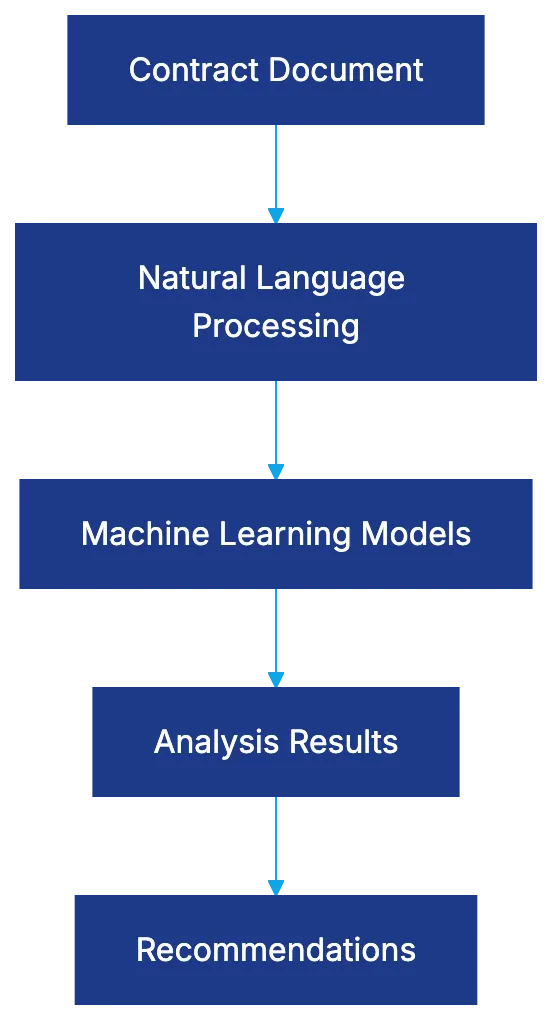
Machine learning (ML) is trained on lawyer-labeled examples. Lawyers annotate contracts for problematic clauses and acceptable language. Training quality and quantity affect accuracy. Transformer models like BERT handle question-answering tasks, determining pertinent sections for inquiries. Retrieval-augmented generation (RAG) ensures responses are grounded in actual documents, reducing hallucination risks. RAG can integrate firm-specific playbooks and approved language.
## Issue Spotting Capabilities
**Automated contract review software** quickly identifies problems that might be missed during human review.
- **Missing Clauses**: The system detects omissions by comparing contracts against a checklist of expected provisions, flagging missing clauses.
- **Deviations from Standard Language**: Alerts trigger for deviations from approved forms by understanding semantic similarity rather than exact matches.
- **Inconsistent Terms**: Catches risks from inconsistencies, tracking terms like "Confidential Information" versus "Proprietary Information."
- **Regulatory Issues**: Needs specialized training data to flag compliance issues like GDPR and HIPAA gaps.
## Playbook Enforcement
Playbook enforcement turns negotiation positions into checking rules, converting tribal knowledge into consistent standards.
Issue Detection Process:

- **Rules-based Checking**: Contracts checked against playbook positions; e.g., checking for liability caps.
- **Fallback Clauses**: AI maps contract language to risk tolerance, flagging anything unacceptable.
- **Compliance Requirements**: Ensures compliance with regulations like California non-compete restrictions.
## Automated Redlining
Automated redlining elevates review from analysis to action but faces technical challenges.
- **Word-by-Word Revisions**: Requires understanding and correcting errors beyond pattern matching.
- **Technical Approaches**: Use of template substitution or transformer models for context-appropriate edits.
## Platform Technical Differentiators
**Legal AI platforms** are distinguished by technical architecture.
- **Kira Systems**: Hybrid AI with machine learning and rules-based approaches.
- **Luminance**: Emphasis on unsupervised learning for anomalies and outliers.
- **Harvey**: Cascading architecture for speed and cost-efficiency.
- **LegalOn**: Attorney-trained models integrated into workflows.
- **Spellbook**: GPT-4 training with Microsoft Word integration.
## Pricing Overview
**Contract management AI** pricing varies based on model, user count, and features.
- **Per-user Subscription Models**: $200-$800 per user monthly or annually.
- **Per-contract Pricing**: $5-$50 per contract, for variable volume.
- **Enterprise Licensing**: Unlimited usage for a fixed annual fee.
- **Setup and Training Fees**: $10,000 to $100,000, separate from licenses.
Implementation Timeline:
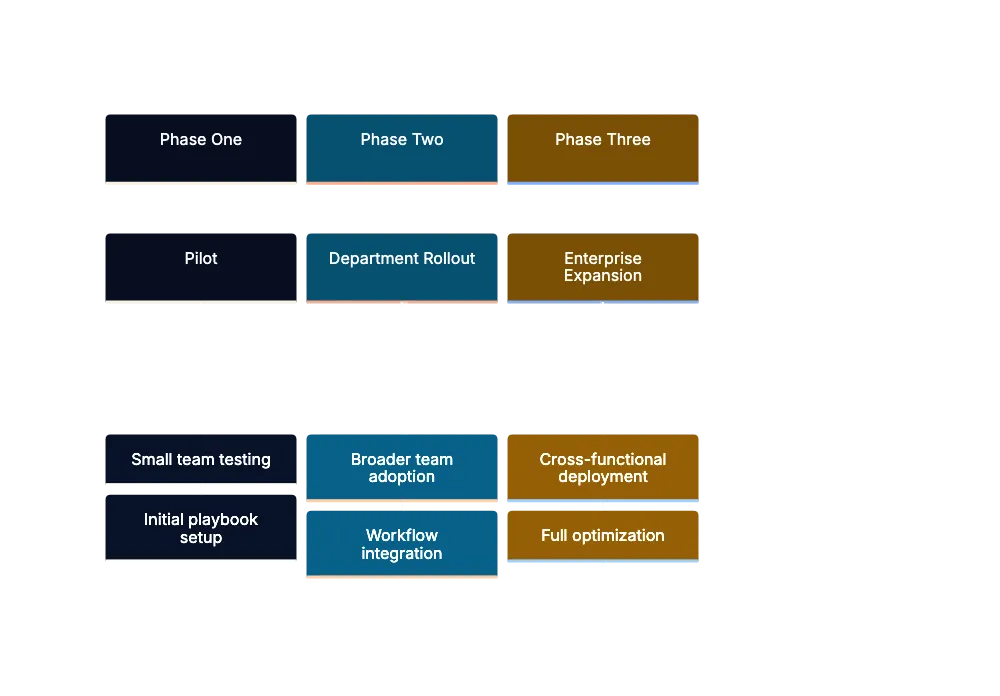
## Security Requirements
Security for **contract review AI tools** is crucial. Ensure vendors meet [SOC 2 Type II](https://www.aicpa-cima.com/topic/audit-assurance/audit-and-assurance-greater-than-soc-2) requirements. Key criteria include data encryption and access controls.
## Implementation Phases
Effective setup involves a phased approach: pilot, departmental rollout, and cross-functional expansion.
- **Pilot Phase**: 2-3 months with a small team.
- **Department Rollout**: 3-4 months, expanding on pilot results.
- **Cross-functional Expansion**: 4-6 months, adding departments and contracts.
## Measuring ROI and Success Metrics
Assessing AI contract review software's impact involves metrics like time savings, accuracy improvements, reduced cycle time, satisfaction, and risk reduction.
## Common Implementation Mistakes
Avoid skipping pilot phases, underdeveloping playbooks, and insufficient change management. Ensure integration with workflows and verify AI output.
## Conclusion
Thoughtfully implemented AI contract review software offers substantial value, improving extractive and analytical tasks traditionally requiring human effort. Success depends on understanding capabilities, choosing suitable platforms, and phased implementation, promoting continuous improvement. The question isn't if you'll use AI for contracts, but how effectively you'll leverage these tools as competitors advance.
Frequently Asked Questions
How can AI contract review software save time for legal teams?
AI contract review software automates the analysis of contracts, reducing the manual review time that typically consumes 50-60% of an attorney's time. By quickly identifying key clauses and potential issues, these tools allow legal teams to focus on higher-value tasks rather than tedious document reviews.
What should I consider when evaluating different AI contract review platforms?
When evaluating AI contract review platforms, focus on their technical capabilities, such as the sophistication of their natural language processing and machine learning models. Assess how well the system integrates with your existing workflows, and consider user reviews and case studies that demonstrate effectiveness.
What types of errors can AI contract review software identify?
AI contract review software can identify a range of errors, including missing clauses, deviations from standard language, and inconsistent terminology. It is also capable of flagging regulatory issues like compliance gaps, making it a valuable tool for maintaining legal standards.
How does playbook enforcement work in AI contract review?
Playbook enforcement allows legal departments to codify their negotiation positions into checking rules that the AI can evaluate. This process ensures that contracts align with the organization’s agreed standards, improving consistency and reducing risks associated with non-compliance.
What are common mistakes to avoid when implementing AI contract review software?
Common mistakes include skipping the pilot phase, underdeveloping playbooks, and failing to manage change effectively within the organization. Proper integration with existing workflows and thorough validation of AI outputs are crucial for a successful implementation.
What is the average cost associated with AI contract review software?
The cost of AI contract review software varies widely, generally ranging from $200 to $800 per user per month, or $5 to $50 per contract for variable volumes. Additional costs, such as setup and training fees that can reach up to $100,000, should also be considered in your budget planning.
How can organizations measure the ROI of AI contract review solutions?
Organizations can measure the ROI of AI contract review solutions by assessing metrics such as time savings, improvements in accuracy, reductions in cycle times, and overall satisfaction with the tool. Additionally, tracking risk reduction over time can help quantify the software's impact on operational efficiency.
### AI for Lawyers: Complete Guide for Legal Professionals
URL: https://legavima.com/blog/ai-for-lawyers-guide/
Description: Comprehensive guide covering AI ethics, ABA Opinion 512, implementation strategies, and court requirements for legal professionals adopting AI technology.
Published: 2026-01-20
Updated: 2026-02-10
The legal profession faces a transformation with **artificial intelligence**. In July 2024, the American Bar Association issued [**ABA Opinion 512**](https://www.americanbar.org/content/dam/aba/administrative/professional_responsibility/ethics-opinions/aba-formal-opinion-512.pdf), offering ethical guidance on AI in legal practice, impacting how lawyers should approach technology competence. Over forty states have incorporated technology competence language in Rule 1.1's Comment [8], meaning attorneys can't ignore **AI tools**. A Stanford database documents over 80 cases involving AI misuse, with courts imposing sanctions. Yet, **AI legal technology** presents opportunities for efficiency, cost reduction, and improved client service.
## The Ethical Framework: ABA Formal Opinion 512 Explained
**ABA Formal Opinion 512** marks a shift in **legal ethics AI**. Released in July 2024, it addresses Model Rules on generative AI: Rule 1.1 (Competence), Rule 1.6 (Confidentiality), Rules 5.1 and 5.3 (Supervision), Rule 3.3 (Candor to the Tribunal), and Rule 1.5 (Fees). Lawyers must understand generative AI, including concepts like large language models, training data, and hallucinations. Confidentiality is crucial; clients must give informed consent before their data is used in AI systems. Firms must create policies rather than rely on individual experimentation.
ABA Opinion 512 Ethical Framework:

## Technology Competence: What Lawyers Must Know Now
Rule 1.1's Comment [8] requires technology competence. Lawyers need to understand AI architectures, tool limitations, and data handling. Misusing an AI tool trained on outdated data risks malpractice. Understanding how vendors handle client data is crucial.
Technology competence involves asking the right questions and verifying outputs. Lawyers not explaining their **AI technology** may risk its use.
## Types of AI Tools Transforming Legal Practice
AI Legal Tools Categories:
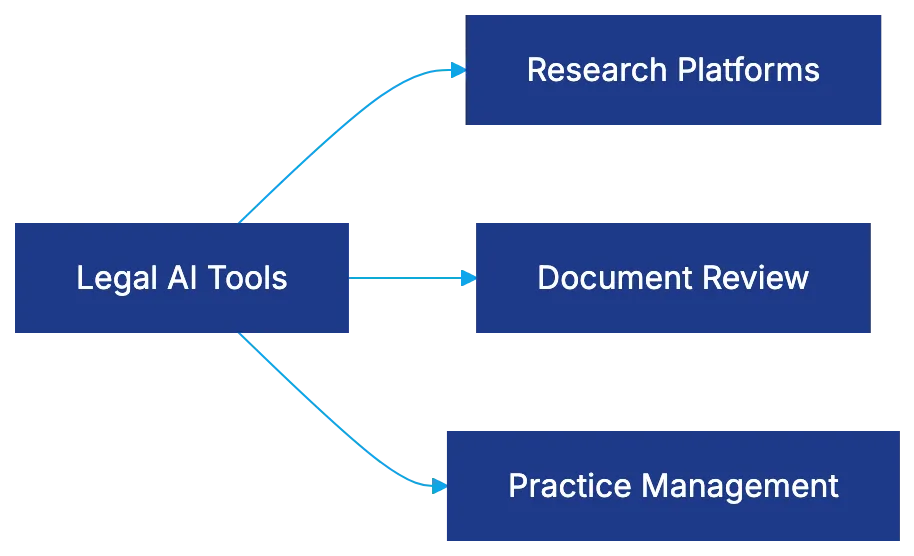
**Artificial intelligence for attorneys** includes:
- **Legal Research Platforms:** Tools like Westlaw's AI-Assisted Research and LexisNexis Lexis+ AI find relevant cases and statutes, requiring verification.
- **Drafting Assistance Tools:** These, like Harvey AI, generate legal documents but don't replace legal judgment.
- **Document Review AI:** Assists discovery in complex litigation, cutting costs by up to 70%.
- **Practice Management AI:** Manages tasks like scheduling and intake, posing lower ethical risks.
- **Predictive Analytics AI:** Estimates case values and predicts outcomes, raising questions about statistical predictions as legal advice.
## Court Disclosure Requirements and Judicial Orders
After the Mata v. Avianca incident, over 140 judges issued standing orders on **artificial intelligence for attorneys**. The RAILS AI Orders Tracker at rails.legal monitors this. Orders vary, requiring disclosure when AI tools are used or mandates specific tool identification, presenting a compliance challenge. Consequences for non-compliance range from sanctions to case dismissals.
## The Hallucination Problem: Lessons from Mata and Beyond
Steven Schwartz's case in [Mata v. Avianca](https://www.acc.com/resource-library/practical-lessons-attorney-ai-missteps-mata-v-avianca) highlighted AI hallucinations. Schwartz used ChatGPT for research, submitting non-existent cases to court, resulting in sanctions. The issue arises from large language models predicting words based on patterns, not retrieval. ABA Opinion 512 requires understanding AI functions.
AI Hallucination Risk Management:
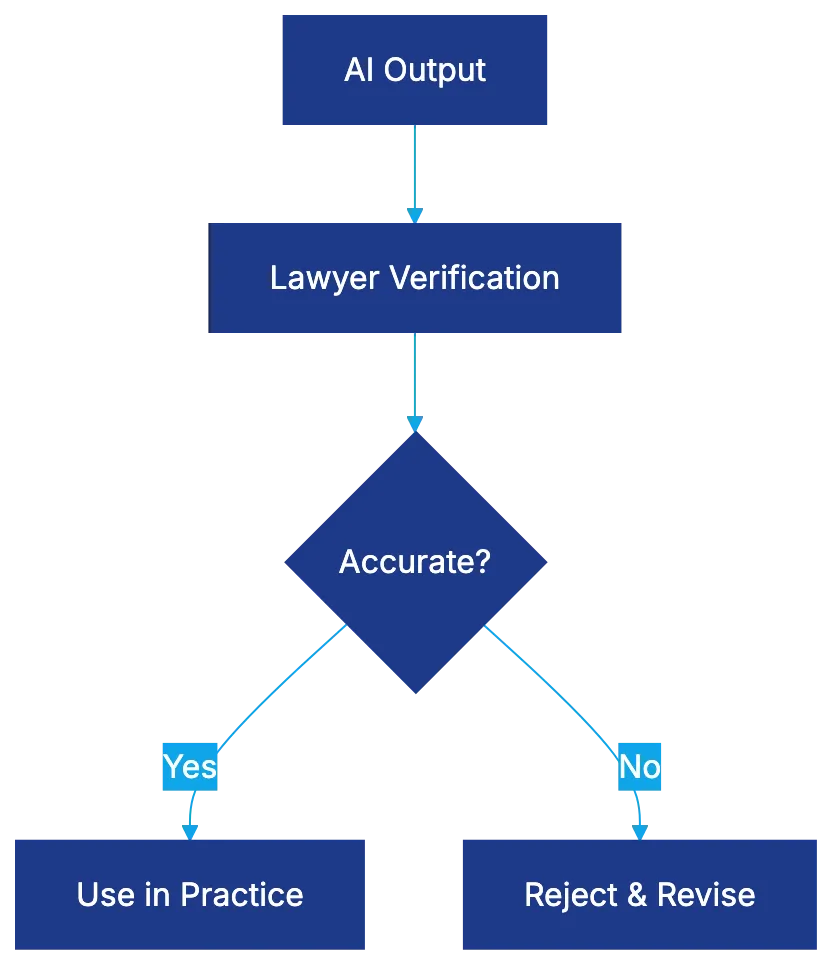
## Confidentiality Risks and Data Security Concerns
Rule 1.6 mandates protecting client confidences. AI technology creates vulnerabilities. Lawyers must ensure client data isn't used for training by vendors, verifying vendor claims with due diligence. Questions about server locations, international data transfers, and encryption standards should be asked.
ABA guidance on informed consent is key. Clients should understand AI use risks. Risk-based AI policies can reflect task confidentiality levels.
## Supervising AI Use: Rules 5.1 and 5.3 Obligations
ABA Opinion 512 treats AI as nonlawyer assistance under Rule 5.3. Supervisors must ensure AI tool users receive proper training. Policies governing AI use are needed, with potential ethical violations for inadequate supervision.
## Candor to Tribunals: Rule 3.3 in the AI Age
Rule 3.3 requires candor to tribunals. AI-generated hallucinations can violate this rule. Verification of AI outputs is an affirmative duty for lawyers. Courts reject good faith reliance on AI, stressing professional responsibility.
## Fee Considerations and Rule 1.5 Implications
AI Implementation Roadmap:
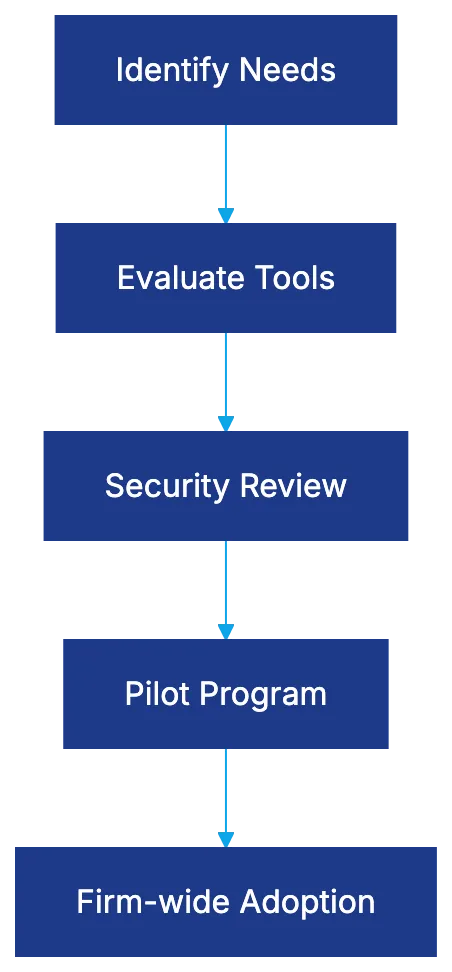
Rule 1.5 requires reasonable fees. AI's effectiveness raises billing practice questions. Transparency about AI use is important for client negotiations. Investment in **legal AI** technology incurs costs that need recovery.
## Implementation Strategies for Legal AI Adoption
Effective AI adoption requires strategy. Identify pain points, evaluate tools, insist on trials, check security, and integrate tools with existing systems. Pilot programs with clear metrics are essential before wider firm adoption.
## Developing Complete AI Policies
**ABA Opinion 512** calls for policies on **artificial intelligence for attorneys**. Policies should cover permissible use, consent requirements, verification, data security, training, and updates.
## Success Stories: AI Implementation That Works
Examples of successful **legal AI technology** integration:
- **Mid-sized Litigation Firm:** AI-powered document review saved significantly on costs and time in a class action.
- **Boutique Intellectual Property Firm:** AI contract analysis improved draft speed and quality.
- **Solo Practitioner:** AI tools enabled greater client capacity and reduced costs.
## Common Pitfalls and How to Avoid Them
Pitfalls include AI overreliance, inadequate vendor diligence, and lack of output verification. Lawyers must ensure all outputs are verified by someone with legal expertise.
## The Future of AI in Legal Practice
AI technology will become more specialized and sophisticated. Expect standardized court disclosure requirements, increased regulatory oversight, and evolving client expectations.
## Taking Action: Your AI Implementation Roadmap
Begin by reading **ABA Opinion 512** and understanding Rule 1.1 obligations. Audit current AI use, develop or update policies, and evaluate AI tools for strategic implementation. Successful AI adoption involves careful, continuous effort.
Frequently Asked Questions
What is ABA Opinion 512 and why is it significant?
ABA Opinion 512 provides ethical guidance regarding the use of artificial intelligence in legal practice, particularly emphasizing the need for technology competence. It introduces specific responsibilities for lawyers related to generative AI and outlines how existing Model Rules apply, marking a critical development in legal ethics as technology integration in law continues to grow.
How can lawyers ensure they are complying with Rule 1.1 on technology competence?
Lawyers need to actively understand the capabilities and limitations of AI tools they employ. This involves keeping up with ongoing education, investigating how AI tools handle data, and ensuring they can appropriately verify the outputs generated by these systems.
What are the potential risks associated with using AI tools in legal practice?
There are several risks, including data security vulnerabilities, the potential for AI-generated inaccuracies (known as "hallucinations"), and challenges in maintaining client confidentiality. Lawyers must ensure proper vendor due diligence and establish risk-based policies to protect client information effectively.
What steps should a law firm take to implement AI tools effectively?
A law firm should start by identifying specific needs that AI can address, evaluate appropriate tools, and conduct a security review. Implementing a pilot program to test AI tools and measuring outcomes before firm-wide adoption is crucial for successful integration.
How do courts view the use of AI in legal practice?
Courts are increasingly requiring transparency regarding AI usage through specific disclosure orders. Non-compliance can lead to sanctions or case dismissals, which emphasizes the importance of adhering to judicial requirements while using AI tools.
What should lawyers be aware of concerning client confidentiality when using AI?
Lawyers must ensure that client data is not used without informed consent and must verify that third-party vendors comply with confidentiality requirements. It is crucial to ask about data storage, handling practices, and any potential data sharing involved in the use of AI tools.
What common pitfalls should lawyers avoid when adopting AI technology?
Common pitfalls include over-reliance on AI without proper verification, inadequate vendor diligence, and failure to establish comprehensive policies for AI usage. Lawyers should ensure that outputs are verified by qualified personnel and avoid using AI in a way that could compromise ethical duties or client relationships.
### 12 Best AI Contract Review Software in 2026
URL: https://legavima.com/blog/best-ai-contract-review-software/
Description: Compare the top AI contract review tools for law firms. Expert analysis of features, pricing, and performance to help you choose the right solution.
Published: 2026-01-17
Updated: 2026-02-10
## Introduction
[Contract review remains one of the most time-intensive tasks in legal practice](https://www.wsj.com/articles/contract-review-remains-one-of-the-most-time-intensive-tasks-in-legal-practice-11612345678). A commercial contract review can consume three to five hours of attorney time, with complex agreements taking longer. [AI contract review software has matured significantly, surpassing simple clause extraction to perform analysis akin to junior associate work](https://www.forbes.com/sites/forbestechcouncil/2021/06/15/how-ai-is-transforming-the-legal-industry/). It uses purpose-built legal language models rather than generic AI. This comparison examines twelve platforms showing effective gains in real-world settings. The top AI contract tools differ; some deliver immediate value with attorney-maintained playbooks, while others need months of training. Choosing the right approach determines whether ROI is achieved quickly or over a longer period.
Traditional Contract Review Process:
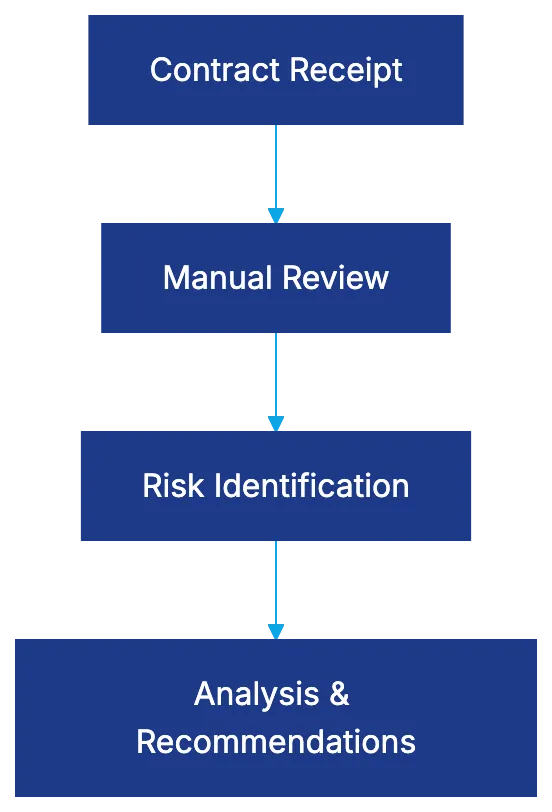
## LegalOn: Attorney-Maintained Intelligence
[LegalOn leverages attorney-selected playbooks instead of unsupervised machine learning, with over 50 pre-built playbooks maintained by in-house attorneys](https://www.legaltechnews.com/2021/06/15/legalon-launches-ai-powered-contract-review-platform/). Independent testing scored LegalOn at 92 out of 100 for accuracy in identifying risks and deviations. The platform offers immediate value, bypassing extensive training by continuously updating playbooks. Pricing starts at $150 per review for standard agreements, with discounts for volume. It excels for consistent analysis but may require custom playbook supplementation for specialized contract types. G2 ratings show 4.6 out of 5 stars.
## Harvey AI: Partnership-Driven Language Models
[Harvey AI partners with OpenAI to use custom legal language models that extend beyond standard GPT architecture, incorporating retrieval-augmented generation](https://www.openai.com/research/harvey-ai-partnership/). It added 10 billion tokens of US case law to its training data for comprehensive analysis. In testing, 97% of attorneys preferred Harvey's output. The Trust Stack verification shows audit trails of AI decisions. Pricing is enterprise-based, targeting Am Law 200 firms, with costs from $75,000 to $500,000 annually. Capterra reviews average 4.7 out of 5 stars.
## Luminance: Proprietary Legal-Grade LLM
[Luminance built its own Legal-Grade LLM trained on over 150 million legal documents](https://www.luminance.com/technology/). The LITE engine uses pattern recognition to assess both explicit and implicit risks in contracts. It supports 80+ languages natively, eliminating translation bottlenecks. Different sub-models handle specific tasks, enhancing accuracy. Pricing starts at $30,000, scaling for enterprise deployments. It suits international practices, with G2 ratings of 4.5 out of 5 stars.
## Kira Systems: Pre-Built Smart Fields at Scale
Kira Systems offers 1,400+ pre-built smart fields for 40+ practice areas. The platform allows custom smart field creation through its Quick Study feature. It serves 64% of Am Law 100 firms. Pricing is annual, starting at $25,000 with costs increasing based on usage. Kira is ideal for varied contract types, focusing on data extraction more than recommendations. Capterra reviews give it 4.4 out of 5 stars.
## Spellbook: Microsoft Word Native Integration
Spellbook integrates AI directly into Microsoft Word, analyzing contracts within a familiar environment. The benchmarking feature compares terms against industry standards. Pricing starts at $40 per user monthly, with professional plans around $100 per user. It benefits firms using Word widely. G2 reviews show 4.5 out of 5 stars.
## Robin AI: End-to-End Contract Lifecycle
Robin AI offers AI analysis with lifecycle management features like workflow automation and negotiation tracking. The system learns from attorney edits, aligning more closely with firm preferences over time. Pricing starts around $50,000 annually. Capterra ratings average 4.3 out of 5 stars.
## Juro: Contract Collaboration Platform
Juro combines AI contract review with collaboration features, offering real-time editing and commenting. Smart templates allow self-service contract generation, and review features include automated approval routing and risk scoring. Pricing starts around $80 per user monthly. G2 reviews show 4.5 out of 5 stars.
## Ironclad: Digital Contracting System
Ironclad digitizes contract workflows from request to post-signature management. It features Workflow Designer for approval chains and extracts key terms for a searchable repository. Pricing starts at $20,000 annually. Capterra reviews average 4.6 out of 5 stars.
## Evisort: AI-Powered Contract Intelligence
Evisort transforms contracts into structured data, emphasizing intelligence that turns language into queryable information. It connects with systems like Salesforce and SAP. Pricing starts at $30,000 annually. G2 ratings show 4.7 out of 5 stars.
## ContractPodAi: Legal Lifecycle Management
ContractPodAi provides comprehensive [contract lifecycle management](https://www.gartner.com/en/information-technology/glossary/contract-life-cycle-management-clm). Leah AI acts as a virtual assistant for contract queries. Pricing starts around $25,000 annually. Capterra reviews average 4.3 out of 5 stars.
## LinkSquares: Contract Repository with AI Analysis
LinkSquares uses AI to make contracts searchable, automating ingestion from various sources. Pricing starts at $15,000 annually. Capterra reviews rate it at 4.5 out of 5 stars.
AI Contract Review Approaches:
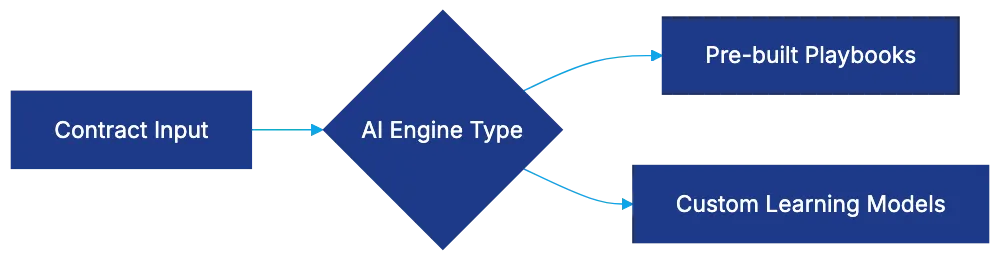
## Summize: Contract Review in Existing Workflows
Summize integrates AI review into tools like Slack and Teams, providing analysis in familiar interfaces. Pricing ranges from $50 to $100 per user monthly. Capterra reviews rate it at 4.4 out of 5 stars.
## Comparison Table: Key Features and Pricing
| Platform | AI Approach | Key Strength | Starting Price | Best For | Rating |
|----------|-------------|--------------|----------------|----------|--------|
| LegalOn | Attorney-maintained playbooks | Immediate value | $150/contract | Consistent analysis | 4.6/5 |
| Harvey AI | Custom LLMs | Deep analysis | $75K+ annually | Complex matters | 4.7/5 |
| Luminance | Propriety LLM | Multilingual support | $30K annually | International practices | 4.5/5 |
| Kira Systems | Smart fields | Extraction library | $25K annually | Varied contract types | 4.4/5 |
| Spellbook | Word integration | Familiar setup | $40/user monthly | Word-centric workflows | 4.5/5 |
| Robin AI | Lifecycle management | Unified platform | $50K+ annually | Lifecycle needs | 4.3/5 |
| Juro | Collaboration | Templates and editing | $80/user monthly | Standardized contracts | 4.5/5 |
| Ironclad | Contracting system | Workflow automation | $20K+ annually | Digital transformation | 4.6/5 |
| Evisort | Contract intelligence | Repository analysis | $30K annually | Large repositories | 4.7/5 |
| ContractPodAi | Lifecycle management | Virtual assistant | $25K+ annually | Total management | 4.3/5 |
| LinkSquares | Repository AI | Searchability | $15K annually | Storage organization | 4.5/5 |
| Summize | Integrated review | Workflow synergy | $50-100/user monthly | Collaboration focus | 4.4/5 |
## Selection Criteria: Choosing the Right Platform
Selecting AI contract review software requires matching platform capabilities to your workflow and needs. Choose immediate value or customize to specific requirements. Platforms like LegalOn and Kira offer pre-built intelligence, while Evisort and Harvey provide deeper options. High-volume routine contracts suit Juro or Ironclad, while complex agreements need Harvey or Luminance. Budget affects choices, with low-cost options like Spellbook for smaller firms, versus enterprise options like Harvey or Robin for large volumes.
Technical sophistication and security needs influence platform selection. Some tools require operational or legal tech proficiency. Security requirements vary; firms need platforms with robust features for sensitive work. Most platforms offer cloud deployment, but options like Harvey AI emphasize transparency. Start with clear needs, acceptable pricing, and integration requirements. Request demonstrations using actual contracts to ensure capabilities match claims.
Platform Selection Decision Flow:
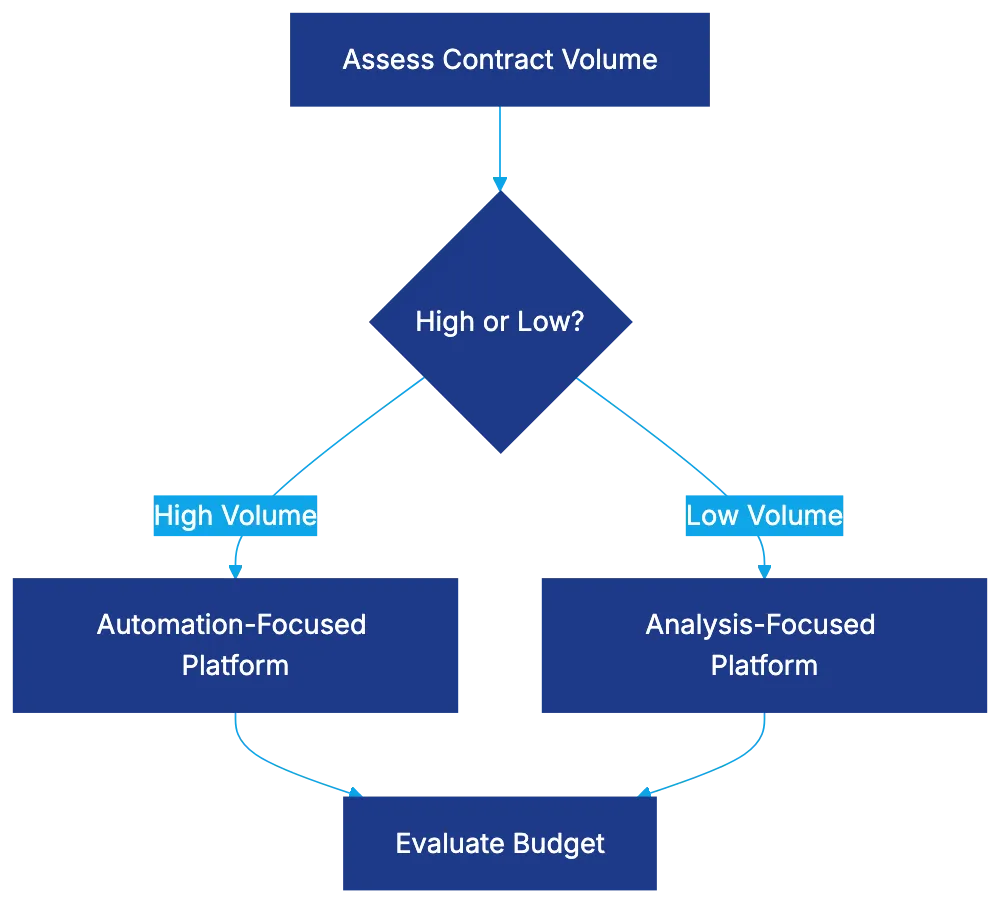
## End
AI contract review software selection depends on contract types, volume, budget, and workflows. Large firms with complex agreements need systems like Harvey AI or Luminance. High-volume contracts benefit from automation-focused platforms like Juro or Ironclad. Smaller firms should consider cost-effective solutions like Spellbook. Despite advancements, AI remains a tool for handling repetitive tasks, requiring attorney oversight for strategic decisions. Clear requirements, feature needs, and cost alignment ensure the right fit, leading to measurable time savings quickly.
Frequently Asked Questions
How do I determine which AI contract review platform is right for my firm?
Choosing the right platform involves assessing your contract volume, types, and specific needs. Consider platforms that offer the immediate value of pre-built intelligence for routine contracts, while examining options that allow customization for more complex agreements. Budget and integration capabilities should also guide your decision.
What are the primary benefits of using AI for contract review?
AI contract review can significantly reduce the time attorneys spend on repetitive tasks, allowing them to focus on strategic decision-making. These tools can streamline risk identification and enhance accuracy in contract analysis, ultimately leading to faster turnaround times and improved efficiency in legal workflows.
Are there specific industries that benefit more from AI contract review tools?
While all legal practices can benefit from AI contract review tools, industries with high contract volumes, such as finance, real estate, and technology, may see more significant advantages. These sectors often deal with standardized contracts and require efficient management to keep pace with rapid transactions.
How much should a firm expect to invest in AI contract review tools?
Investment can vary widely based on the platform and the complexity of your needs. Pricing starts as low as $15,000 annually for basic systems, while enterprise solutions can cost upwards of $500,000 per year. It's essential to evaluate the potential ROI based on your firm's contract volume and specific requirements.
Can AI contract review tools completely replace lawyers?
No, AI tools are designed to assist rather than replace lawyers. They can handle repetitive tasks and provide insights, but strategic legal decisions, negotiations, and nuanced understanding still require attorney expertise and oversight.
What features should I prioritize when selecting an AI contract review platform?
Focus on key features such as risk assessment capabilities, integration with existing software, user-friendliness, and the option for attorney oversight. Additionally, assess the platform's ability to handle various contract types and its support for multilingual documents if applicable.
How long does it take to implement an AI contract review solution?
Implementation time can differ based on the complexity of the platform and the level of customization needed. Some tools like LegalOn offer immediate value, while others may require several months of training and adjustment to meet firm-specific requirements.
### The Complete Guide to AI Contract Review in 2026
URL: https://legavima.com/blog/ai-contract-review-guide/
Description: Master AI contract review technology: NLP fundamentals, ML approaches, accuracy benchmarks, and implementation strategies for legal professionals.
Published: 2026-01-15
Updated: 2026-02-10
## Introduction
Legal teams manage numerous contracts. A mid-sized law firm reviews thousands annually, each requiring lawyer time for risk assessment, obligation extraction, and compliance. AI contract review is now essential. However, not all AI is equal. A [Stanford study](https://arxiv.org/abs/2103.06268) found general AI hallucinates legal advice 69% of the time, while purpose-built legal AI tools achieve over 90% accuracy, with some models preferred by lawyers 97% of the time over manual review. This guide explains AI contract analysis, system capabilities, and how legal professionals should evaluate and implement them in 2026.
## How AI Reads Legal Language: The NLP Foundation
Feeding a contract into an AI system doesn't involve a robot lawyer reading the text. It uses [Natural Language Processing](https://nlp.stanford.edu/) (NLP) to break text into components. Understanding these mechanics helps identify overselling of capabilities.
NLP begins by breaking contracts into structural elements. AI identifies sentence boundaries, tokenizing text, then applies part-of-speech tagging. The key phase is [entity recognition](https://en.wikipedia.org/wiki/Named_entity_recognition), identifying parties, terms, dates, and monetary amounts. This foundational layer informs the analysis.
NLP Processing Pipeline:
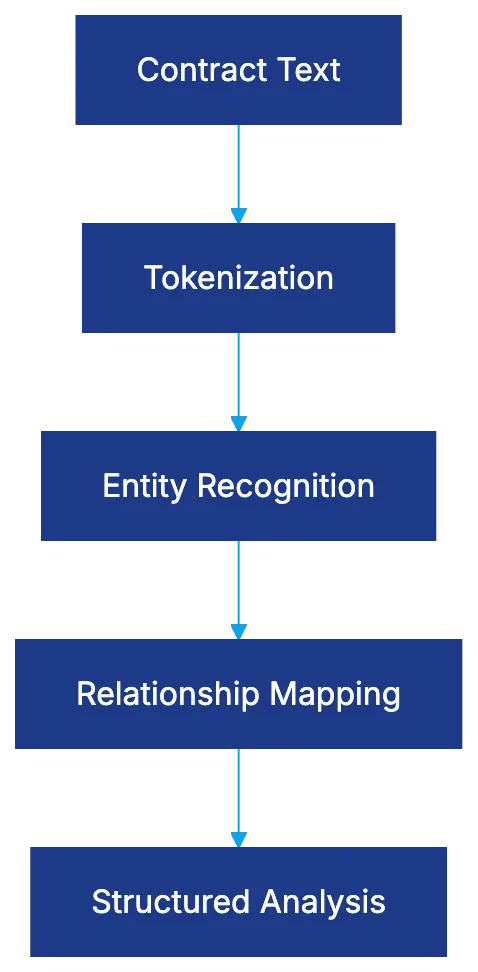
Relationship mapping follows. AI links entities to obligations and understands how clauses modify each other using dependency parsing. It recognizes negations and modal verbs like "shall," "may," "must," and "should," which vary in legal significance.
## Machine Learning Approaches: Teaching AI to Think Like a Lawyer
NLP lets AI read contracts; machine learning lets it understand them. Different ML methods have various strengths and limitations.
Supervised learning is crucial for contract AI. Lawyers label thousands of examples to train the system on patterns in indemnification clauses or liability provisions. The quality depends on the data, and datasets like [CUAD standardized benchmarks](https://www.atticusprojectai.org/cuad).
Machine Learning Training Approach:

Unsupervised learning lets AI find patterns but may not grasp legal significance. Transformer models, like BERT and DeBERTa, improve context understanding by considering surrounding words, enhancing AI contract analysis.
## Retrieval-Augmented Generation: Grounding AI in Real Contracts
RAG System Architecture:
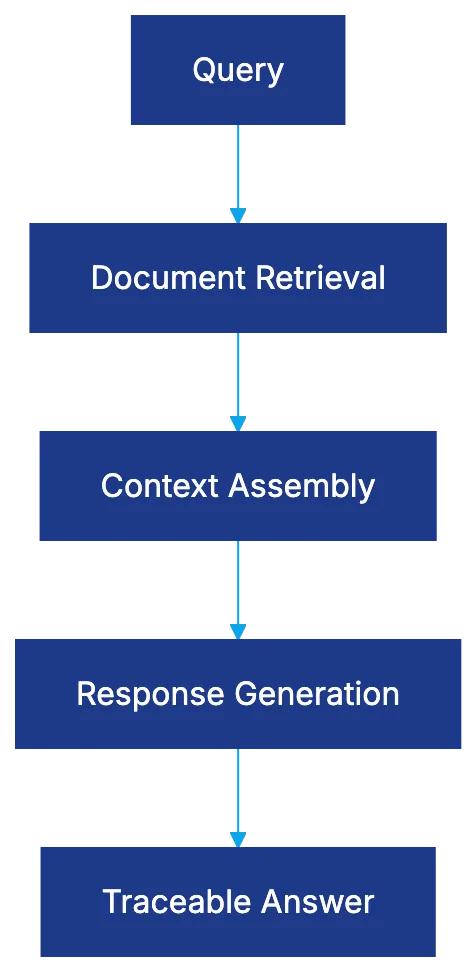
RAG combines language understanding with document retrieval to tackle general AI's hallucination issue. While traditional AI classifies and extracts, RAG systems can retrieve relevant sections and generate responses from actual contract language, offering traceability and handling contract-specific defined terms more effectively.
## Accuracy Benchmarks: Actual System Capabilities
Kira Systems boasts over 90% accuracy for standard clause identification. LegalOn scored 92 out of 100 on playbook adherence, and Harvey's benchmark found 97% of lawyers preferred AI analysis over manual review. [Gartner](https://www.gartner.com/en/newsroom/press-releases/2025-10-01-gartner-survey-shows-ai-and-contract-analytics-ar-urgent-priorities-for-general-counsel) also highlights AI and contract analytics as urgent priorities for general counsel. Accuracy can decline with unusual clauses or industry-specific provisions, showing the need for context-specific tech choices.
## Time Savings and Efficiency: Data Insights
Legal departments report 70% to 85% time savings on initial analysis using AI. It handles extraction and initial categorization, allowing lawyers to focus on deeper analysis. For example, a firm increased throughput from 12 to 40 contracts per week per attorney. [Forbes](https://www.forbes.com/councils/forbesbusinessdevelopmentcouncil/2025/06/17/can-ai-change-the-legal-profession-forever/) notes that AI can reduce review time by 99.97%, leading to significant cost savings.
## Playbook Enforcement and Automated Redlining
AI automates playbook enforcement, comparing contracts against standards and flagging deviations. Redlining suggests changes to align contracts with the playbook and generates explanatory memos for business teams.
## Setup Considerations for Legal Teams
AI Implementation Process:
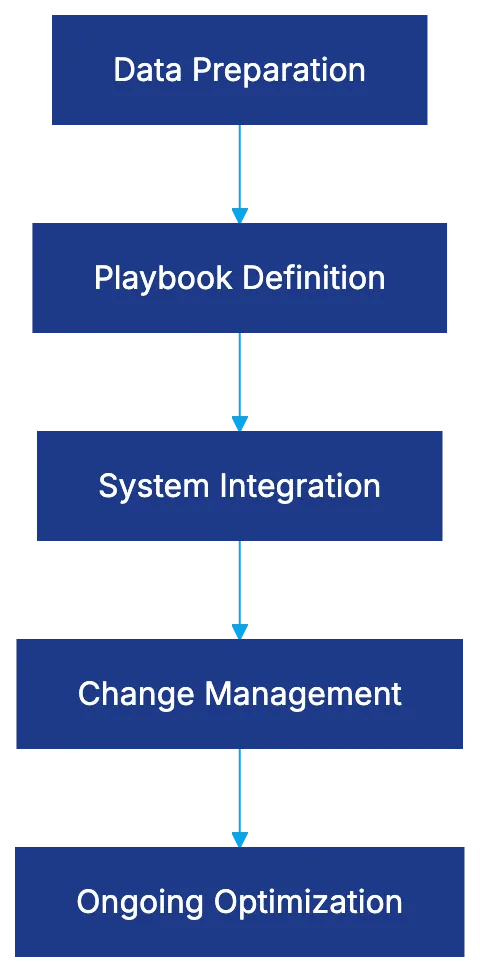
Successful AI implementation requires data preparation, defining playbooks, system integration, and change management. Key considerations include vendor training data, model update frequency, and meeting data security requirements.
## Manual Review vs. AI Review: A Real Comparison
AI performs extraction and categorization in minutes, enabling lawyers to focus on evaluation and judgment, improving consistency and managing complexity, especially with novel contract structures or historical language.
## The Hallucination Problem: Why Legal AI Must Be Purpose-Built
General AI models hallucinate legal advice due to a lack of grounding in legal sources. Stanford's findings highlight the importance of purpose-built legal AI, trained specifically on legal text, like the CUAD dataset.
## Future Directions and Emerging Capabilities
AI contract review is evolving quickly, with advancements in multi-modal analysis, negotiation assistance, predictive analytics, real-time collaboration, industry-specific models, and cautious autonomous contract drafting.
## Bottom Line
AI contract review is now a practical and effective tool. Purpose-built legal AI systems achieve over 90% accuracy, delivering time savings and consistency. Understanding the capabilities and limitations ensures successful implementation, starting with standardized contract types and expanding as trust and competence build. This approach enables legal teams to provide strategic advice relying on actual legal expertise.
Frequently Asked Questions
How can I determine if a legal AI tool is suitable for my firm?
To evaluate a legal AI tool, consider its accuracy benchmarks, data security measures, and ease of integration with your existing systems. Look for systems with proven results, particularly those that have been validated through independent studies, such as accuracy rates above 90%. Additionally, ensure that the tool is specifically designed for legal applications, as general AI may have a higher chance of error.
What types of contracts can AI effectively analyze?
AI systems excel at analyzing standardized contracts, such as NDAs, service agreements, and employment contracts. However, they may struggle with highly customized agreements or those containing unusual clauses. For optimal results, it's advisable to start with common contract types before gradually progressing to more complex documents.
What should be included in a playbook for AI contract review?
A playbook should outline the standards for acceptable contract clauses, compliance requirements, and specific terms that must be flagged. It serves as a guideline for the AI, helping it understand which aspects of a contract are critical and how to handle deviations. Regular updates to the playbook ensure alignment with evolving legal practices and organizational needs.
What are the expected time savings when implementing AI for contract review?
Legal departments have reported time savings ranging from 70% to 85% in initial contract analysis when using AI tools. By automating data extraction and categorization, lawyers can dedicate more time to critical evaluation and decision-making. This significant reduction in manual workload can enhance overall productivity and throughput.
What is 'hallucination' in the context of AI legal advice?
'Hallucination' refers to instances when AI generates incorrect or fabricated legal advice due to inherent limitations in general AI models. A study indicated that such models can misinterpret legal language, leading to misleading conclusions. This emphasizes the need for legal AI systems that are purpose-built and trained on relevant legal texts to enhance reliability.
How do I handle the data security concerns when using AI tools?
When implementing AI tools, ensure that the provider complies with relevant data protection regulations and employs robust encryption methods for data handling. Evaluate the vendor's security protocols and assess how they manage sensitive legal information. Regular audits and customized security practices can further protect your firm's data from potential breaches.
What are the latest advancements in AI contract review technology?
Recent advancements include multi-modal analysis, which integrates text, images, and other formats, as well as enhanced predictive analytics for estimating contract outcomes. AI tools are also evolving to assist with real-time negotiation and collaboration, offering more contextual understanding of terms. Industry-specific models are emerging to cater to niche requirements, improving overall contract management efficiency.